Se você não tiver uma conta na Biblioteca de Mídia da 2N, preencha o formulário de registro on-line e solicite o acesso.
Observe que o acesso à Biblioteca de mídia é exclusivo para representantes autorizados dos parceiros comerciais da 2N. Portanto, sua solicitação será analisada e aprovada pela 2N.
The steps in this article require using the web interface of a 2N device. Please follow this manual in case this is your first time using the web interface.
The nerve centre of our access control solution is 2N® Access Commander. Use it for managing access to the building and monitoring the status of 2N access devices in real time. Its intuitive user interface lets you set up the system quickly and delegate everyday activities directly to the customer.
You can join beta testing of both Access Commander software and of compatible device firmware before their official release.
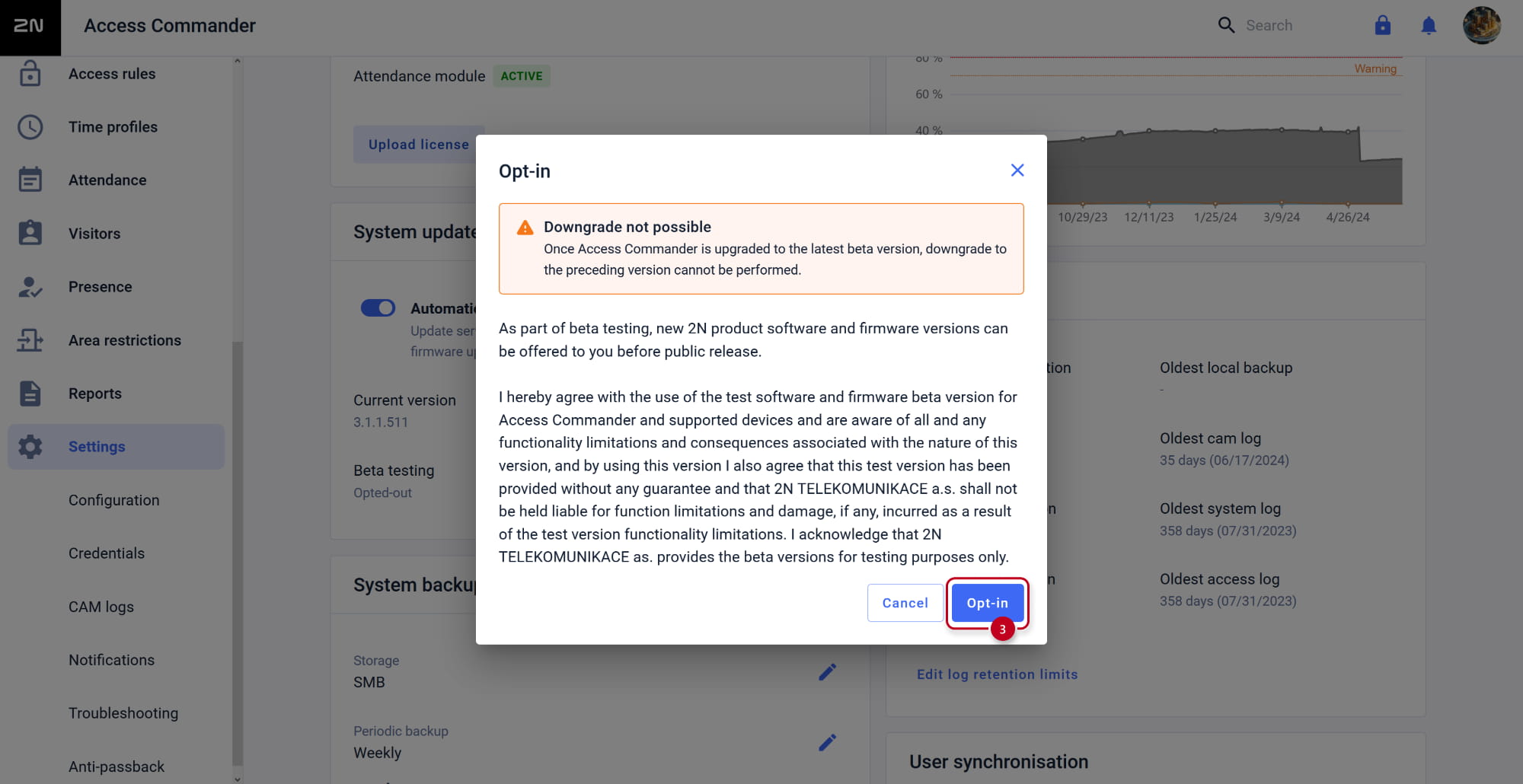
Once 2N® Access Commander is upgraded to the latest beta version, downgrade to the preceding version cannot be performed.
Prerequisities
2N® Access Commander the latest version, no additional license is required.
Disclaimer
As part of beta testing, new 2N product software and firmware versions can be offered to you before public release.
I hereby agree with the use of the test software and firmware beta version for 2N® Access Commander and supported devices and are aware of all and any functionality limitations and consequences associated with the nature of this version, and by using this version I also agree that this test version has been provided without any guarantee and that 2N TELEKOMUNIKACE a.s. shall not be held liable for function limitations and damage, if any, incurred as a result of the test version functionality limitations.
I acknowledge that 2N TELEKOMUNIKACE a.s. provides the beta versions for testing purposes only.
Joining beta testing
Login to web interface of 2N Access Commander and in section Settings, opt-in beta testing.
Access Commander will offer beta upgrade when available.