Capture network and logs - Lift IP 2.0
The steps in this article require using the web interface of a 2N device. Please follow this manual in case this is your first time using the web interface.
Have you found an issue with our 2N Lift IP 2.0?
Don't worry, we will show you diagnostic tools and troubleshooting options to make everything running as expected.
Prerequisities
- 2N Lift IP 2.0 with the latest firmware,
no additional license is required for any of mentioned step.
What you can try yourself
Before contacting the technical support team (which will be described later on), you can try some few things yourself.
Depending on your technical skills, you can choose from basic or advanced methods.
Basic methods
- Have you already restarted the device? You can proceed it also from the device web interface, System - Maintenance section.
- Before contacting the technical support team, please always prepare Diagnostics package.
It contains all the needed information, incl. device configuration, system logs and network traffic.
Just start recording, replicate the issue, download the package.
The records will be kept even if you reboot the device.
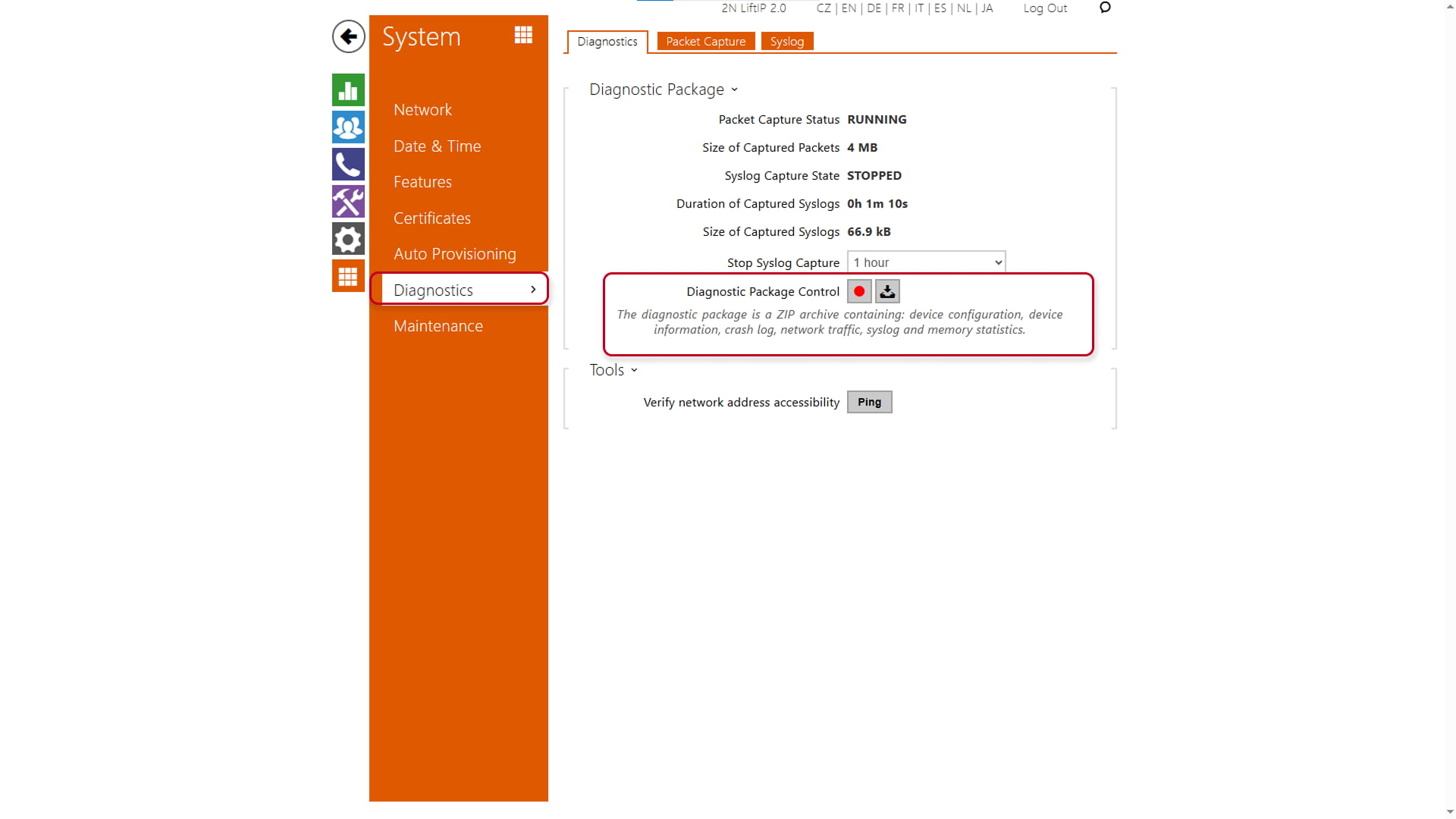
In some cases can be helpful to return the device settings to the factory values. Please always backup your configuration first.
You can follow instructions in this article: Factory reset - Lift IP 2.0
We are happy to help
In case of any issue, feel free to contact the technical support of your local distributor or directly contact the 2N technical support team.
Here are mentioned all the ways how you can contact the 2N technical support team: https://www.2n.com/support/technical-support
We will be glad, if you can tell us following information for the smooth process, it will make it easier for both parties.
- Serial number of the devices
- Version of the firmware in the devices
- Provide us the Diagnostics package from the device.
We already mentioned the procedure in this article (at the end of the basic diagnostics methods). - Please describe us your issue in detail to let us understand and replicate it at our side.
If your issue can be clearly visible or heard eg. LED blinking, bad sound quality, please take a pictures or record a video (by your phone) for us.
You can attach it to the e-mail or upload it to your cloud storage (e.g. OneDrive or Google Drive) and send us just the download link. - Please provide us the description of the LAN topology, NATs, IP addresses, etc.
If you have an issue regarding electrical circuit, please send us a diagram of that, incl. specifications of the controlled device (lock, gate, lights etc.).