Factory reset - Lift IP 2.0
The steps in this article require using the web interface of a 2N device. Please follow this manual in case this is your first time using the web interface.
If needed, you can return the device to the factory settings. In case you can access the web interface (know the login password), you can backup the configuration and use the software reset with possibility to keep the network settings. Otherwise there is available the hardware reset.
Prerequisites
- 2N Lift IP 2.0 with the latest firmware if possible
(especially in case of software reset)
Software reset
- At first backup your configuration in Lift IP 2.0 web interface, section System - Maintenance.
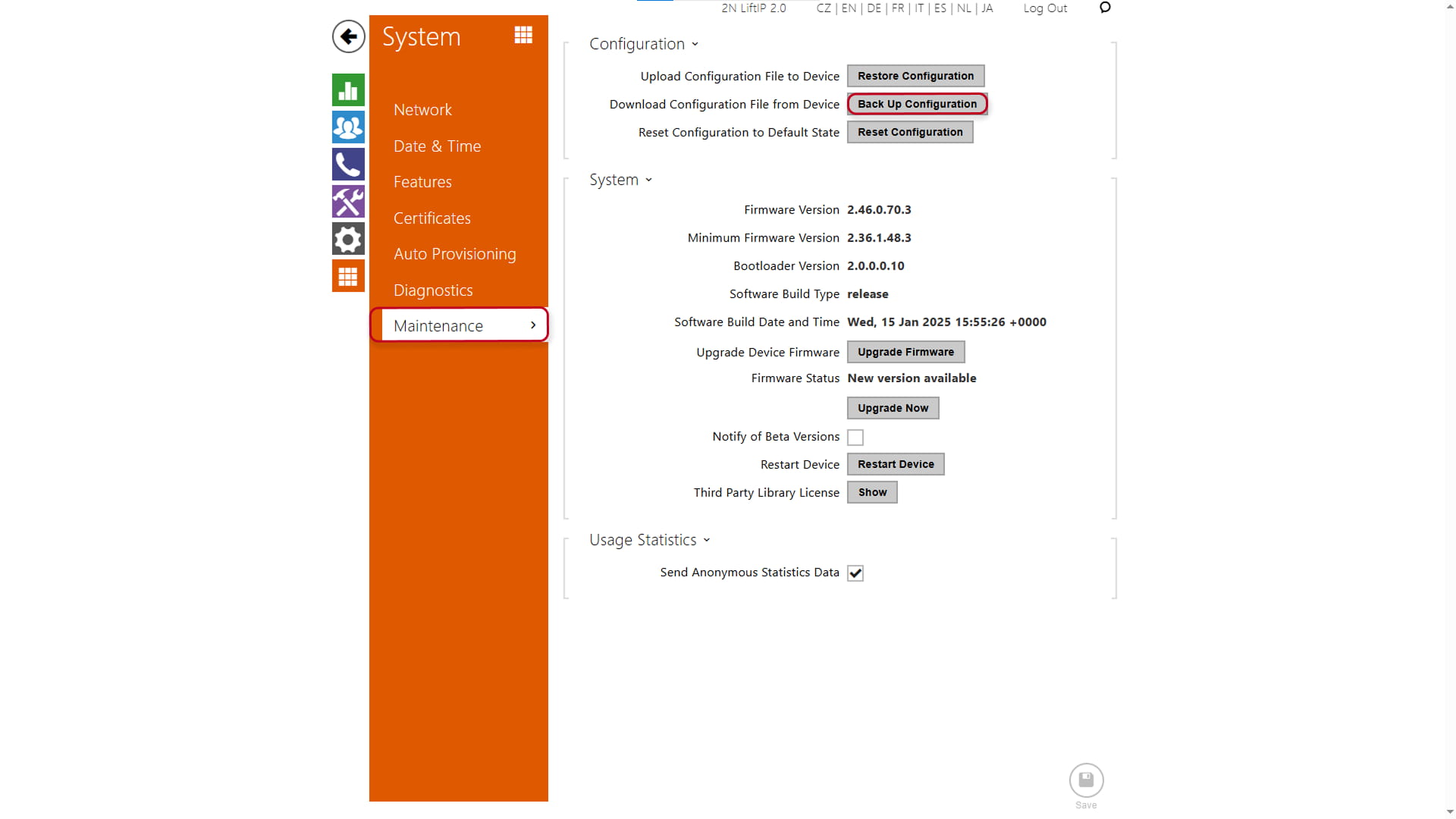
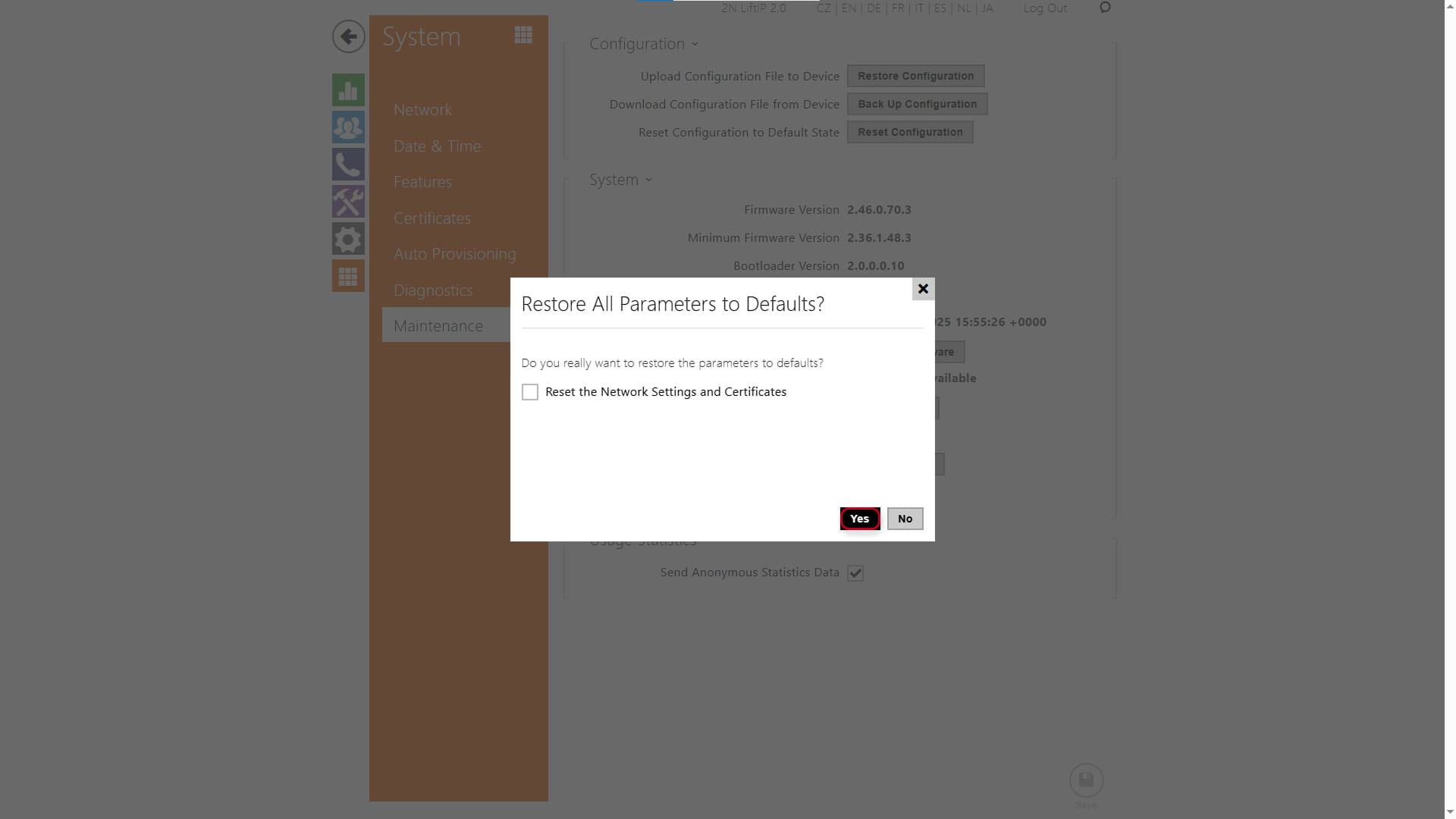
- Now on the same place click on Reset Configuration button and confirm it, you can choose if keep the network settings.
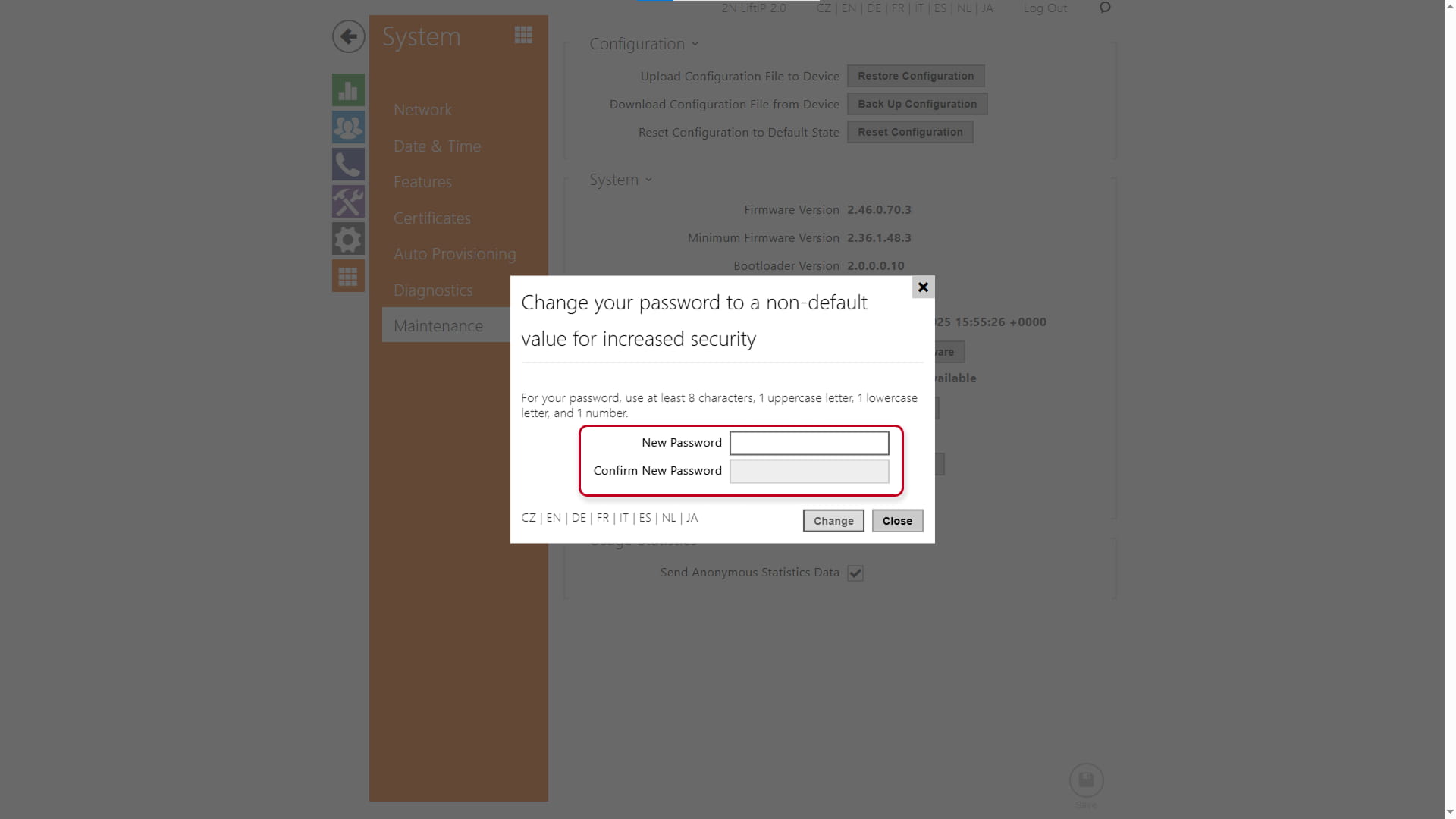
The procedure is completed in a while and you are asked for the new login password.