If you want to change the credit/debit card information due to expiration of the card or you wish to use a different card, follow the instructions bellow:
Short guide on the website
-
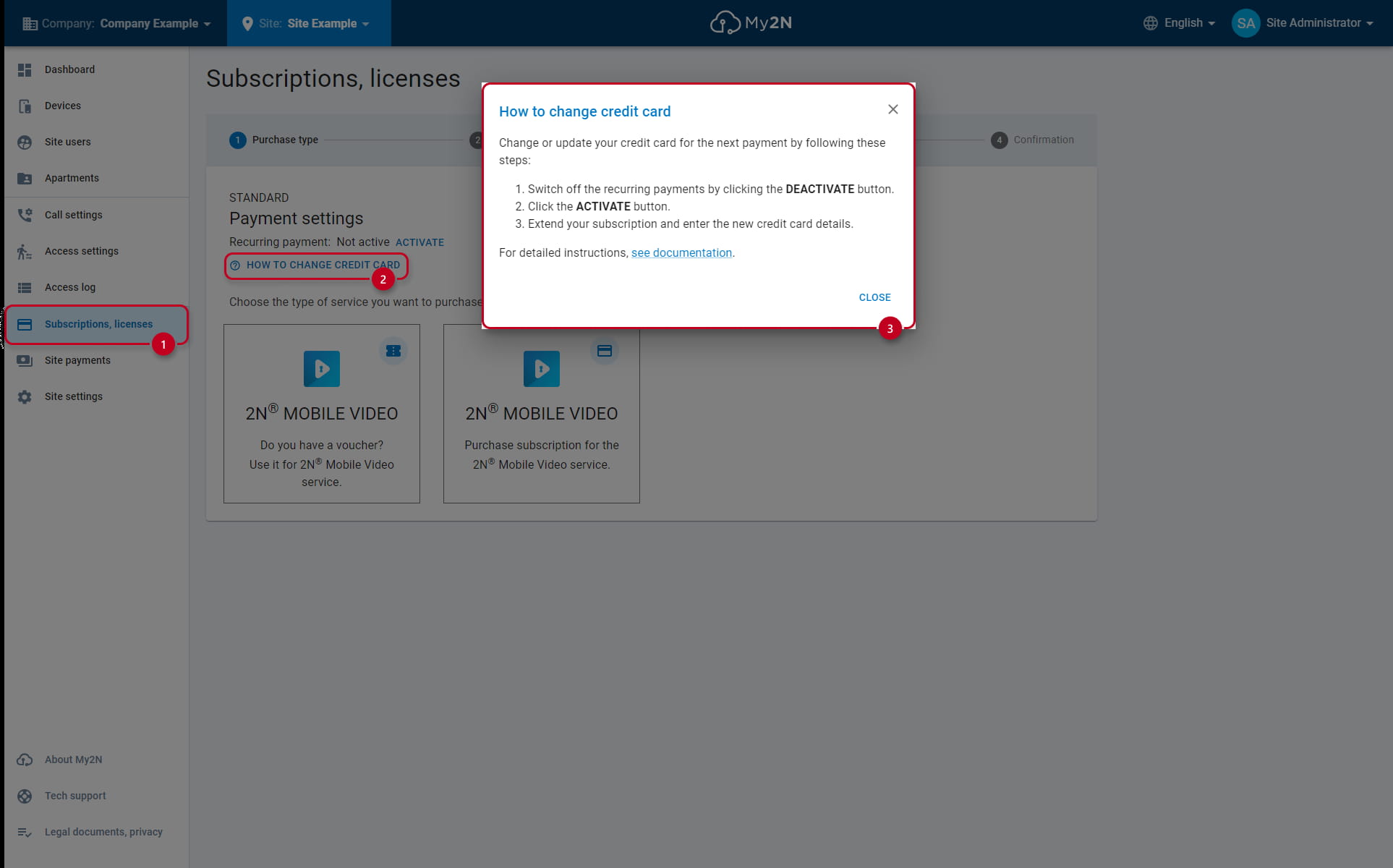
Go under "Subscriptions, licenses" (1), click on " How to change credit card" (2)
-
Check the short guide (3)
Step by step guide
-
The recurring payment has to be disabled to change the credit card info
-
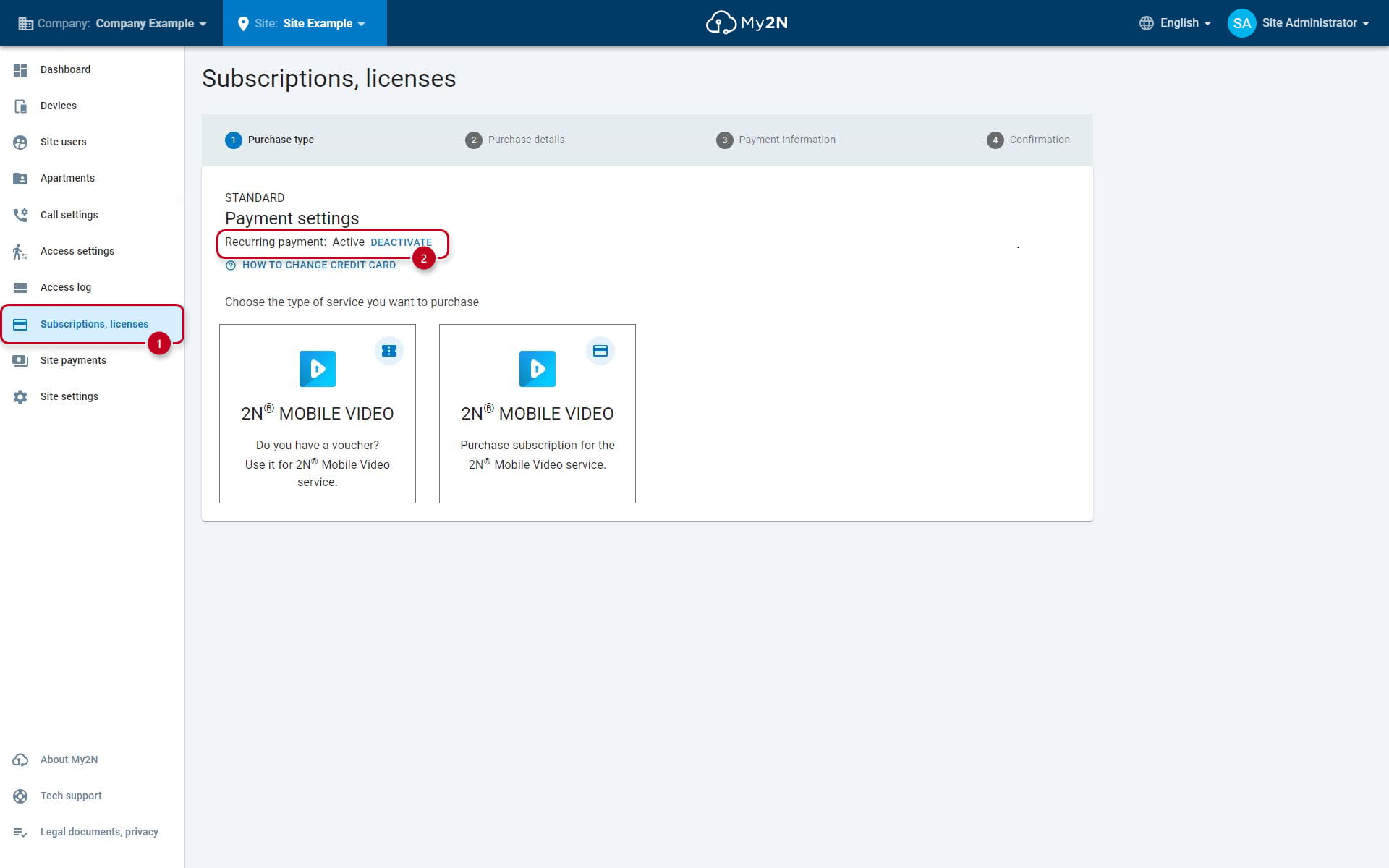
Go under "Subscriptions, licenses" (1), see the "Recurring payment" and select "DEACTIVATE" (2)
-
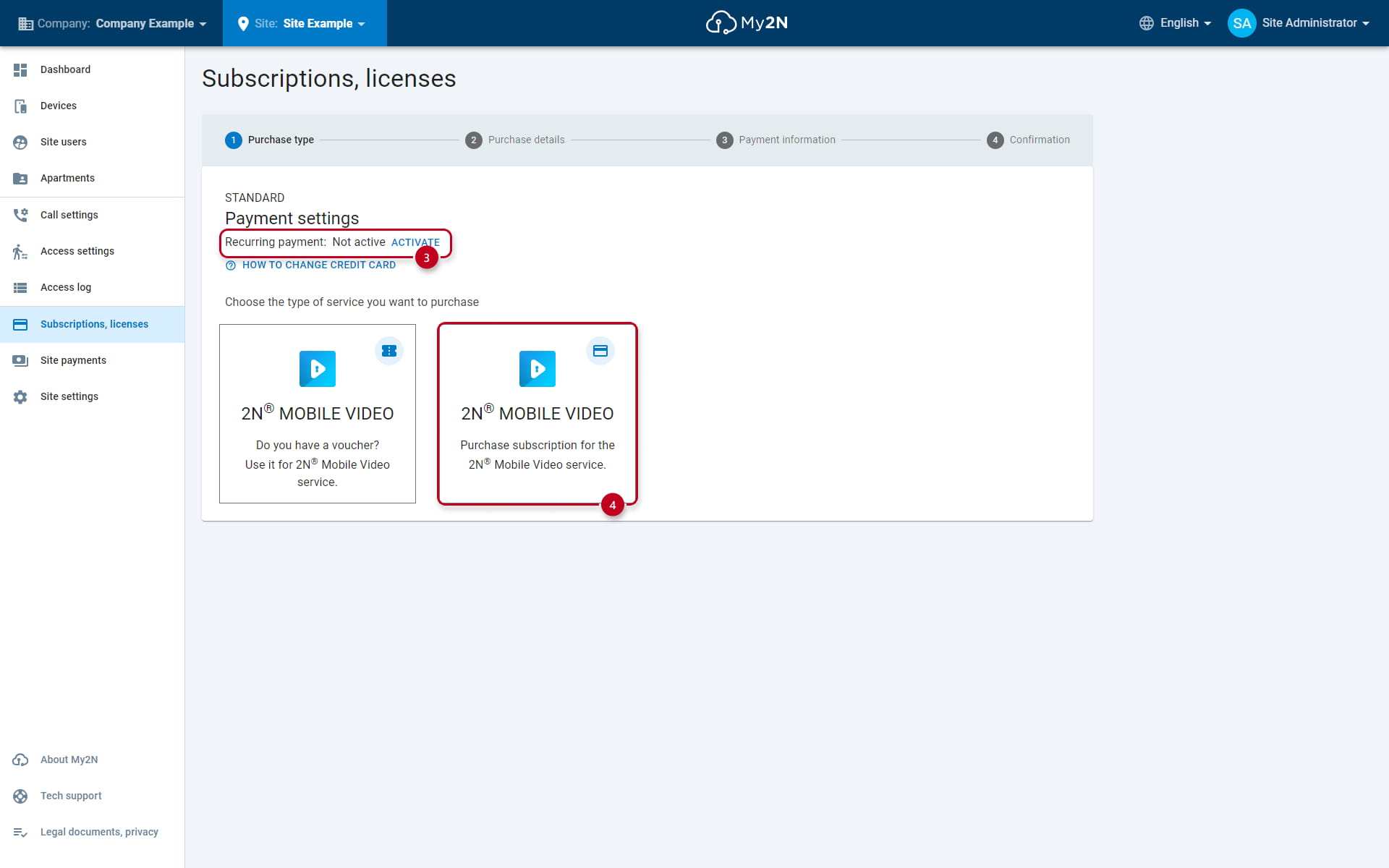
If you don't see the "DEACTIVATE" (2) button, that means recurring payments are not active, to enter new credit card details please proceed by clicking on the "ACTIVATE" (3) button
-
Once you will deactivate your recurring payments you need to activate them again by clicking on "ACTIVATE" (3), but now use a different credit card
-
If you don't see the "ACTIVATE" (3) button please proceed by clicking on "Purchase subscription for the 2N Mobile Video service" (4) shown bellow
-
- After choosing the monthly or annual subscription your will be redirected to the payment gateway where you fill in the new card details:
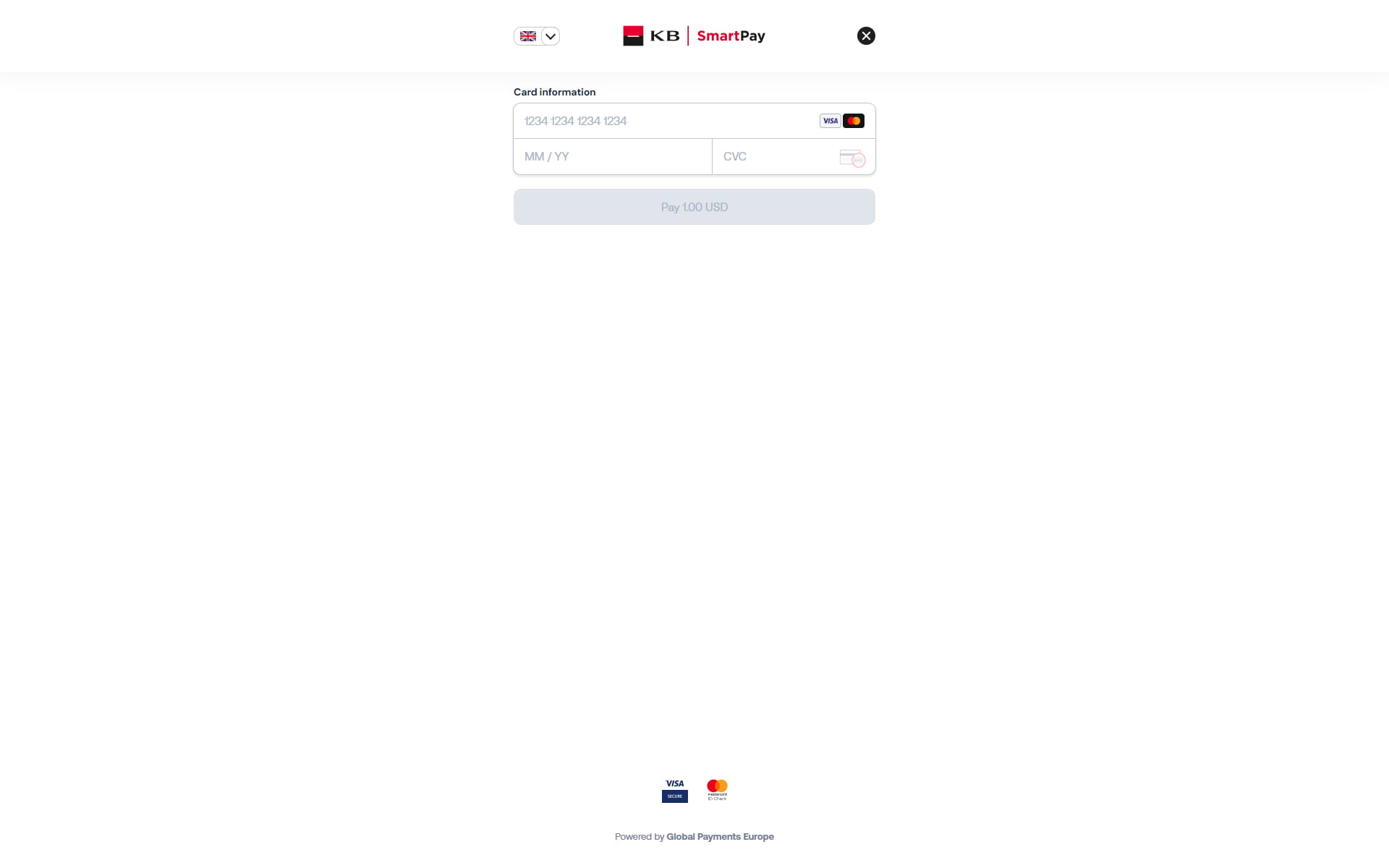
- Please note that once you will re-activate the subscription, a new payment will be processed which means that you will pre-purchase additional credits