Time Profiles
The steps in this article require using the web interface of a 2N device. Please follow this manual in case this is your first time using the web interface.
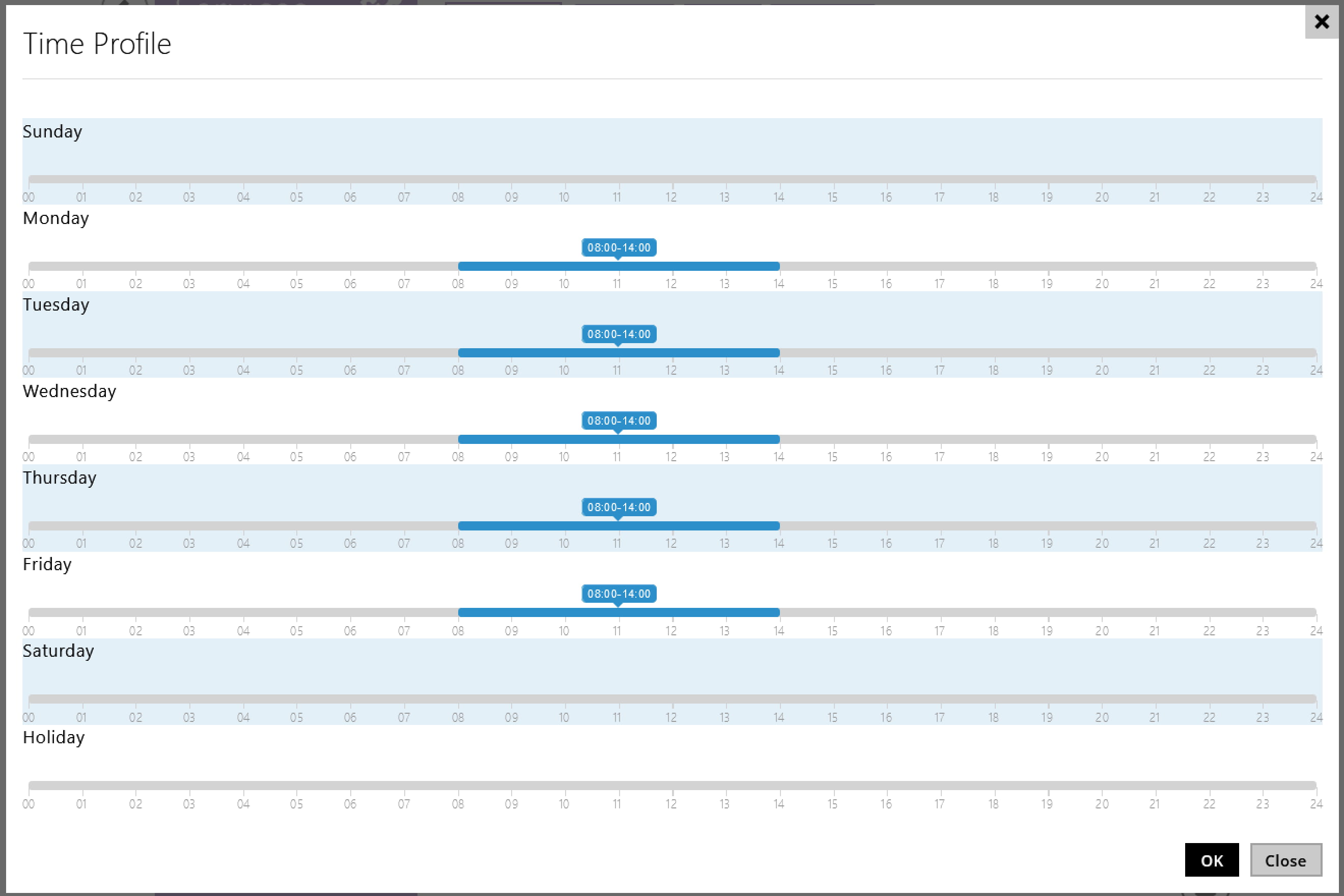
You can create and assign time profiles to limit usage of various functions,
e.g. calling a user or opening the door by the access method.
e.g. calling a user or opening the door by the access method.
Prerequisites
- 2N IP Intercom or 2N Access Unit with the latest firmware;
no additional license required (however some functions mentioned here can require a license)
Time Profiles description
- You can create up to 20 time profiles in the web interface, section Directory - Time Profiles,
and use them globally during functions configuration.


- In section Directory - Holidays, you can define the bank holidays
and then assign them different time intervals in section Directory - Time Profiles.
Permanent holidays are green and variable holidays (valid for the particular year only) are blue.

- Apart mentioned 20 globally accessible time profiles,
you may also set individual time profiles used just for specific function.

Examples of where you can use them
- User Phone numbers
(only for 2N IP Intercoms)
You can determine when to call a phone number of a user according to a set time profile.

- User Access Settings
You can restrict user access during a certain time.

- Switch Hold
Additional GOLD license is required
You can determine how long you want to keep the switch triggered.

- Multi-factor authentication
You can set different authentication mode according to different time profile.

- Automation function
Additional GOLD license is required
Use the ProfileState condition to limit triggering Action by the Event.
