Device Control
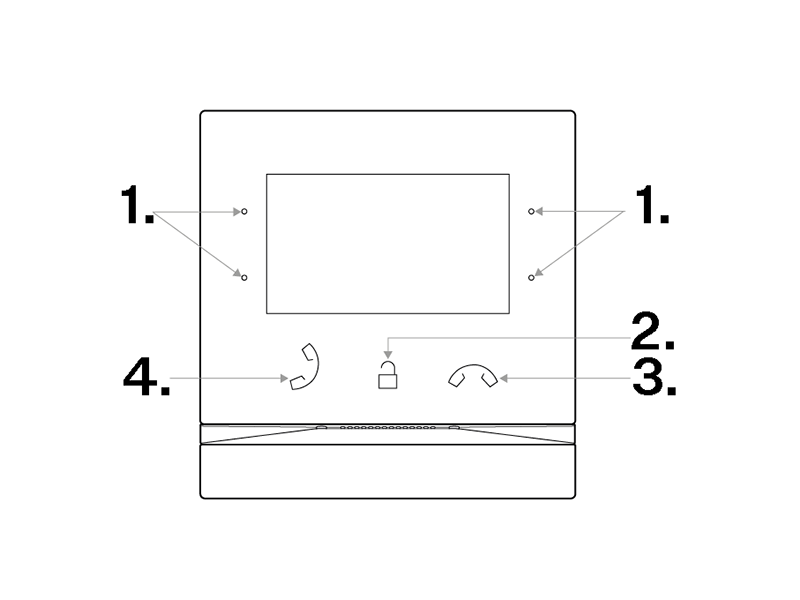
The backlit MENU buttons to the right and left help you control the device using the display. In addition to the active buttons, an icon showing the action generated by the button is displayed, refer to Icons used on the display.
It holds true in general that:
The
 and
and  buttons to the right are used for moving up and down in the menu,
The left-hand bottom button
 is used for confirmation,
The left-hand upper button
 returns you one step back in the menu with every press or to the home screen,
The
 button returns you to the home page.
 |
|