Directory Menu
The Directory menu provides a list of contacts and connected external cameras. | 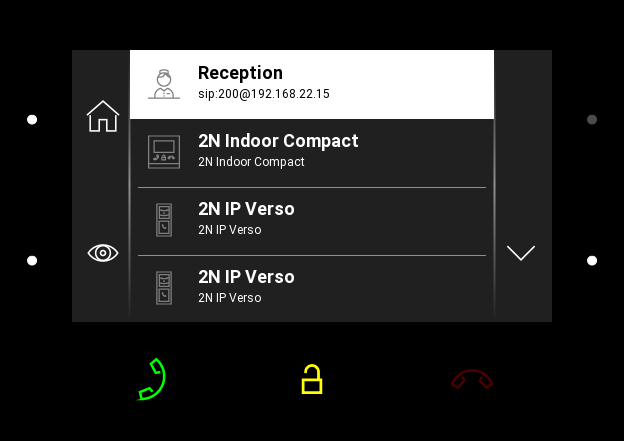 |
Possible actions | Performance | Action result |
|---|---|---|
Outgoing call setup |
| An outgoing call is set up to the destination of the selected contact. |
Target device lock opening |
| A specifically configured unlock code is sent to the target device and, if the code is compatible with the device, the target device lock opens. If no unlock code is set, the default unlock code is sent to the target device. |
Device detail display |
| The preview of the device camera is displayed if available. Use arrows to switch between the device details. |


