Home Screen
The Home screen is set as the start screen of the device, which is displayed whenever the device is activated by a display touch in the Idle mode. The device displays:
The home screen provides access to:
The dominant of the Home screen is a phone earpiece icon on a blue background, which allows you to make calls to the destinations listed in the Directory. If the earpiece icon is highlighted in red, 2N Indoor View cannot establish phone connections. This happens when the device has an unroutable address (0.0.0.0) or cannot log in to My2N or SIP Proxy. TipA long press on the Home page location / current weather area automatically displays the Settings > Weather section. | 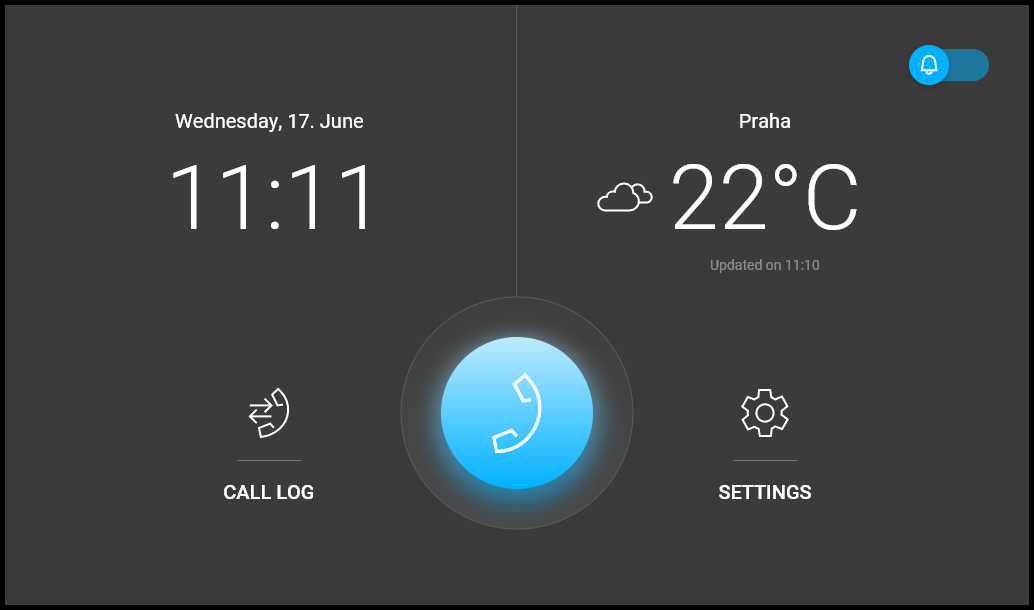 |
Possible actions | Performance | Action result |
|---|---|---|
Display of Directory Menu |  | Directory Menu is displayed. |
Call Log Menu Display |  | Call Log is displayed including a list of accomplished calls. |
Do Not Disturb Activation |  | Do Not Disturb Mode is activated and the activation message is displayed. |
Settings Menu Display |  | Settings is displayed on the device. |
Send the set HTTP command | Press the set HTTP command icon | The HTTP command is sent to an external device. |