Info
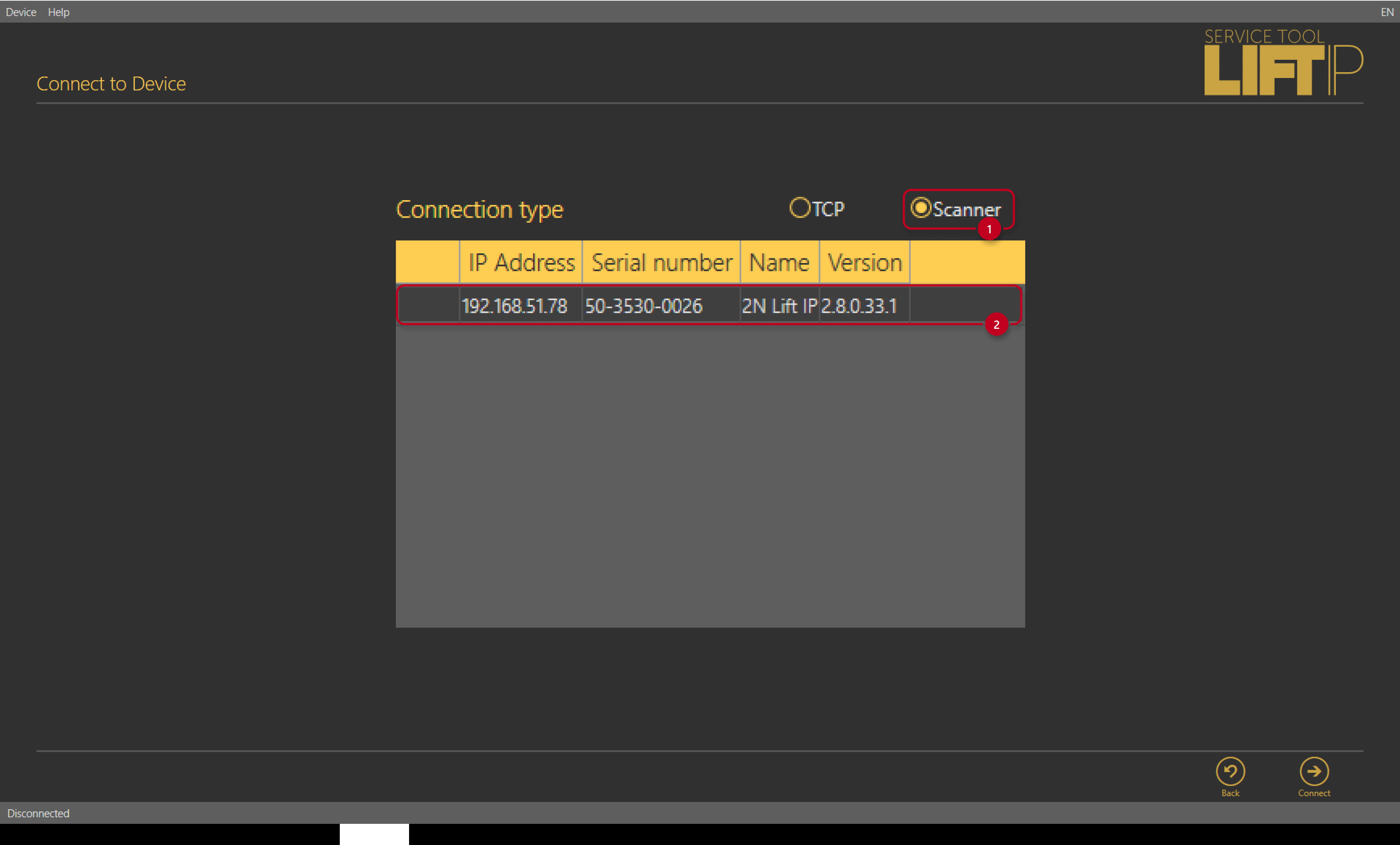
This FAQ describes how get unknown IP address of 2N LiftIP. There are two ways how to get IP address, both are described below. First option is acustic announcement of the IP address via voice menu. Second option is getting the IP address via 2N LiftIP Service Tool, which is software for configuration of the device. This software contains network scanner for 2N LiftIP devices.
Getting IP address via the voice menu
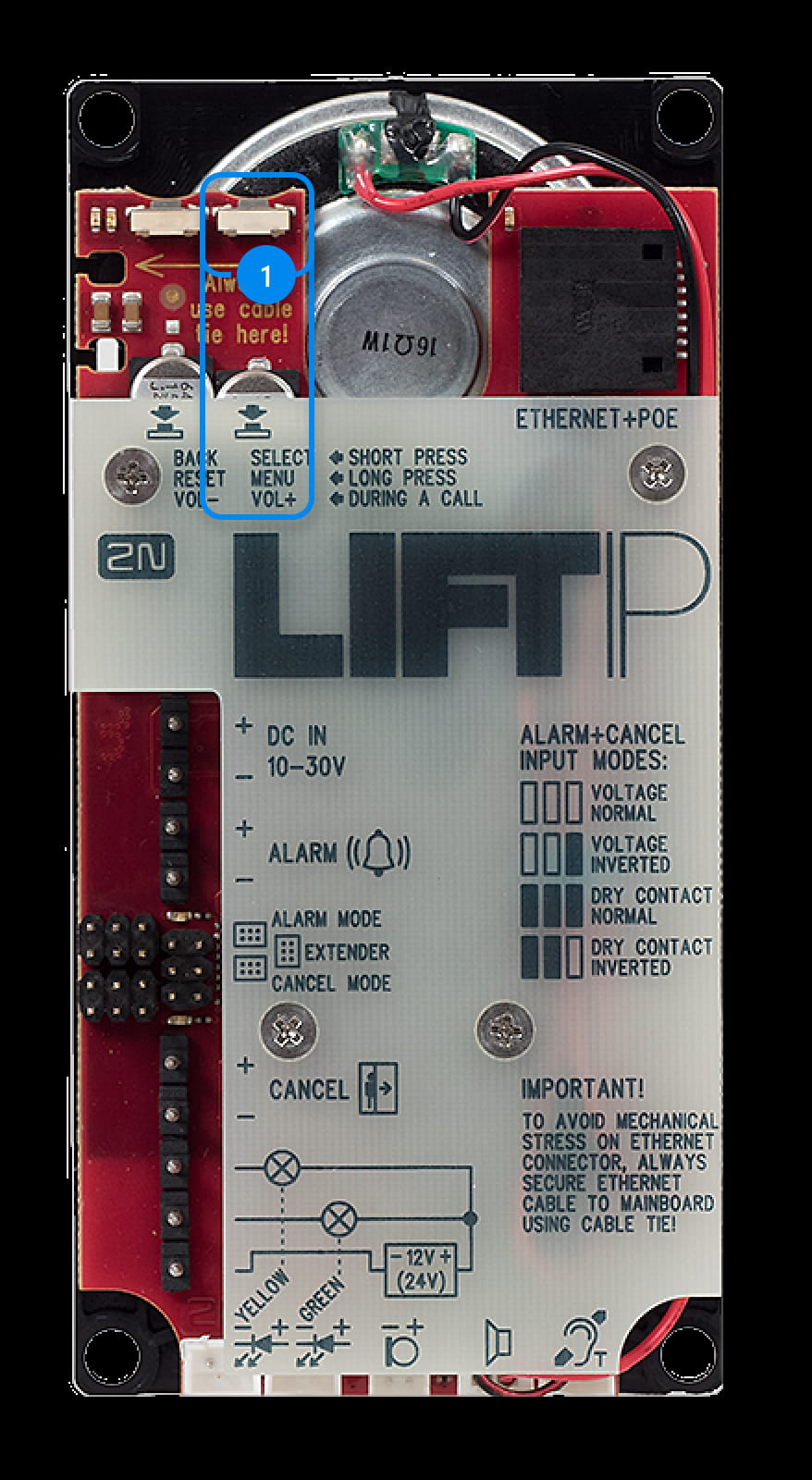
Hold the button for apx. for 3s MENU/SELECT to start voice configuration menu. Device will start announcement „Voice system menu. To leave the menu press the BACK button." If error is detected, error number will be announced. Announcement continues with IP address, DHCP and restore of factory default. Where you can find button MENU/SELECT is showed in the picture below (Label 1).
Menu will announce informations:
-
If error is detected: „Attention, the device is not working properly! Error code ..."
-
„IP address je x.x.x.x"
-
„DHCP client ON/OFF, to change the DHCP settings press the SELECT button now." (if the SELECT button is not pressed, menu continues to next setting).
-
„To perform the factory reset press the SELECT button now." (if button is not pressed, voice menu ends)
If you only need to know IP address of the devices, let the device announce whole menu and do not press any button. For further information about voice menu please read chapture 2.6 of user manual.
Getting IP address via the scanner
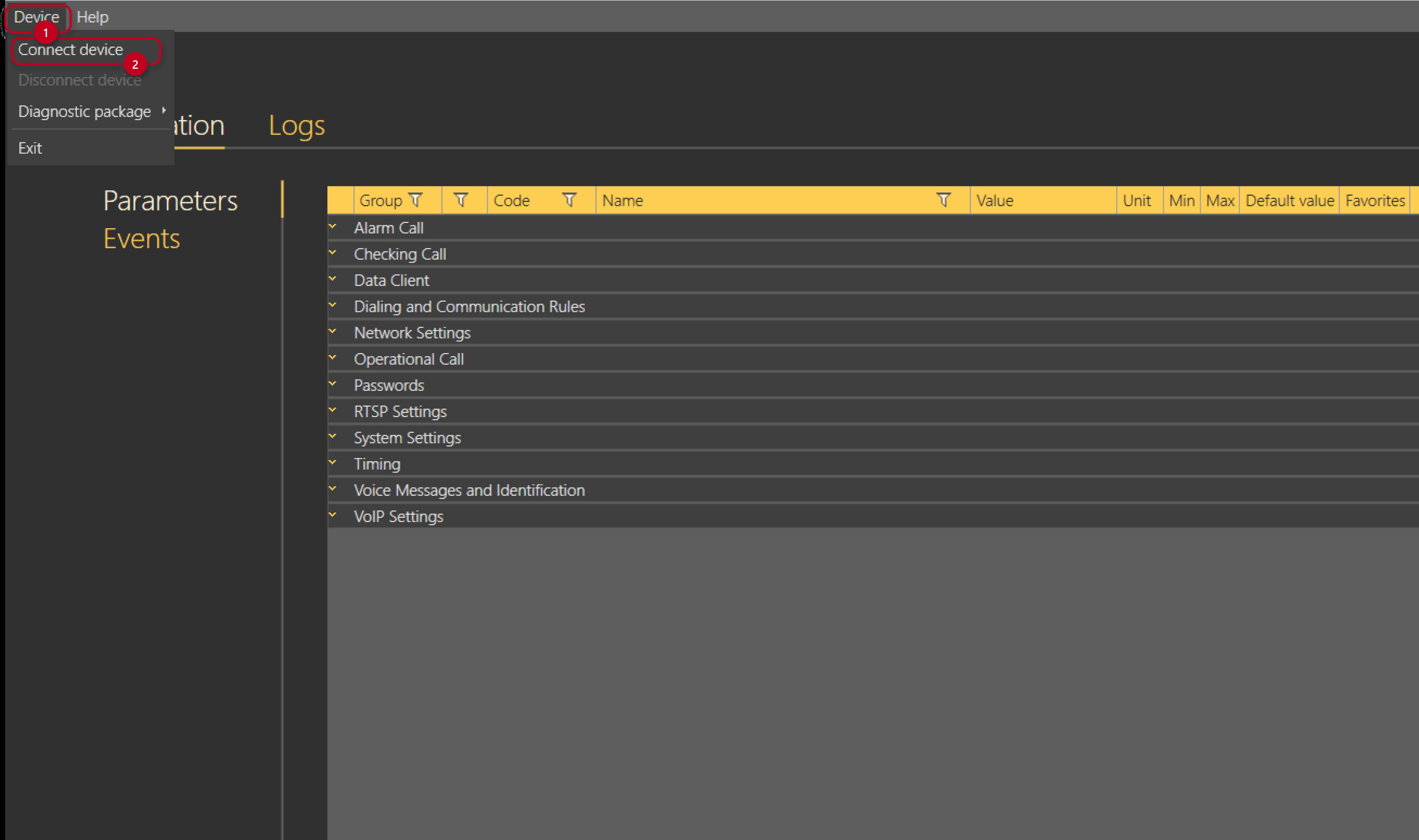
Second option how to get unknown IP address is quite easy. Open 2N LiftIP Service Tool. On the top toolbar go to section Device->Connect device.
Only thing you have to do now is to switch to the Scanner and it will show you available devices in your network. Double-click on the device will connect the tool to the device directly.