Easy Gate IP Battery reset
There are 4 methods to reset the battery in the Easy Gate IP
EGIP Web Interface:
Prerequisites
- Install the 2N EasyGate IP Web Configuration Utility: Download EGIP Utility
- USB-C Cable
- Device Added In Elevator Centre
Navigate in the Web Configuration Interface to Maintenance>Battery as shown in the picture below
- By pressing the tiny clock icon, which is represented by a circle with the label 3, the installation date can be automatically set to the current date of the device.
- By pressing the date button, which is represented by a square with the label 4, the installation date can be customized.
Elevator Centre:
Prerequisites:
- Elevator center account( Can only be created by a request to technical support)
- Data-enabled/available SIM
- Easy gate IP added to the Elevator Center
|
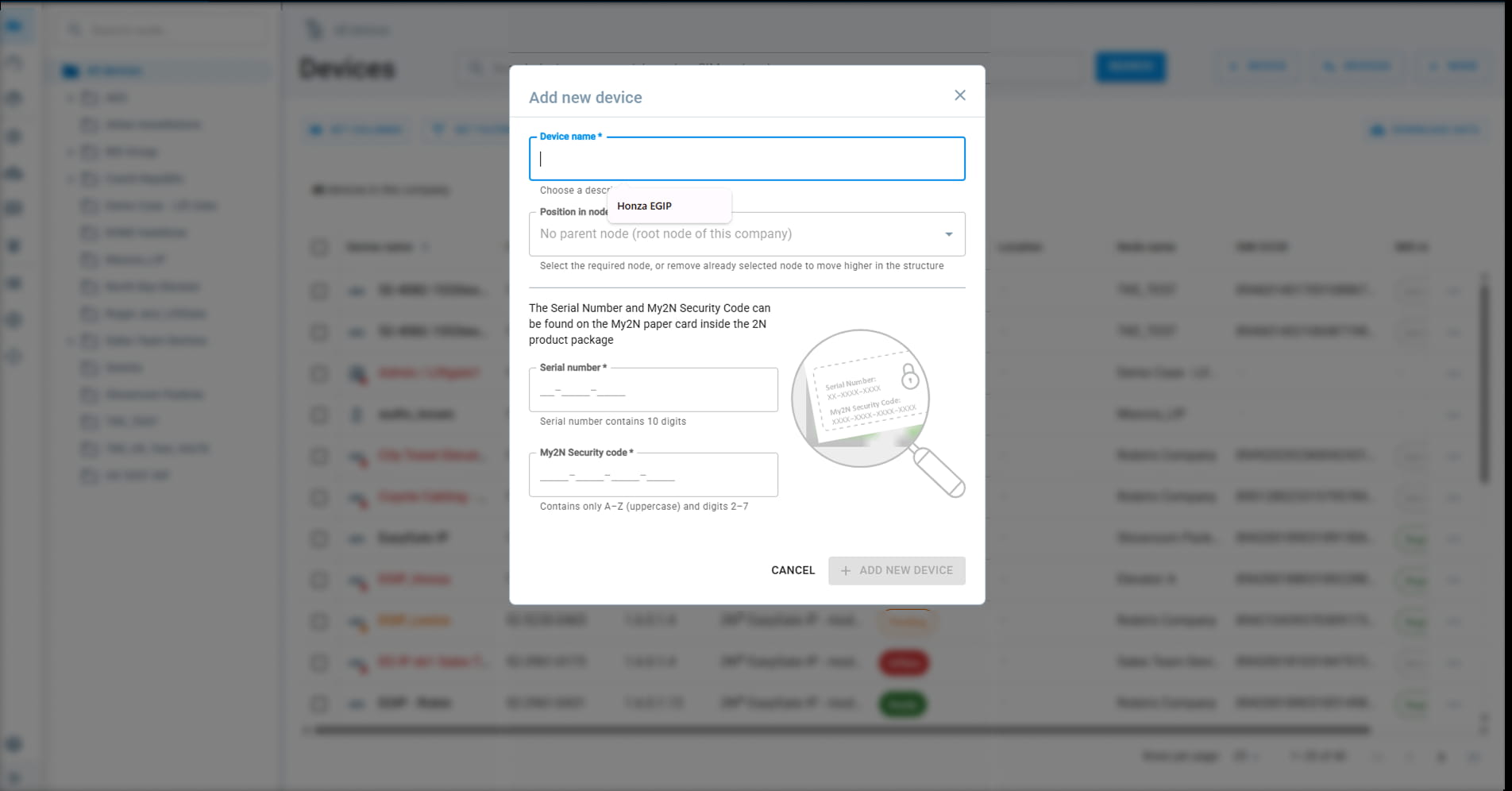
How to add Easy Gate IP to the Elevator Center
This will open the form to input new device details.
|

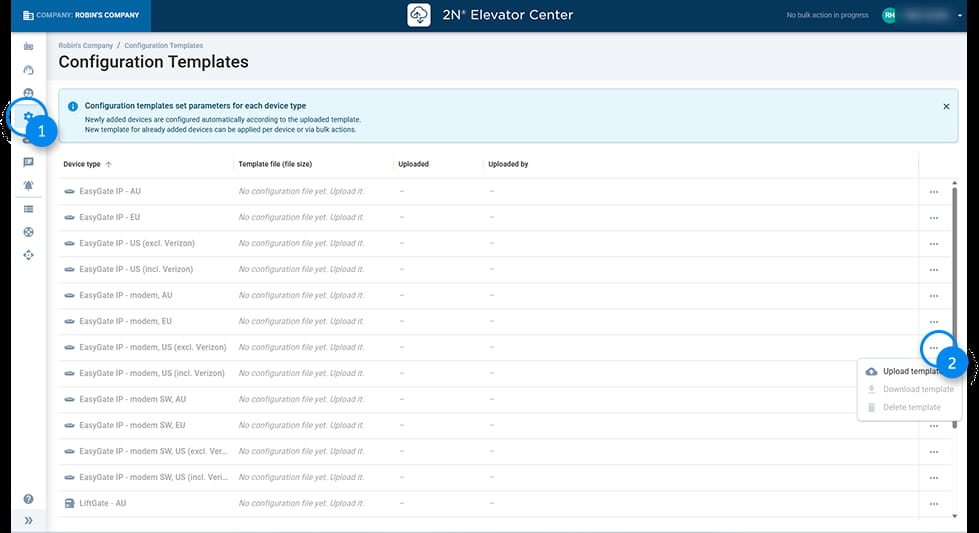
- Click on the Configuration Templates icon in the left sidebar (highlighted by blue circle 1).
- Find the device type for which you want to upload the template.
- On the far right of that row, click on the three-dot menu (highlighted by blue circle 2).
- From the dropdown options, select Upload template
Please copy the Linux command below into a notepad, and upload the config file in .cfg format. |
SMS Configuration
Battery state can be reset by sending an SMS to the SIM registered in EasyGate. (SMS config attached below)
EG SET initial_password by SMS sending pwr_bat_install=1 (or use exact date in UNIX format)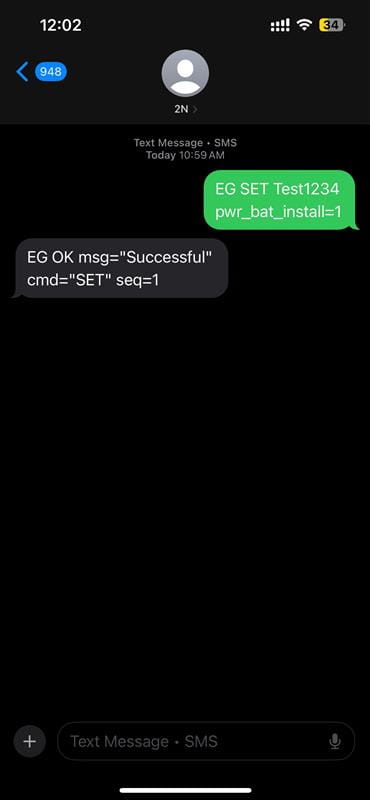
Factory Reset
Upon performing a factory reset of the EasyGate IP, the battery installation date will be updated to reflect the reset date
Factory reset by the Button:
| The RESET button located on the 2N EasyGate IP bottom side is used for factory default reset or restart of the device. |
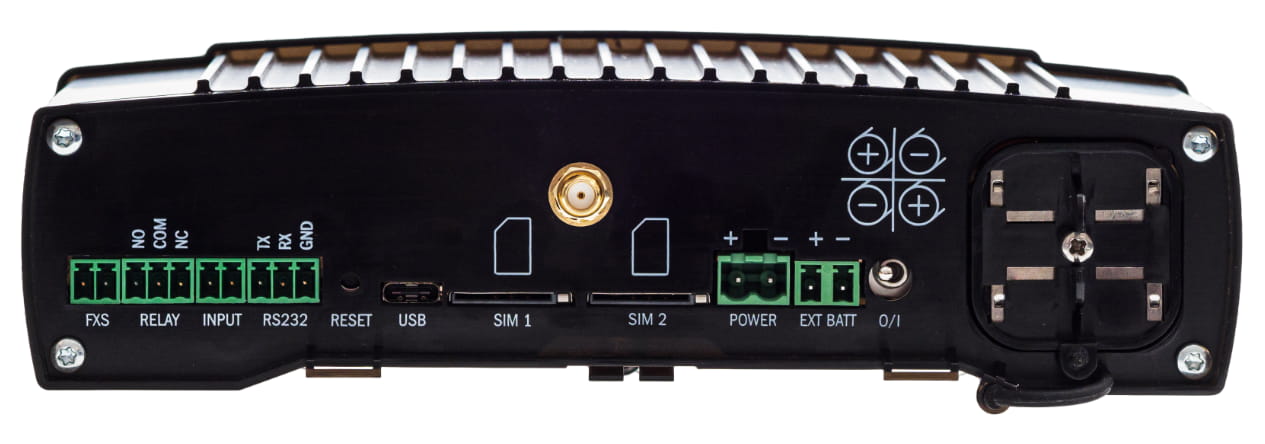
- To reset the factory default values, press and hold the RESET button for approximately 20 seconds until the separate red LED indicator in position 1 among the signal LEDs goes on.
 Now, release the RESET button to reset the factory default values. While the RESET button is being pressed, the blue power LED indicator is on.
Factory reset by the EGIP Utility tool:
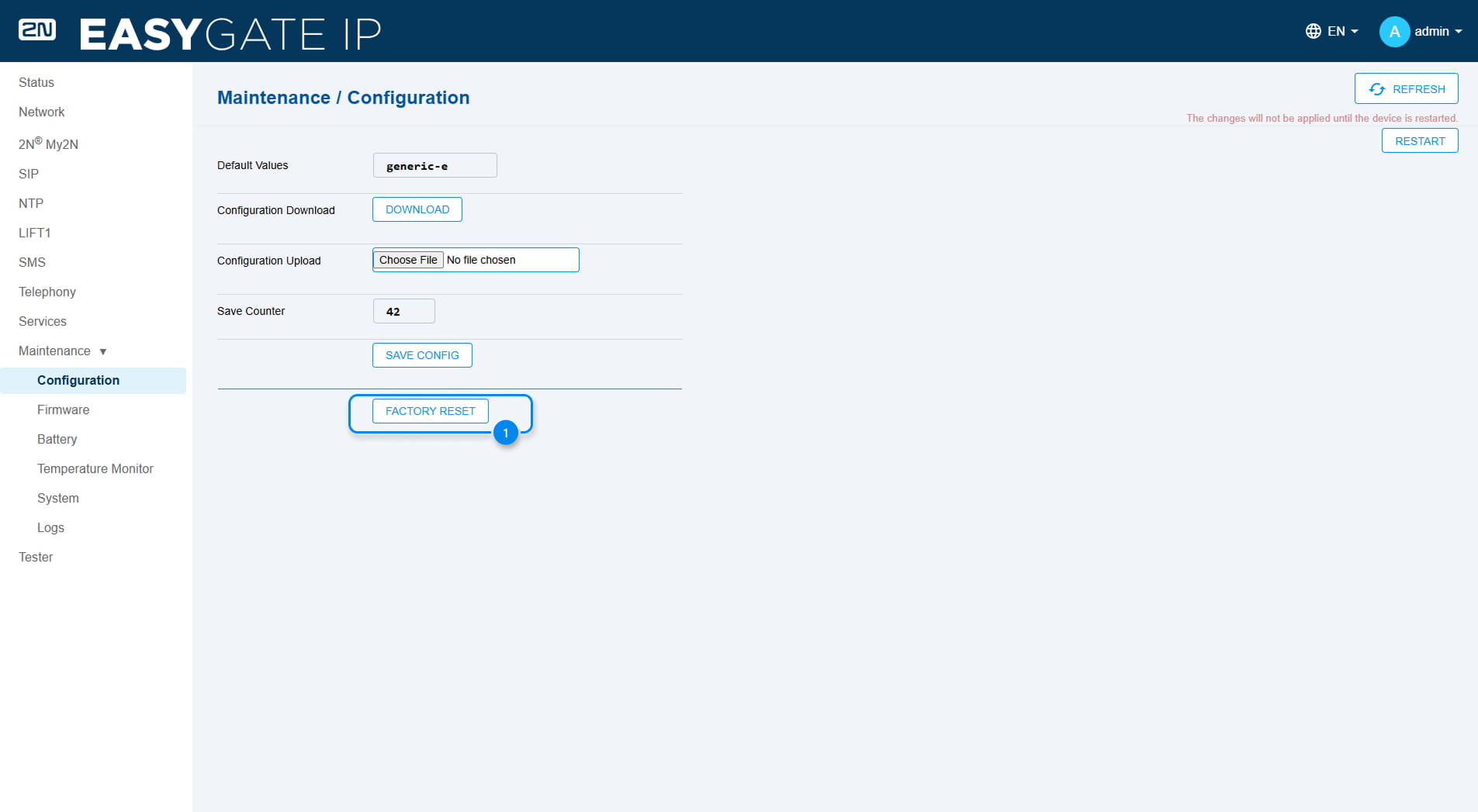
- Navigate to the section Configuration through Maintenance. Click on the Factory reset button and Left-Click on the Factory reset Button