Which devices can be connected - 2N Access Commander
This article explains which 2N devices can be connected to the Access Commander software and what features can be controlled in each type of device:
Connectable devices overview
- For list of supported firmware versions, please see the following article: Supported firmwares of connected devices across 2N Access Commander versions
Entering the device's web interface:
- You can enter the web interface of the device by choosing it in the "Devices" list and clicking the "Configure Device" button.

Firmware upgrade
- Go to Devices -> Firmware and you will be able to manage the firmware versions of all devices.
- The devices appear in groups, i.e. if you have, for example, 2 IP Versos, their firmware will be managed for both at once. So you can set, for example, version 2.44.0 for all Versos and version 2.43.1 for all Indoor Compacts.
- It is also possible to exclude a certain device from the management, as you can see on the picture.
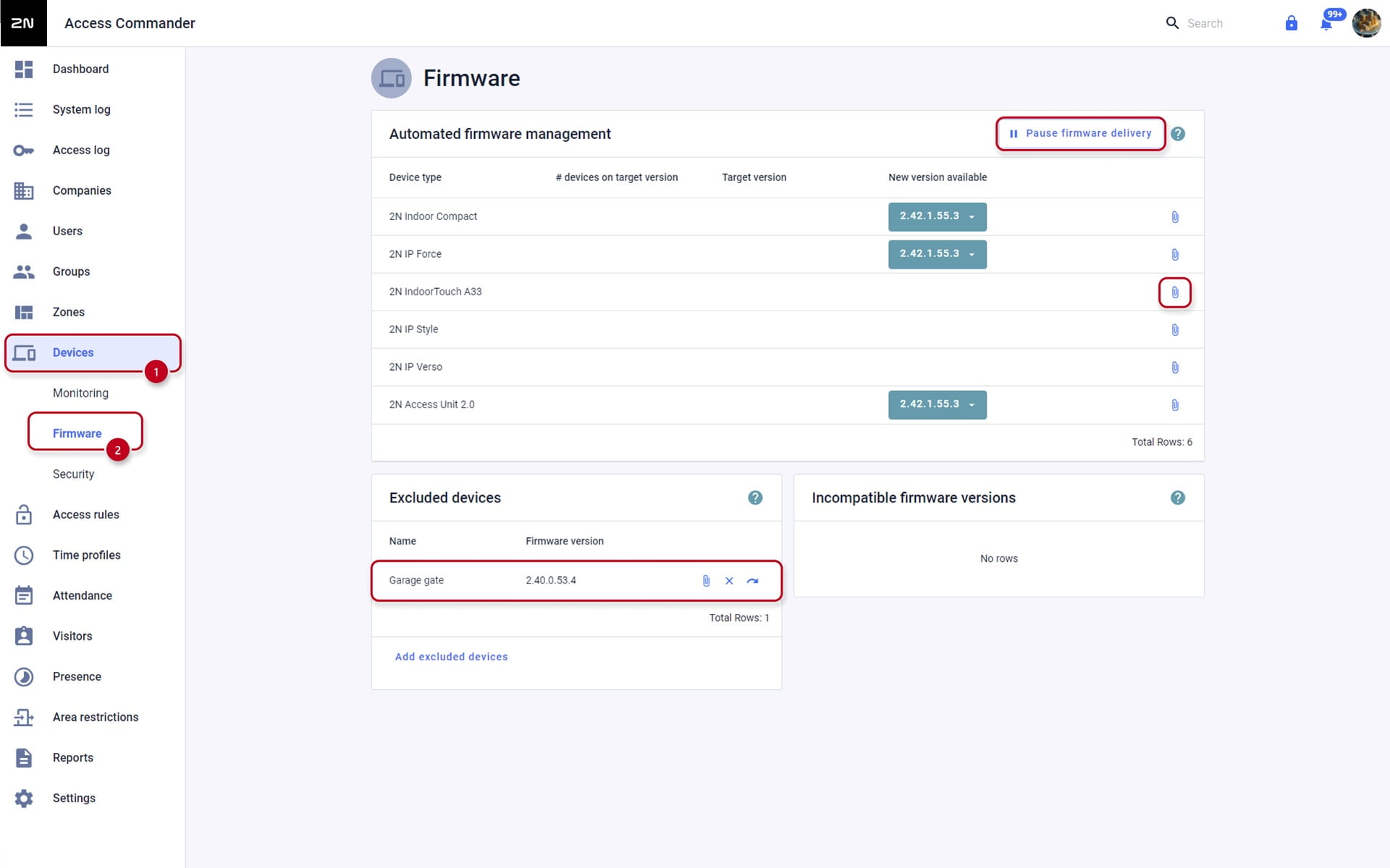
- After you click on the pin icon, you can upload the firmware file and all of the units of that type will be uploaded this firmware version.
User management
- Access Commander can manage Users and Access Rules for devices. It can manage cards IDs, Fingerprints, Bluetooth or PIN codes.
- Every entry that is saved in the Access Commander, is immediately saved in all the units managed by Access Commander.

- You can filter shown users based on user parameters and can also show multiple columns:


Button management
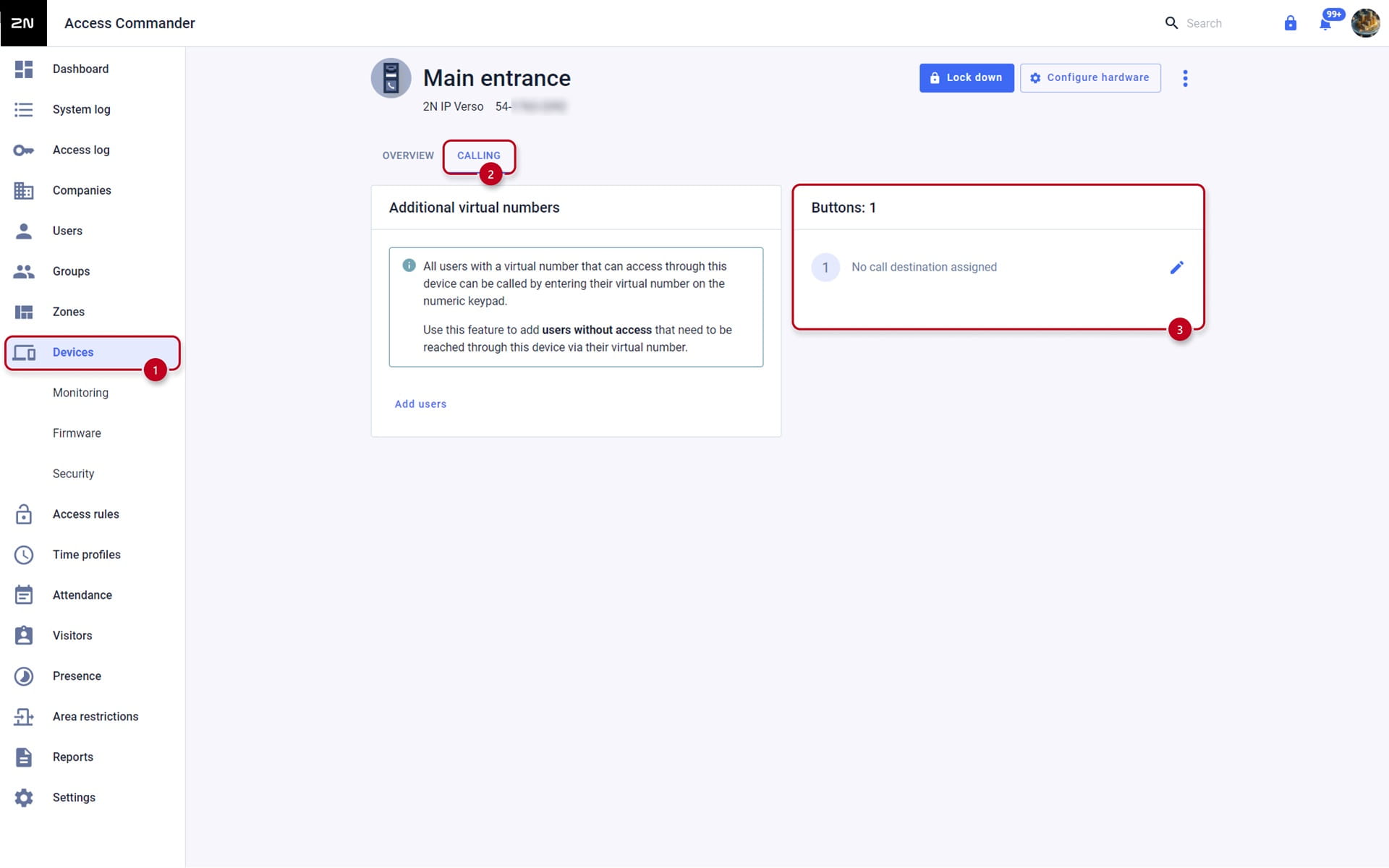
- Access Commander can also manage the Intercom buttons, i.e. assign a user to the intercom's button, as seen in here:
Access Management
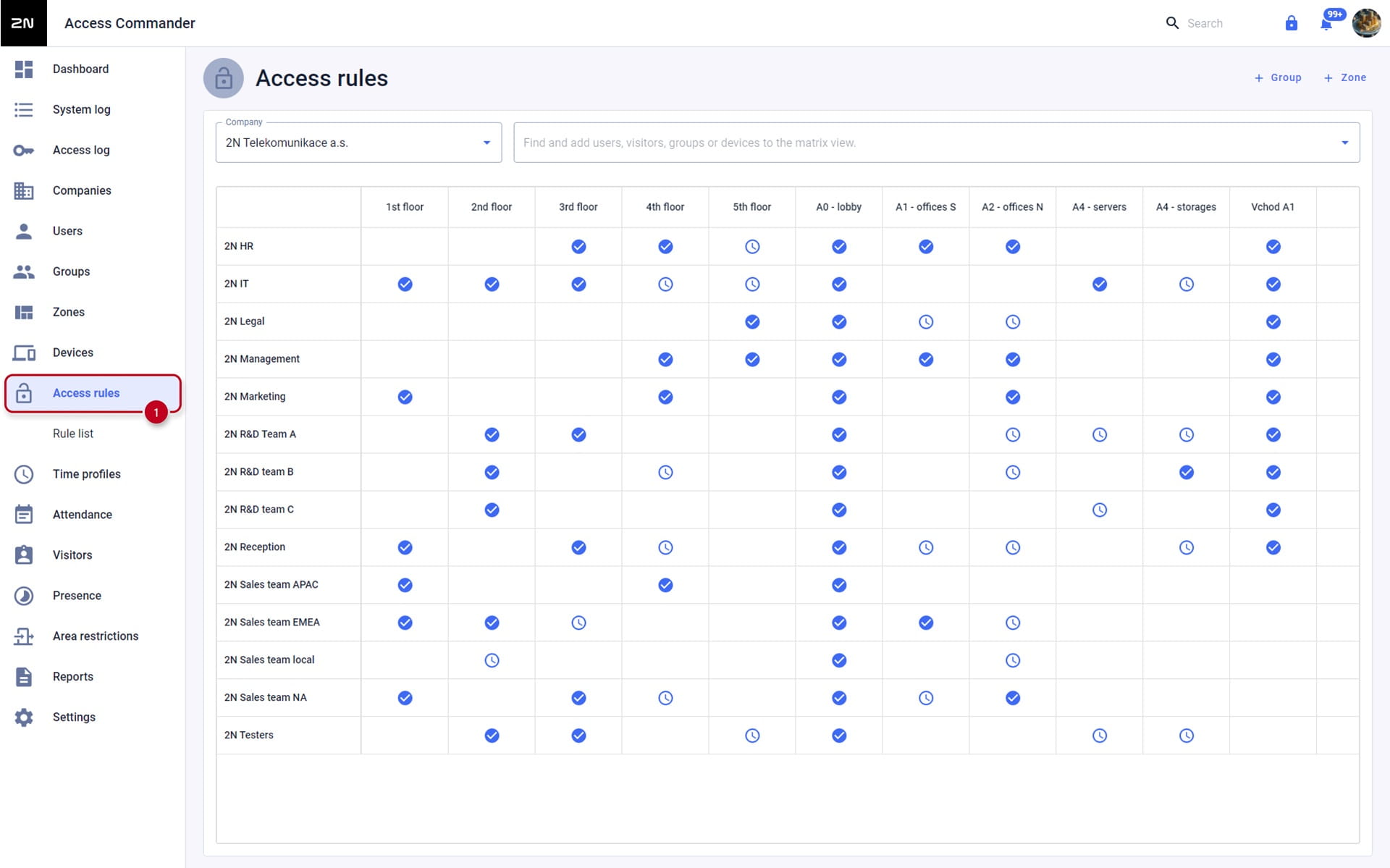
- Access Management is wrapped up in Access rules. Access rule consists of Group (of users), Zone and Time profile, you can see it below:
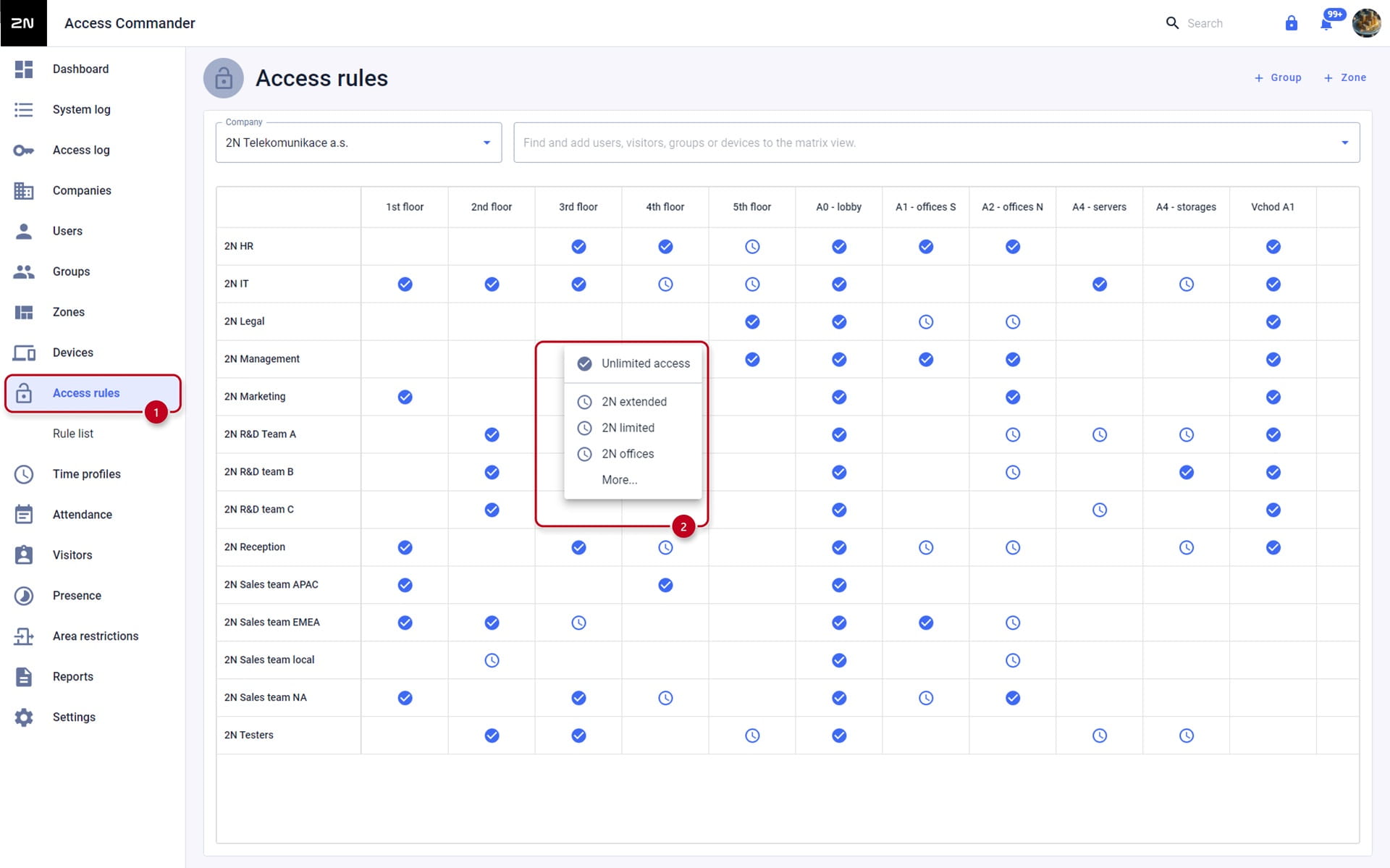
- Click into the cell and you can select different Access Rules for a (user) Group, Zone and Time Profile:
Summary:
- Group - group of users that will have the same access privileges, configurable in Groups
- Zone - zone contains devices on which group of users can be authorized for access, configurable in Zones
- Time profile - defines when the group of users can be authorized for access on devices, configurable in Time Profiles