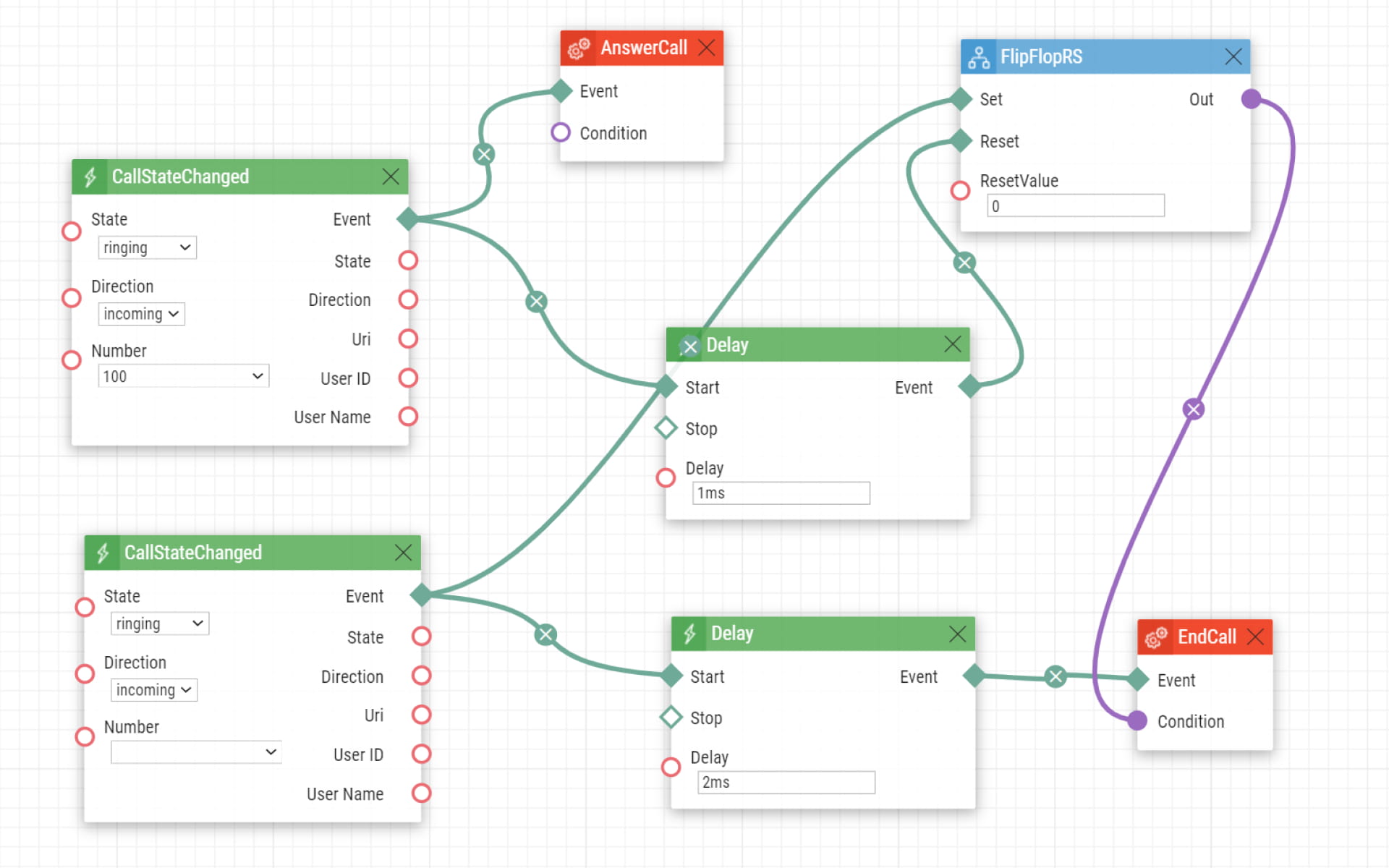
Our intercoms don't support black/whitelisting by default. However, you can do it using a PBX or automation. If you'd like to use automation, you'll need GOLD license.
Basic setup — information
The Number parameter at the CallStateChanged event can contain a phone number or an IP address.
The following is an example of a whitelist. If you'd like to make a blacklist, just swap action AnswerCall for the EndCall one.
Please note that it's better to set up a whitelist, since blacklists can be easily bypassed by changing your number to a different one. For whitelisted values, you need to know the exact number that can get through.
Whitelist — single number