The steps in this article require using the web interface of a 2N device. Please follow this manual in case this is your first time using the web interface.
With 2N SIP Audio Converter or 2N SIP Speaker, you are able to play your recorded messages automatically in the specific time periods and days via build-in Announcement scheduler. You can enable the scheduler in the section Services -> User sounds ->Announcement Scheduler.
If you don't see Announcement Scheduler tab in the section Services -> User sounds, please download the latest firmware version and perform the firmware update.
Scheduler is easy to use. First you have to enable the function by the checkbox Scheduler Enabled. Afterwards you will be able to set up the events. You can just simply click on the specific day and the small window will show up. In this window you are able to setup the time, which user sound will be played and the volume.
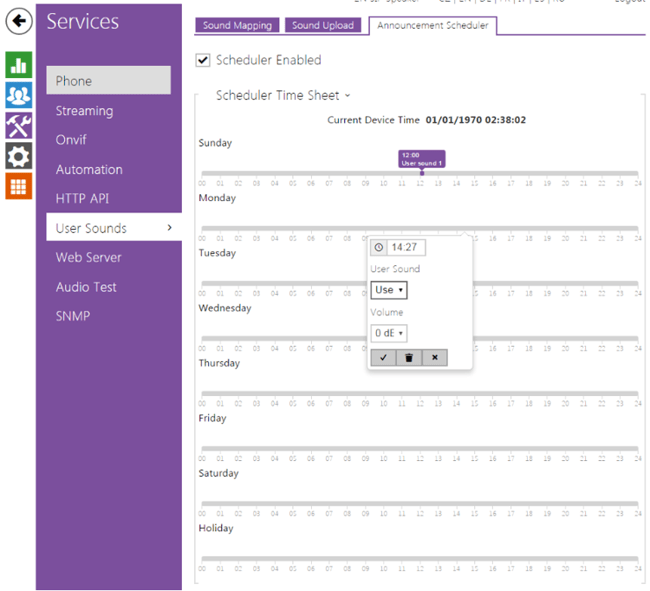
Figure 1: Announcement Scheduler