The steps in this article require using the web interface of a 2N device. Please follow this manual in case this is your first time using the web interface.
We will show you how to resolve slow web interface on your 2N Indoor Touch or 2N Indoor Touch 2.0.
Prerequisites
2N Indoor Touch or 2N Indoor Touch 2.0 with the latest firmware
Resolving the issue
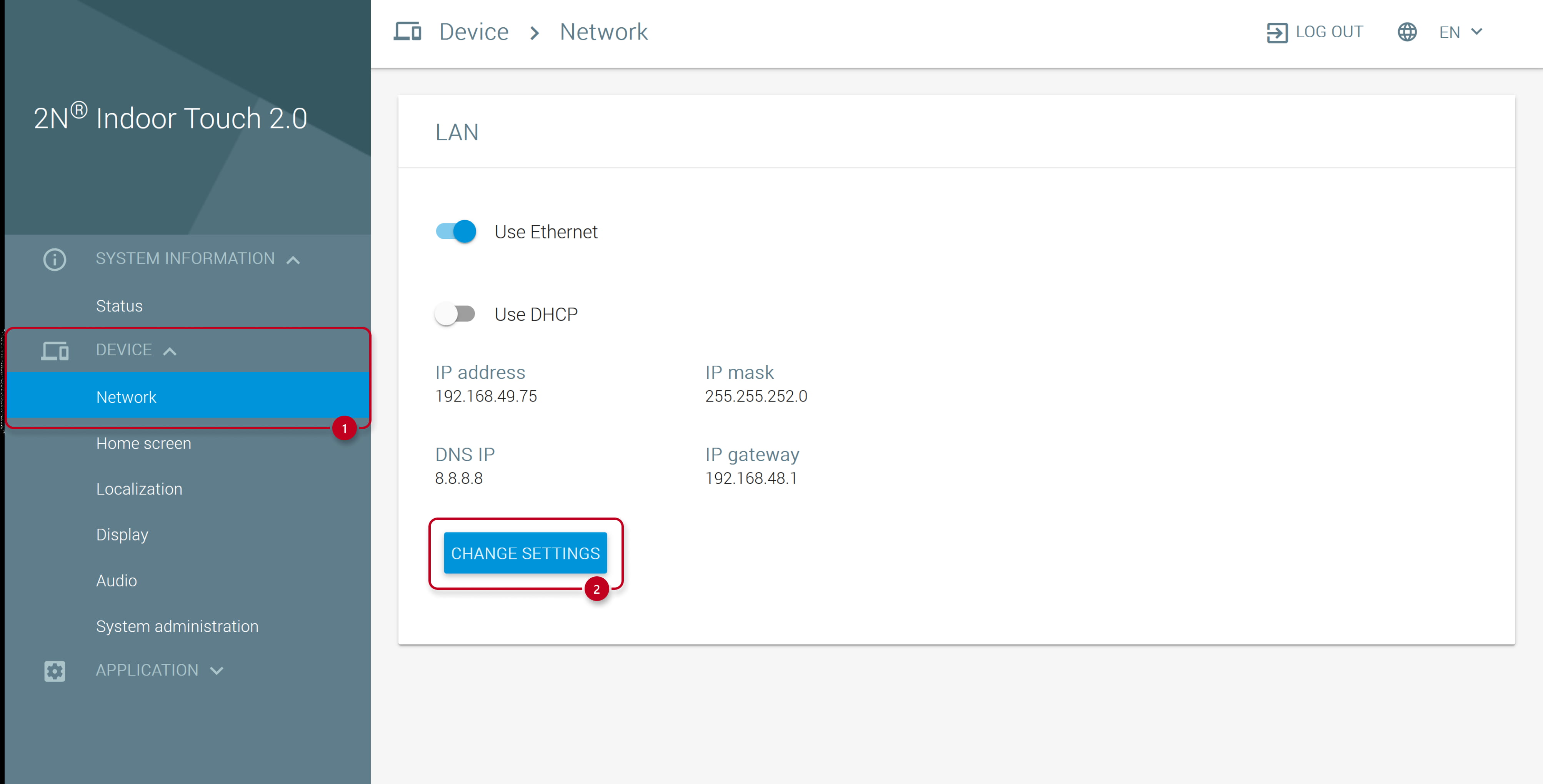
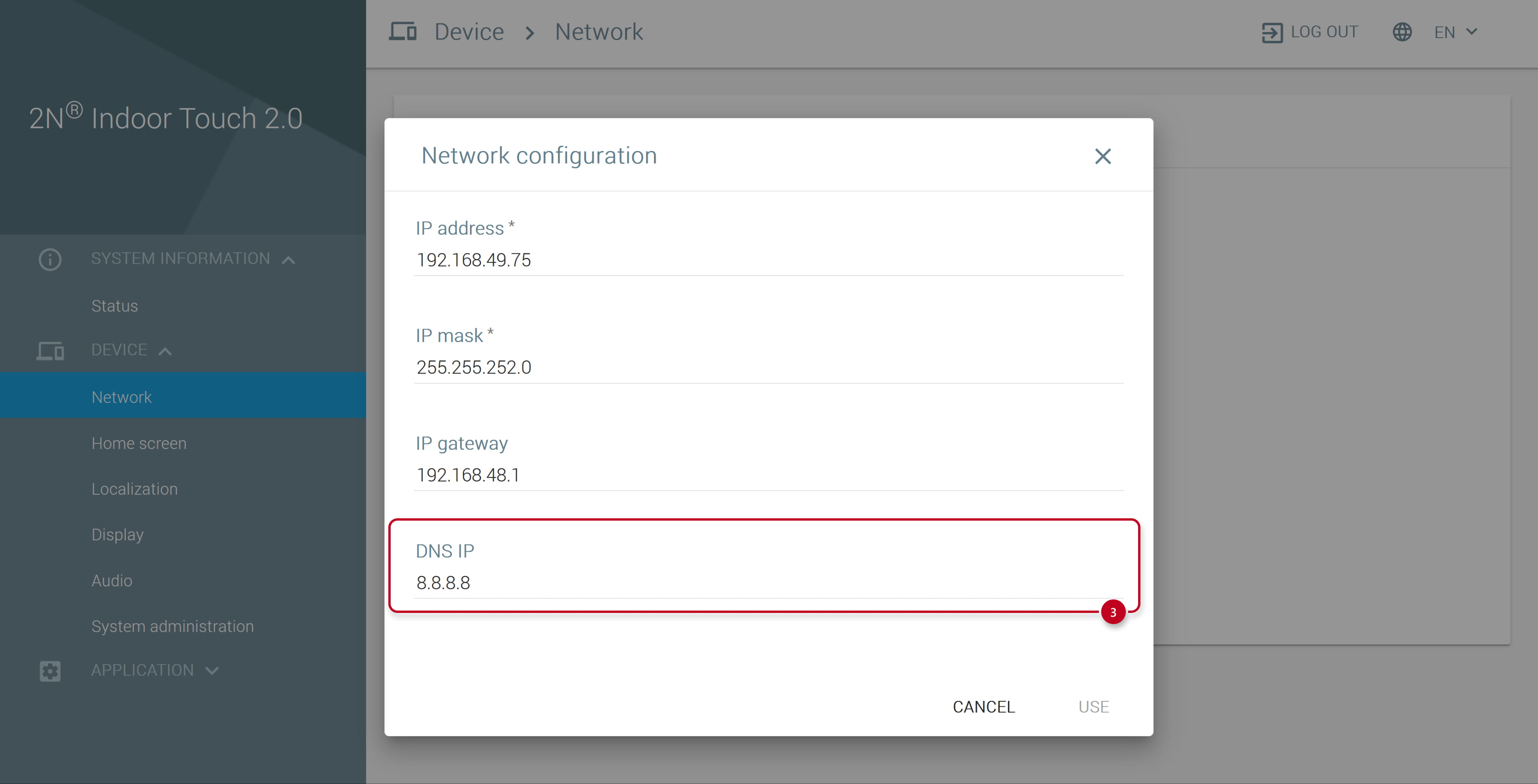
Please check network setting in your unit.
IP address can be assigned manually or by using DHCP server. In case of DHCP server, the valid DNS parameter is usually provided by the server. In case of the static IP address, make sure that the valid DNS IP address is used (e.g. 8.8.8.8).