My2N platform and 3rd party SIP calls
The steps in this article require using the web interface of a 2N device. Please follow this manual in case this is your first time using the web interface.
3rd party SIP calls allow visitors to reach tenants on their mobile phones via the public network and open the door by entering a code on their phone.
In order to do that, you wil need to make some modification in your existing site or just set properly your new site
- Set SIP profile for individual devices in the intercom configuration interface
So go to the each device web interface and register it on a SIP provider platform which allows public calls:
In the Old Web Interface: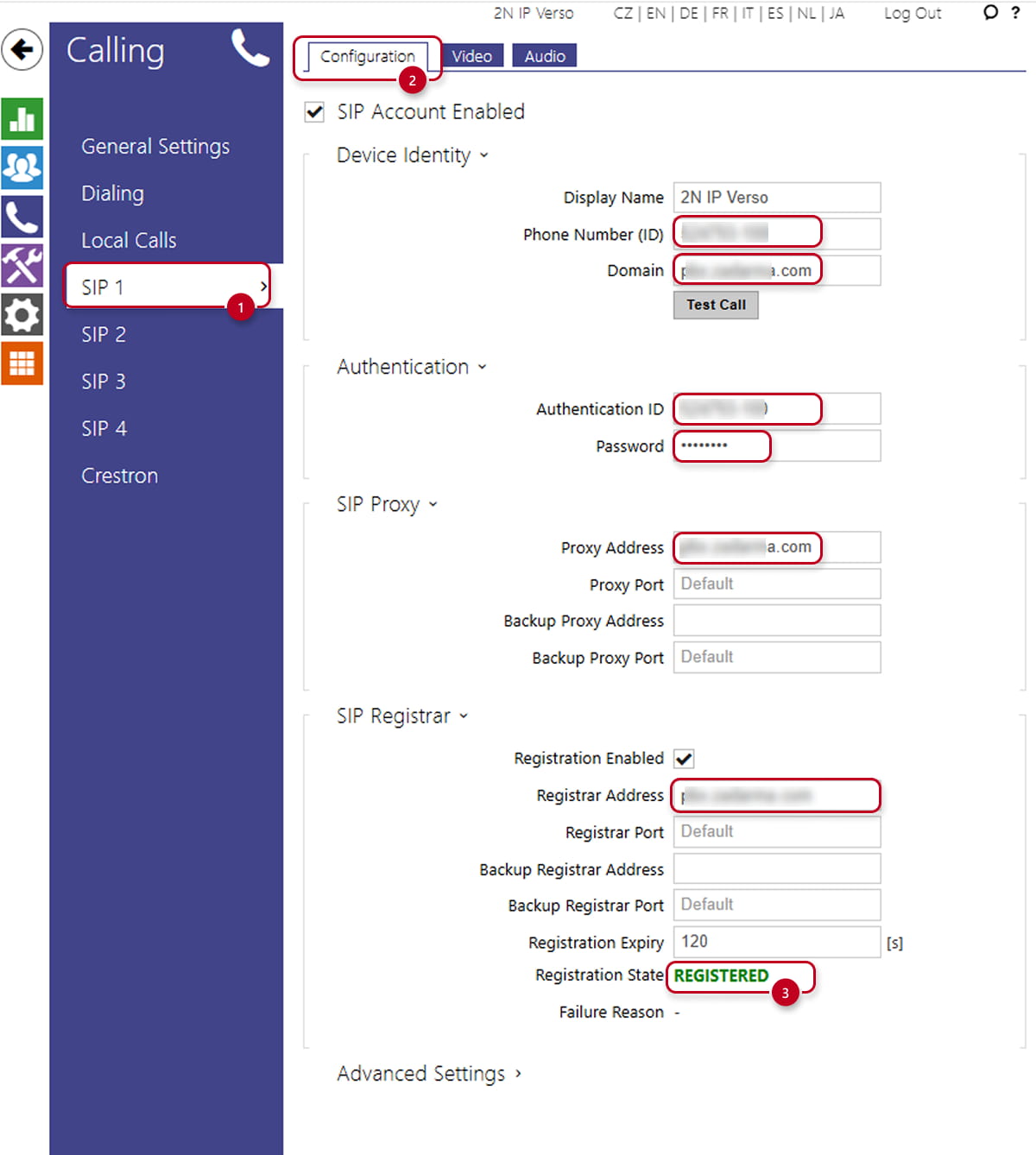 In the New Web Interface: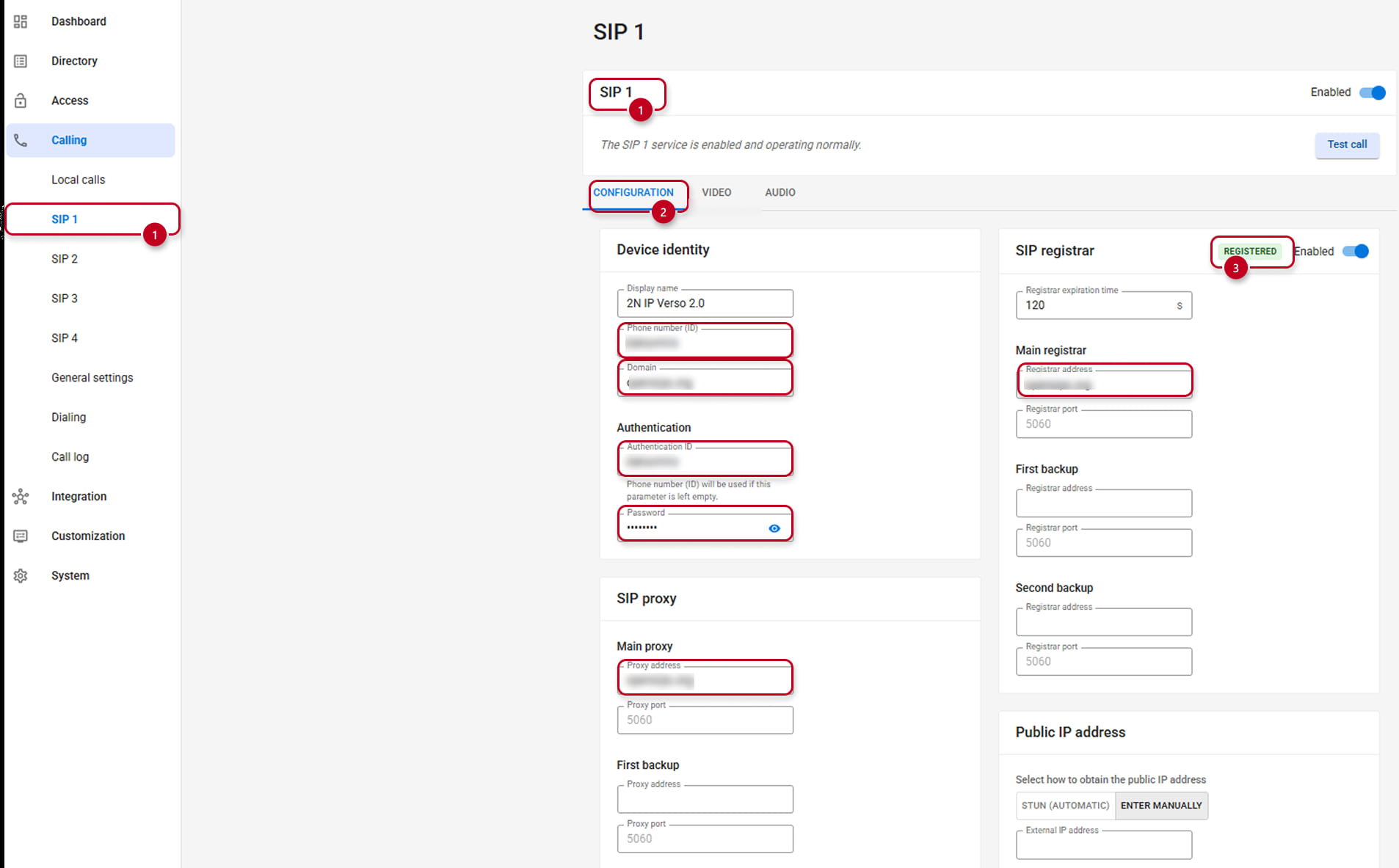
As for other SIP providers, they will provide you with credentials and SIP addresses and other specifications.
My2n Is using SIP account 2 , so use any other SIP account and set properly the details you received in SIP X(1)/Configuration(2) section.
Mostly make sure, when it is finbished that your device is properly registered in the SIP account (3) - Enable the service in My2N site settings
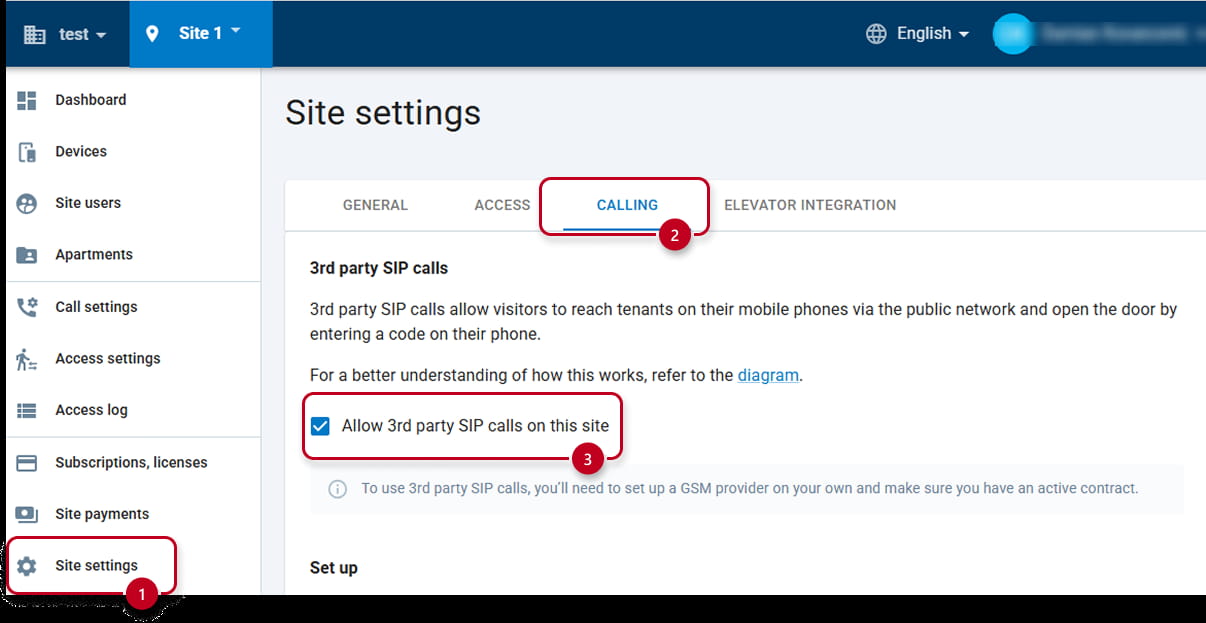
In My2N site settings (1), go to Calling (2) section and authorize (3) the 3rd Party calls in this site - Activate 3rd party SIP calls for individual devices and select the configured SIP profile for public network calls:
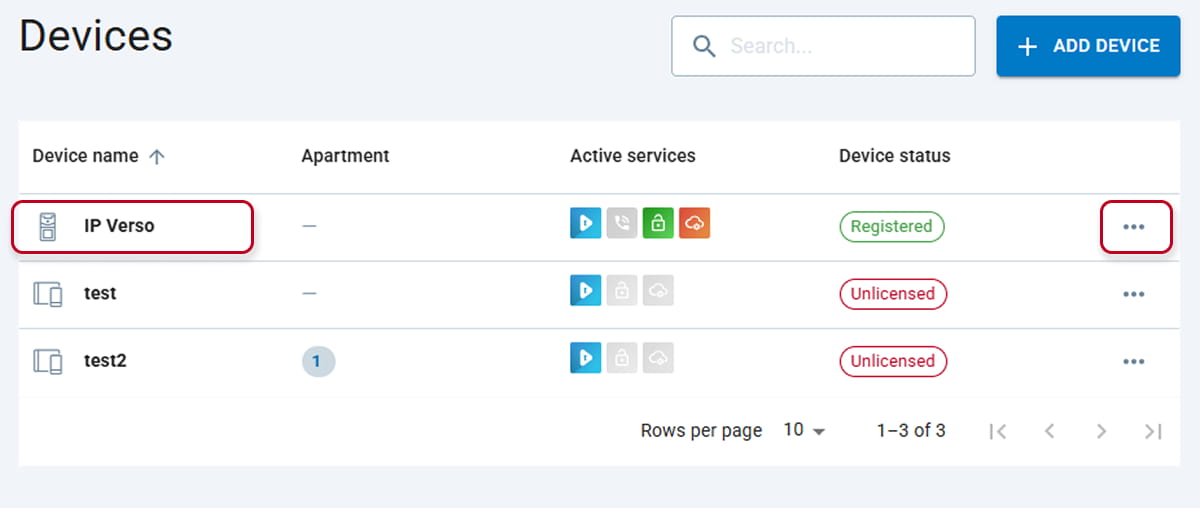
Hit on the intercom's name or on the 3 dots in ordet to edit it.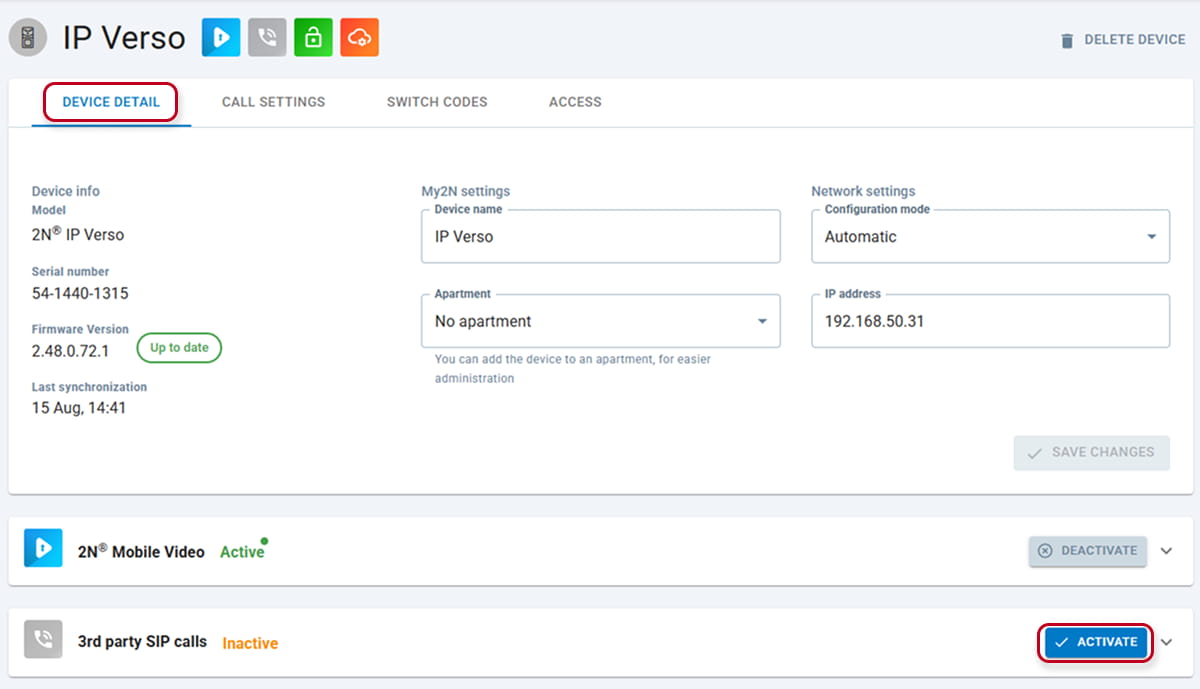
In Device detail, activate 3rd Party SIP Calls service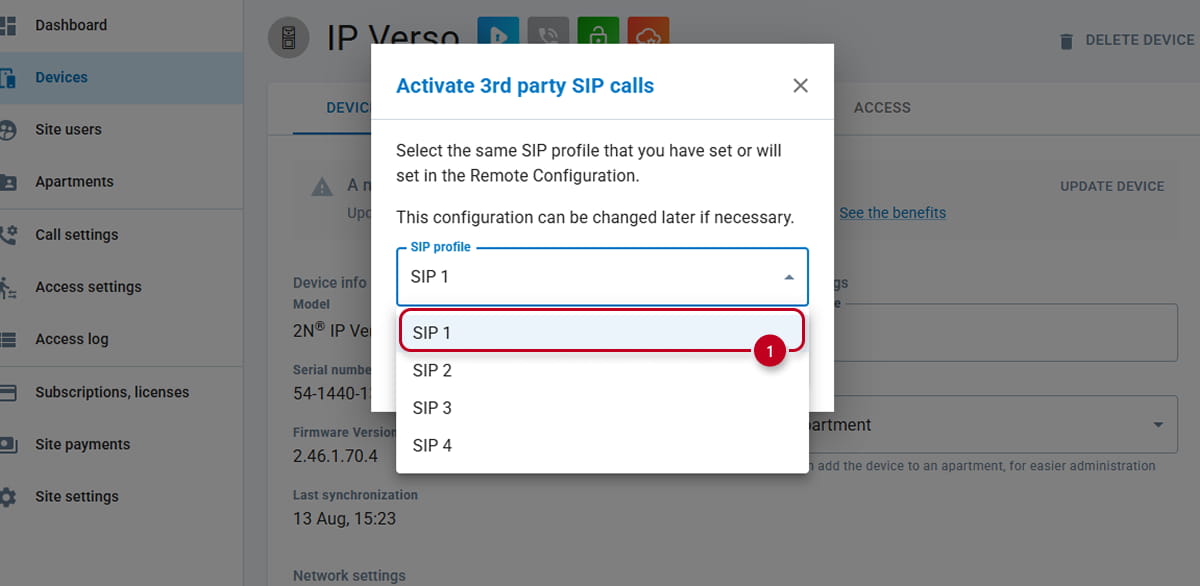
Choose the SIP account where you have registered the intercom on the SIP provider platfor, in our case the SIP1. Remember that for this purpose, it cannot be the Account 2
And then ACTIVATE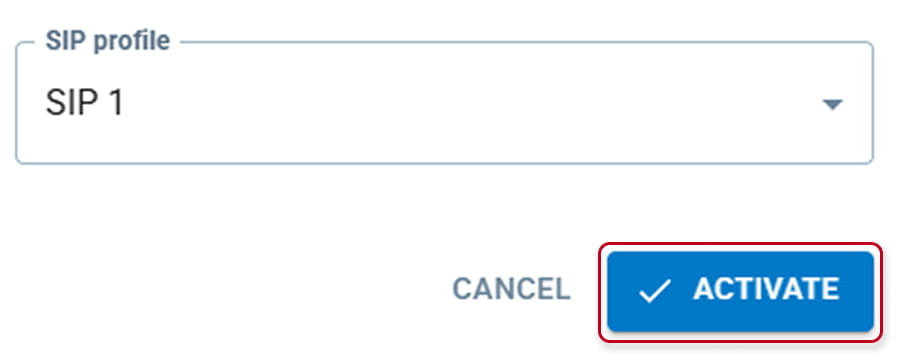
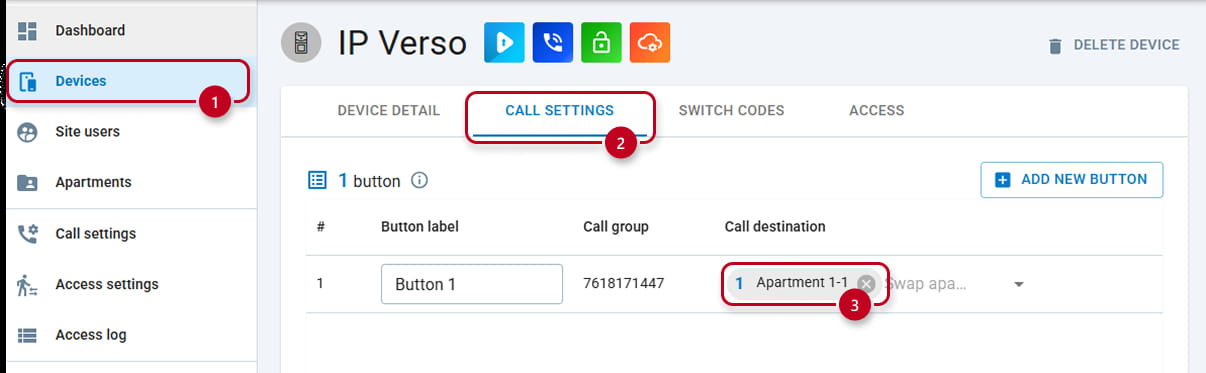
- In the device (1) intercom’s call setting (2) section , add apartment (3) to the intercom button
- Provide the users' phone numbers in user detail and enable to call from intercom
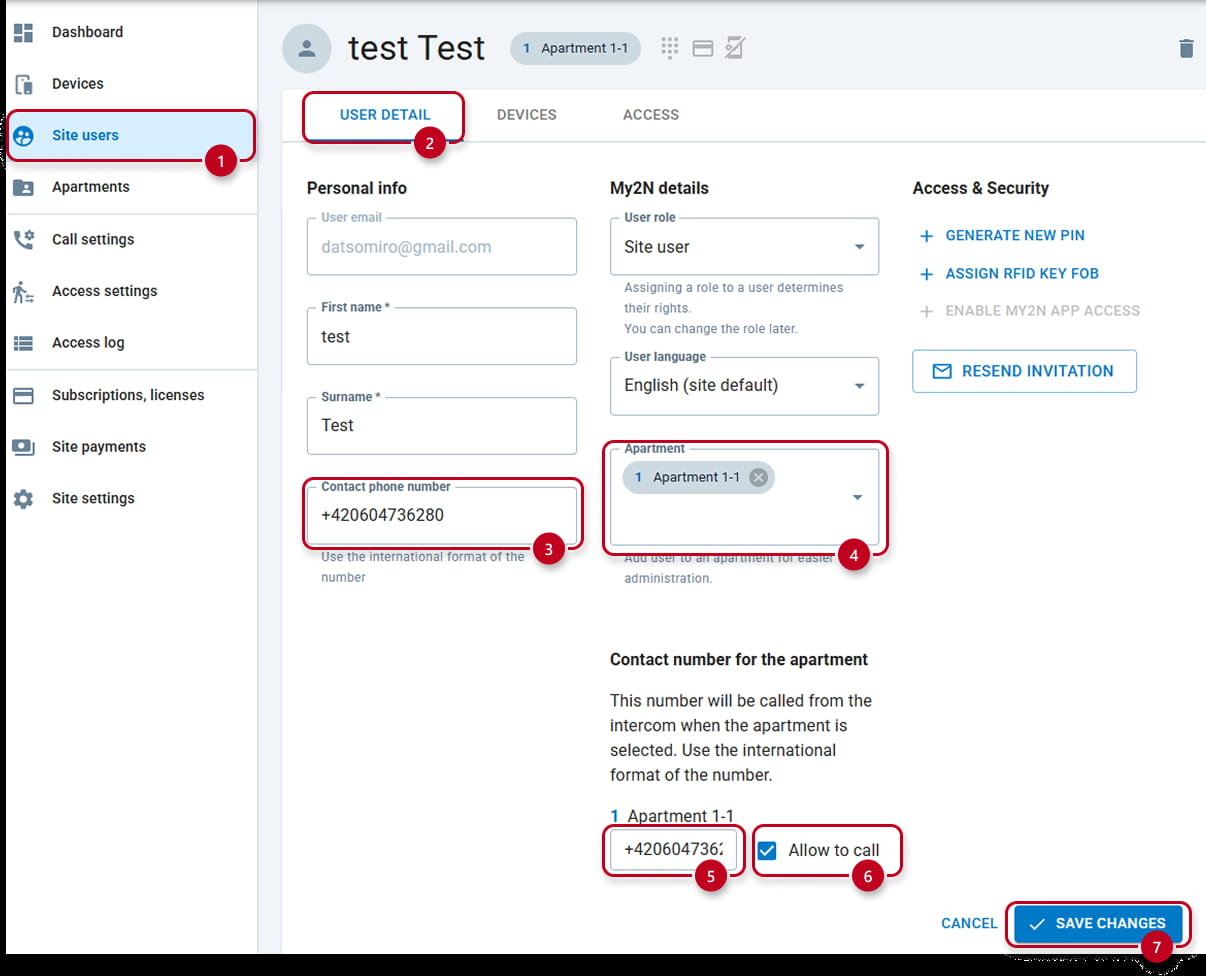
In Site users (1) section, under User details (2), you can write the tenant's phone number (3) and the Apartment (4) they are tied with . Bust mostly , you have to write the Phone number which should be called (5) and allow (6) to be called and finally Save Changes (7). - Notify your tenants which switch codes can open the door. When they press the button tied to their Apartment, they will be called on their mobile phones over the mobile network. During the call, if they enter the code followed by *, the appropriate switch will activate and eventually open the door.
(Be just aware that not all SIP providers support DTMF sending and/or might block them or limit them somehow, so the door opening by using codes from mobiles won't work; the code will need to be used on a keypad.)