Always if you upgrade Netstars firmware, you have to go through the last version of actual series. Preview of firmware's series together with lasts firmwares are in the table below.
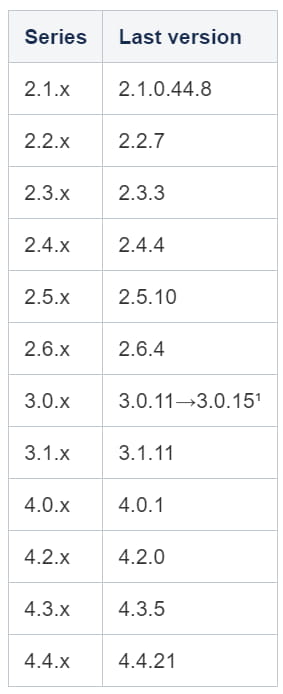
¹In 3.0.x series it is necessary to upgrade to 3.0.11 version first and then to 3.0.15.
Example:
-
You have version 2.6.2 in your NS firmware and you would like to upgrade it to version 3.1.4.
Upgrade procedure:
-
Upgrade to fw 2.6.4. Update progress tones and router Services.
-
Upgrade to fw 3.0.11. Update progress tones and router Services.
-
Upgrade to fw 3.0.15. Update progress tones and router Services.
-
Upgrade to fw 3.1.4. Update progress tones and router Services.
Upgrade step by step
-
Go to www.2n.cz and download latest firmware for your 2N® NetStar.
-
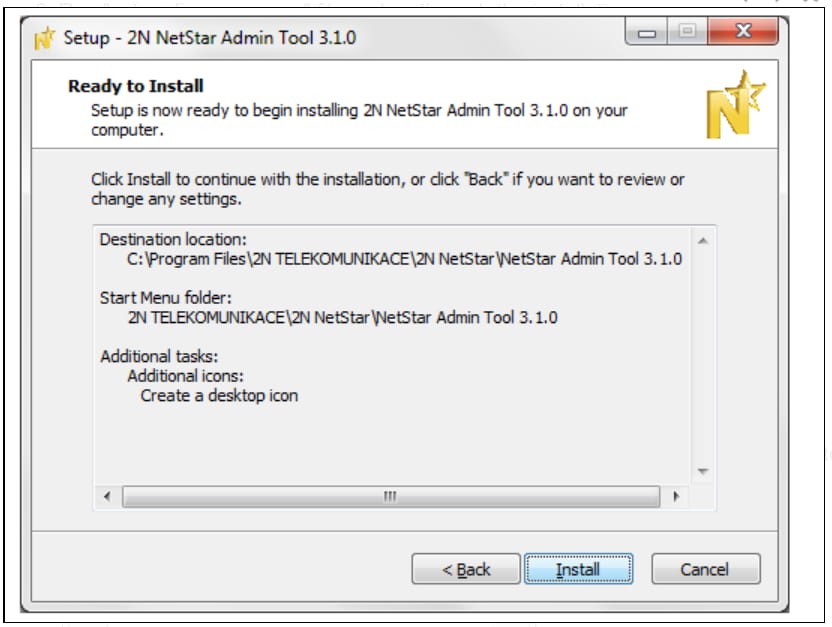
Run "setup+firmware x.x.x" file and go through the installation process.
-
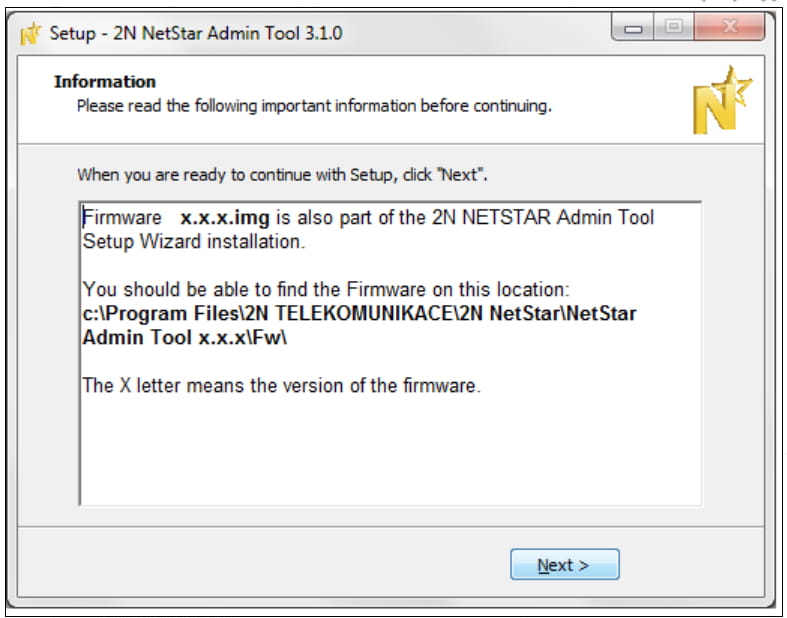
At the end of the installation a window appears with the path to the new firmware stored in computer - note the path!
-
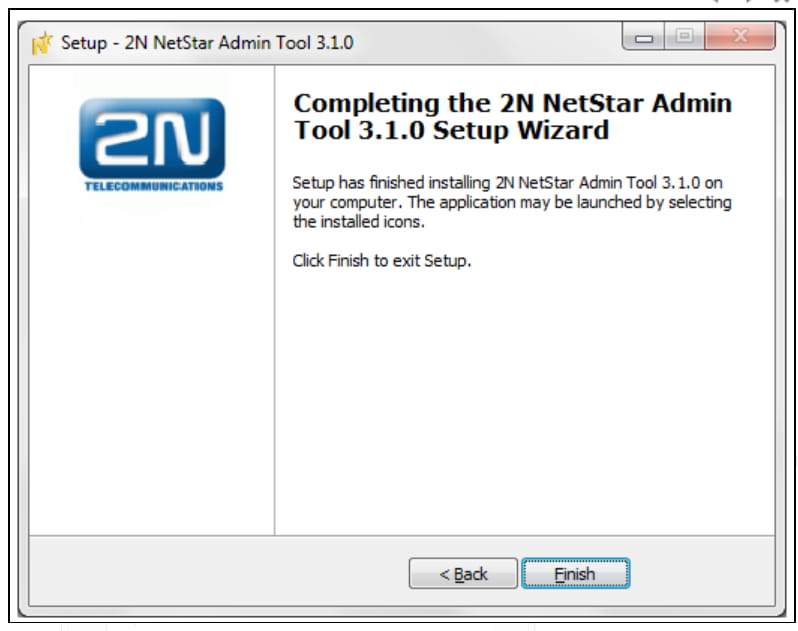
Confirm finished installation.
-
Connect to 2N NetStar via the old config tool!
-
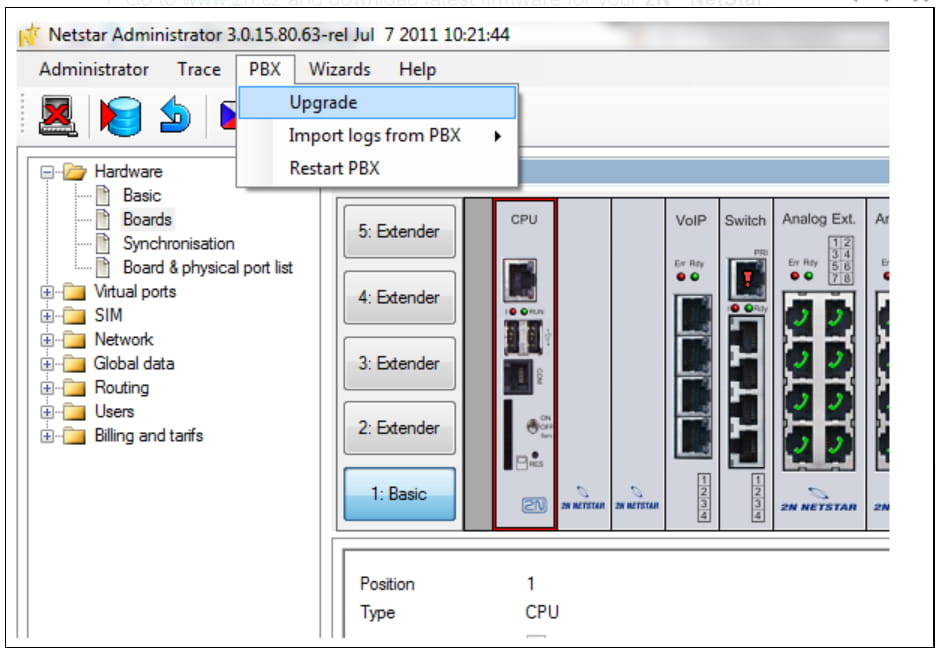
Go to PBX -> Upgrade.
-
Enter correct path to the firmware file (Default path is: C:\Program Files\2N TELEKOMUNIKACE\2N NetStar\NetStar Admin Tool x.x.x\Fw\x.x.x).
-
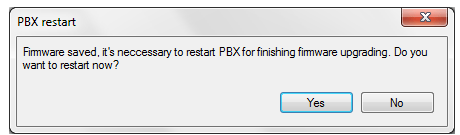
Click Upload and confirm reboot of the device.
-
Run the new (!) 2N Netstar Administrator and connect to 2N Netstar (IP address and settings of the network are not deleted due to the upgrade).
-
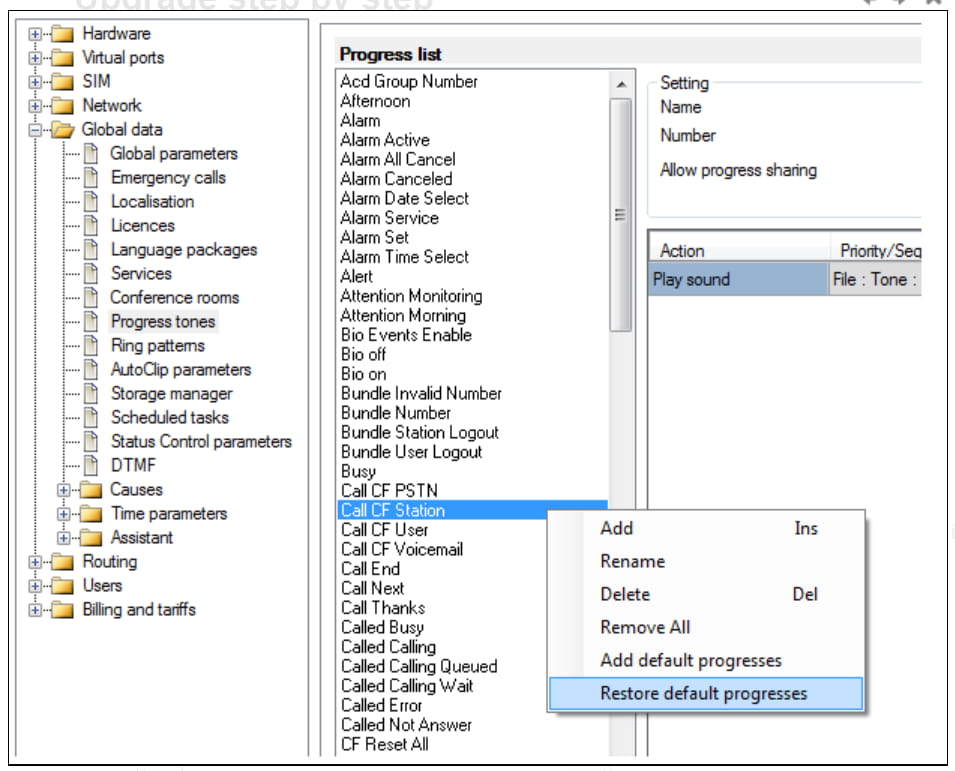
Go to Global data -> Progress tones and by clicking „Restore default progresses" update the progress tones.
-
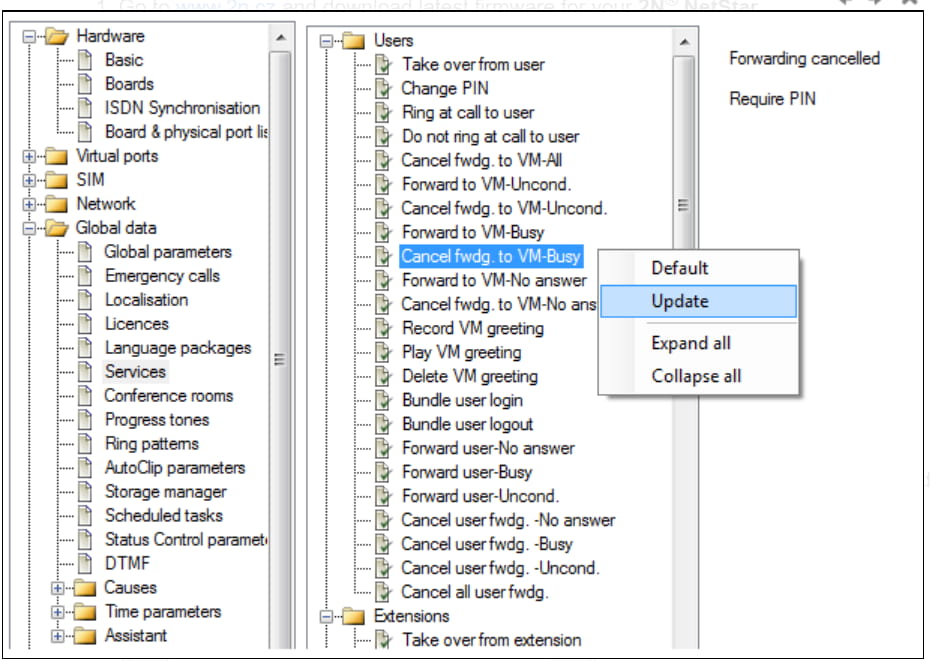
Update in the same folder also the services.
-
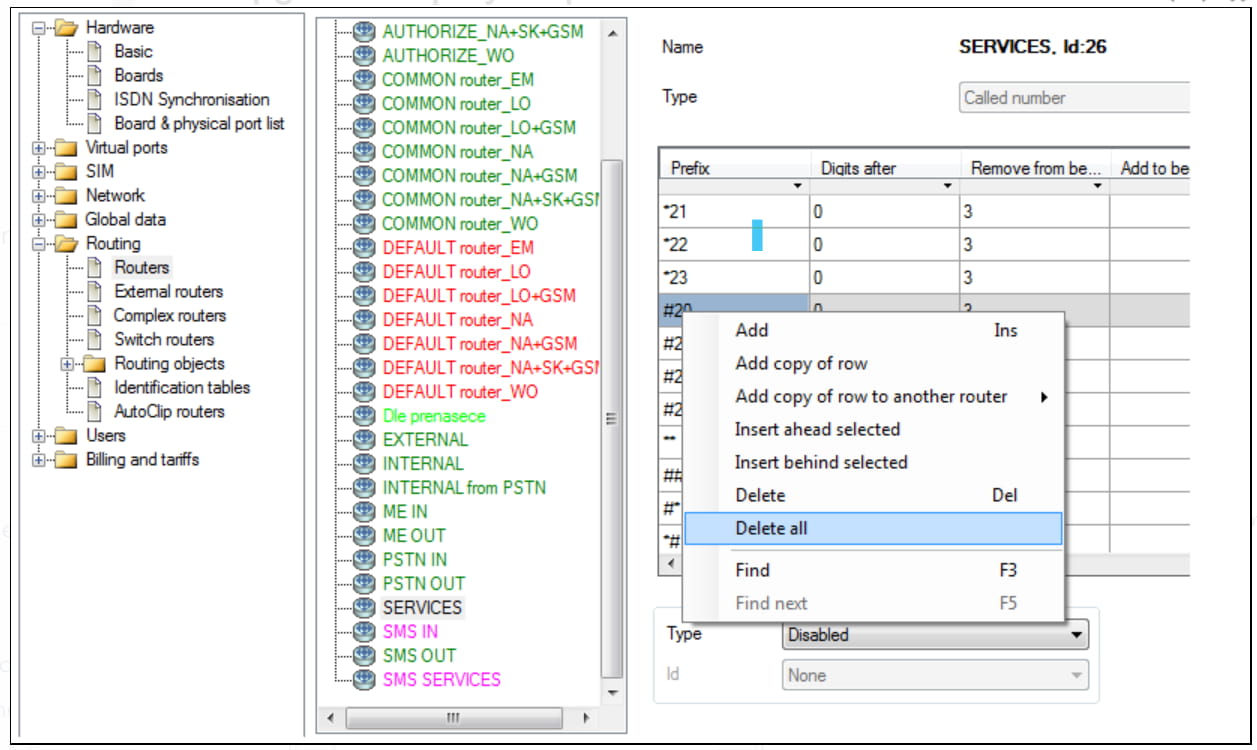
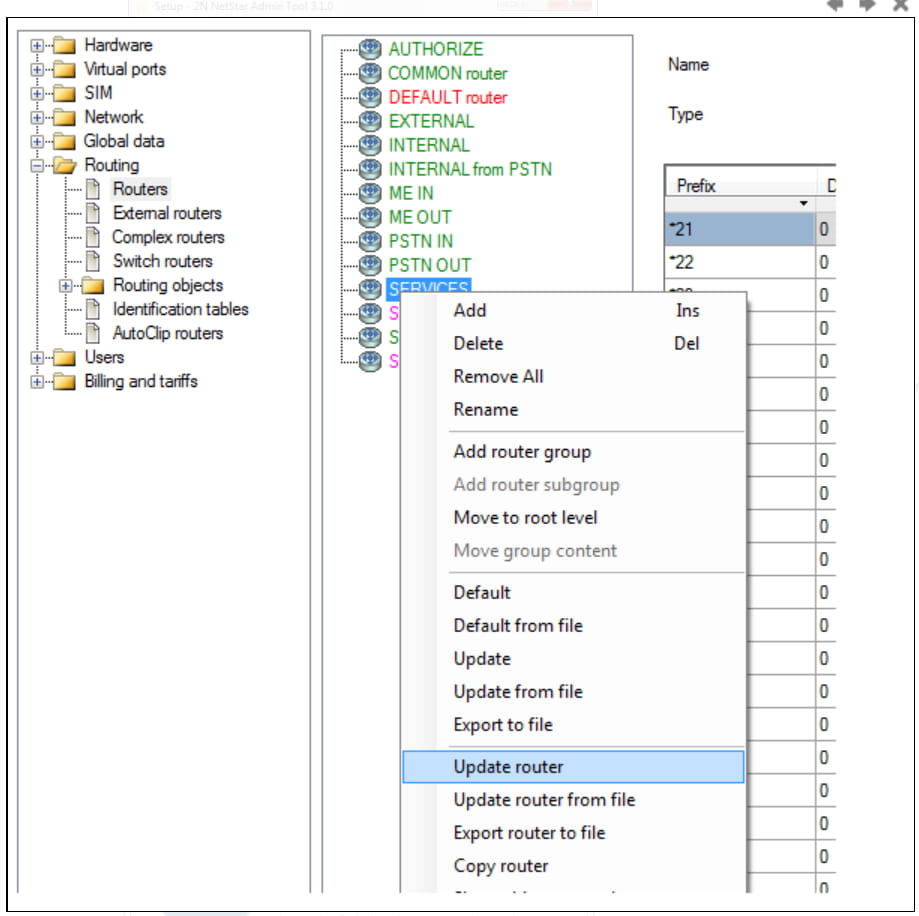
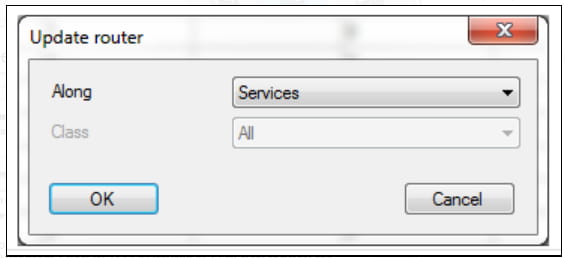
As a last step move to Routing -> Routers and delete all records from router SERVICES. Then click the right mouse button on „SERVICES" and from given menu choose „Update router". In "Update router" window choose along „Services".