-
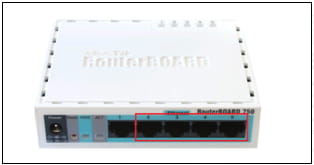
Connect your PC with MikroTik over Ethernet cable to Ethernet port 2-5
-
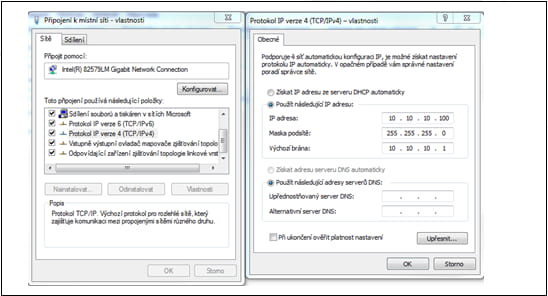
Set up IP address on your Network adapter as described on the picture
-
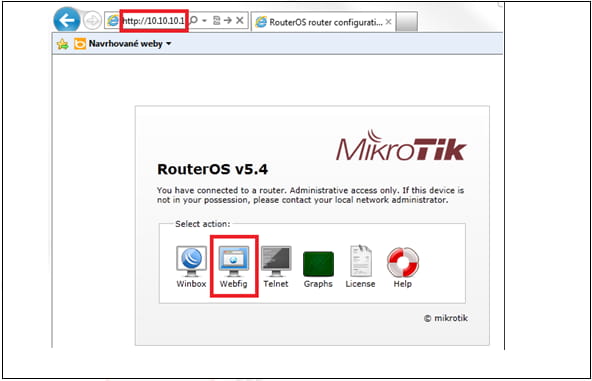
Open your web browser and type 10.10.10.1 to connect to the MikroTik Configuration web interface
-
Log in with Admin/2n
-
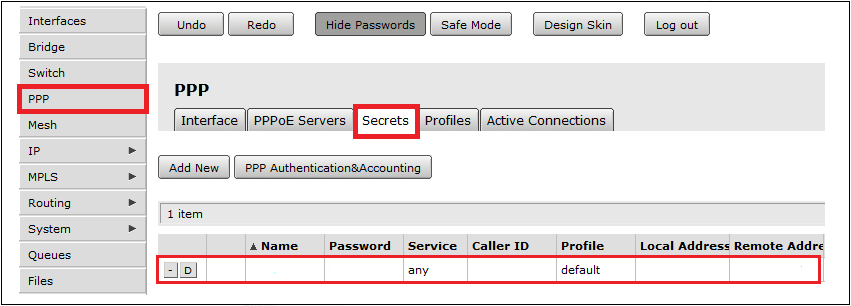
Go to PPP -> Secrets -> Double click on a account and change the password. Then press "OK"