FAQ describes how to set 2N SmartCOM PRO for AMS function by AT command. 2N® SmartCOM PRO automatically detect M-Bus meters. Then reads data from M-Bus meters and store data in internal memory. 2N SmartCom server with web interface readout 2N SmartCOM PRO units and parse M-Bus messages to CSV files.
Tested with firmware (SCE_1-12-0-12-24). Ask 2N for this firmware or access to test web server - contact your salesman or send a request go to https://support.2n.cz
Connect 2N SmartCom PRO unit to your 2N SmartCom server. In this scenario will be used 2N SmartCom test server with web interface.
Check, that your unit is connected to the server. (Web interface or in software 2N® Control panel)

Enable AMS function (0 = AMS turned off)
at^scams="enable",1
Meter detection:
Performing this command deletes all the data from 2N®SmartCom PRO terminal memory as well as the meter reading configuration part. The parameter interval is global for all installed meters by AT command.
AT command: at^scamsadd=<port>,<protocol>,<baudrate>,<interval>,<number_of_expected_devices>
Examples:
(detection 2 meters on M-Bus, for speed 2400 Bd and interval 1 minute)
at^scamsadd=2,2,"default","1m",2
at^scamsadd=2,2,2400,"1m",2
at^scamsadd=2,"mbus","default","1m",2
at^scamsadd=2,"mbus",2400,"1m",2
possible interval for data reading from meters - values: 1M, 2M, 3M, 4M, 5M, 6M, 10M, 12M, 15M, 20M, 30M, 1H, 2H, 3H, 4H, 6H, 8H, 12H, 1D
Answer:
^SCAMSADD: <error_code>,<number_of_devices>,"<primary_address_1>,<secondary_address_1>;<primary_address_2>,<secondary_address_2>;................."
OK
Examples:
without error - 2 meters found
^SCAMSADD: 0,2,"0,08031768;1,15020416"
error - different number of meters found (only 1)
^SCAMSADD: 65286,1,"0,08031768"
error(collision of secondary addresses)
^SCAMSADD: 131094,0,""
Go to web interface to section "Terminals Monitoring" and synchronize your 2N SmartCom PRO unit with 2N® SmartCom server.

Press Start sync

Wait until synchronization is finished

In section "Meters" you can find information about your M-Bus meters

Results are in section - "Results" - For the access data (login, password) please contact your salesman or send a request go to https://support.2n.cz


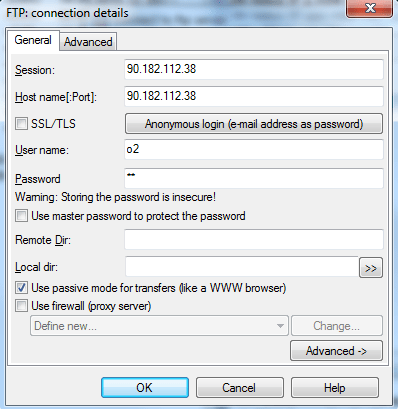
or can be download by FTP client - loggin name: ask 2N