-
Lets say that we want to divide outgoing GSM numbers between 2 GSM providers in accordance to the dialed prefix and all another outgoing calls should be routed into VoIP provider.
-
Prefixes 71, 72, 75 belong to GSM Provider1, prefixes 74 and 84 belong to GSM Provider2.
-
Lets say, that we have SIM cards of Provider1 inserted in GSM module 1 and for Provider2 we have only one SIM in GSM module 2.
How to create that rule?
-
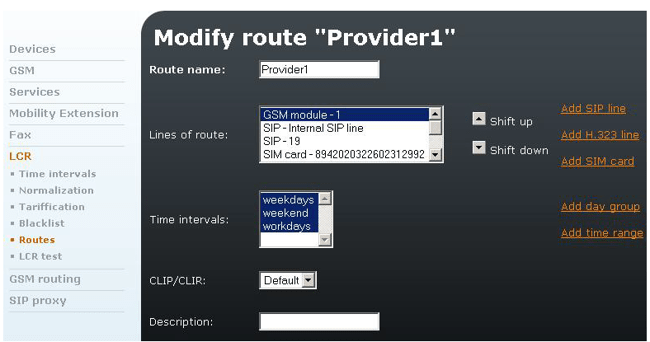
Add new Routes (Telephony services – LCR – Routes) for GSM Provider1 and Provider2 and assign GSM modules for them (it is possible to highlight more than one line. Just hold CTRL and click the mouse button).
-
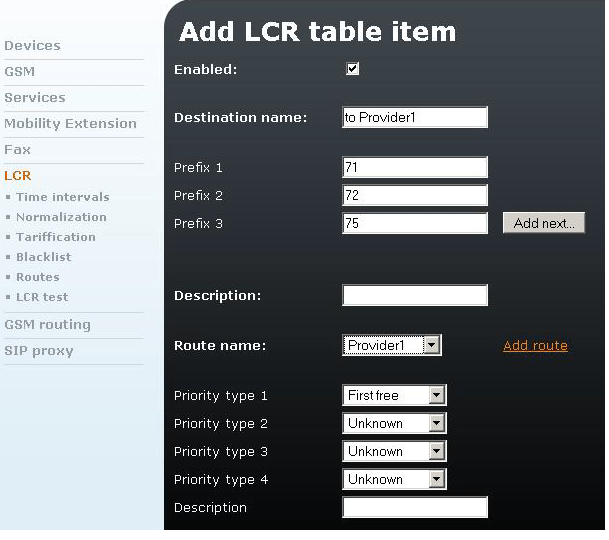
Add a new LCR rule (Telephony services - LCR) for the prefixes of both GSM providers. Fill destination name and the prefixes, choose Route name.
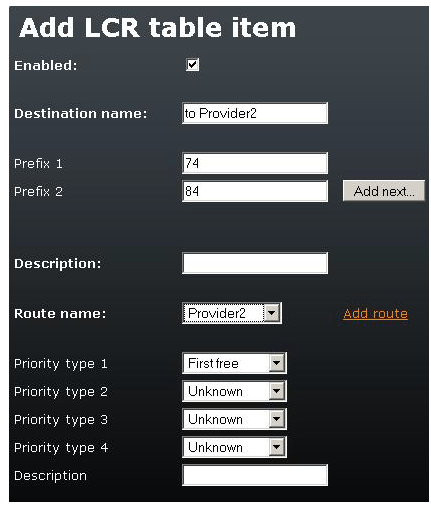
-
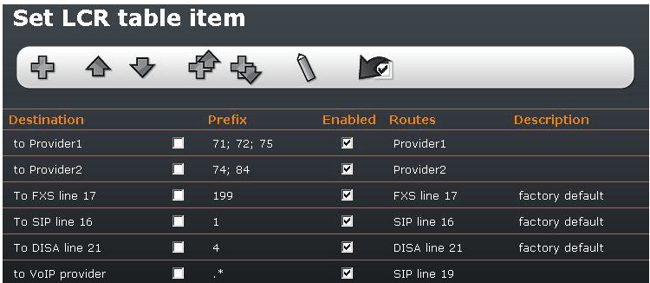
Shift the rule up (to the top of list) – it has to be before .* (that means everything).
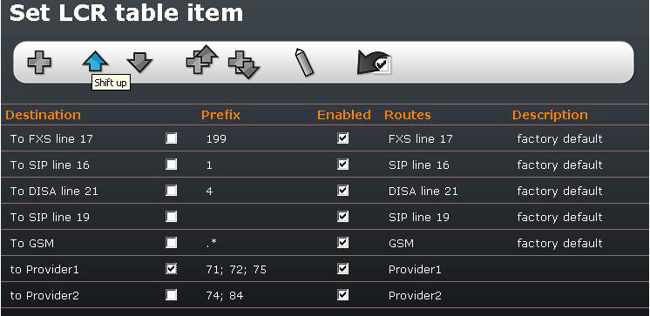
-
Delete the destination „To GSM“ which has the prefix .* (this is chart for all prefixes).
-
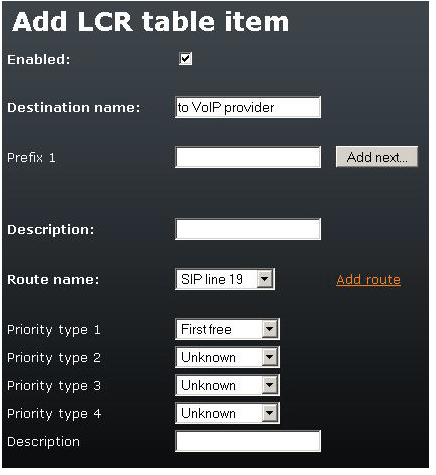
Make a new rule for all prefixes which will be routed into VoIP provider.
-
Leave prefix field blank and choose the route to your VoIP provider.