My2N apartment Admin Features
Apartment Admin can create, update or delete users in their apartment directly from My2n platform.
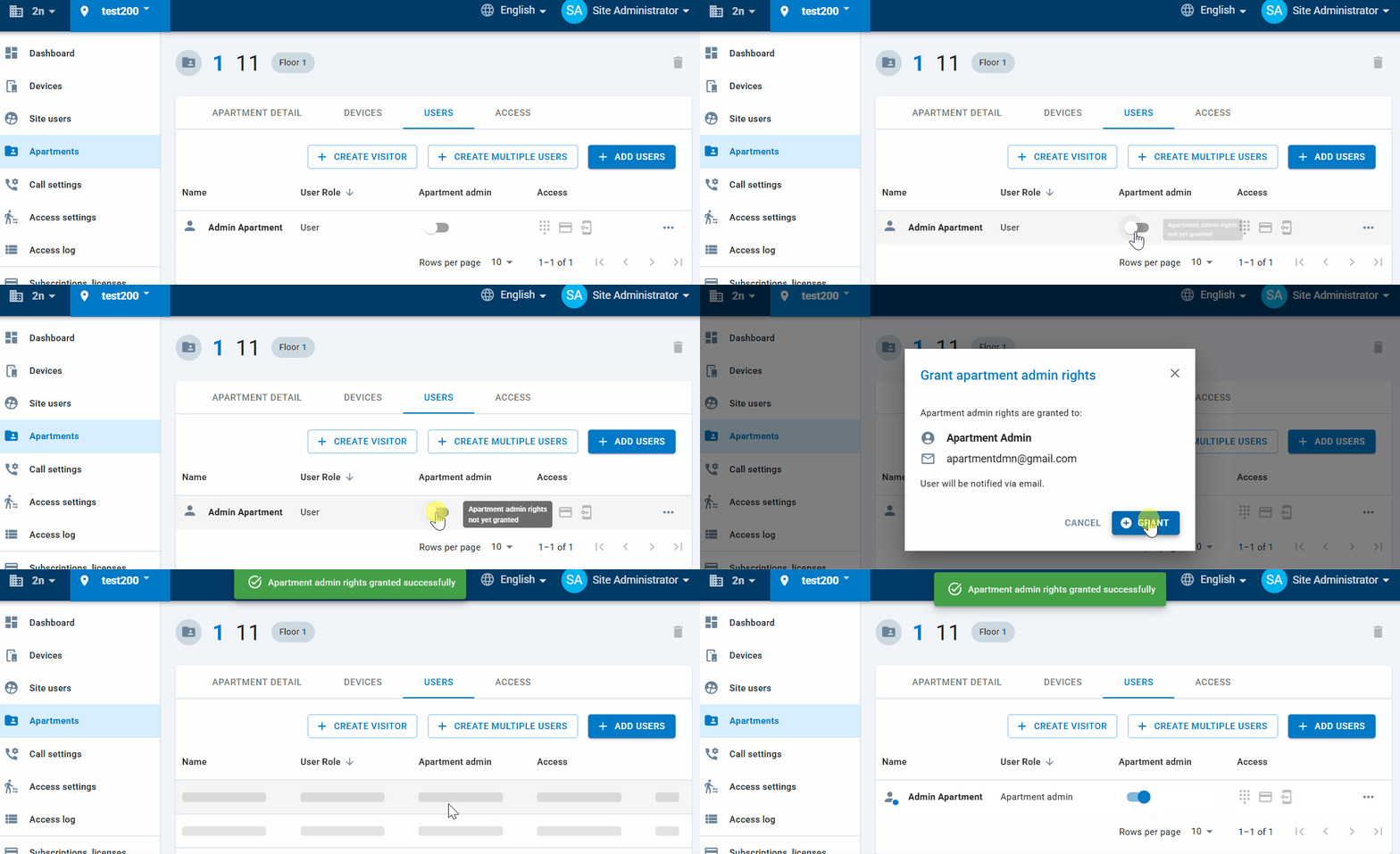
For that the user must be granted with Apartment Admin rights by site or company admin:
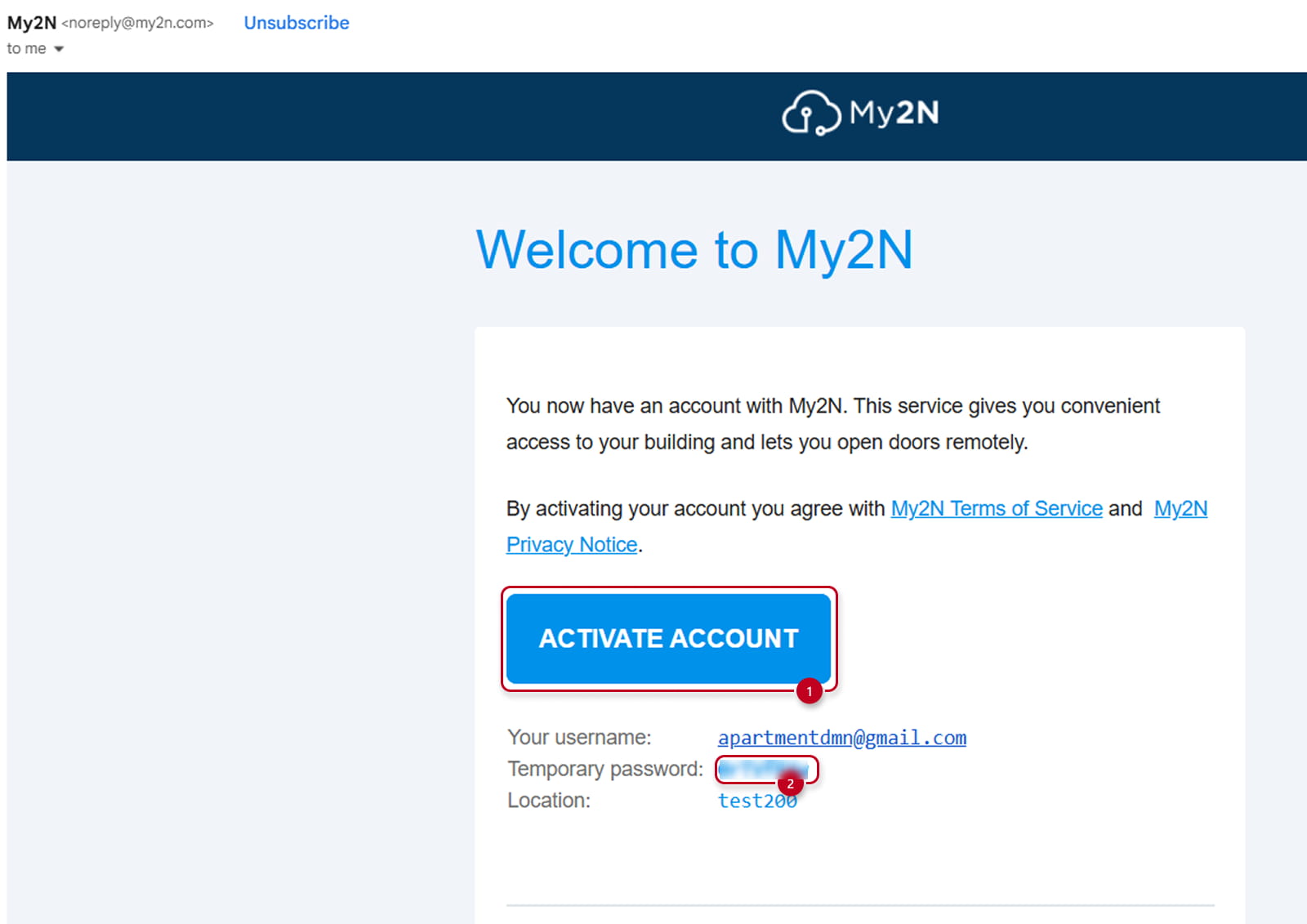
If the user is a brand new user he will need to confirm his account by hitting the confirmation button (1) in the email he will receive immediately after the site or company admins created, login with temporary password (2), eventually modify it in the User Profile Section.
Or, he has to login the platform with his email and Password:
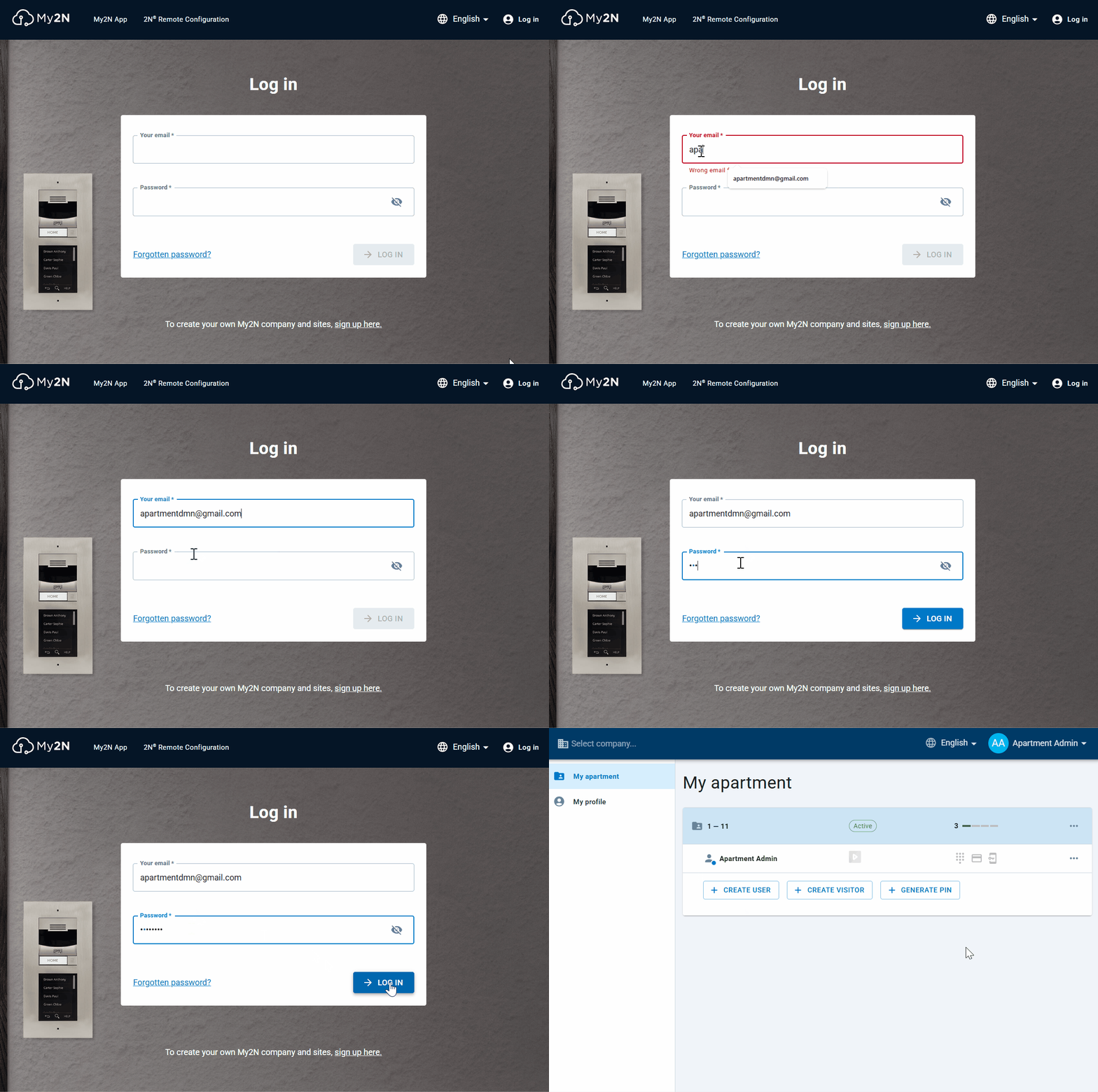
Then, as apartment admin he will have 3 possible options :

- CREATE USER (3)
- CREATE VISITOR (4)
- GENERATE PIN (5)
CREATE USER
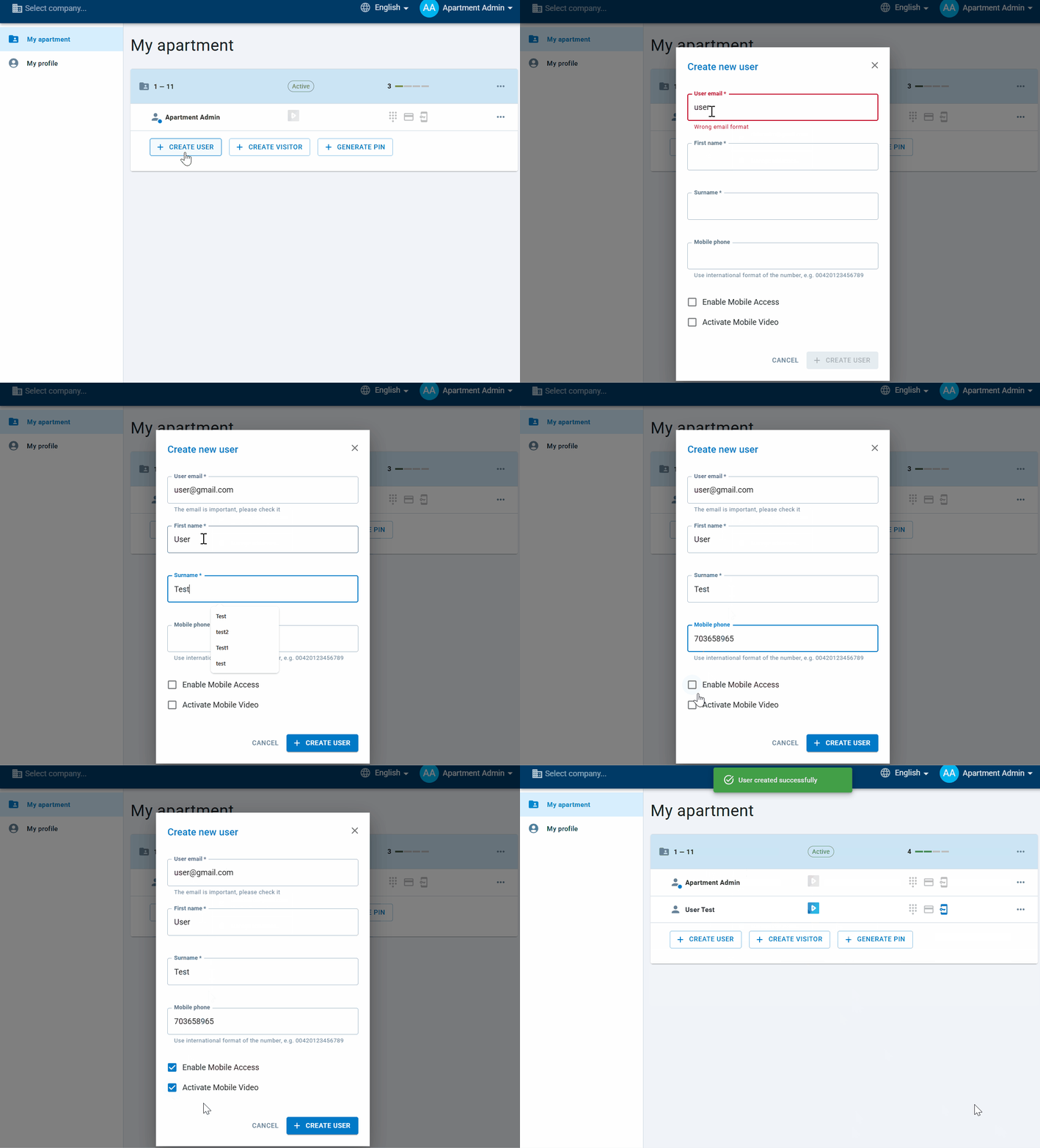
The Apartment Admin will create a new user with granting him/her with new Mobile Video service (if the number of paid devices is not exceeded already in the apartment).
He will be allow to grant the same person with BT credentials to use the Mobile Access services, if the apartment happens to be part of an Access Group and rules.
He can eventually, add a phone number for informational purpose
In case the limit number of licenses is already reached the apartment, the admin will see this message indicating it.
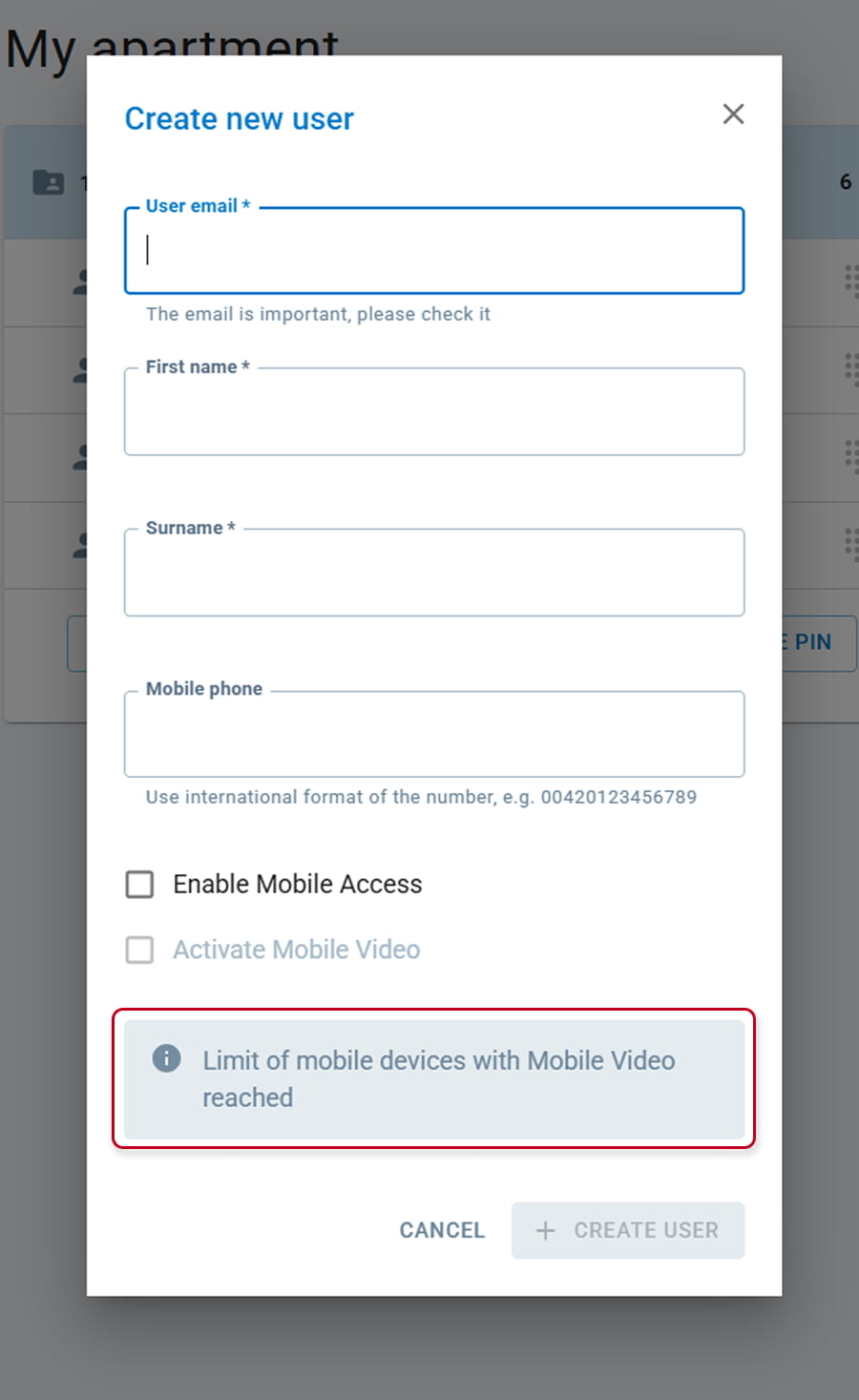
Eventually he would need to require to site admin to create a new apartment.
In case the apartment is not part of any access rules or if the site is not set for enabling BT credentials to users, Mobile Access won't even be visible:
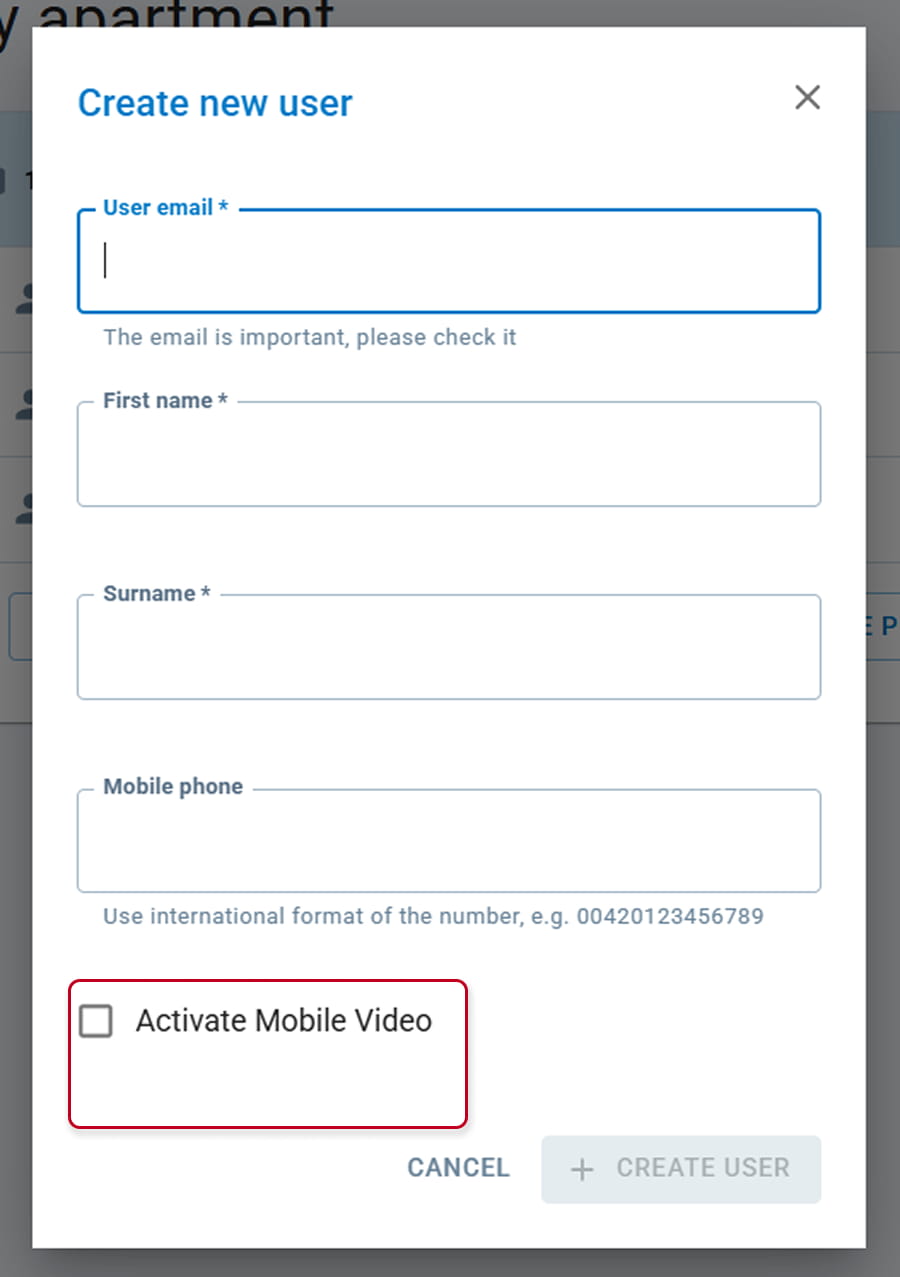
Again, if the Apart Admin would like to provide such service for his apartment, he would need to require it to site admin.
CREATE VISITOR
As the Apartment Admin was already able to do directly from the App, he will be able to create visitor from the platform.
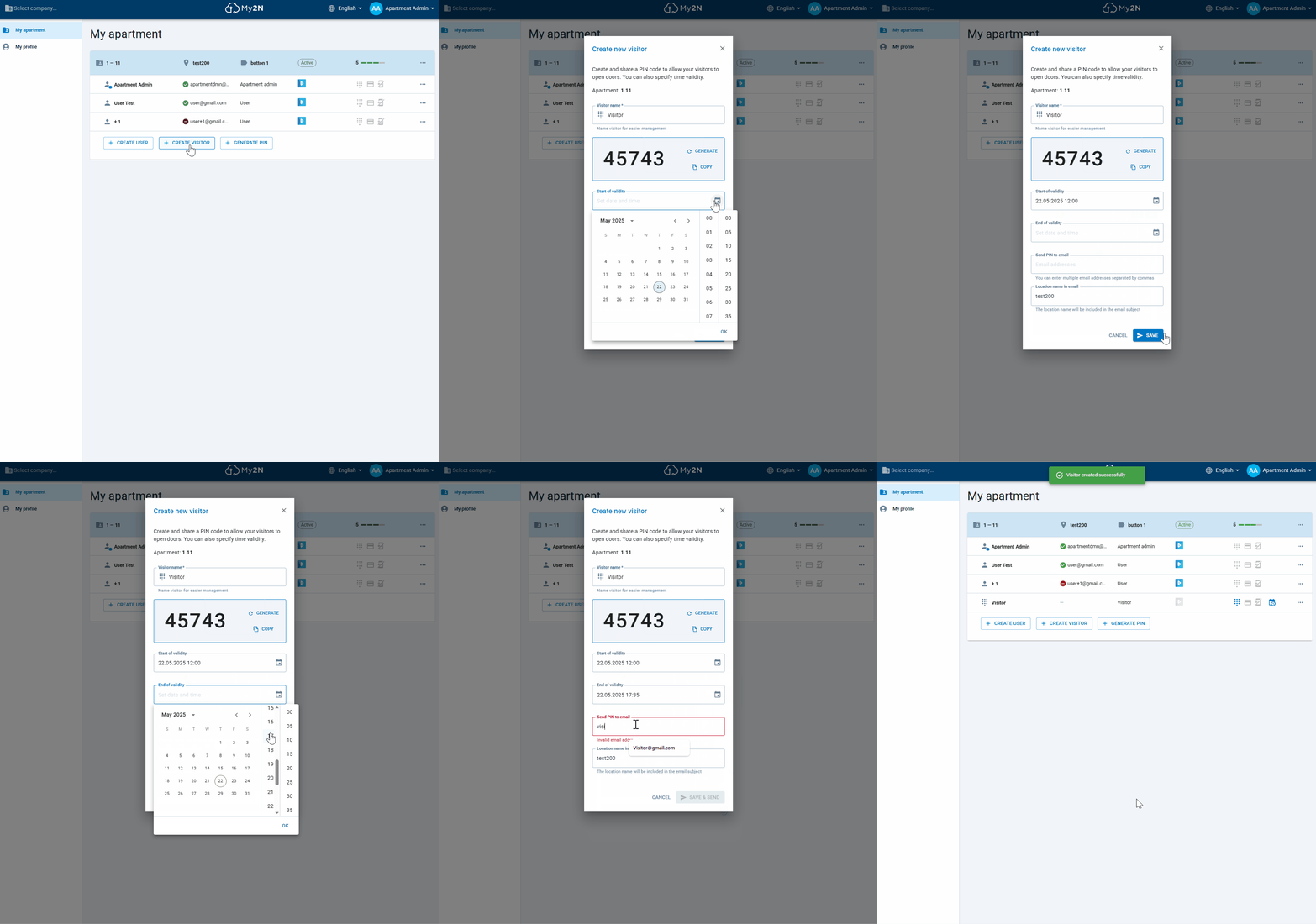
And again as in the App he will be able to modify the visitor, the time validity:
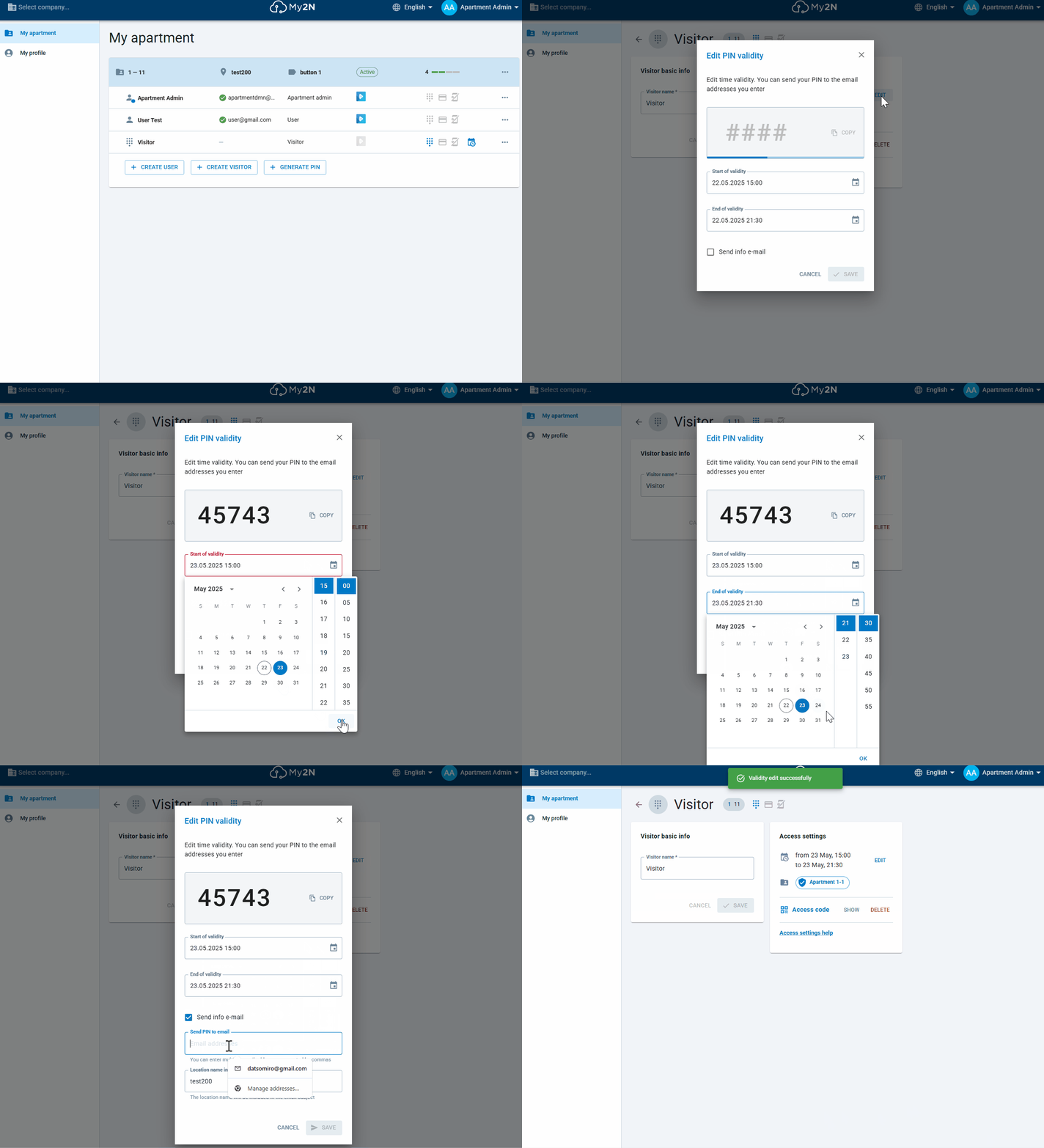
Or suspend the PIN and generate another one afterward:
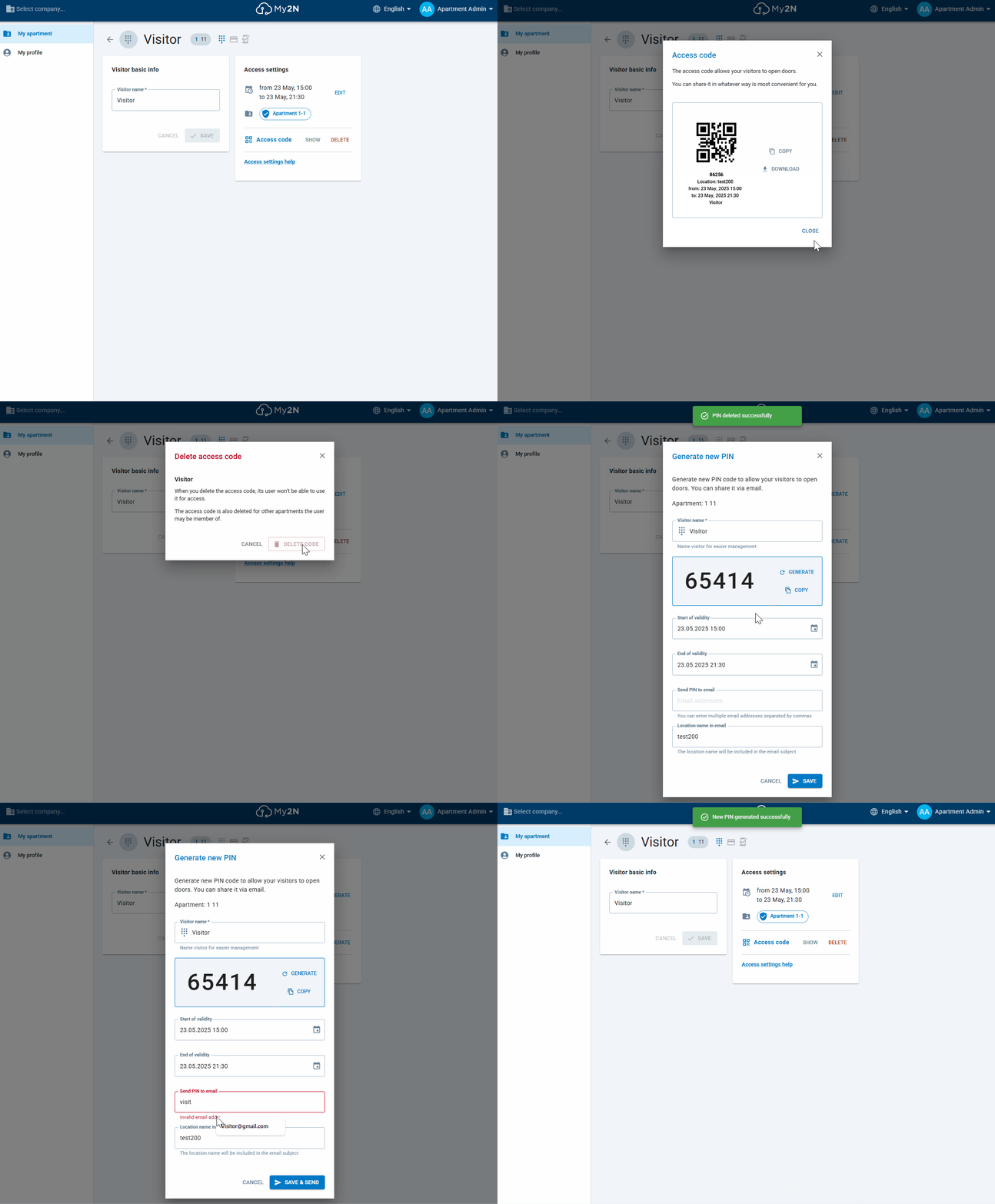
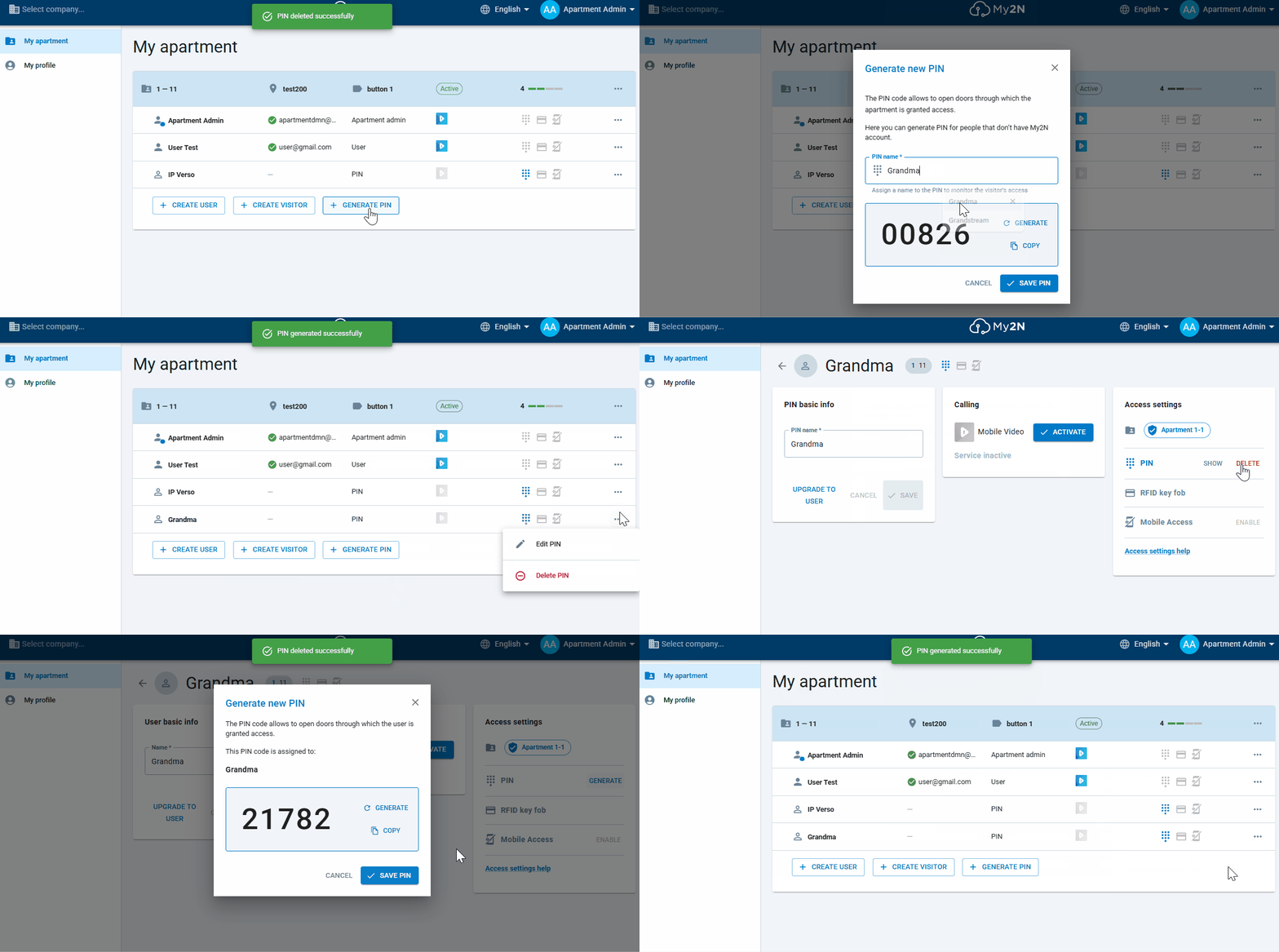
GENERATE PIN
Or if a visitor without My2N App needs to enter your premises, you can send him a specific PIN to be used on the intercom or Access Unit's keypad :