This feature enables you to increase security for example in areas of research laboratories, financial centers, banks, etc. – simply wherever you need to protect something.
Thanks to this feature you can specify door that will be opened only if you enclose the RFID card and enter special code in predefined time (both can be done by one person). For higher security you can set that two RFID cards or two specific codes have to be entered (double person identification). This is very good protection against RFID card theft. Authentication with a card and a code can be done via native features, authentication with two cards has to be done via automation as described below.
How to set up 2FA on 2N IP Intercoms
Version 2.50 (LTS) or earlier
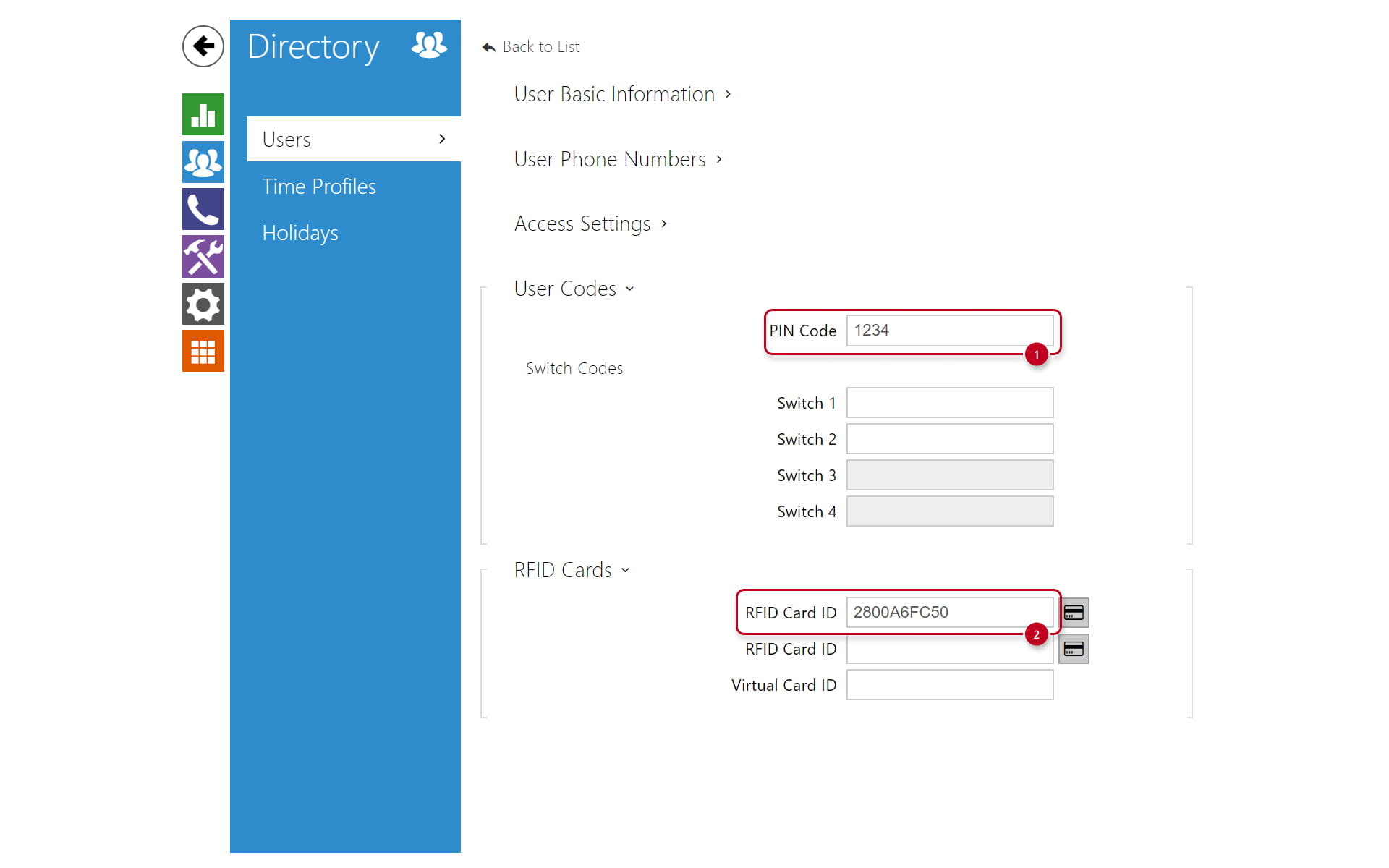
Navigate to the section "Directory -> Users" and choose one of the users. Then you can define a PIN code and a Card ID for the user.
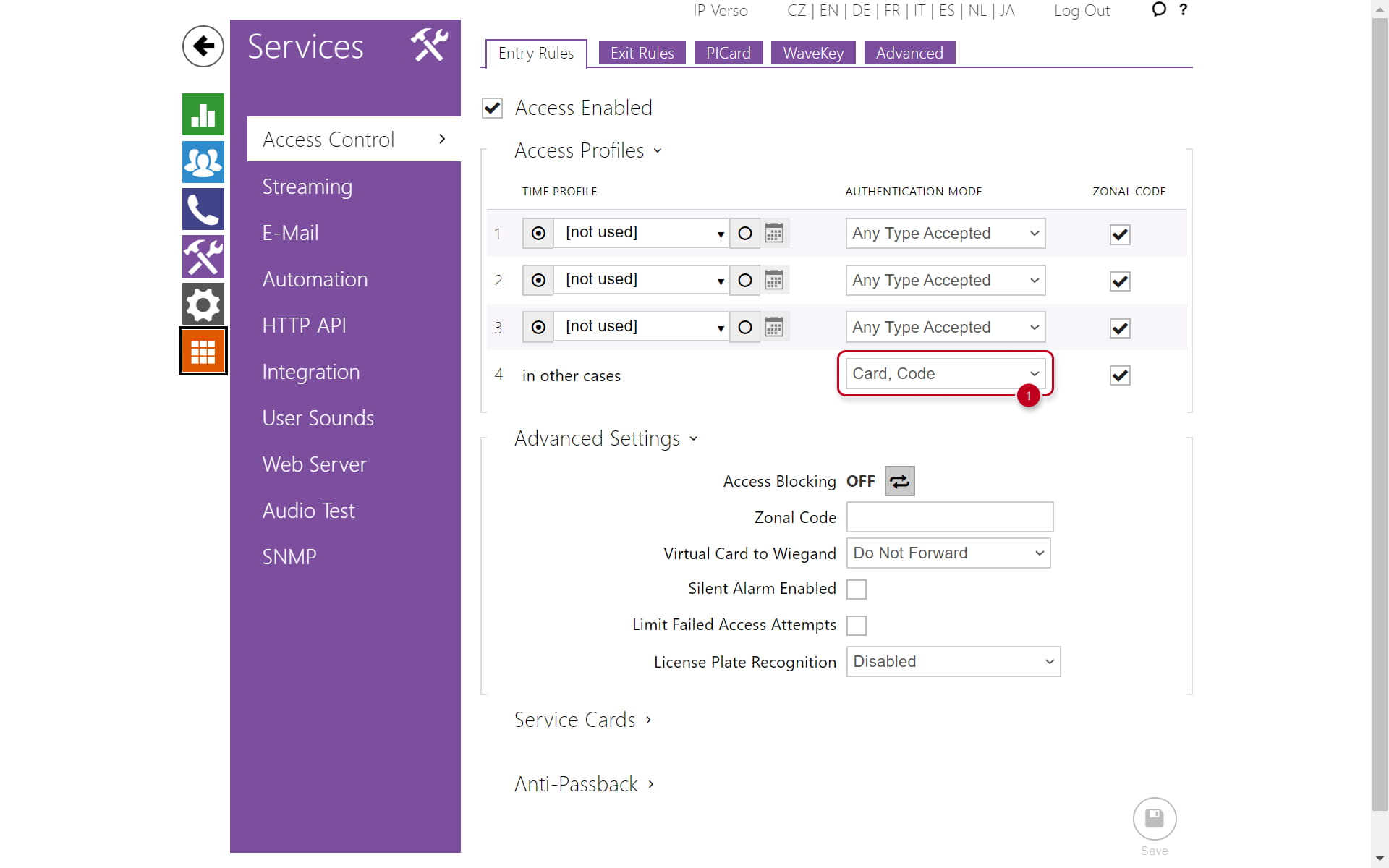
In section "Services -> Access Control-> Entry Rules" you have to set "Card, Code". Now the particular user has to swipe the card and enter the code as well to activate the Switch.
Version 3.0 or later
Navigate to the section "Directory" and choose one of the users. Then you can define a PIN code and a Card ID for the user.
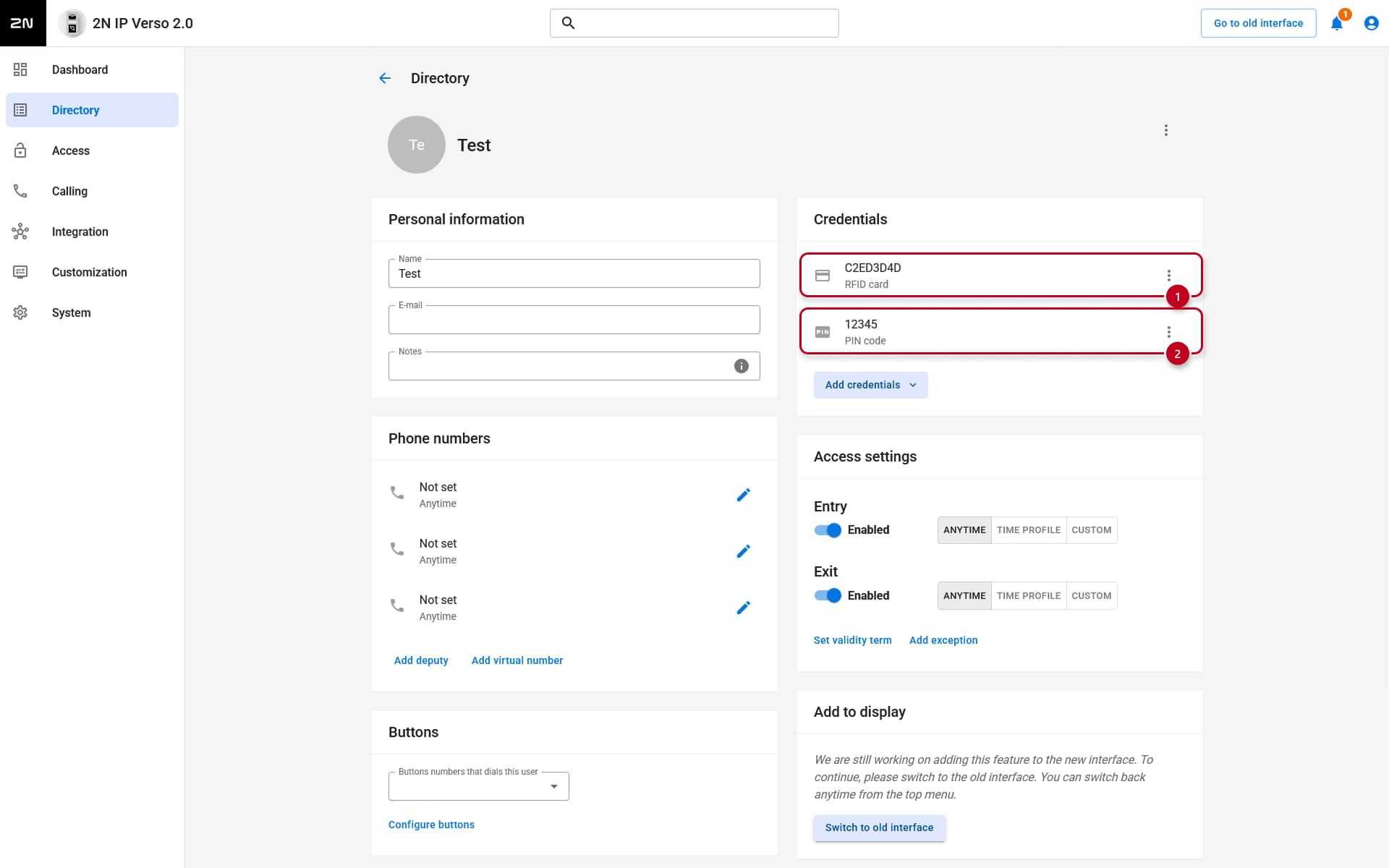
Next, Access -> Access rules -> Entry section, edit Default rule:

Now you can choose which credentials you want to use for multifactor authentication.

How to set up double person identification on 2N IP Intercoms
Go to section Services -> Automation (Version 2.50 (LTS) or earlier) or to Integration -> Automation (Version 3.0 or later) and use one of the Functions there. Then follow the screen below and create the function. Set the card IDs of two users you would like to use for double card authentication. This will ensure, that once the first user swipe the card, the other one has to swipe within 5 seconds to activate the switch.

Firmware & License info
-
2N OS v2.44 with GOLD license
-
Last updated on 3th of March 2026