REX button connectivity
The steps in this article require using the web interface of a 2N device. Please follow this manual in case this is your first time using the web interface.
In certain situations (e.g. in areas with higher level of security such as an ATM room or kindergarten), you want to control the door opening even when person is leaving. For this purpose you can connect REX (Request To Exit, or just "Exit") button to 2N IP Intercom or 2N Access Unit and once the button is pressed, device triggers the lock.

Prerequisities
- 2N IP Intercom or 2N Access Unit with the latest firmware; no additional licence is required.
The device must be equipped with at least one free input.
Most of our devices have at least one input on the main unit, here is an exception:- 2N IP Force & 2N IP Safety & 2N IP Vario
requiring additional module - 2N IP Uni
does not have input at all, does not support REX button connectivity
- 2N IP Force & 2N IP Safety & 2N IP Vario
- Any REX (exit) button with prepared two wires
e.g. the one from 2N: https://www.2n.com/products/exit-button
Connectivity
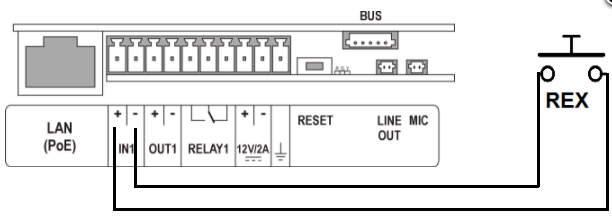
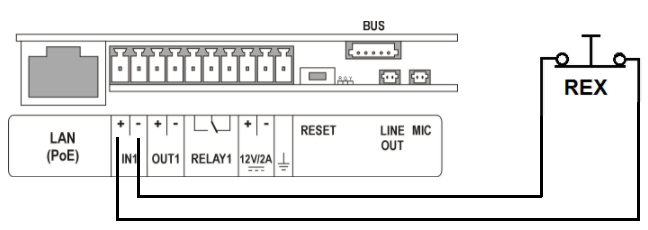
- Connect REX button to the device input via two wires. Here is a demonstration on 2N IP Verso, another models can be little different, please check their installation manual.
Normally opened (the first picture) or normally closed (the second picture) type, both have the same connectivity, but the configuration will be different.
Configuration
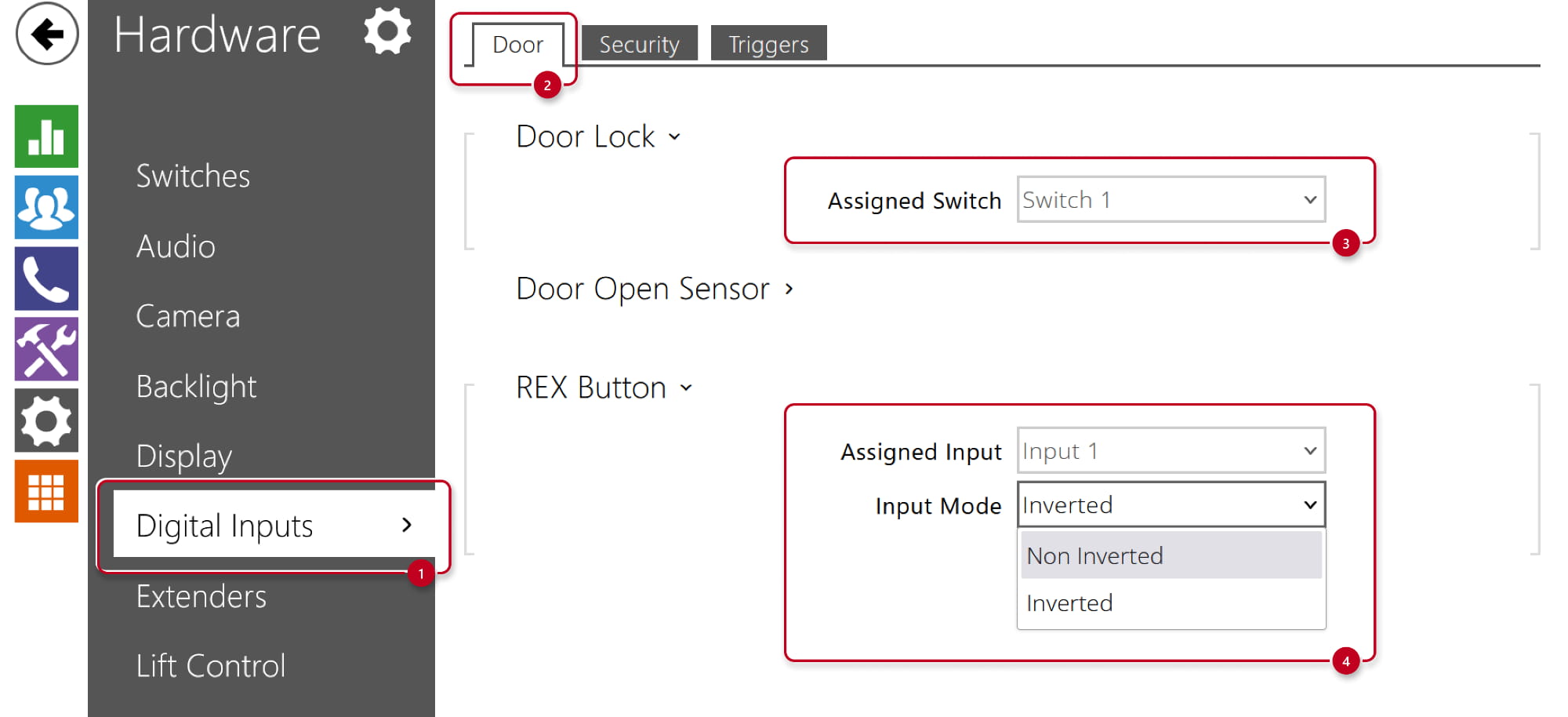
- Go to device web interface, section Hardware - Digital Inputs.
- Check the assigned switch to see if it is the one used for access control,
usually the default Switch 1 value is the right one. - Assign the input to which you´ve connected the REX button in previous step (in our case "Input 1")
and set the right input mode; Non Inverted for Normally opened type, Inverted for Normally closed type.
- Check the assigned switch to see if it is the one used for access control,