Info
This FAQ serve as a quickguide for correct issue reporting when some problem on system is detected on 2N Lift1.
In this case is necessary to send all information on Technical support Form or contact your local distributor for quick support.
For fast respond, please follow steps:
-
Do the upgrade to the latest version: Firmware upgrade - How to make a firmware upgrade on 2N Lift1
-
Do the factory reset: Factory reset - How to make a factory reset on 2N Lift1
-
Set up your system again and do tests
If problems persists then:
-
Actual configuration of system: 2N Lift1 - Configuration backup - How to backup configuration, how to capture it and trace it
-
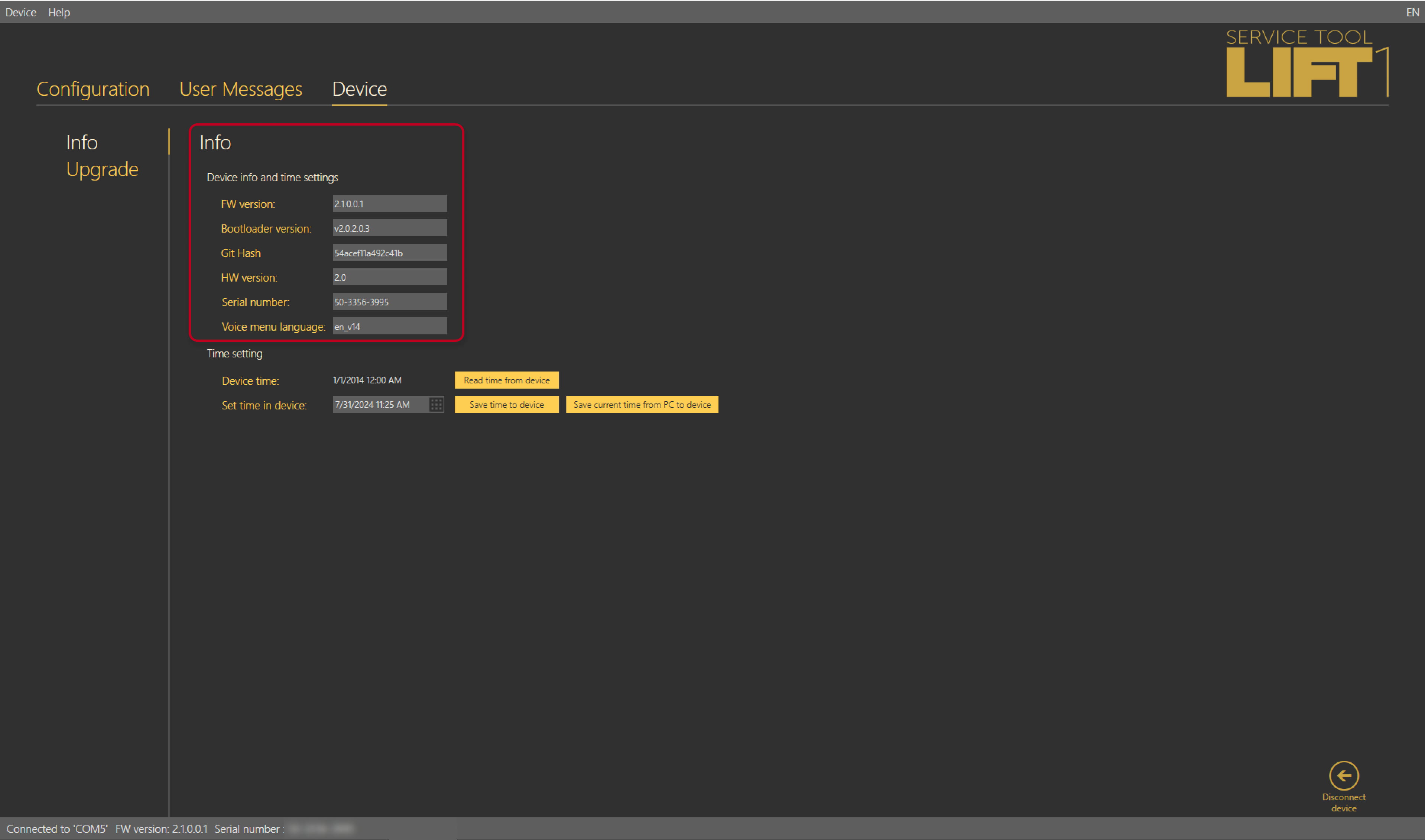
serial number and firmware version of the product (using service tools 2N service Tool software, menu "Device"):
-
Description of the connection:
-
PSTN connection? (provider)
-
PBX connection (type, model)
-
GSM /UMTS gateway (type, SIM card information - operator, tel. number) - in case of 2N EasyGate provide:
-
serial number
-
FW version
-
LED diods state in idle mode
-
LED diods state in active mode
-
-
-
Line voltage where is connected 2N Lift1 (off-hook)
-
In case of user voice message error:
-
Was it recorded with service tool?
-
Was used external file .wav? (send it for analyze)
-
-
Problem description
-
Briefly describe what is happening exactly.
-