Dashboard
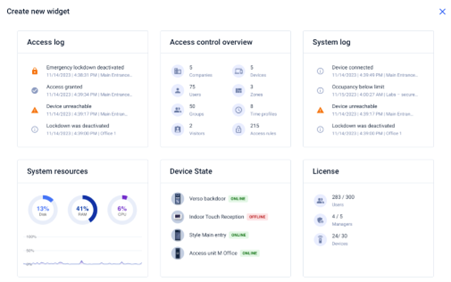
Dashboard is the basic display of the Access Commander web interface. It is a configurable notice board showing real time data. Access Commander offers several Widgets that are added to the Dashboard using the  button. The Dashboard Widgets can be moved, renamed or set basically. The Widgets are managed and deleted in the
  extended menu in the header of each Widget.
Every user with an account on Access Commander can set a Dashboard of their own. The Widget availability is limited depending on the user role and available license.