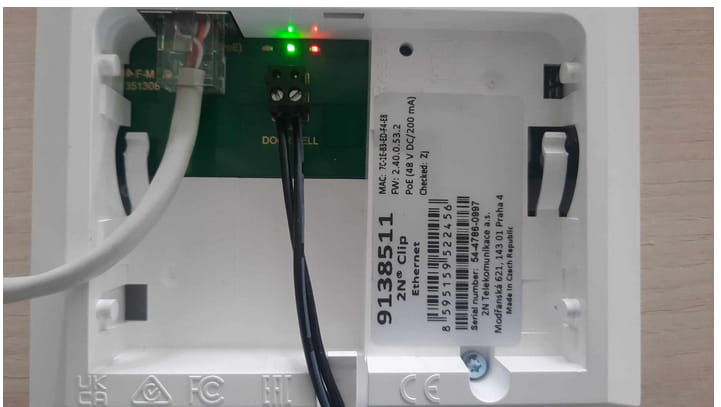
This FAQ describes how to connect Doorbell (a button) to the 2N OS Indoor Units - 2N Indoor View, Compact, Talk.
With the button it is possible to call to the unit directly without using any other devices.
Upon pressing the button the unit starts ringing based on the configuration.
|
Requirement
|
Connect 2-wires button to the unit.

Click here for instructions for firmware 3.0 and newer.
Read more about the differences in long-term support and active track 2N OS.
Firmware 2.50 and older (LTS)
How to change Doorbell sound
Please go to web page - Services - User Sounds and set Sound Mapping according to your need, you can upload your own sound as well.

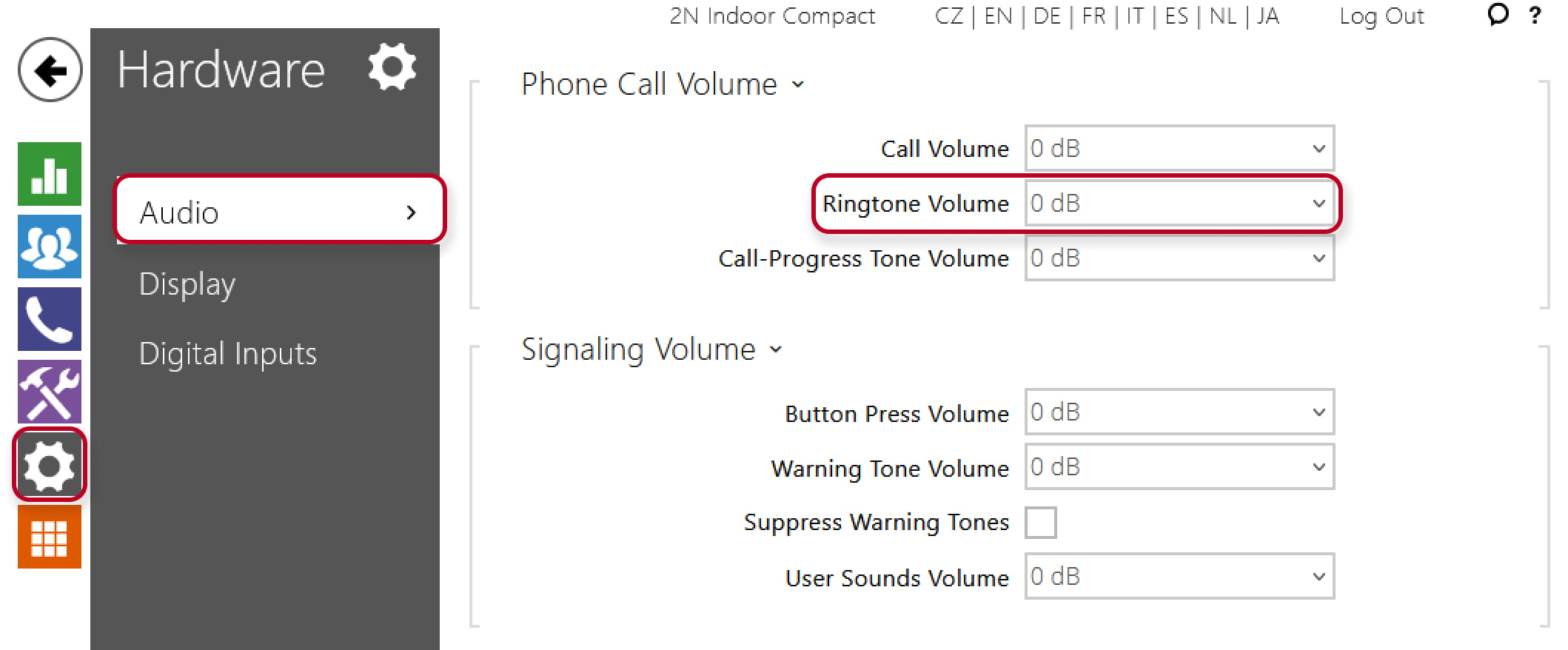
To modify sound volume please go to web page - Hardware - Audio and set Phone Call Volume according to your needs.
Events history
-
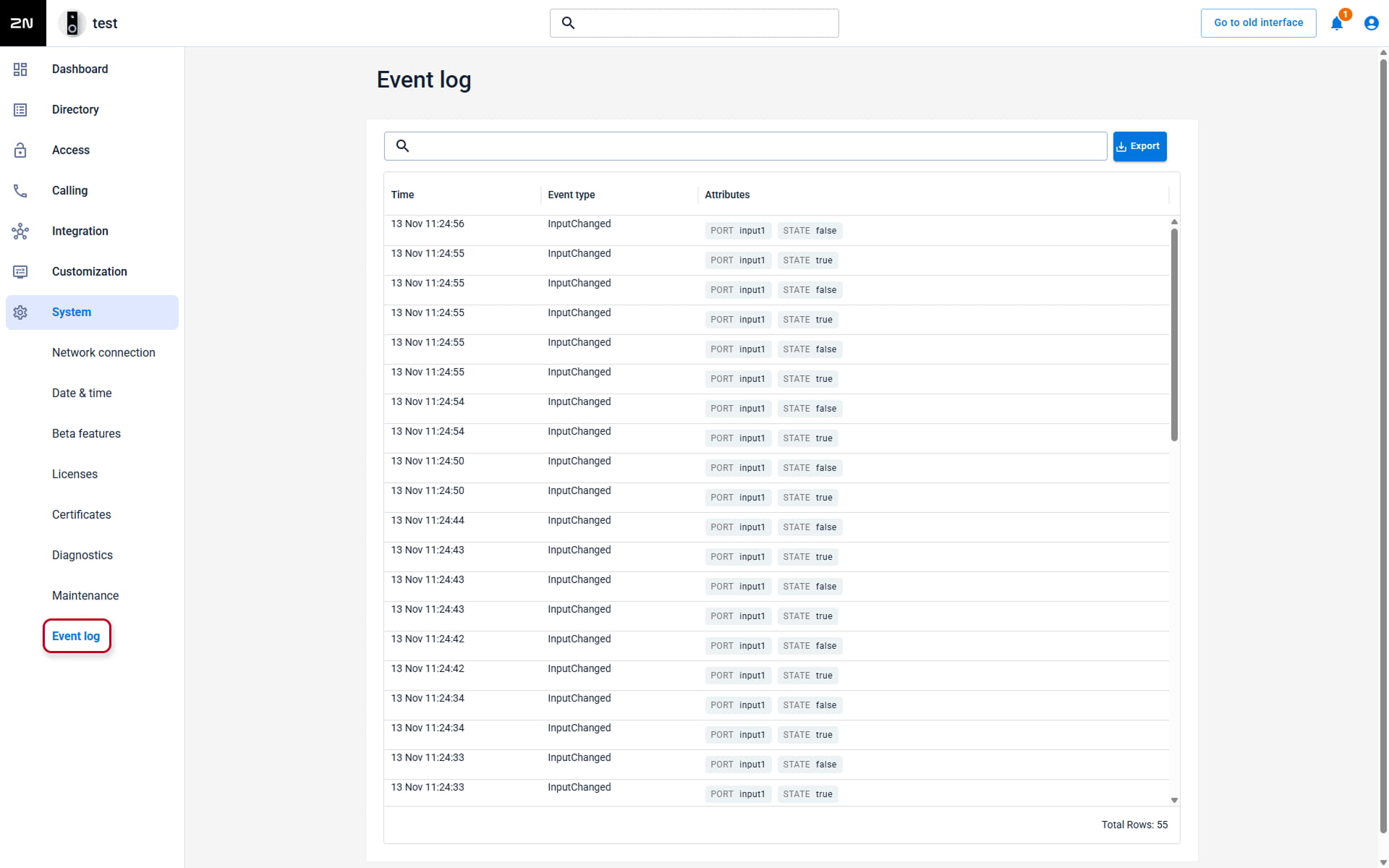
Events history saves all calls done by the button

Firmware 3.0 and newer
How to change Doorbell sound
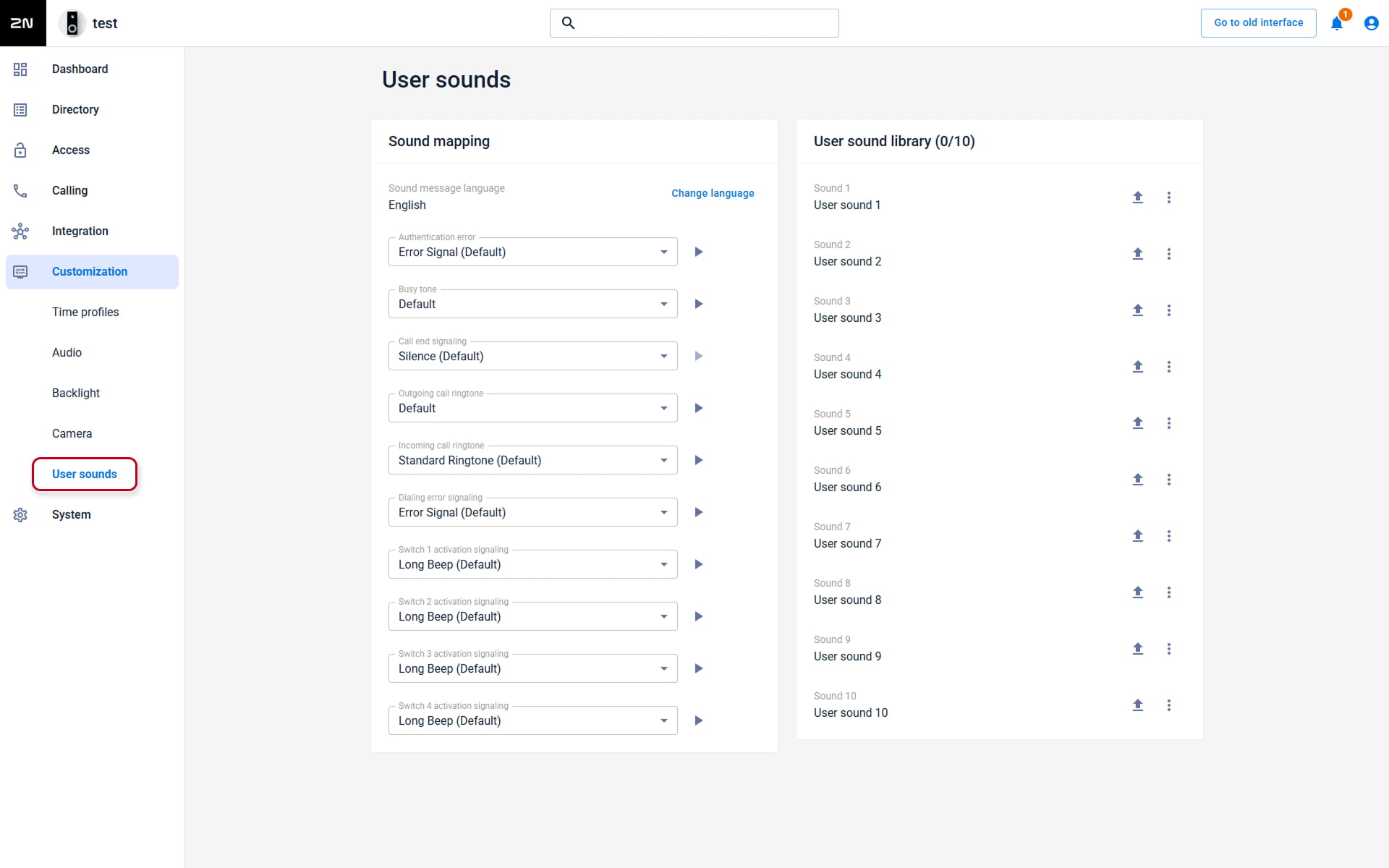
Please go to the web interface - Customization - User Sounds and set the Doorbell sound according to your need, you can upload your own sound as well.
NOTE: In the answering unit, you will see the Doorbell option.
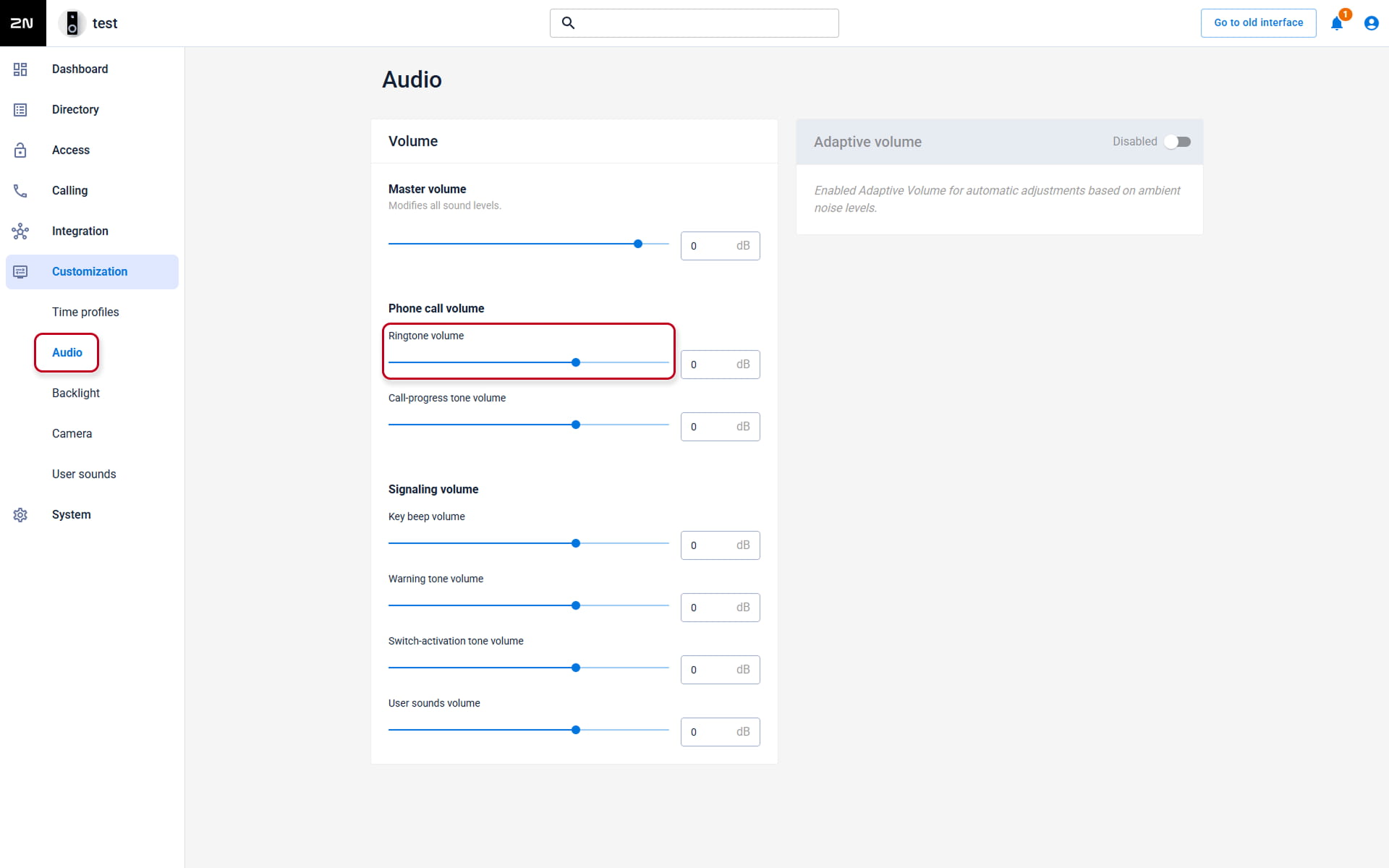
To modify sound volume please go to the web interface - Customization - Audio and set Phone Call Volume according to your needs.
Events history
-
Events history saves all calls done by the button