2N IP Intercoms - User sounds uploading
The steps in this article require using the web interface of a 2N device. Please follow this manual in case this is your first time using the web interface.
You can upload up to 10 user sound files into the intercom and use them in your scenarios, e.g. to welcome your visitors with your voice message when opening the door.
Prerequisities
- 2N IP Intercom with the latest firmware
(except 2N IP Uni, which does not support this feature)
- No additional license is required for 2N IP Intercom
Uploading a prepared sound file
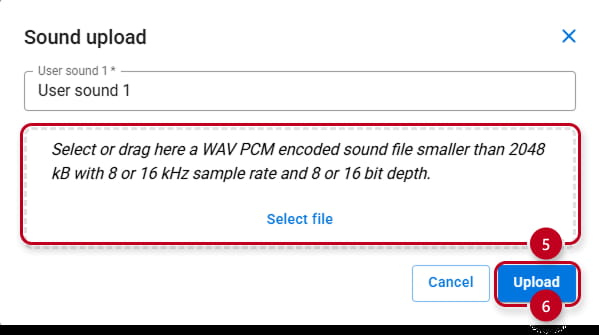
- Needed parameters of the audio file
(file with different parameters will be refused)Format Encoding Sampling Maximum size WAV PCM L8/L16, PCMA, PCMU, or G.722 8 or 16 kHz 256 kb
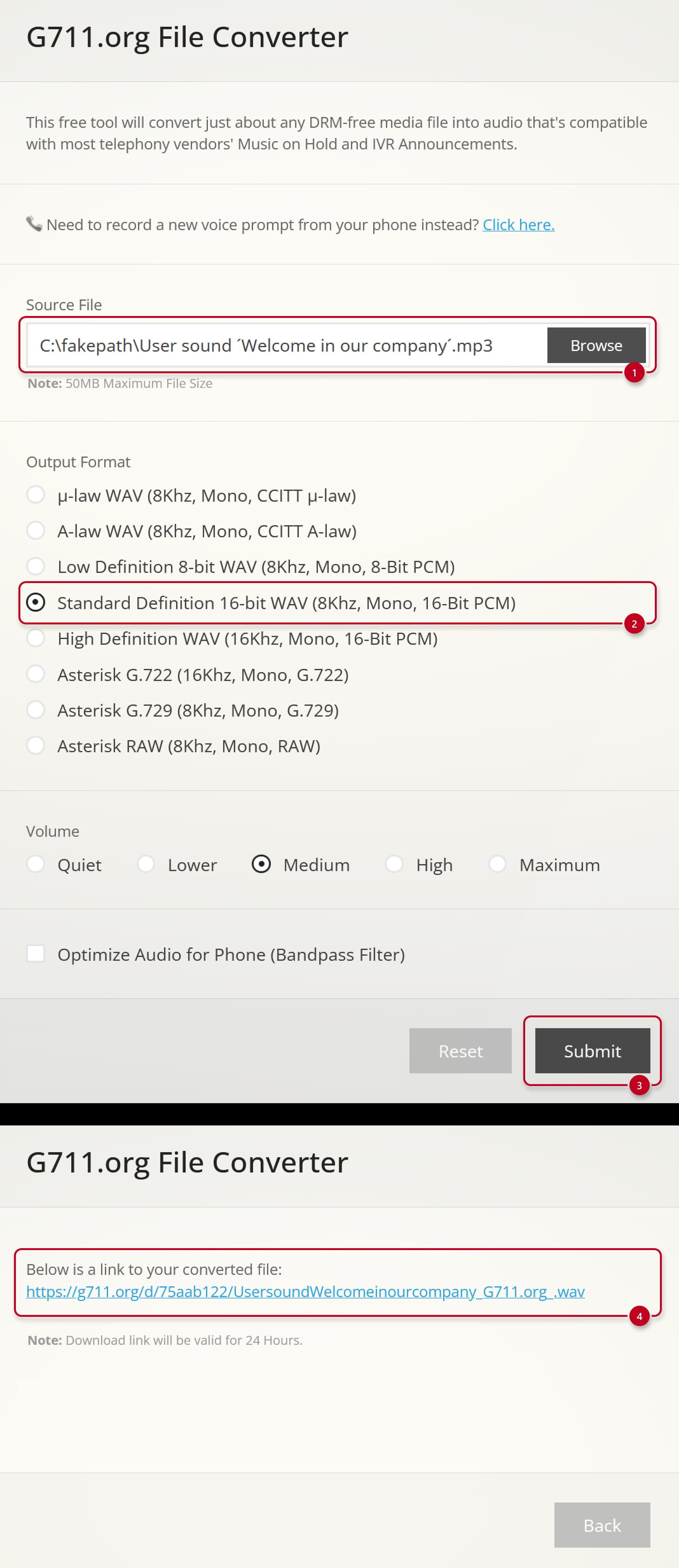
Here are suggested tools you can use to covert your sound file (e.g. in MP3) to be accepted by our devices
- On-line free tool - G711.org
- Off-line free open-source tool - Audacity

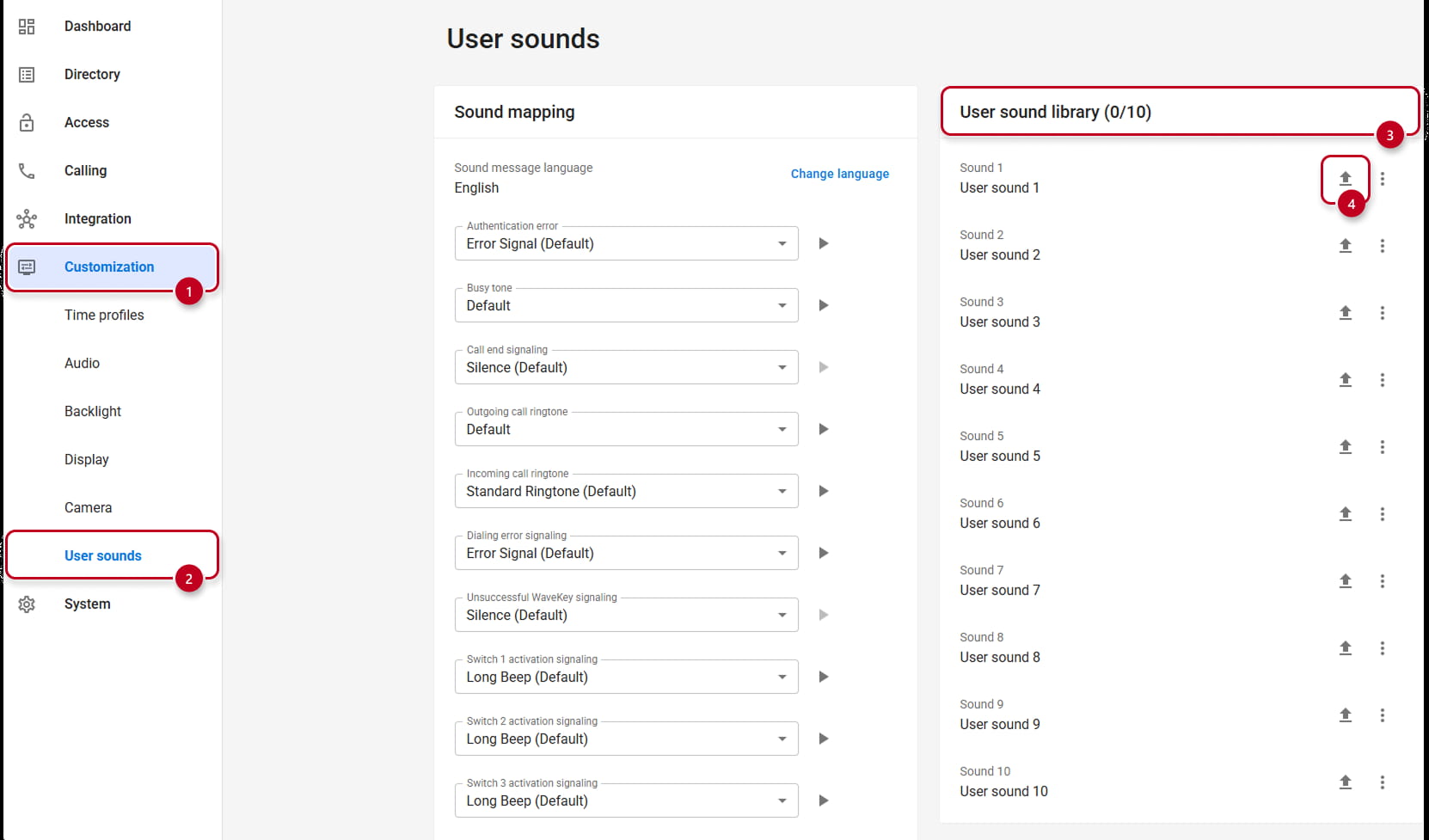
Configuration in Intercom (firmware version 3.0 and higher)
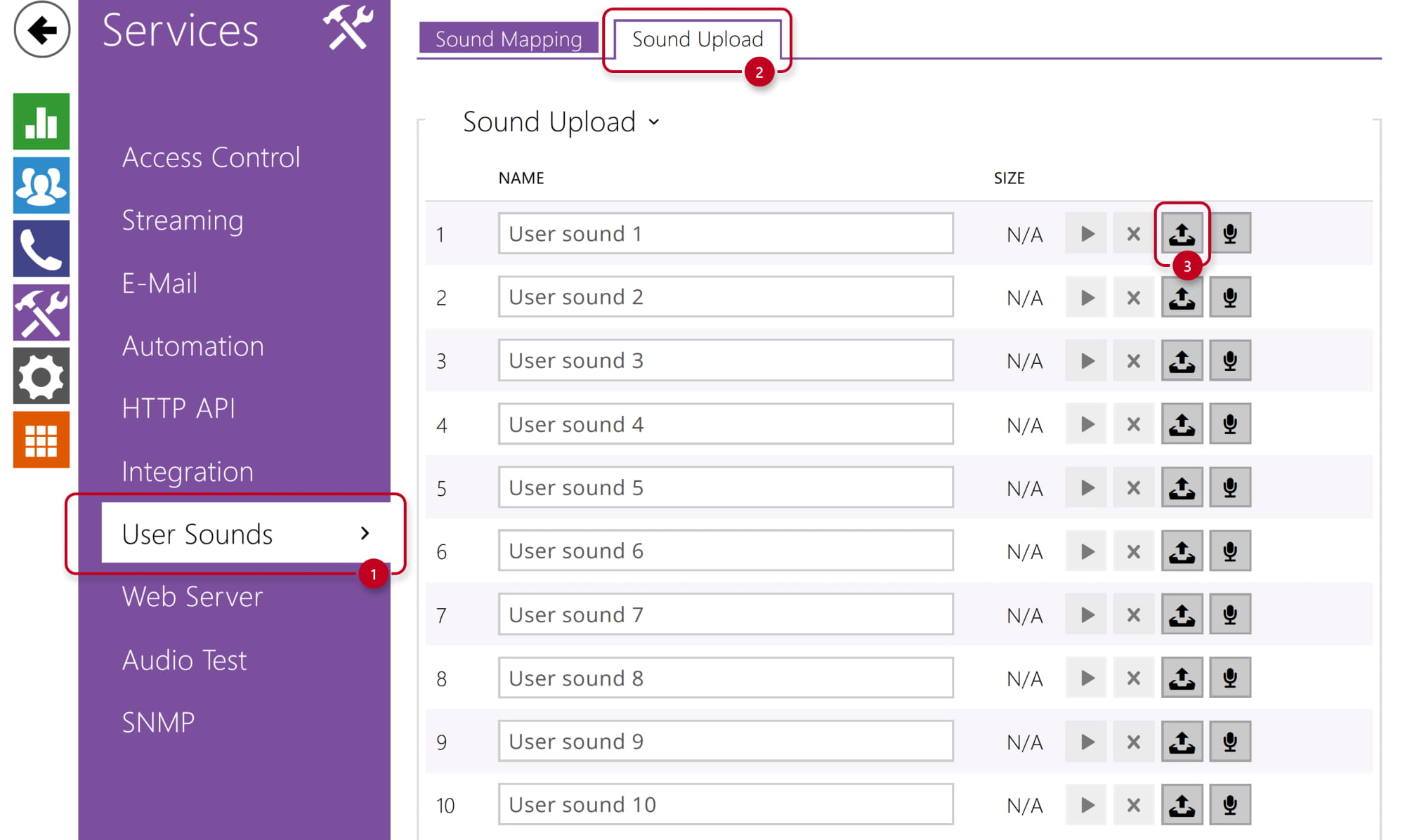
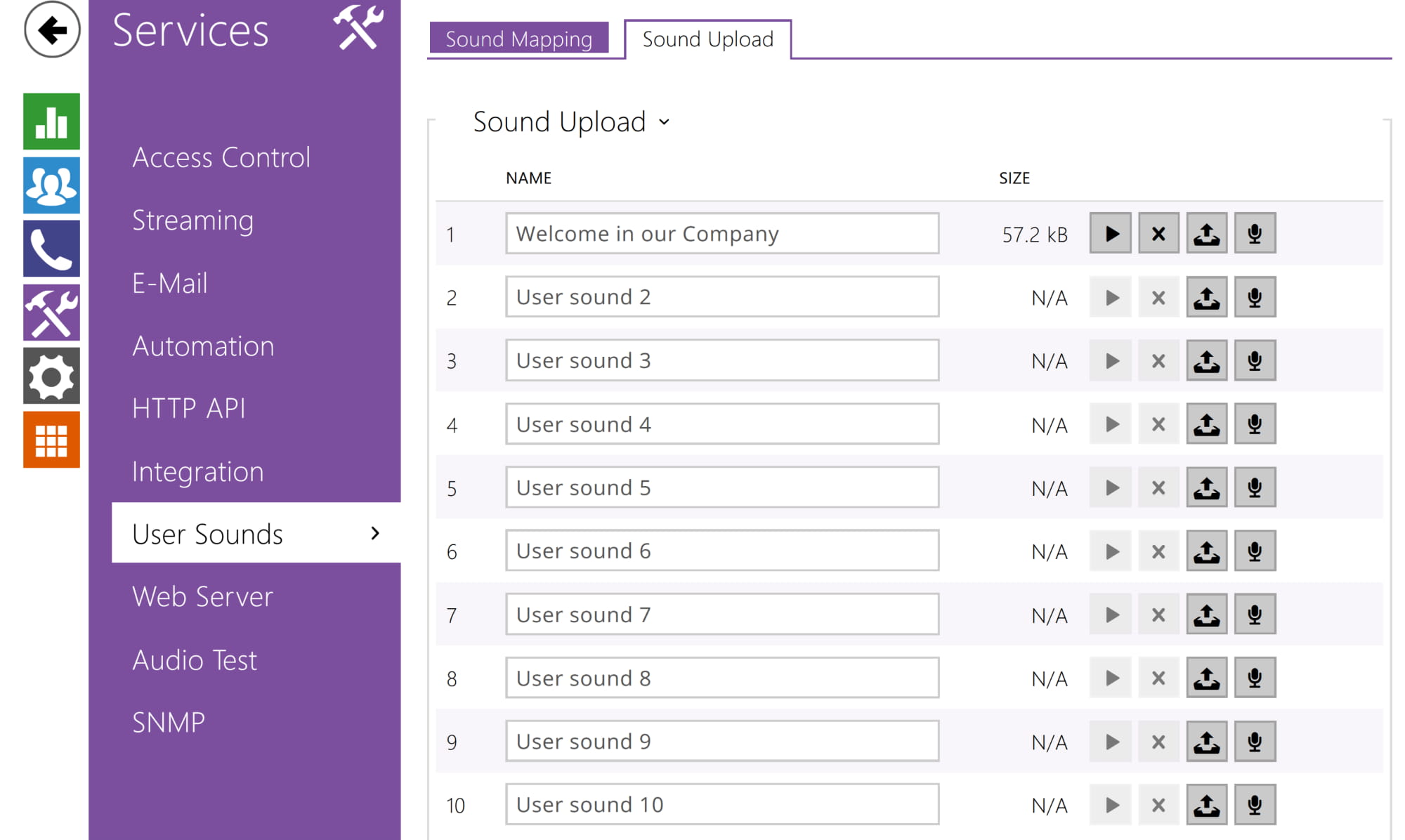
- Upload the sound file to 2N IP Intercom via its web interface, section Services - User Sounds.

- Recording a sound file directly to the 2N IP Intercom
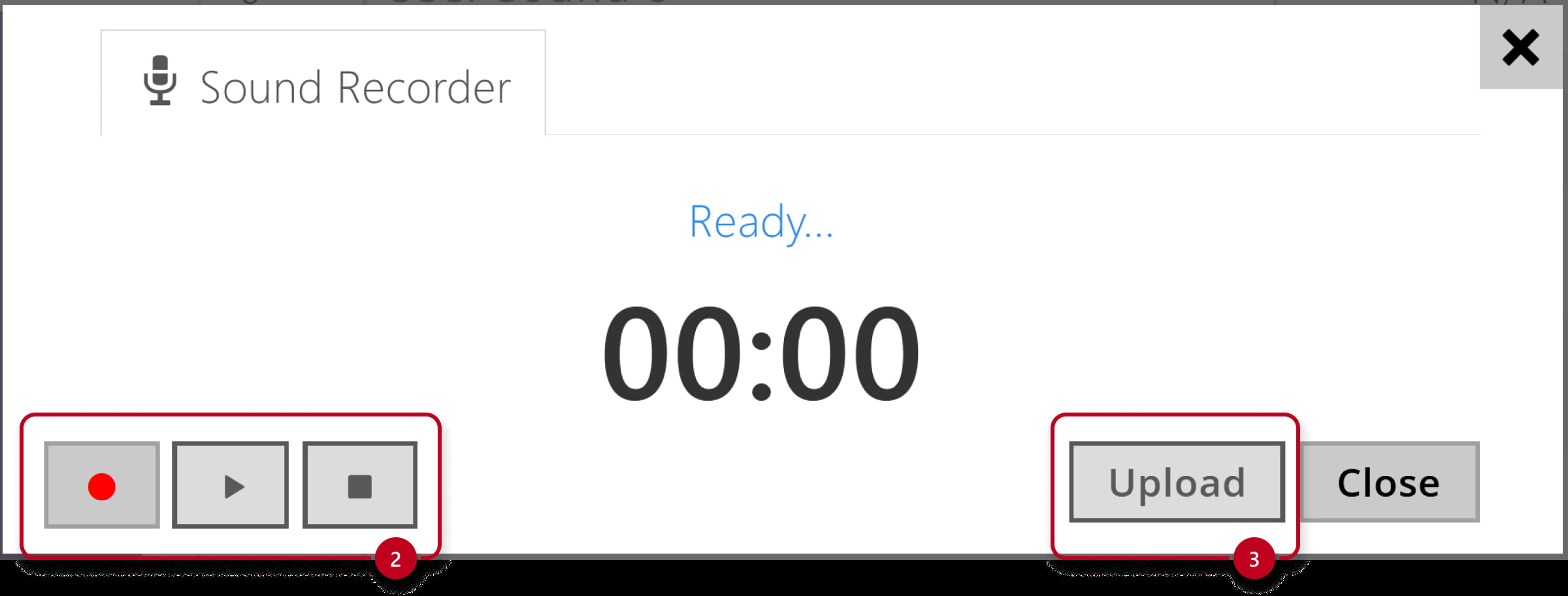
You can also record the sound directly to the device using your PC microphone.


Configuration in Intercom (firmware version 2.50 and LTS)
- Upload the sound file to 2N IP Intercom via its web interface, section Services - User Sounds.

- Recording a sound file directly to the 2N IP Intercom
You can also record the sound directly to the device using your PC microphone.