The steps in this article require using the web interface of a 2N device. Please follow this manual in case this is your first time using the web interface.
The normal behavior of the 2N IP Intercoms and destinations is that when the Quick dial button is pressed the intercom will call the user that is assigned to the Quick dial button.
Scenario: There is a 2N IP intercom with an RFID card reader module at the main door and a 2N answering unit at reception — only users authorized by card can initiate a call.
Version 2.50 (LTS) or earlier
-
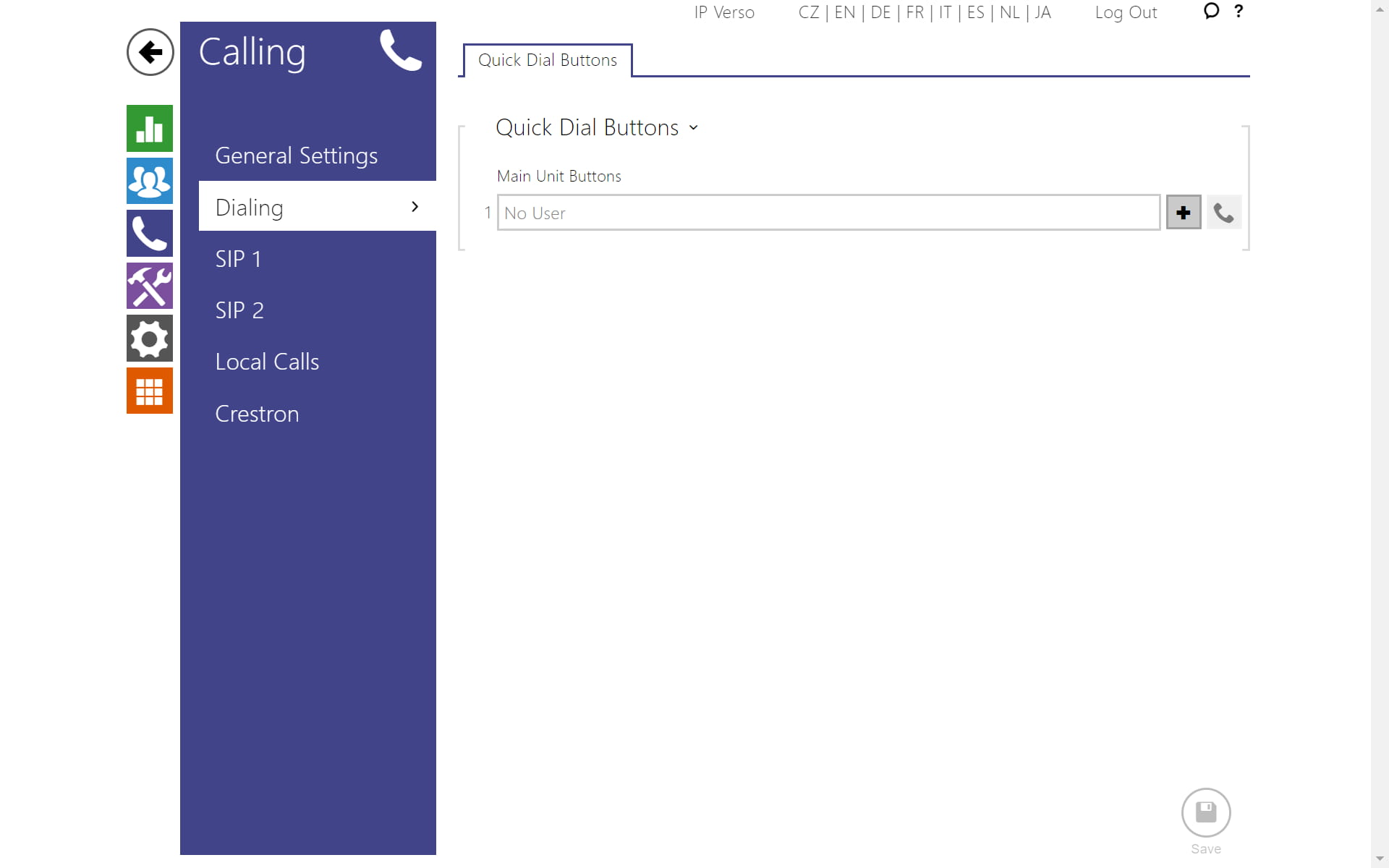
For the scenario and the automation (GOLD License is required) to work properly, the Buttons setting must be empty:
Version 3.00 or later
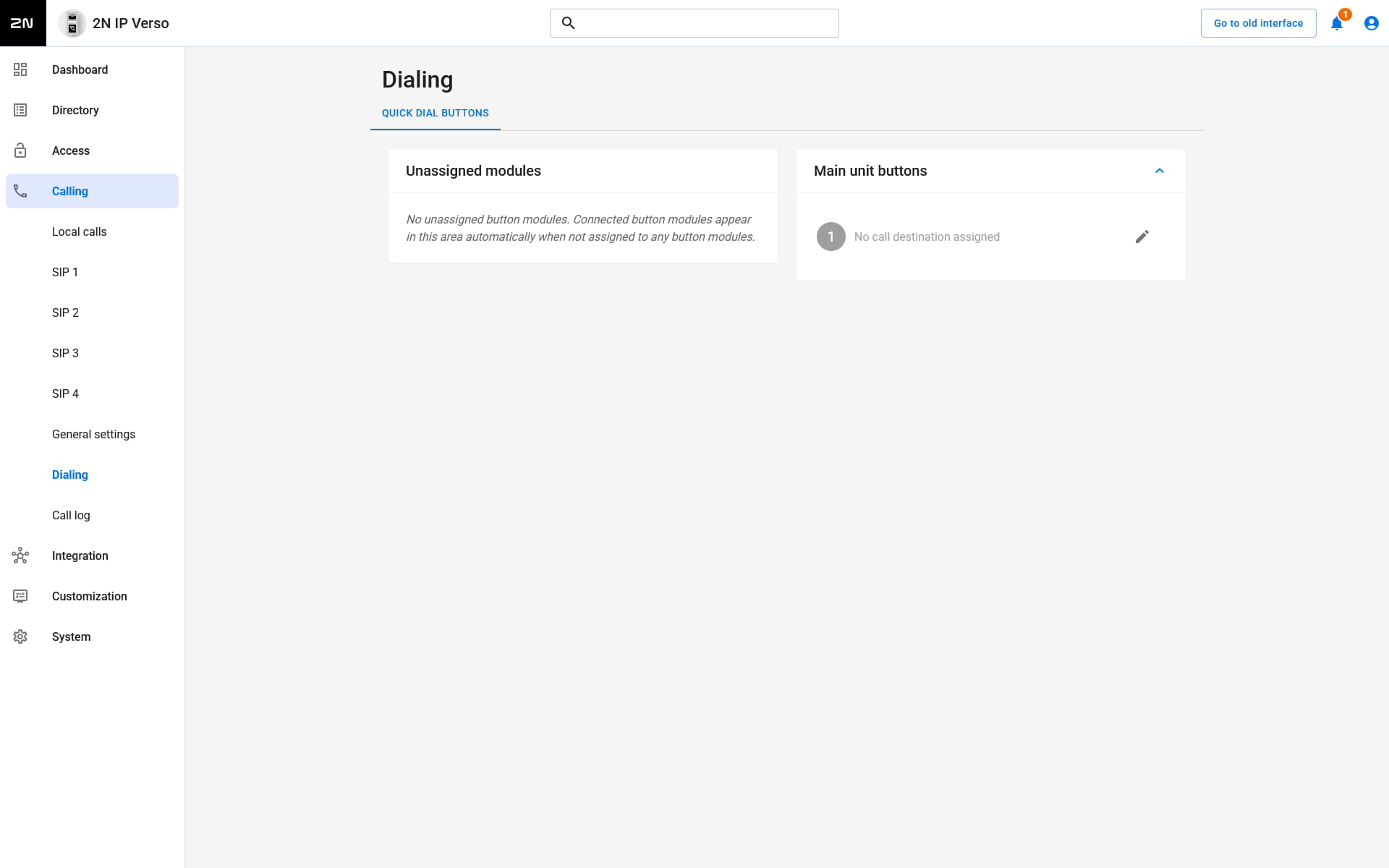
- For the scenario and the automation (GOLD License is required) to work properly, the Buttons setting must be empty:
-
This automation will allow the call to be initiated within 30 seconds after the user has authorized by card:
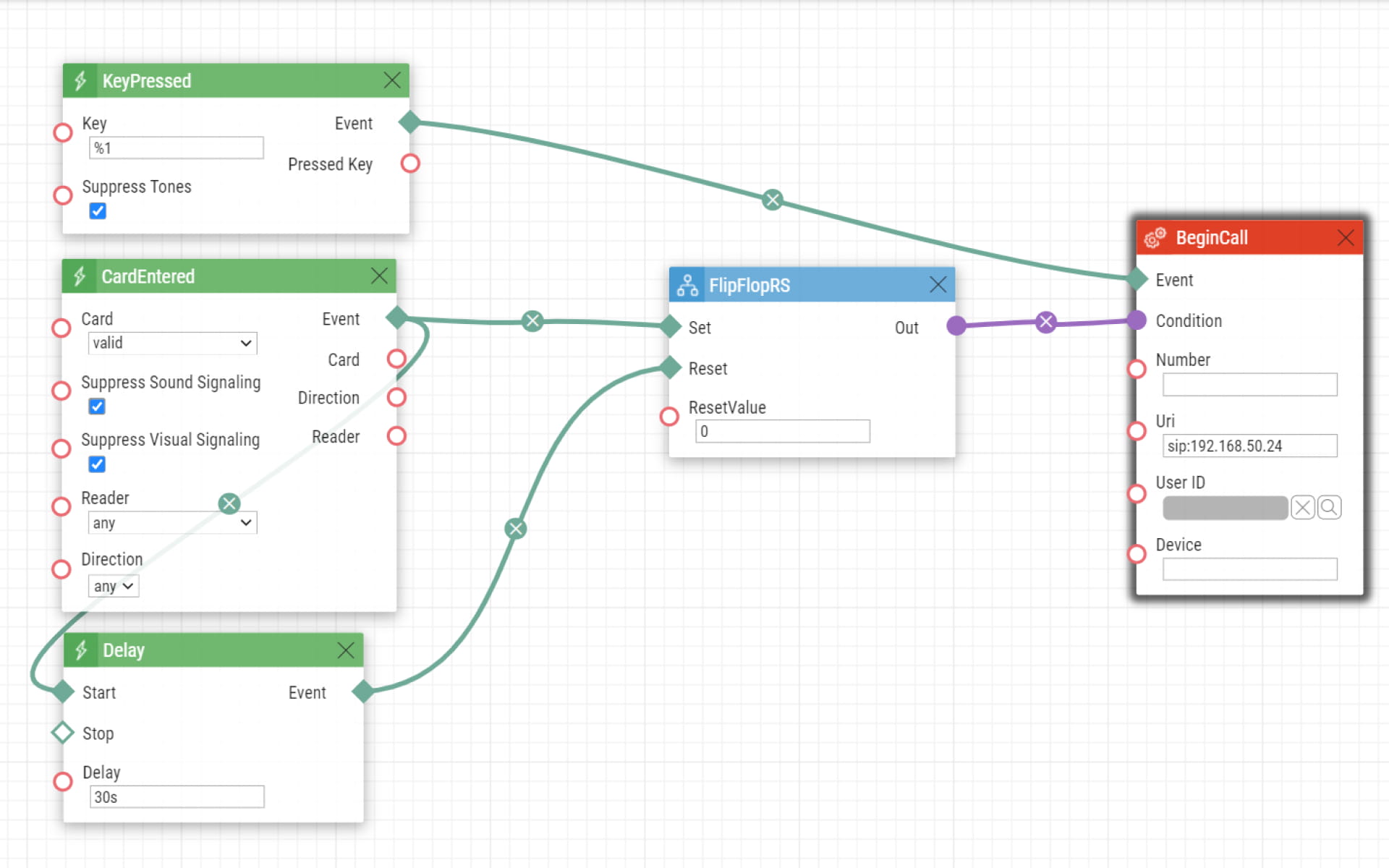
How it works: When a valid card is entered, the FlipFlopRS condition will give the 1 (true) state to the Begin call action and if the Quick Dial Button 1 is pressed during this time frame, the intercom will call to 192.168.50.24 IP address. After 30 seconds the condition state is 0 (false) and the intercom won't be allowed to call when the Quick Dial Button 1 is pressed.
-
You can also create automation for the call to end in case of the ringing or connection state of the call:
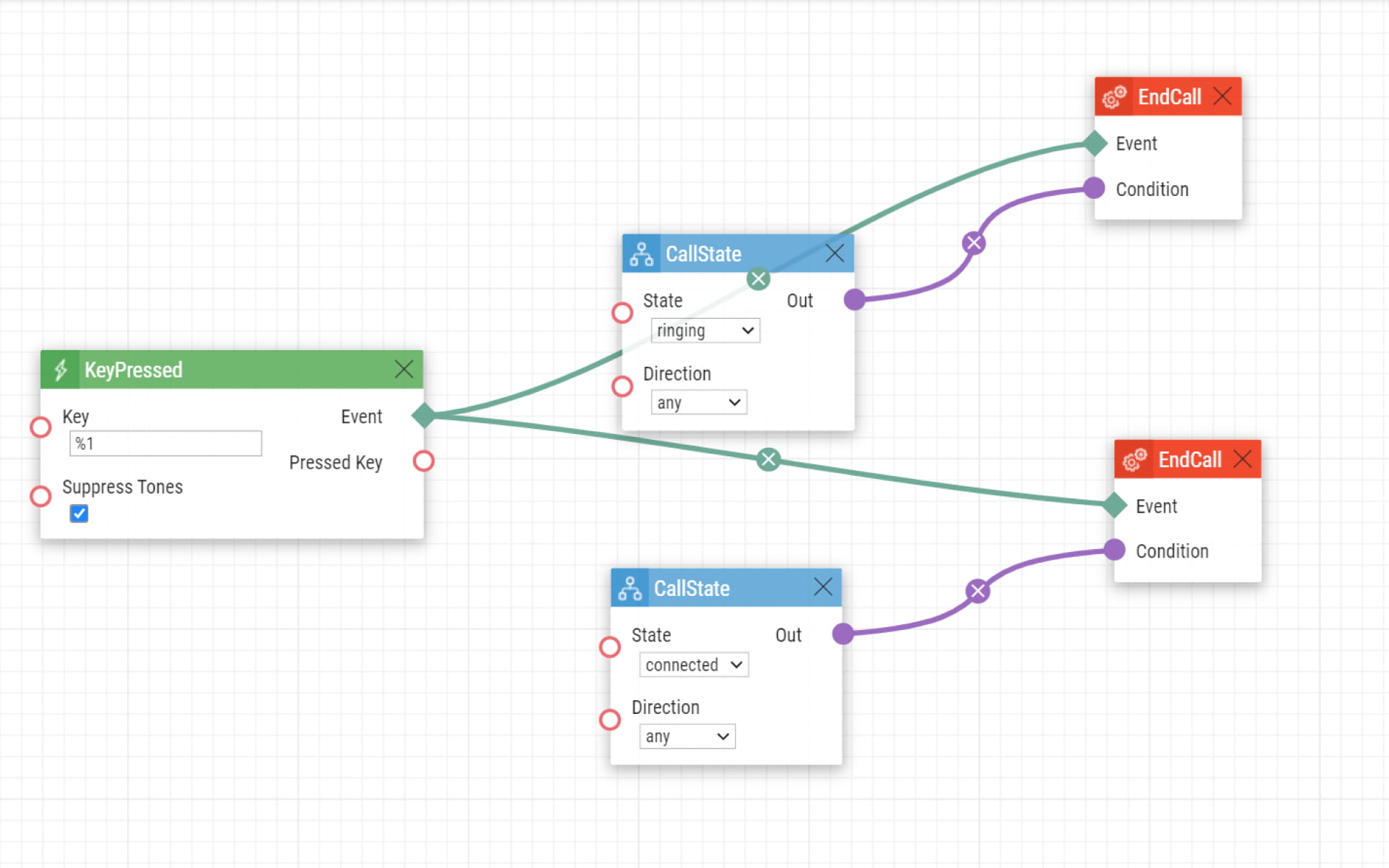
How it works: When the Quick Dial Button 1 is pressed the call will be ended only in case of a ringing or connected state of the call.