This page describes you how to control the 2N IP intercom card reader signalization via an automation function.
2N IP intercom FW & license information
-
We recommend to use the latest FW version for 2N IP Intercom.
-
This feature requires firmware v2.26 or newer
-
You will also need to have either Enhanced Integration or Gold license — this license is necessary for Automation features in general.
Target scenario
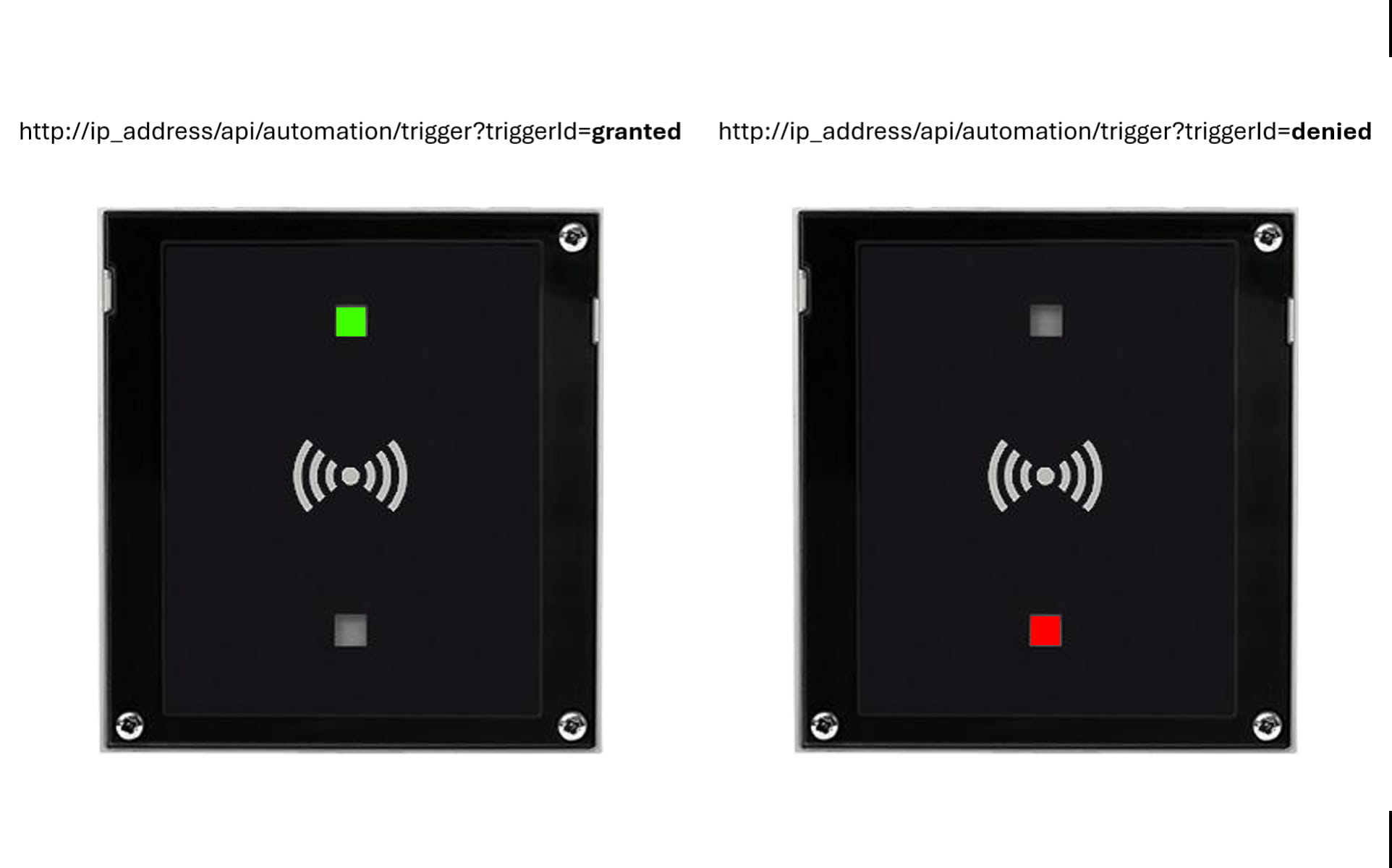
2N IP Intercom is integrated into a 3rd party access system, e.g. via wiegand interface, and does not contain any ID cards database. An user swipes his ID card on the card reader and 2N IP intercom sends the ID card information the to the access system, which evaluates whether the access is permitted. If the access is granted, the system sends an HTTP command to the 2N IP intercom to activate a switch and the "valid" signalization on the card reader. If the access is not granted, the access system sends an HTTP command to the 2N IP intercom to activate the "card invalid" signalization on the card reader. If the relevant signalization is not activated on the card reader, the user has no feedback about used card validation.
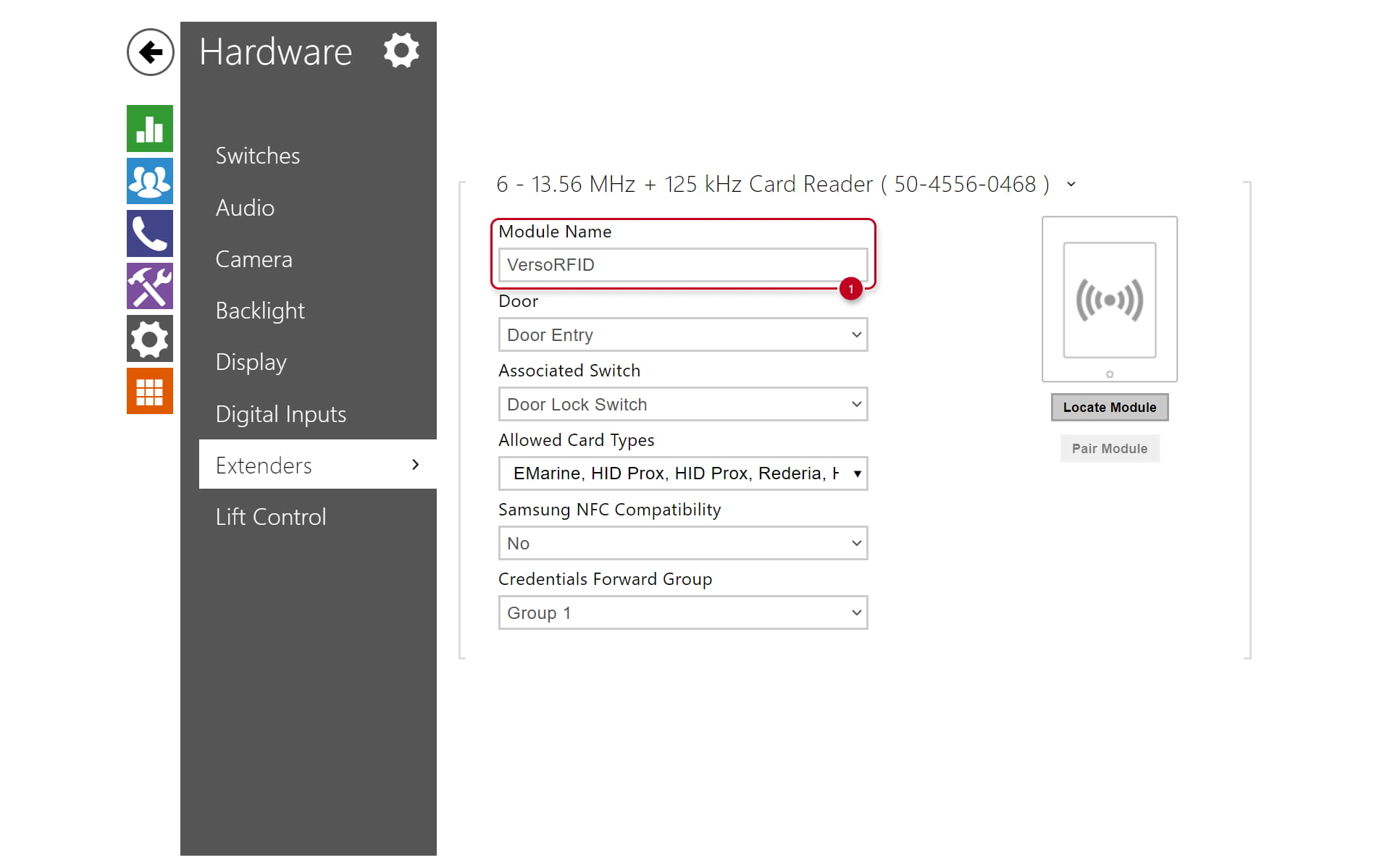
Please navigate to the intercom web administration — Hardware -> Extenders -> Card Reader and fill in a Module Name.
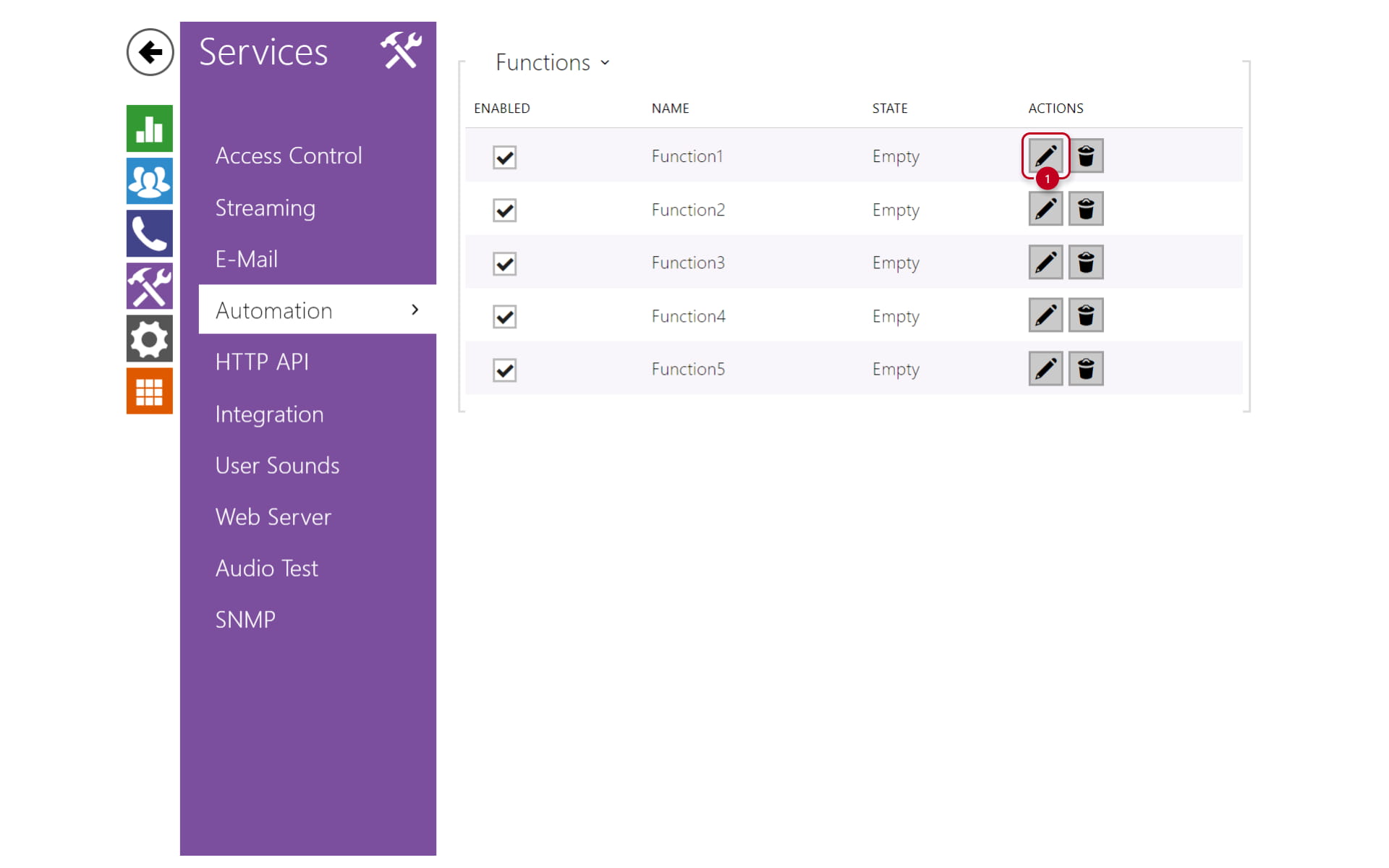
Please navigate to the intercom web administration — Services -> Automation and create a new automation function.
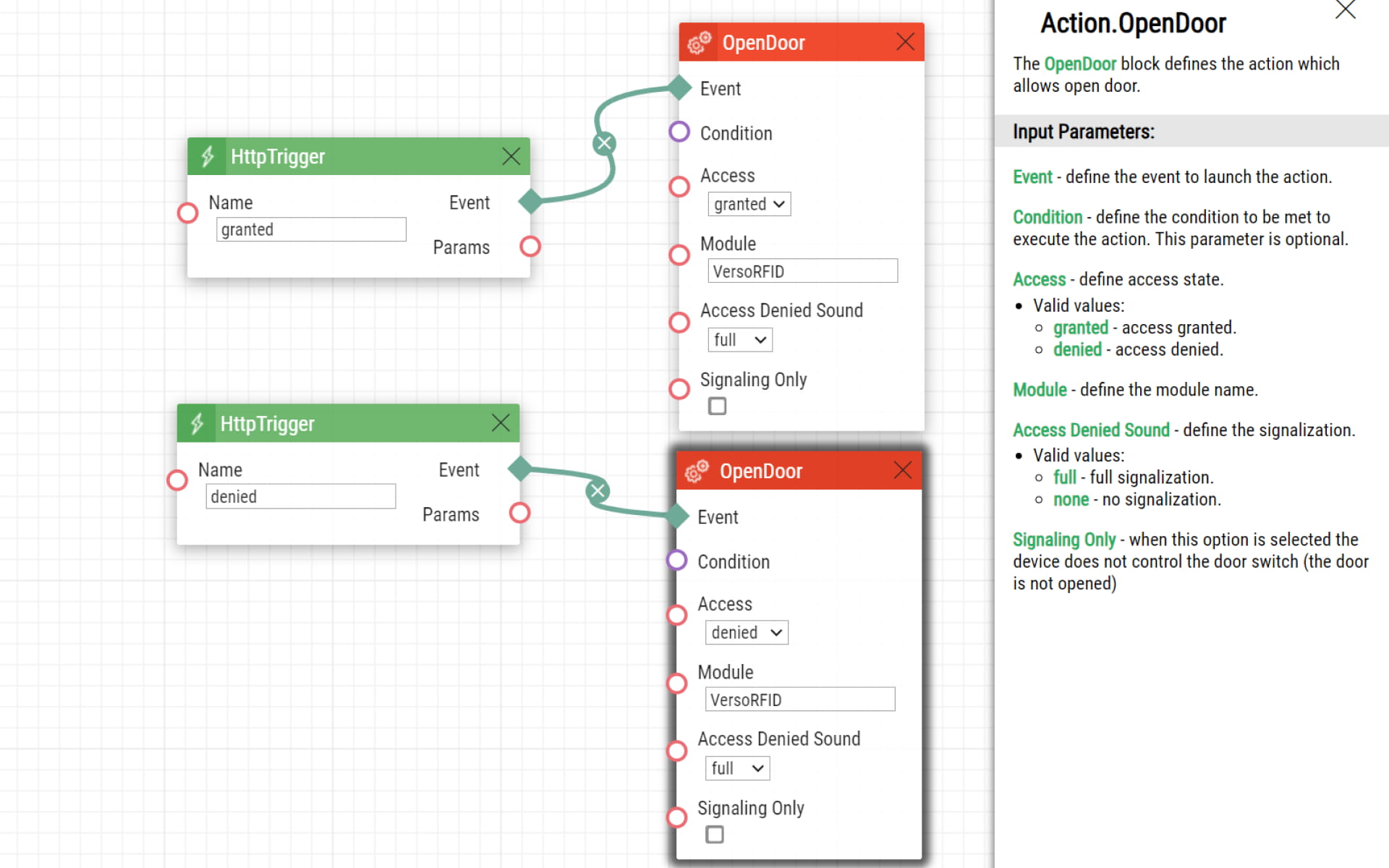
The automation is based on Action OpenDoor that controls signalization of selected card reader module (fill in the name of the module here).
To activate this Action you can select any Event from the list, e.g. HttpTrigger (to use incoming HTTP command).
Firmware & License info
-
2N OS v2.44 with GOLD license
-
Last updated on 23rd of August 2024