Wsparcie Produktu Platforma zarządzania My2N
Wydajne i zdalne zarządzanie instalacją na platformie chmurowej przeznaczonej dla projektów mieszkaniowych, które wymagają kompletnego systemu wideodomofonowego.

Aplikacje i oprogramowanie
| Nazwa pliku | Kategoria | Typ |
|---|
Firmware
| Nazwa pliku | Kategoria | Typ |
|---|
Najnowsze podręczniki
Inne dokumenty
| Nazwa pliku | Kategoria | Typ | |||||||
|---|---|---|---|---|---|---|---|---|---|
| My2N Subscription Flowchart (EN) | Marketing | Ulotki | |||||||
|
|||||||||
| 2N Katalog produktów (PL) | Marketing | Katalog | |||||||
|
|||||||||
| My2N Management Platform - Presentation (EN) | Marketing | Prezentacje | |||||||
|
|||||||||
| Ulotka (EN) - Portfolio mieszkaniowe | Marketing | Ulotki | |||||||
|
|||||||||
| My2N Cloud Calling Subscriptions (EN) | Marketing | Ulotki | |||||||
|
|||||||||
| My2N Security Overview (EN) | Marketing | Ulotki | |||||||
|
|||||||||
FAQ
- 2N IP intercom into My2N - I don't have a card with the Security Code
- 2N IP intercom into My2N using the Security Code
- 2N LTE Verso - Registration to My2N and basic setup
- 3rd party SIP device - How to add it in My2N site
- Answering Unit Registration and Configuration of Calls in My2N
- API opening - how to activate Access Units switches from the App
- Automation, Callback - How to configure callback with 2N IP Intercom to My2N
- Axis network intercom into My2N
- Bluetooth Card Mode - how to setup My2n App and use the feature
- Bluetooth Motion Mode - how to setup My2n App and use the feature
- Bluetooth Touch Mode - how to setup My2n App and use the feature
- Call in sequence or parallel using My2N
- Cannot add a device to My2N/move a device to a different My2N account
- Change of billing information (company name & address) in My2N
- Change to the new apartment license model in My2N
- Company Admin - Add/Delete
- Configuration of the switch codes on the My2N Cloud
- Credit card - How to change it
- Delivery solution with My2N automation
- Dormakaba locks - How to integrate one or more in your My2N site
- Dormakaba - My Dormakaba lock stopped working - What can you check?
- Firmware Update via My2N
- HAR file - How to generate them for Chrome
- How to provide logs from the My2N application
- I did not received an e-mail
- Indoor Touch 1.0 - How to configure 2N IDT1.0 to make and receive calls through My2N
- Indoor Touch 2.0 - How to configure 2N IDT 2.0 to make and receive calls through My2N
- Integration the Grandstream HT801 with 2N IP Intercom
- IP intercom - How to configure call settings from My2N platform
- Mobile Video troubleshooting
- Multifactor Authentication (MFA) - How to enable and use it in My2N Platform
- My2N - 2N Mobile video credit vouchers and licenses
- My2N account management (company/site admins & users)
- My2N apartment Admin Features
- My2N app access - How to set it up
- My2N - How to sign up
- My2N/KONE integration
- My2N - Low audio issue
- My2N platform and 3rd party SIP calls
- MY2N Platform Security Overview
- New API Authentication Method for My2N Integrations
- New Site models - Differences and Examples
- Offline Pairing - How to set it up
- Overview of the Ports, Domains and Codecs of My2N and Elevator Center
- Register a 2N IP Handset to My2N or another PBX / proxy server
- Registration of LTE Verso to My2N and basic setup
- Sensitivity - Access_private
- SIP over UDP Support Ending in November 2025
- Site models - Differences and Examples
- Subscription - How to purchase in My2N
- Unlock the door with the switch codes in My2N - How to set it
- Video - My2N platform - registration and setup of cloud calling
- Visitors in My2N – How to create visitors
- What to do if the intercom does not dial Mobile Video
Obecnie nie ma specyfikacji technicznych dostępnych dla tego produktu.
Samouczki wideo
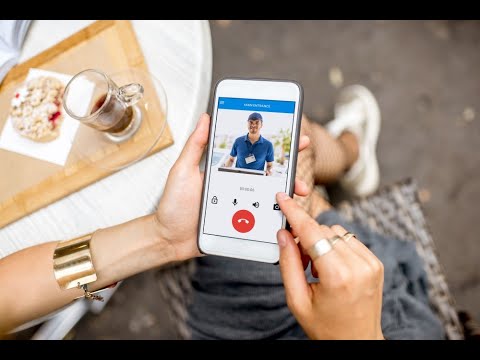

Chcesz z kimś porozmawiać?
Nasz zespół jest tutaj dla Ciebie! Wybierz region lub obszar zainteresowania
Czat z Technikiem
Aby skontaktować się z naszym technikiem, skorzystaj z czatu na dole tej strony. Bez botów: porozmawiaj z prawdziwym technikem 2N za pomocą naszego czatu na żywo
Dostępne od 9:00 do 16:00 CET
Zadzwoń
Dostępne od 9:00 do 17:00. CET (poni-pi).
- Ogólne (czeski i angielski) +420 228 880 382
- Zjednoczone Królestwo +44 203 510 5770
- Francja +33 1 88 89 02 98
- Niemcy +44 203 510 5770
- Hiszpania +34 919 540 607
- Włochy +39 02 3055 9053
Formularz kontaktowy
Wypełnij nasz formularz pomocy technicznej, a ktoś skontaktuje się z Tobą jak najszybciej
Portal wsparcia dla dystrybutorów 2N i CIP
Twórz przypadki techniczne i zarządzaj nimi.
Wsparcie telefoniczne
Przygotuj PIN i zadzwoń do nas:
- Czechy +420 228 880 384*
- Angielski +420 228 880 574*