Productondersteuning My2N Management Platform
Efficiënt en op afstand beheer van de installatie in een cloudplatform, speciaal ontworpen voor woningbouwprojecten die een compleet video-intercomsysteem nodig hebben.

Apps en software
| Bestandsnaam | Categorie | Type |
|---|
Firmware
| Bestandsnaam | Categorie | Type |
|---|
Laatste handleidingen
Andere documenten
| Bestandsnaam | Categorie | Type | |||||||
|---|---|---|---|---|---|---|---|---|---|
| Stroomschema My2N-abonnement (EN) | Marketing | Folders | |||||||
|
|||||||||
| 2N Productcatalogus (NL) | Marketing | Catalogus | |||||||
|
|||||||||
| My2N Management Platform - Presentation (EN) | Marketing | Presentaties | |||||||
|
|||||||||
| Folder (NL) - Woningportefeuille | Marketing | Folders | |||||||
|
|||||||||
| My2N Cloud Calling Subscriptions (EN) | Marketing | Folders | |||||||
|
|||||||||
| My2N Security Overview (EN) | Marketing | Folders | |||||||
|
|||||||||
FAQ
- 2N IP intercom into My2N - I don't have a card with the Security Code
- 2N IP intercom into My2N using the Security Code
- 2N LTE Verso - Registration to My2N and basic setup
- 3rd party SIP device - How to add it in My2N site
- Answering Unit Registration and Configuration of Calls in My2N
- API opening - how to activate Access Units switches from the App
- Automation, Callback - How to configure callback with 2N IP Intercom to My2N
- Axis network intercom into My2N
- Bluetooth Card Mode - how to setup My2n App and use the feature
- Bluetooth Motion Mode - how to setup My2n App and use the feature
- Bluetooth Touch Mode - how to setup My2n App and use the feature
- Call in sequence or parallel using My2N
- Cannot add a device to My2N/move a device to a different My2N account
- Change of billing information (company name & address) in My2N
- Change to the new apartment license model in My2N
- Company Admin - Add/Delete
- Configuration of the switch codes on the My2N Cloud
- Credit card - How to change it
- Delivery solution with My2N automation
- Dormakaba locks - How to integrate one or more in your My2N site
- Dormakaba - My Dormakaba lock stopped working - What can you check?
- Firmware Update via My2N
- HAR file - How to generate them for Chrome
- How to provide logs from the My2N application
- I did not received an e-mail
- Indoor Touch 1.0 - How to configure 2N IDT1.0 to make and receive calls through My2N
- Indoor Touch 2.0 - How to configure 2N IDT 2.0 to make and receive calls through My2N
- Integration the Grandstream HT801 with 2N IP Intercom
- IP intercom - How to configure call settings from My2N platform
- Mobile Video troubleshooting
- Multifactor Authentication (MFA) - How to enable and use it in My2N Platform
- My2N - 2N Mobile video credit vouchers and licenses
- My2N account management (company/site admins & users)
- My2N apartment Admin Features
- My2N app access - How to set it up
- My2N - How to sign up
- My2N/KONE integration
- My2N - Low audio issue
- My2N platform and 3rd party SIP calls
- MY2N Platform Security Overview
- New API Authentication Method for My2N Integrations
- New Site models - Differences and Examples
- Offline Pairing - How to set it up
- Overview of the Ports, Domains and Codecs of My2N and Elevator Center
- Register a 2N IP Handset to My2N or another PBX / proxy server
- Registration of LTE Verso to My2N and basic setup
- Sensitivity - Access_private
- SIP over UDP Support Ending in November 2025
- Site models - Differences and Examples
- Subscription - How to purchase in My2N
- Unlock the door with the switch codes in My2N - How to set it
- Video - My2N platform - registration and setup of cloud calling
- Visitors in My2N – How to create visitors
- What to do if the intercom does not dial Mobile Video
Er zijn momenteel geen technische specificaties beschikbaar voor dit product.
Video-handleidingen
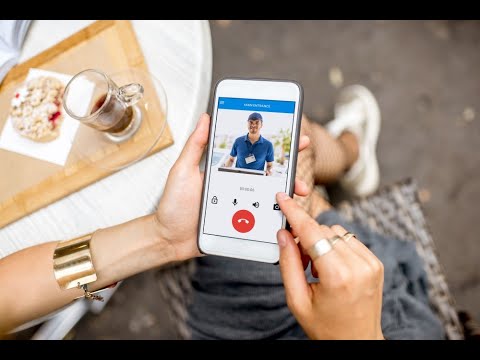
Behoefte aan een gesprek met iemand?
Ons team staat voor u klaar! Selecteer uw regio of focus
Chat met een technicus
Als u contact wilt opnemen met onze technicus, kunt u de chatfunctie onderaan deze pagina gebruiken. Geen bots: spreek met een echte 2N-technicus via onze livechat
Beschikbaar van 9.00 - 16.30 uur MIDDEN-EUROPESE TIJD
Bel ons
Beschikbaar van 9:00 tot 17:00 uur CET (ma-vr).
- Algemeen (Tsjechisch & Engels) +420 228 880 382
- Verenigd Koninkrijk +44 203 510 5770
- Frankrijk +33 1 88 89 02 98
- Duitsland +44 203 510 5770
- Spanje +34 919 540 607
- Italië +39 02 3055 9053
Contactformulier
Vul ons technische ondersteuningsformulier in en iemand neemt zo snel mogelijk contact met u op
Ondersteuningsportal voor 2N-distributeurs en CIP
Maak en beheer uw technische cases.
Telefonische ondersteuning
Bereid uw pincode voor en bel ons op:
- Tsjechisch +420 228 880 384*
- Engels +420 228 880 574*