Milestone XProtect Smart Client - log operator's actions
The steps in this article require using the web interface of a 2N device. Please follow this manual in case this is your first time using the web interface.
With physical and cyber security threats on the rise, it’s more important than ever to level up your business security systems. Milestone XProtect video management software (VMS) connects your cameras, sensors, analytics, and sites in one easy-to-manage interface. Our 2N IP Intercoms or 2N Access Commander via 2N Plugin for XProtect Access tool can be part of it and it is also possible to log every operator's action from Smart Client such as door opening (trigger), lockdown, etc.
Prerequisites
- Configured Milestone XProtect with our 2N IP Intercoms
or 2N Access Commander via 2N Plugin
according to this articles:
Creating a rule
-
In Milestone XProtect Management Client go to Rules and create a new rule.

-
Select which event to detect on which device periphery.


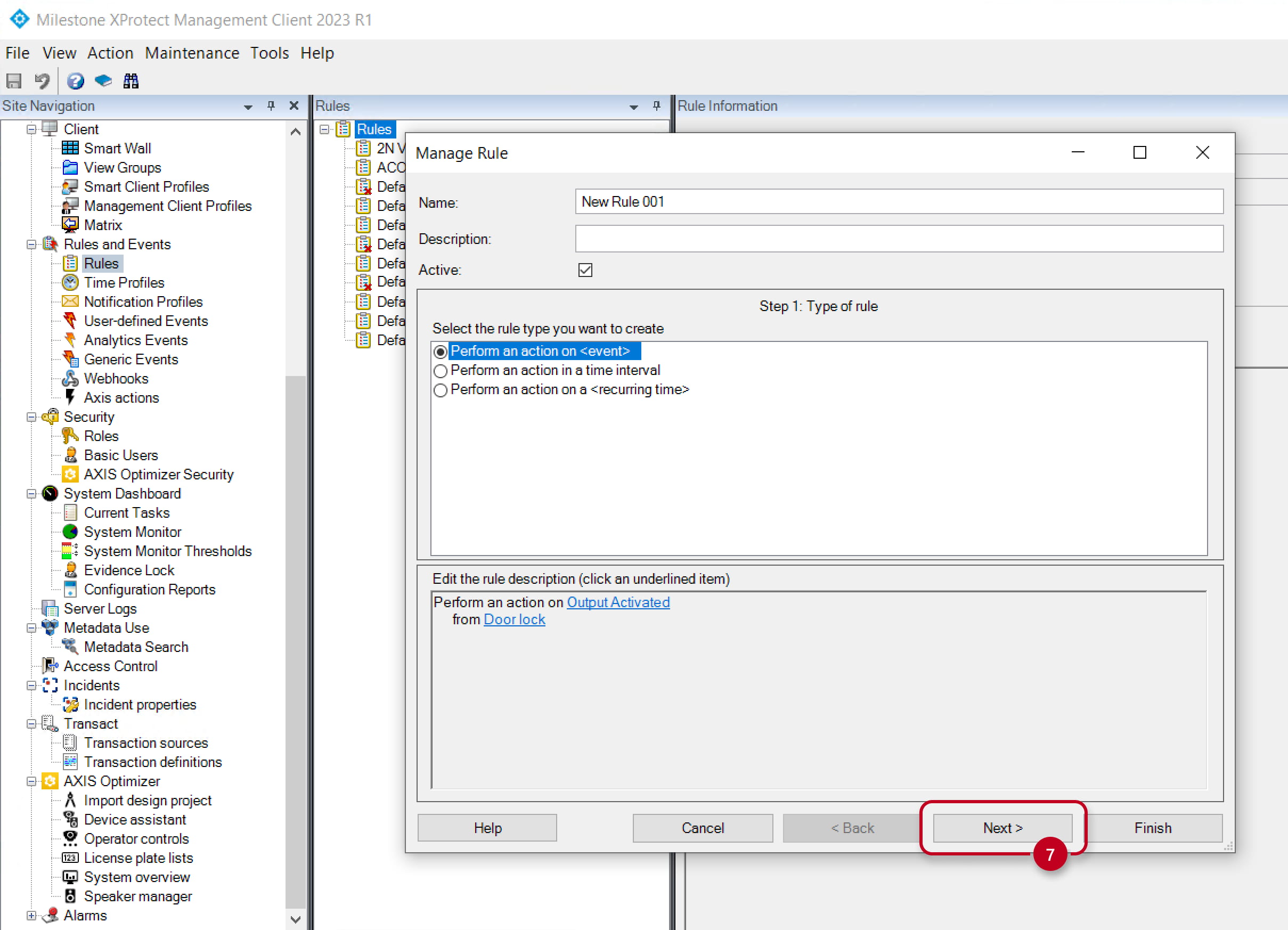
- Optionally select conditions to apply.

- Select an action to perform, e.g. creating a bookmark in video recording timeline,
and also on which devices.


-
Finish creating the rule.


Applying the rule
- In the Smart Client, trigger the event and go to the recording preview.

- Click on the saved bookmark.

