Dear customers,
In case you have found some problems with the device, please report it to https://support.2n.com/ . If you do not have access information, contact your account manager. Issue report should contain following information:
-
Please describe to us your problem in the detail, so we will be able to base on that description the replicated behavior in 2N.
-
Send us the details mentioned below:
-
-
Information about sw version which you use
-
Configuration database
-
Trace file from the 2N IP Audio Control Panel
-
In case of an issue with 2N Net Audio Decoder unit and its connection to the 2N IP Audio Manager send us also Wireshark trace from both sides (one trace from the 2N® Net Audio Decoder unit side and second one from the 2N® IP Audio Manager side). On the 2N® Net Audio Decoder unit side you would need to use a HUB or switch with port mirroring support in order to get the proper trace of the traffic.
-
-
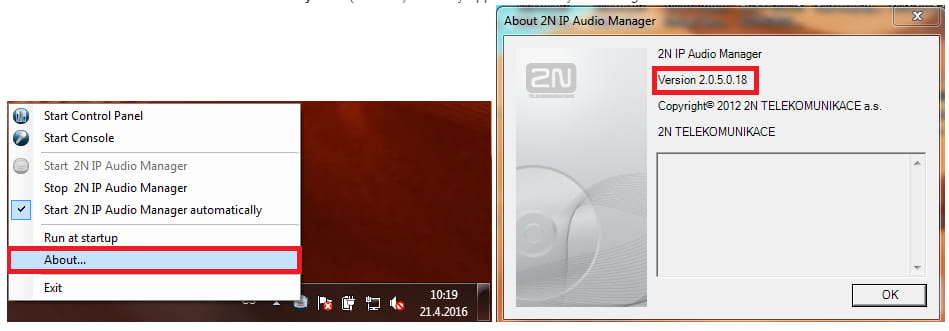
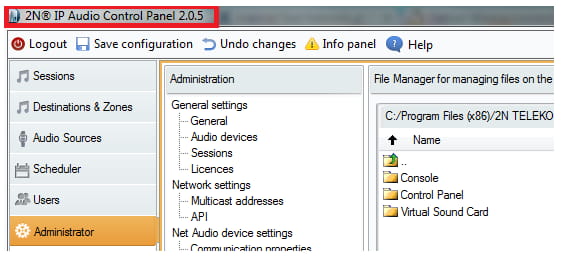
Information about sw version – can be found in Try Icon (About...) or in any application that you use e.g. in 2N IP Audio Control Panel.
-
Software version shown in application 2N IP Audio Control Panel.
-
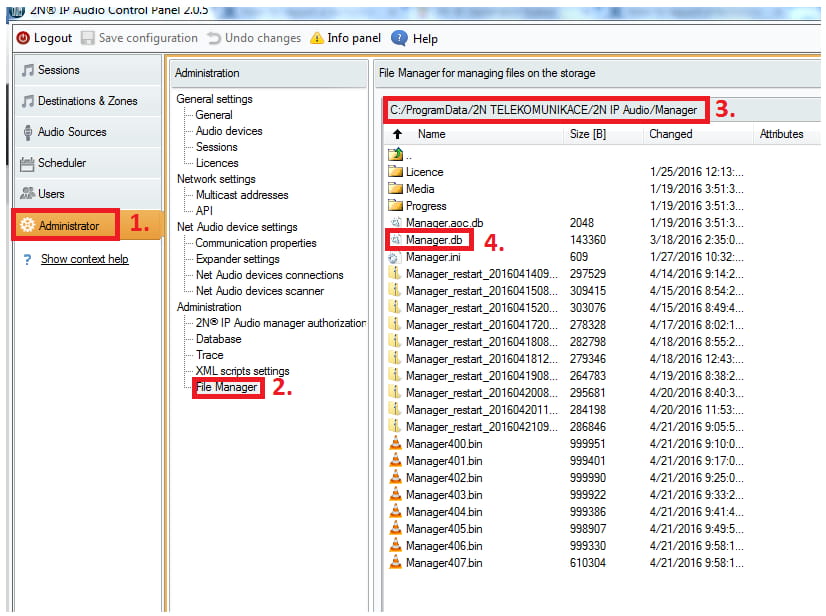
Configuration database – go to menu Administrator / File Manager / choose the path as it is shown in step 3 and with right mouse click button on the file Manager.db and choose option Export file.
-
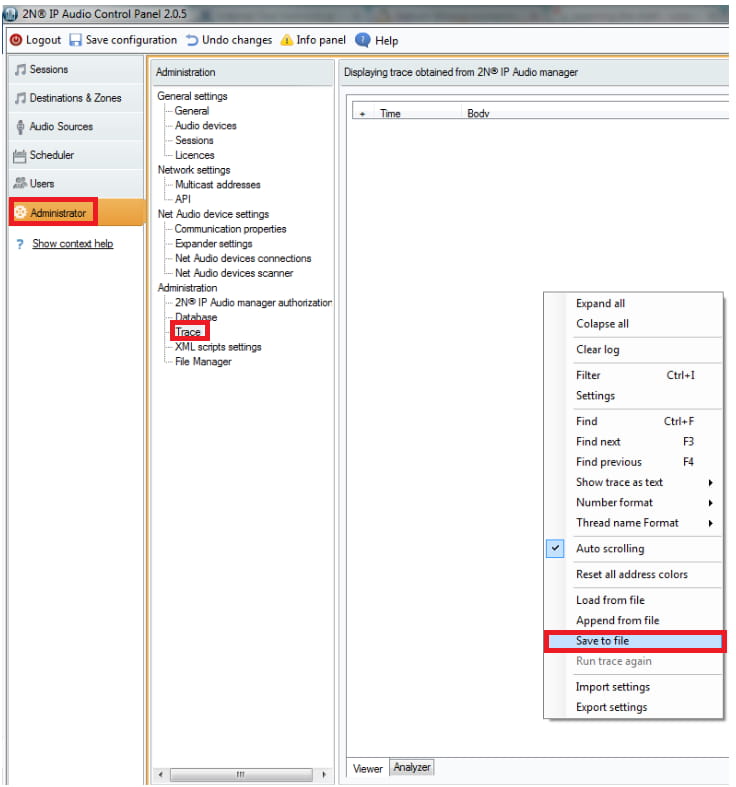
Trace file from the 2N IP Audio Control Panel – go to the menu Administrator / Trace, right mouse click button and choose Save to file (outcome will be xzy.bin file).
-
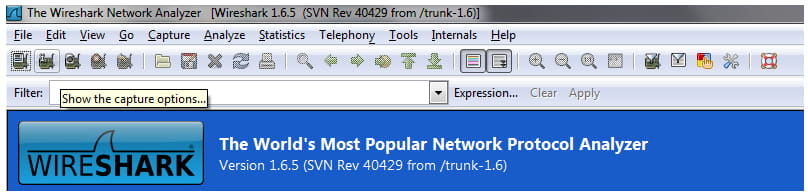
Wireshark trace – use the Wireshark sw to catch the data traffic. When you have a connection issue, take the trace from both sides (unit / server).
-
Send us all data mentioned above. In case of an connection issue, topology of the network could be very helpful.