All logs from server are available through http protocol. HTTP port can be set in the course of 2N SmartCom server installation (Fig. 1):
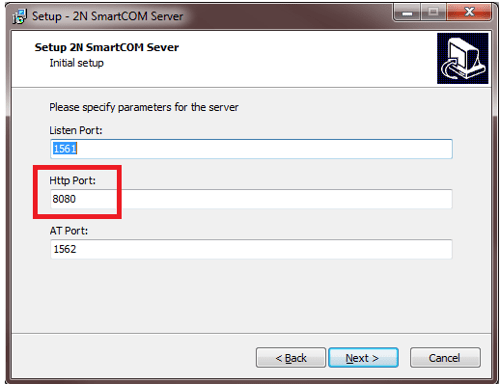
Figure 1. 2N SmartCom setup
The second way how to find out http port is to run 2N SmartCom license tool (Fig. 2):
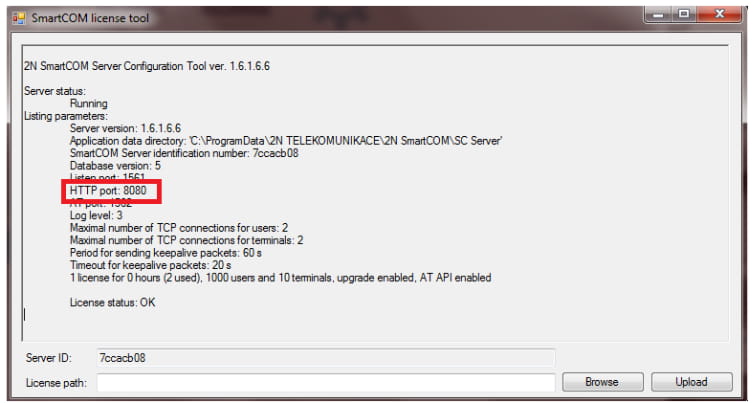
Figure 2. 2N SmartCom license tool
The third way is available in 2N SmartCom server. Click on „Server Settings“ (Fig. 3) and in the settings you can find all installed ports (Fig. 4):
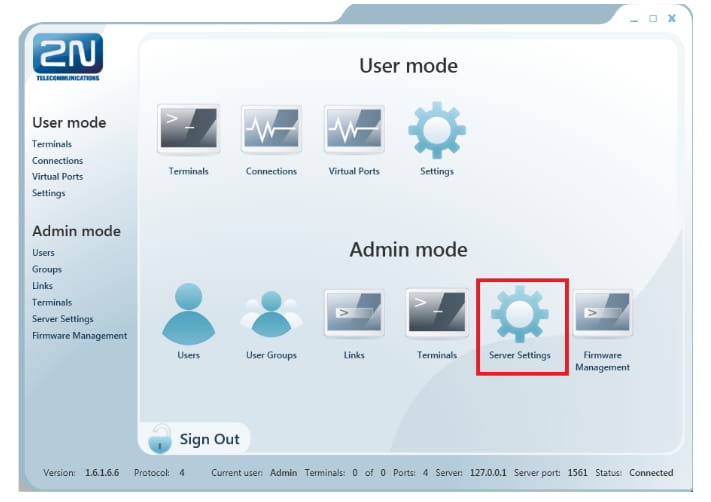
Figure 3. 2N SmartCom server
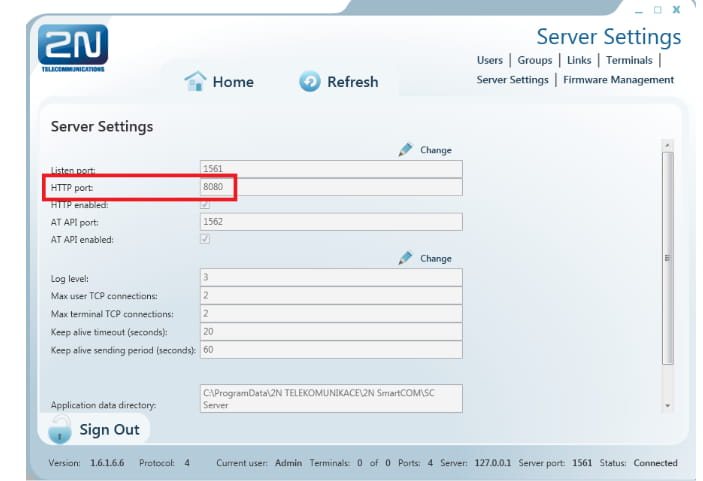
Figure 4. 2N SmartCom server settings
Afterwards run web browser and put IP address and http port of the server into the search field (Fig. 5):
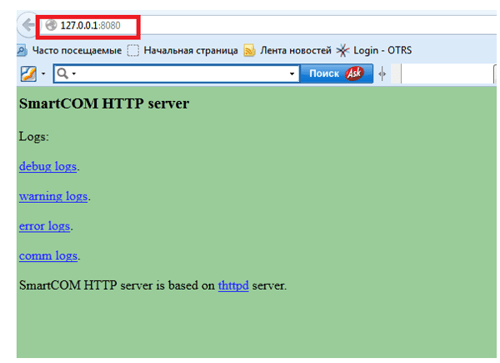
Figure 5. Sevrer logs
The second way how to get the server logs is from the directory (with admin rights) C:\Users\All Users\2N TELEKOMUNIKACE\2N SmartCOM\SC Server\logs