We've added a new feature to 2N IP Style called Custom Scene Crop in firmware version 2.32.8 to allow you to better utilize the ultra wide angle camera of the intercom.
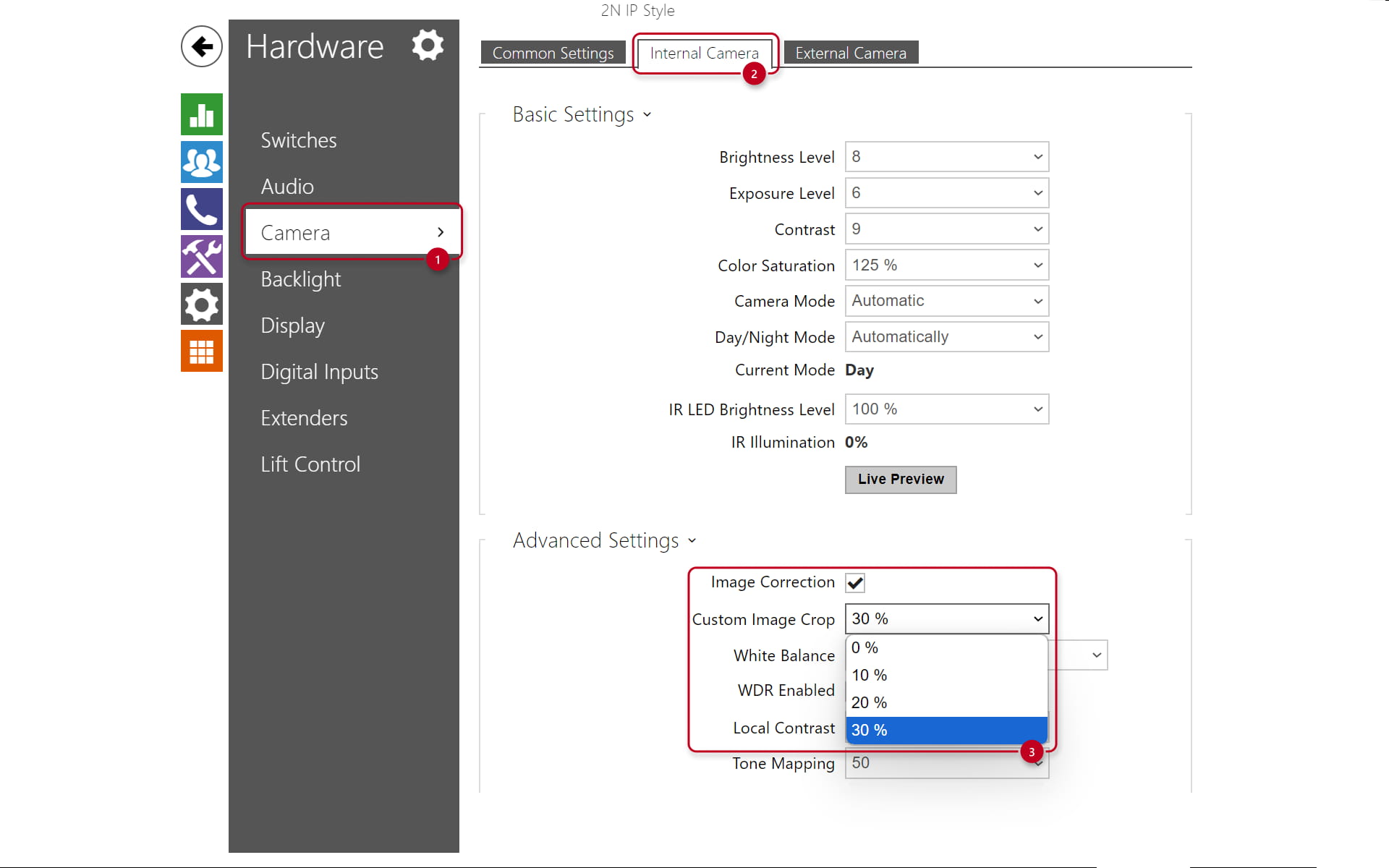
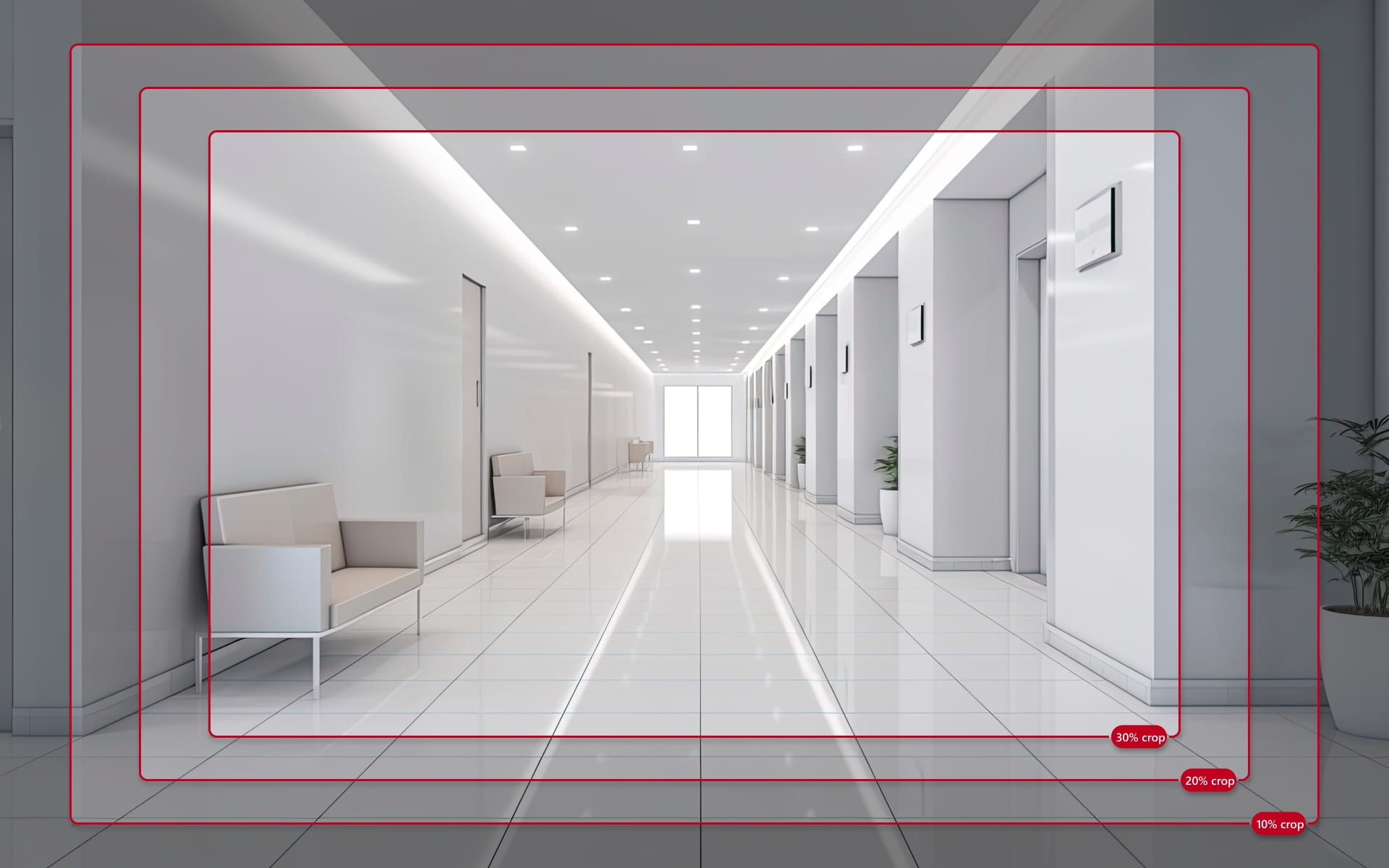
This setting can help you remove unnecessary distractions from your intercom's view or simply zoom in a bit to enlarge objects and people in the middle of the frame. The default setting is 30%, but you may opt for a lesser crop if desired.
You can find this setting in Hardware>Camera>Internal Camera>Advanced Settings>Custom Scene Crop.
Please note that this setting also limits the capabilities of Pan-Tilt-Zoom (Services>Phone>Video>PTZ>PTZ Mode), this means you can't go beyond the edge of the crop setting used.
The way it works is explained in the image below:
This feature is only available on 2N IP Style on a firmware version 2.32.8 or higher.