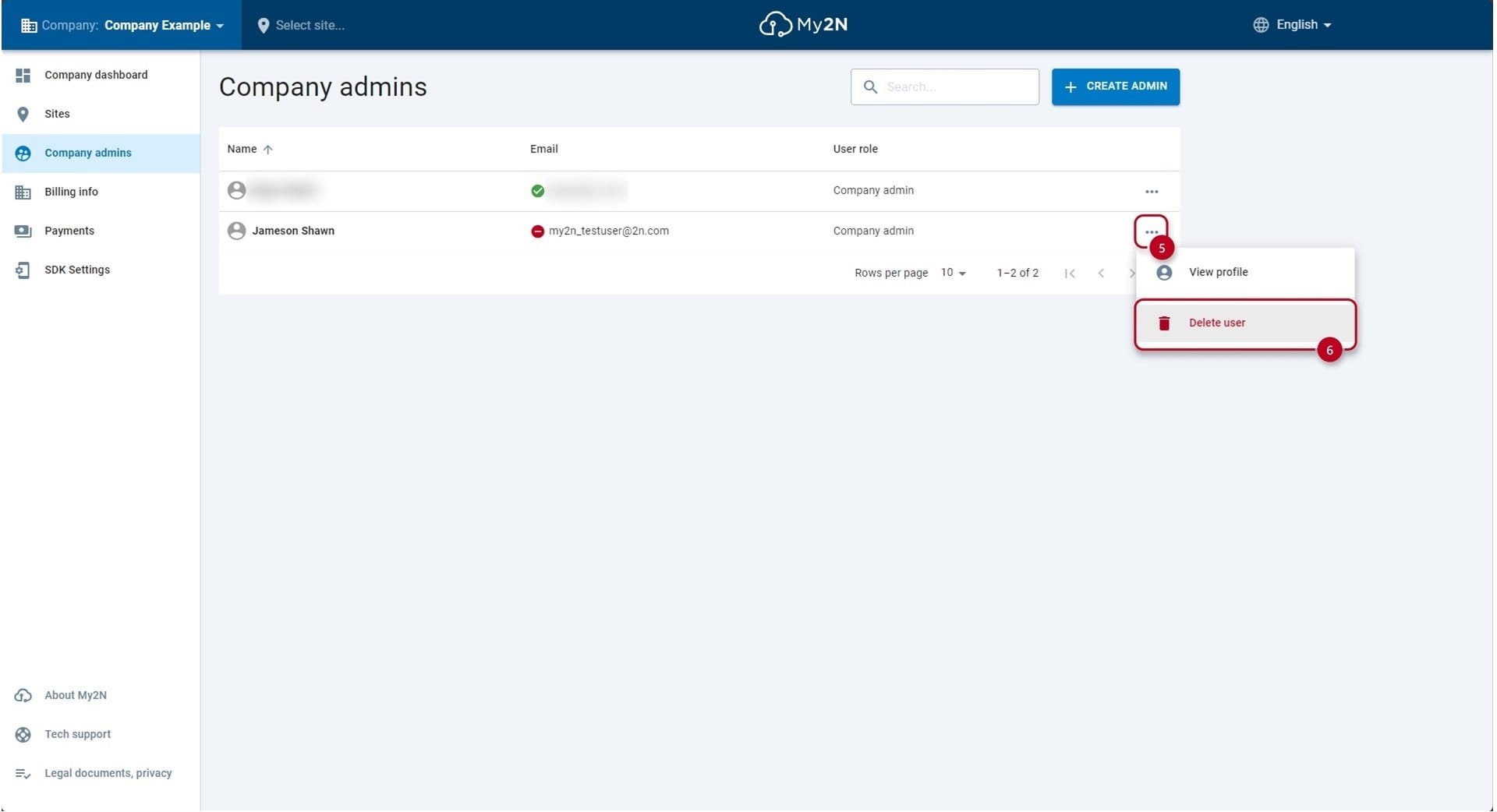
Navigate to the COMPANY level
- You can move to the COMPANY level by clicking on the company in the top left corner (1) and selecting the company where you want to add or remove company admin or using the link in the section Site users - "Company admins" (1)
Add a new company admin
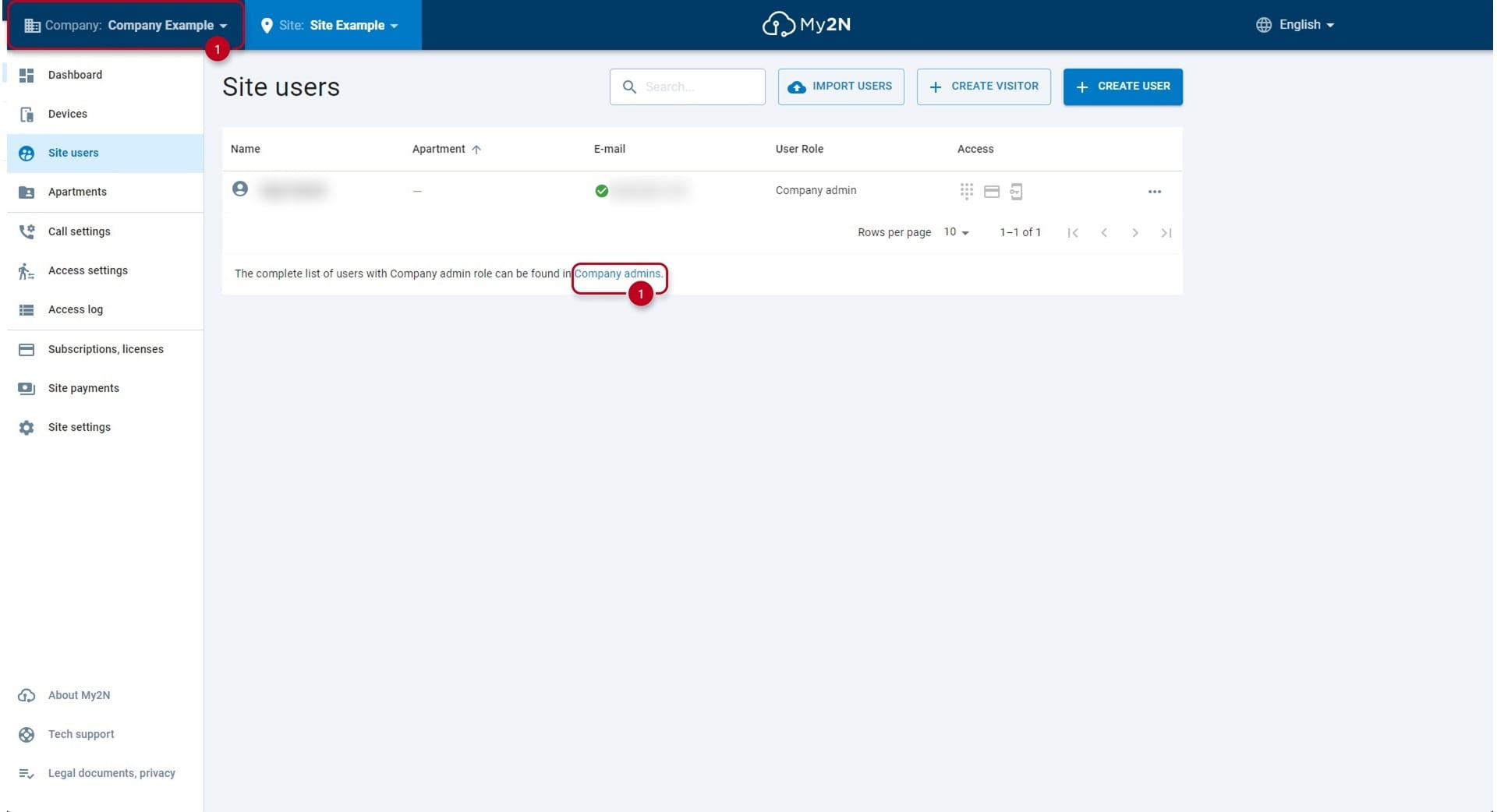
- Once you will be on the COMPANY level open the section Company admins (2)
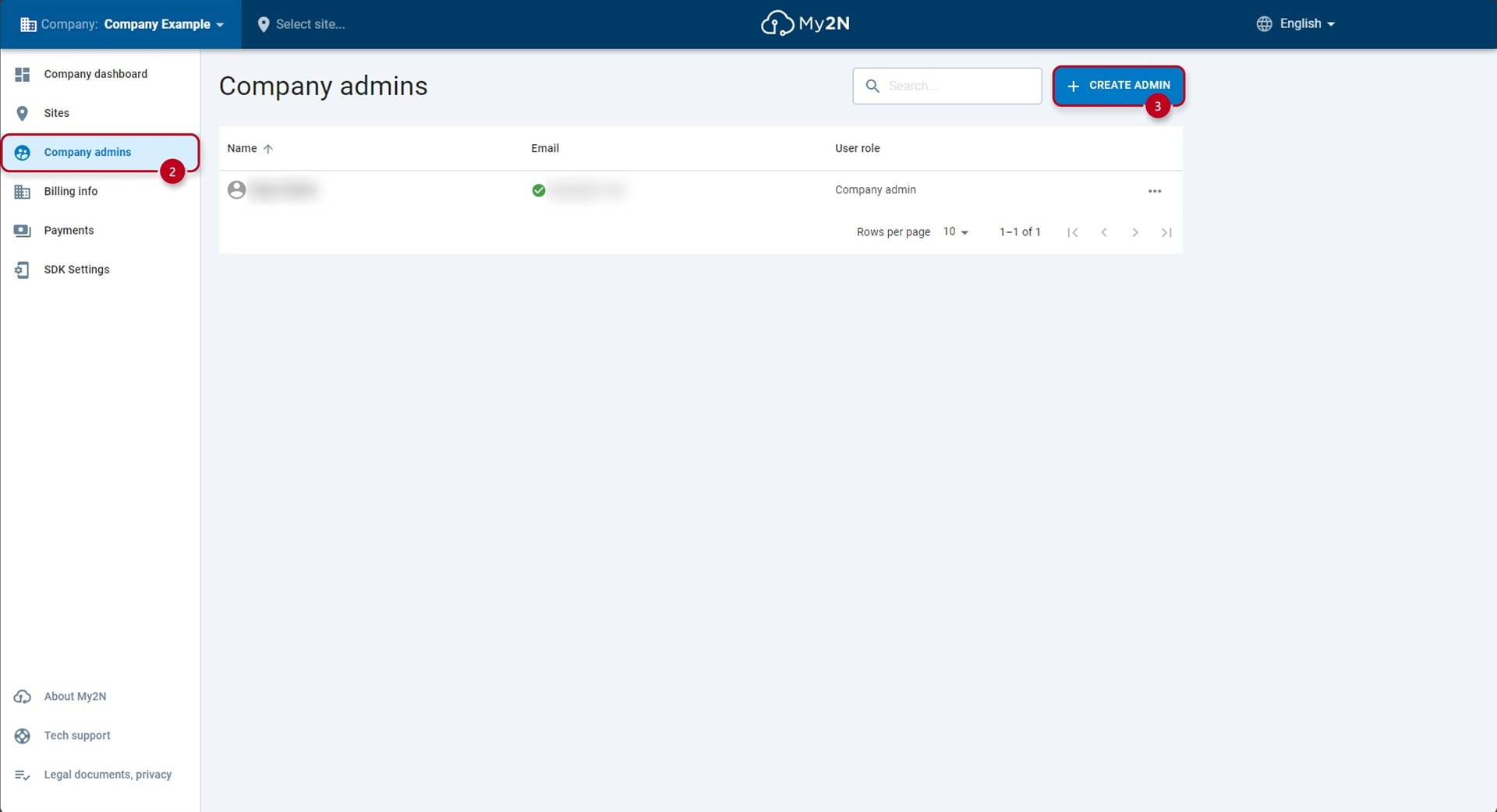
- After opening the section, use the CREATE ADMIN button (3) and fill in the user's email, first and last name and click Create Admin (4).
Delete a company admin
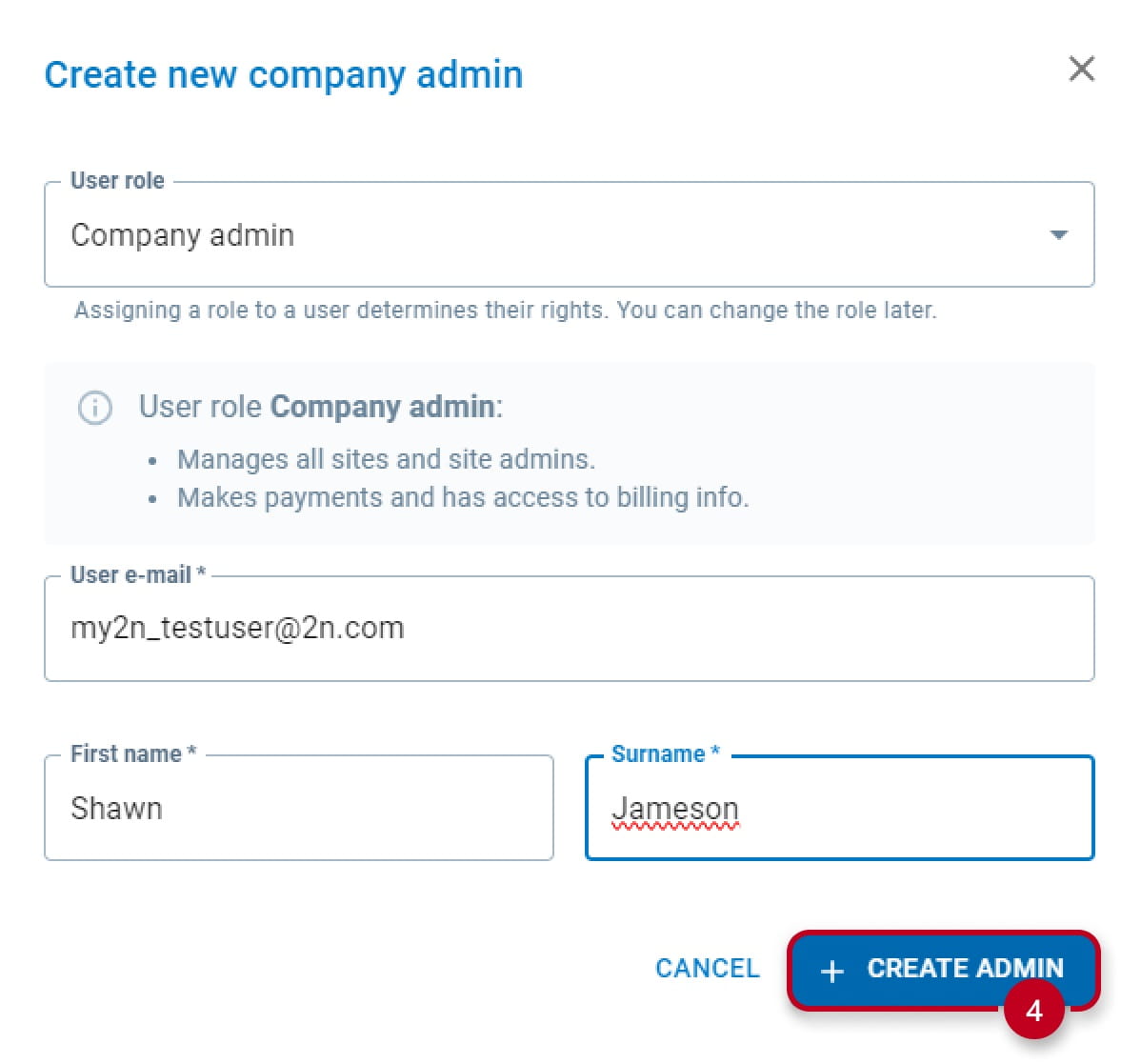
- In the same Company Admin section at the COMPANY level, use the three-dot menu (5) and select Delete User (6).