Virtual Card ID

The steps in this article require using the web interface of a 2N device. Please follow this manual in case this is your first time using the web interface.


You can set the Virtual Card ID for user identification to Wiegand after validation via the Bluetooth/biometric reader. Each user can have just one virtual card. The Virtual Card ID is a sequence of 6–32 characters: 0–9, A–F. 

Prerequisites

  • 2N IP Intercom or 2N Access Unit with the latest firmware and the Wiegand interface;
    no additional license is required.

    More information about Wiegand interface:   Wiegand interface - Function overview


Virtual Card ID to the user

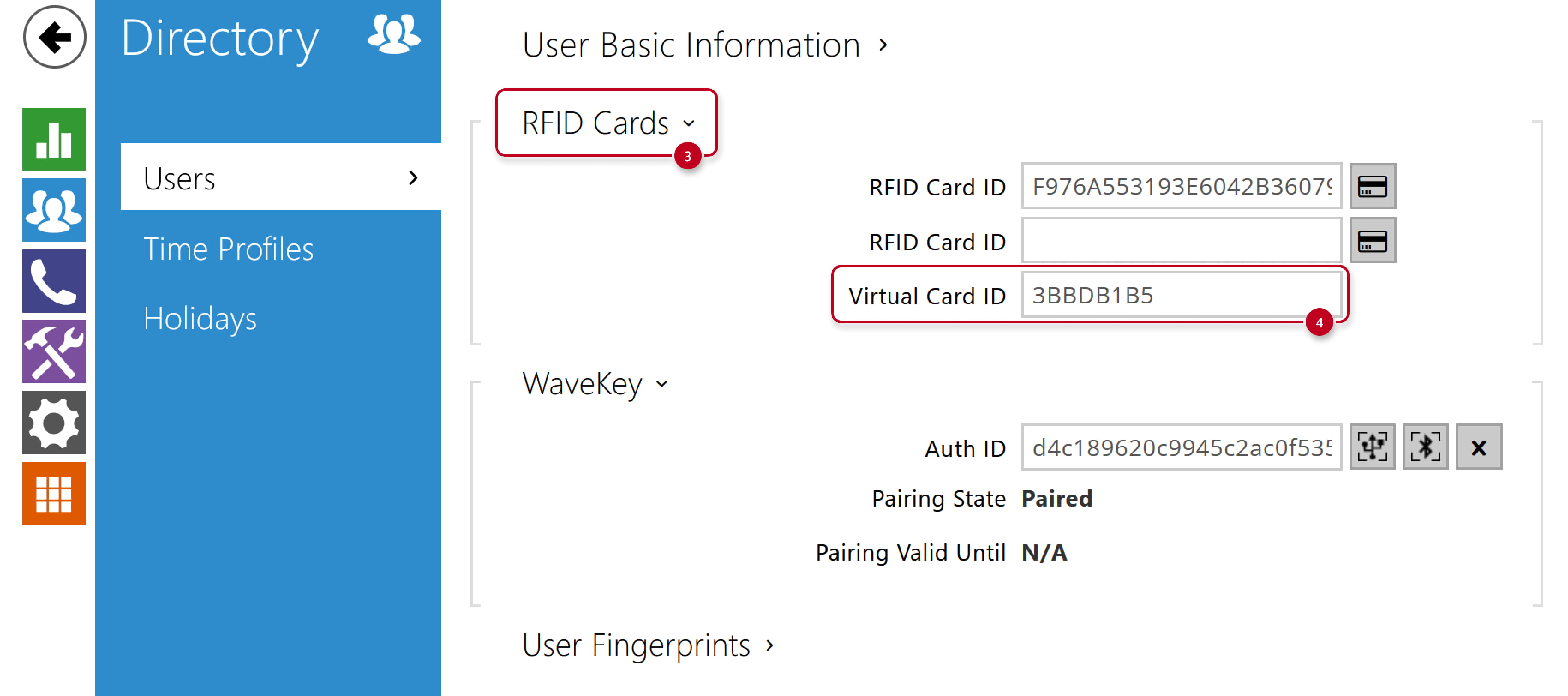
  • In 2N device web interface, go to section Directory - Users,
    fill in the Virtual Card ID into the existing or new user´s User Cards part,
    it does not have to be the same as the RFID Card ID, which can be sent to Wiegand as well.

2N IP Intercom - Directory - Users

2N IP Intercoms - Directory - Users - Virtual Card ID


Sending Virtual Card ID to Wiegand

  • Go to section Services - Access Control - Entry Rules and activate sending of the Virtual Card ID to Wiegand
    by selecting the Group that corresponds to the Wiegand module setting as we will show later.

2N IP Intercom - Services - Access Control - Entry Rules - Virtual Card to Wiegand

  • Go to section Hardware - Extenders - Wiegand module and verify,
    that Output Wiegand Group matches the previous step setting.
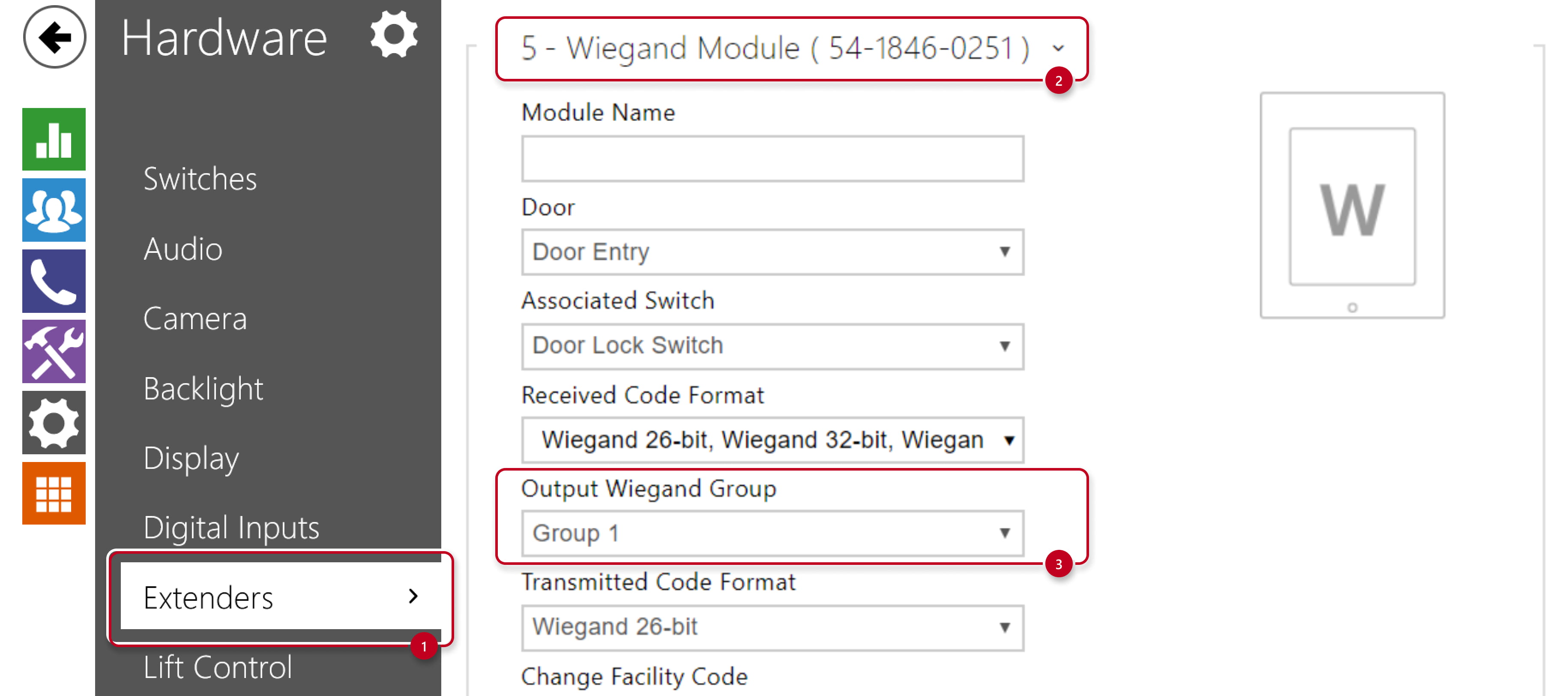
2N IP Intercom - Hardware - Extenders - Wiegand module


Czy ta strona była pomocna?