How to get the database
-
Go to Netstar Administrator and connect to Netstar in Off-line mode.

-
Click “Connect” icon.

-
Load the database from Netstar by clicking “Load from PBX”.

-
After the database is loaded, disconnect from the NS.

-
Go to Wizards -> Database export.

-
When the below window pops up, click “Yes” and choose a folder to which you want to save your database.

How to get a trace
-
Connect to the Netstar in On-line mode and move to “Trace” tab.

-
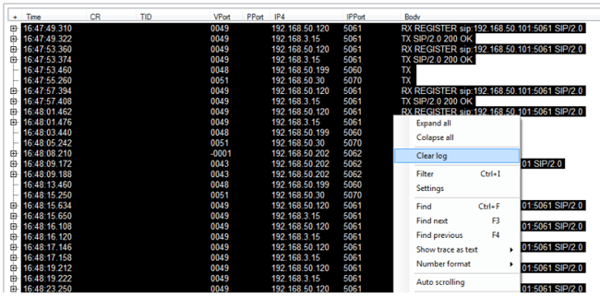
Click the right mouse button to desktop and from the shown menu choose “Clear log”.
-
Now make a call and catch the problematic situation to the trace.
-
If all necessary information is recorded, move to Trace -> Save trace to file and choose destination to which you want to save the file.
