SIP over UDP Support Ending in November 2025
The steps in this article require using the web interface of a 2N device. Please follow this manual in case this is your first time using the web interface.
|
To improve the security and reliability of our services, we will be discontinuing support for SIP over UDP in My2N on November 1st 2025. SIP over UDP was available only for compatibility purposes or manual configurations. My2N has long used SIP over TLS by default, which provides encrypted and more reliable communication. To further strengthen our platform, we will no longer allow the use of this protocol.
|
In Order to ensure uninterrupted service, here are few steps that you are invited to follow:
-
Update all connected 2N devices to firmware version 2.40 or higher. The easiest way to do this is by using the Firmware Update feature directly in the My2N platform.Devices running older firmware versions may experience issues once UDP is disabled, so we strongly recommend completing the updates as soon as possible.In case the firmware is too old, above 2.39 or lower, please follow the instruction from the below link in order to make it work properly:
- Your 2N devices are currently using manual SIP configuration with UDP:
Put your device in Automatic SIP configuation mode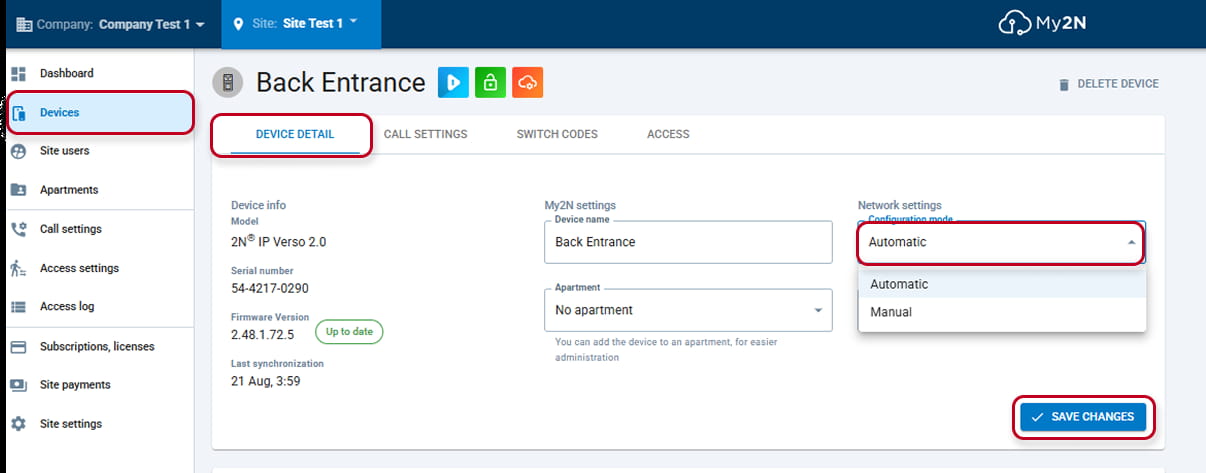
This will automatically change the SIP configuration to TCP - If, for some reasons, you do need to use manual mode, you will need to make this change manually from the device's web interface:
Log in the device using Remote Configuration or locally with his local IP address in a browser: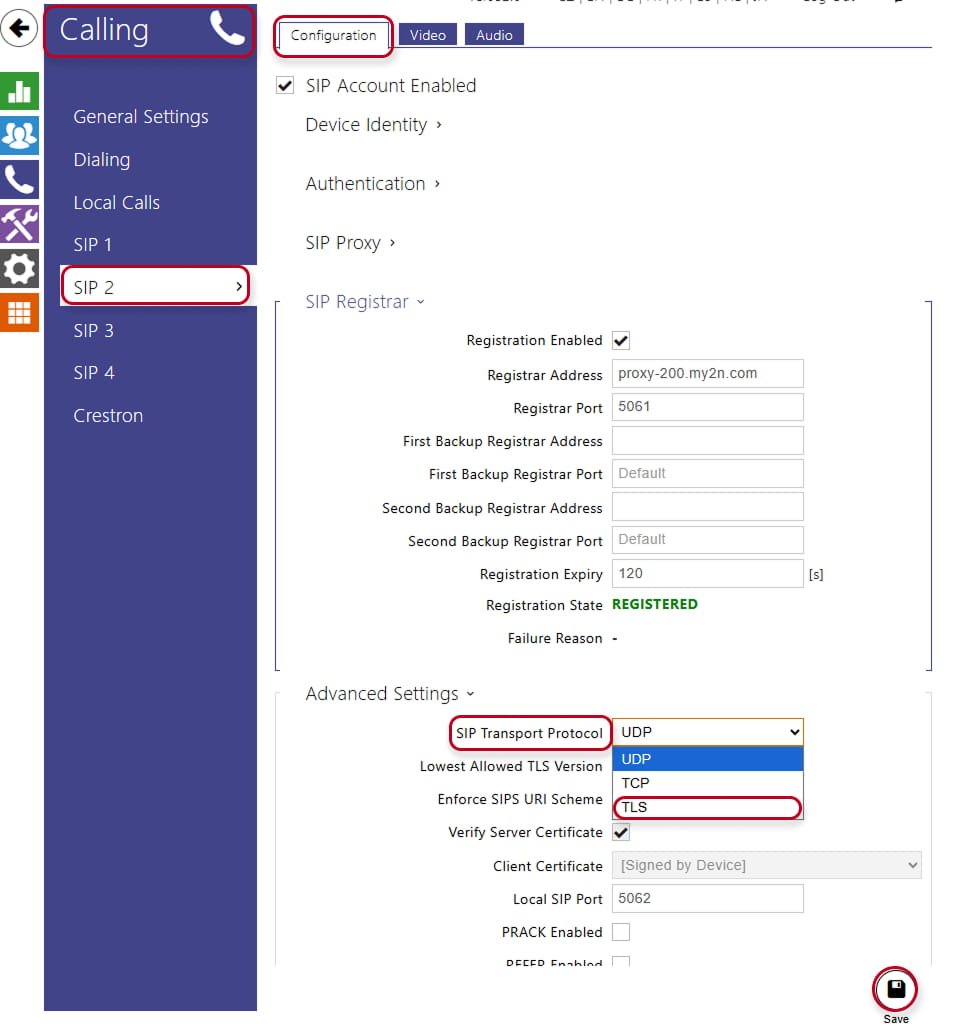
- And go to calling section, under SIP 2/Configuration/Advanced settings/SIP Transport Protocol and change here from UDP to TLS.
For Third Party devices or IP phone D7A You might change to TCP and use port 5060.
If you have an Axis intercom, go to Communication/SIP/Accounts and edit the SIP account by clicking on the 3 dots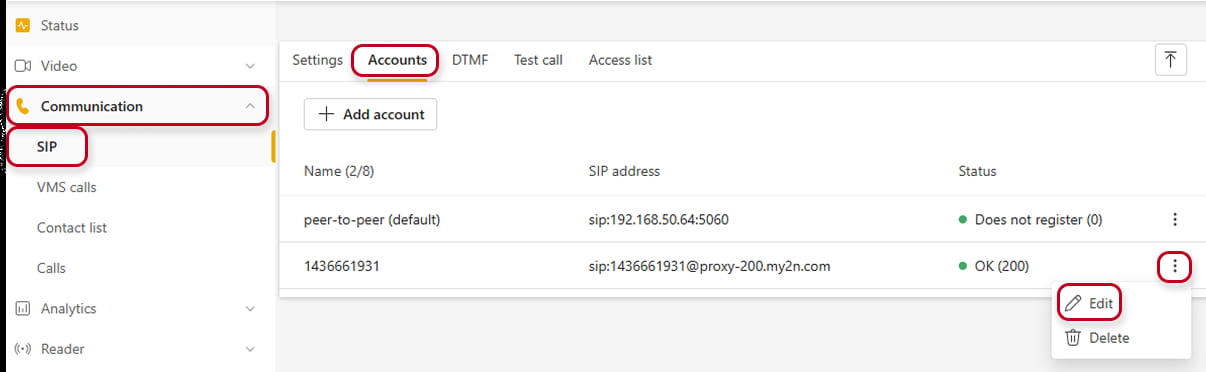
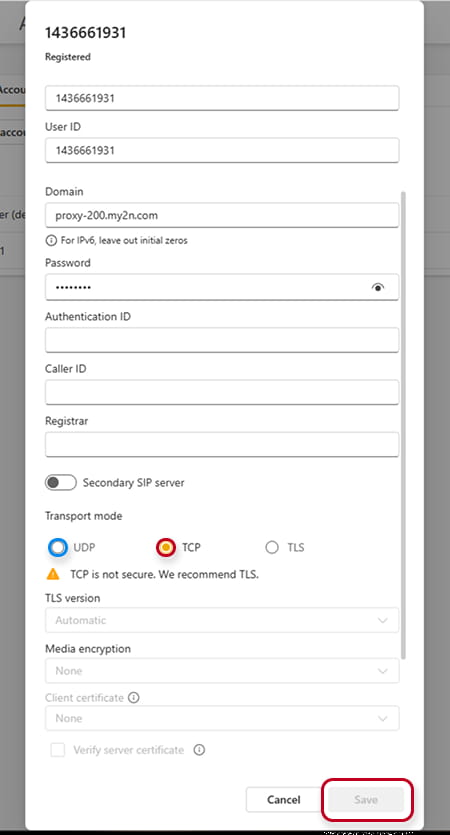
Transport mode was by default set to UDP, so change to TCP and save. - Third Party devices, should be modified as well in their SIP configuration section from UDP to TCP.Due to the wide variety of third-party devices, we are unable to provide a universal guide. Please consult your device’s documentation or support resources for instructions specific to your model.
-
If your network uses a firewall or packet filtering, make sure your rules allow SIP traffic over TCP for successful registration and call setup.
-
Devices with older firmware versions and/or in manual configuration mode with the UDP SIP transport protocol enabled will experience problems because the UDP protocol will be terminated. We therefore strongly recommend that you perform updates as soon as possible.