Direct calling to 2N Indoor Touch 2.0 from the AXIS door station AXIS A8004-VE

2N Indoor Touch 2.0 is able to receive calls from the AXIS door station A8004-VE. However there are some limitations.

Limitations

  • It is not possible to make a call from the 2N Indoor Touch 2.0 towards the AXIS Door Stations.

  • No video preview during the incoming call.

  • 2N Indoor Touch 2.0 with firmware version 4.0.5. and later.

  • Tested with AXIS A8004-VE with f irmware version 1.65.2.

  • IP address of AXIS A8004-VE: 10.0.14.50. IP address of 2N Indoor Touch 2.0: 10.0.14.55. This is only an example, please change it according to your network requirements.


Configuration of 2N Indoor Touch 2.0

  • Go to onscreen menu - Intercoms - Settings and disable SIP port randomisation feature

AXIS_A8004-VE_to_Indoor_Touch_2.0_1

AXIS_A8004-VE_to_Indoor_Touch_2.0_2

Configuration of AXIS A8004-VE

  • Go to web management - VoIP - SIP Settings and enable SIP.
    AXIS_A8004-VE_to_Indoor_Touch_2.0_3  

  • Go to web management - Events - Recipients and add 2N Indoor Touch 2.0´s SIP address as a new recipient.

    AXIS_A8004-VE_to_Indoor_Touch_2.0_4  
  • Go to web management - Events - Action Rules and create a new Action Rule to call 2N Indoor Touch 2.0 by the call button.
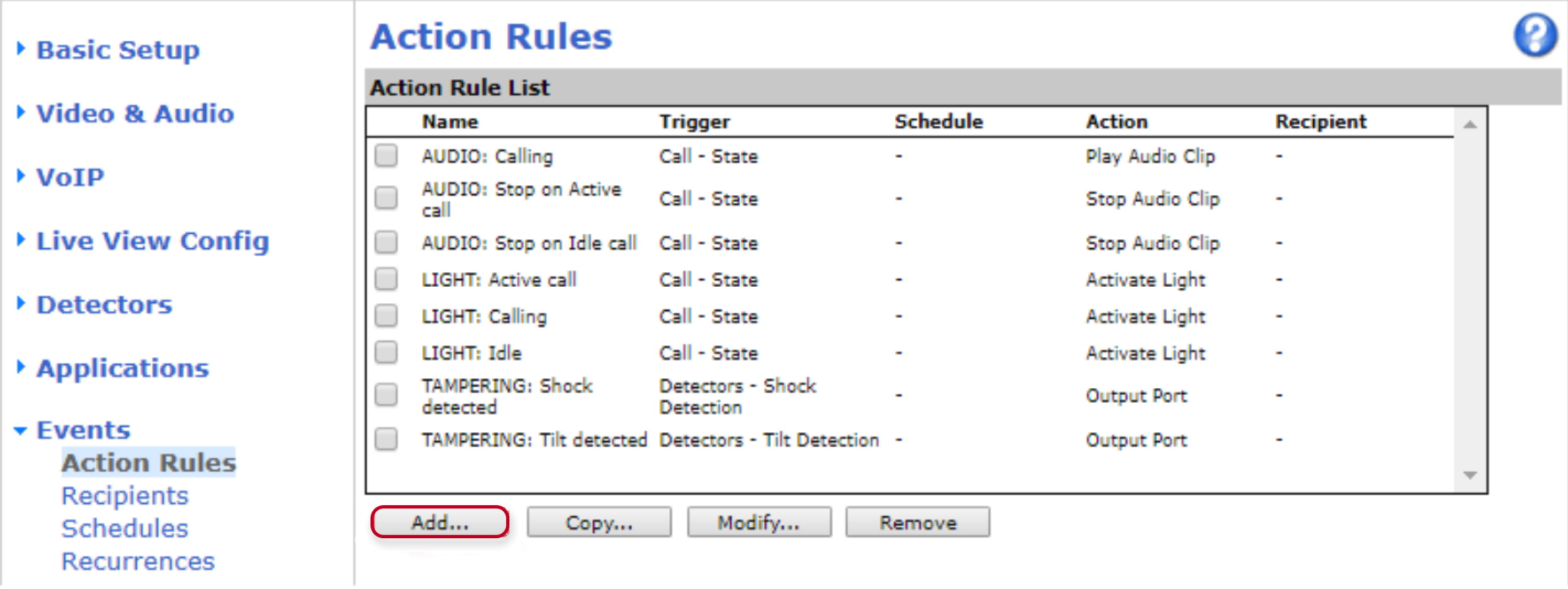
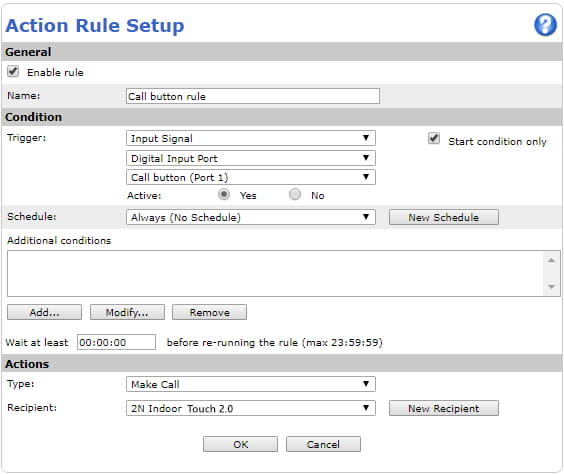
AXIS_A8004-VE_to_Indoor_Touch_2.0_5

AXIS_A8004-VE_to_Indoor_Touch_2.0_6

  • Go to web management - VoIP - DTMF Settings and add DTMF Sequence for unlocking the door by 2N Indoor Touch 2.0.

AXIS_A8004-VE_to_Indoor_Touch_2.0_7  
AXIS_A8004-VE_to_Indoor_Touch_2.0_8   

  • Go to web management - Events - Action Rules and create a new Action Rule to open the door when DTMF sequence is received during call.

AXIS_A8004-VE_to_Indoor_Touch_2.0_9

AXIS_A8004-VE_to_Indoor_Touch_2.0_10


Czy ta strona była pomocna?