2N Indoor Talk is able to receive calls from the AXIS door station A8004-VE.
|
Requirements
|
Configuration of 2N Indoor Talk
-
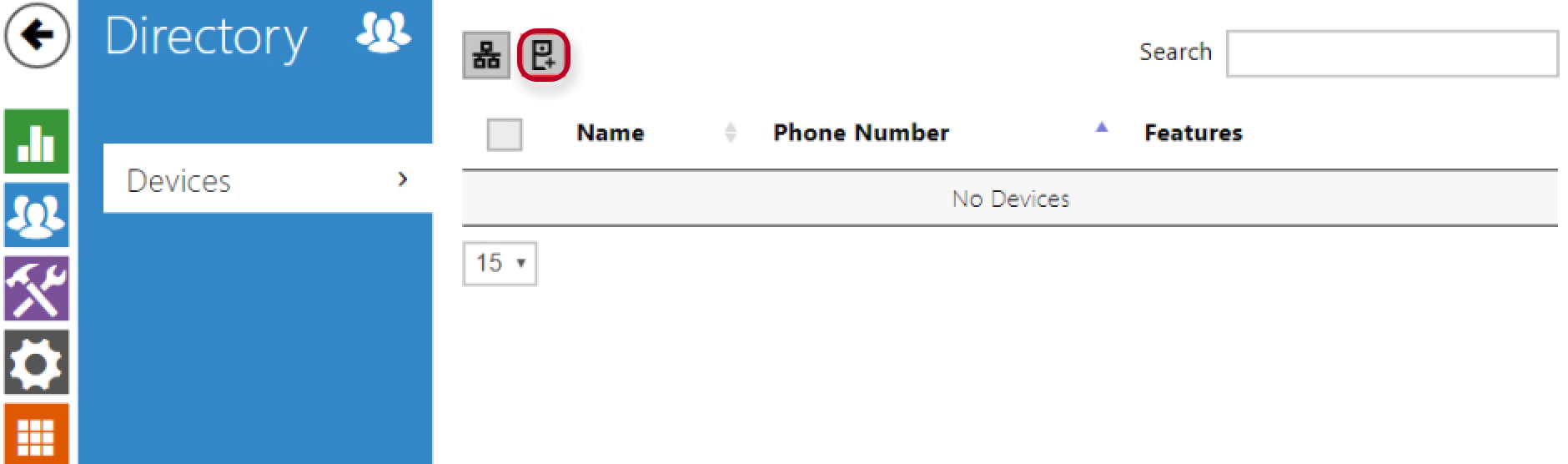
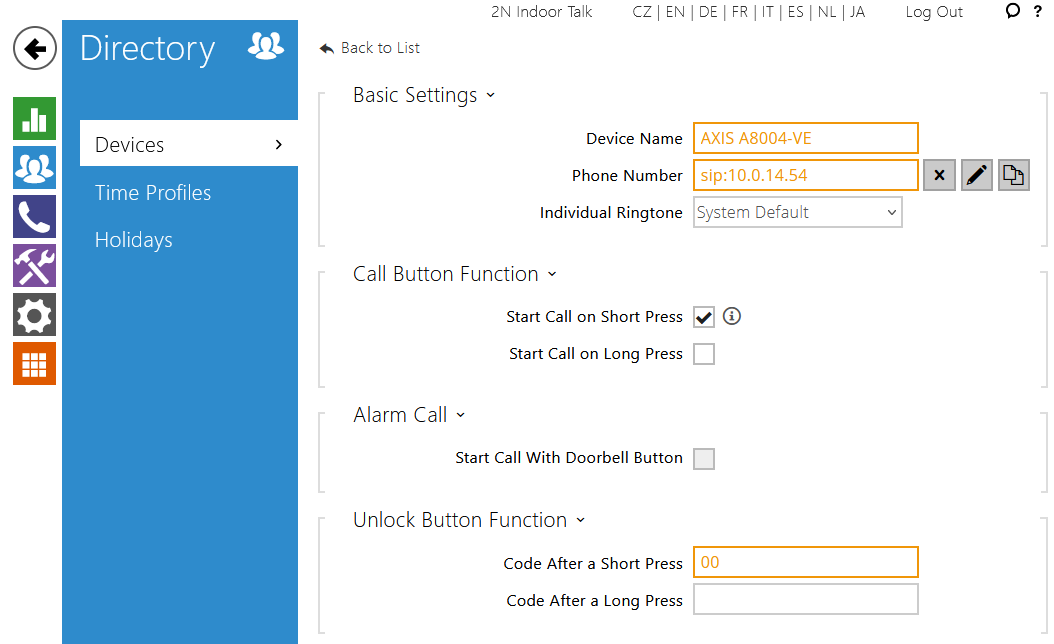
Go to web management - Directory - Devices and add AXIS A8004-VE´s SIP address and unlock DTMF code to be able to call from 2N Indoor Talk (by the green button) to AXIS A8004-VE.
Configuration of AXIS A8004-VE
-
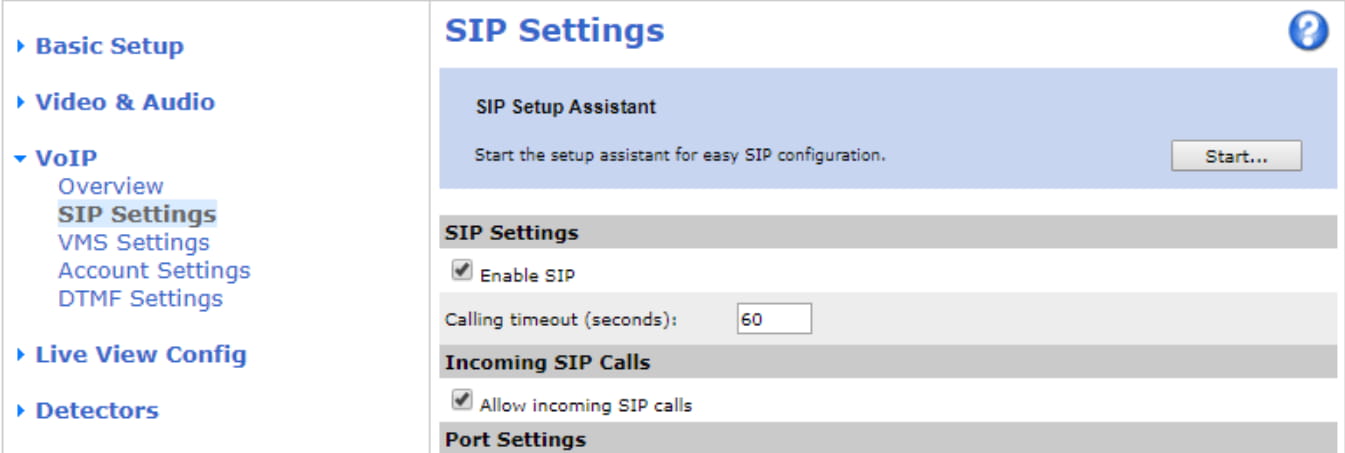
Go to web management - VoIP - SIP Settings and enable SIP and incoming SIP calls.
-
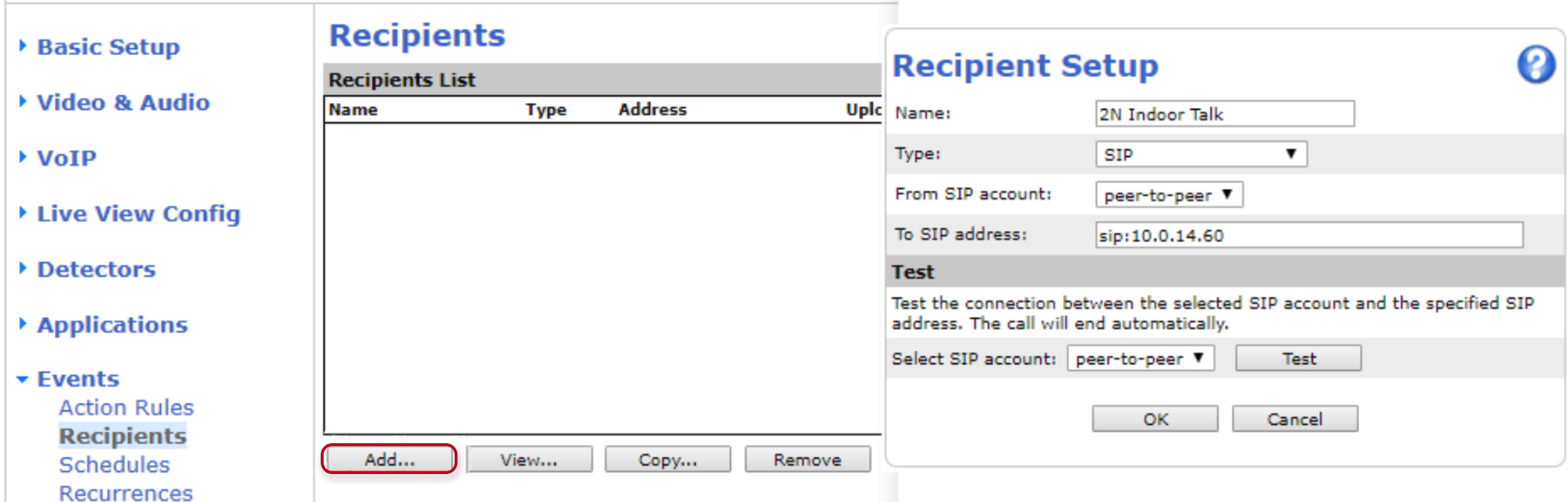
Go to web management - Events - Recipients and add 2N Indoor Talk´s SIP address as a new recipient.
-
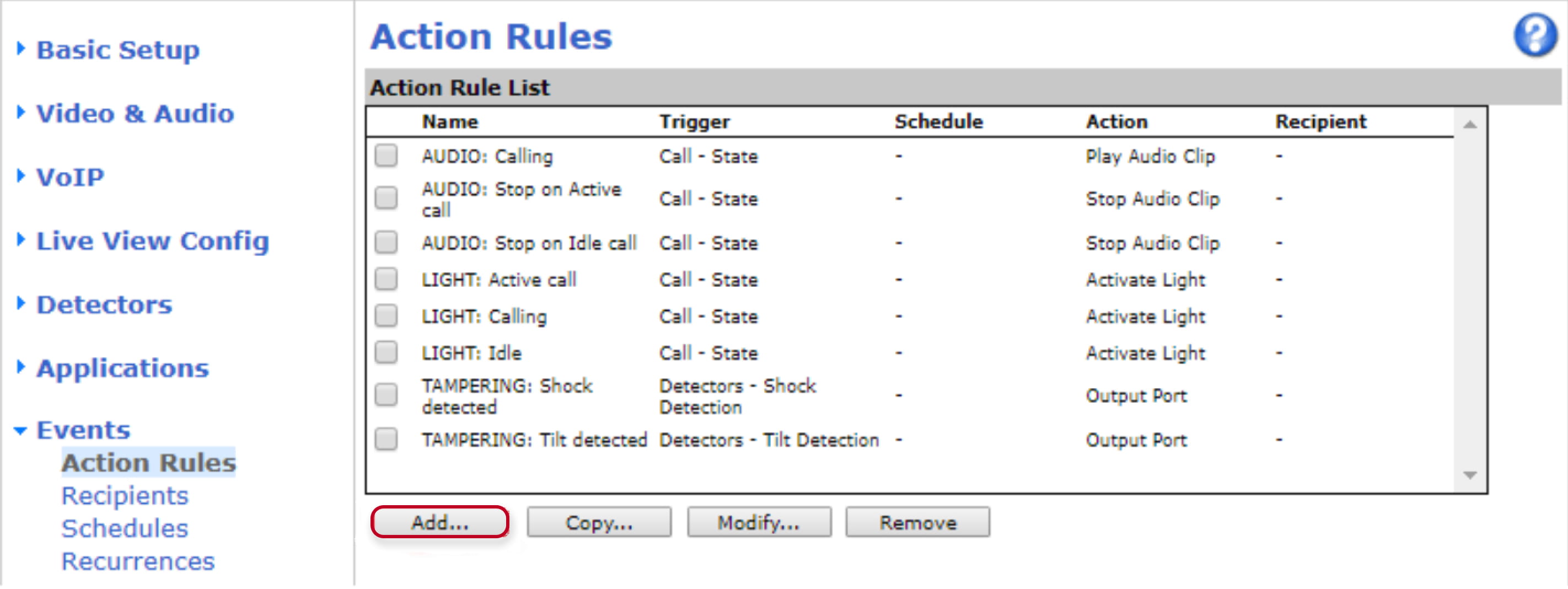
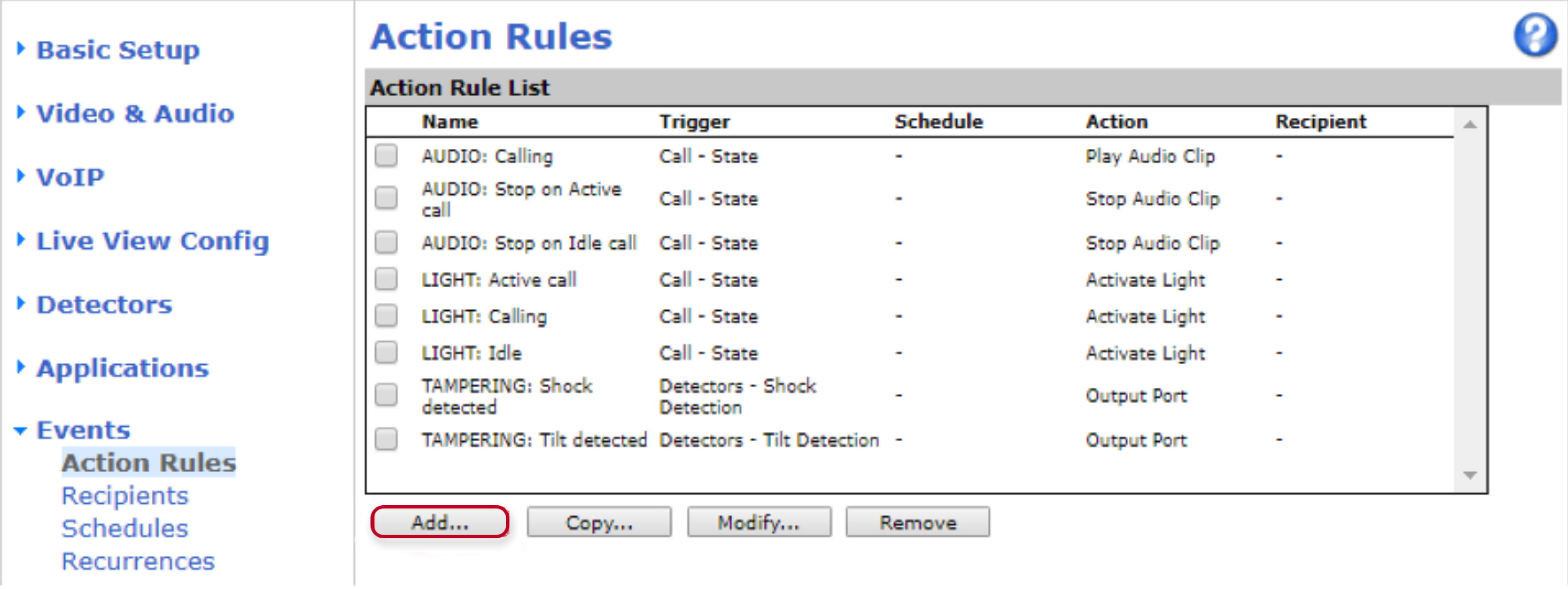
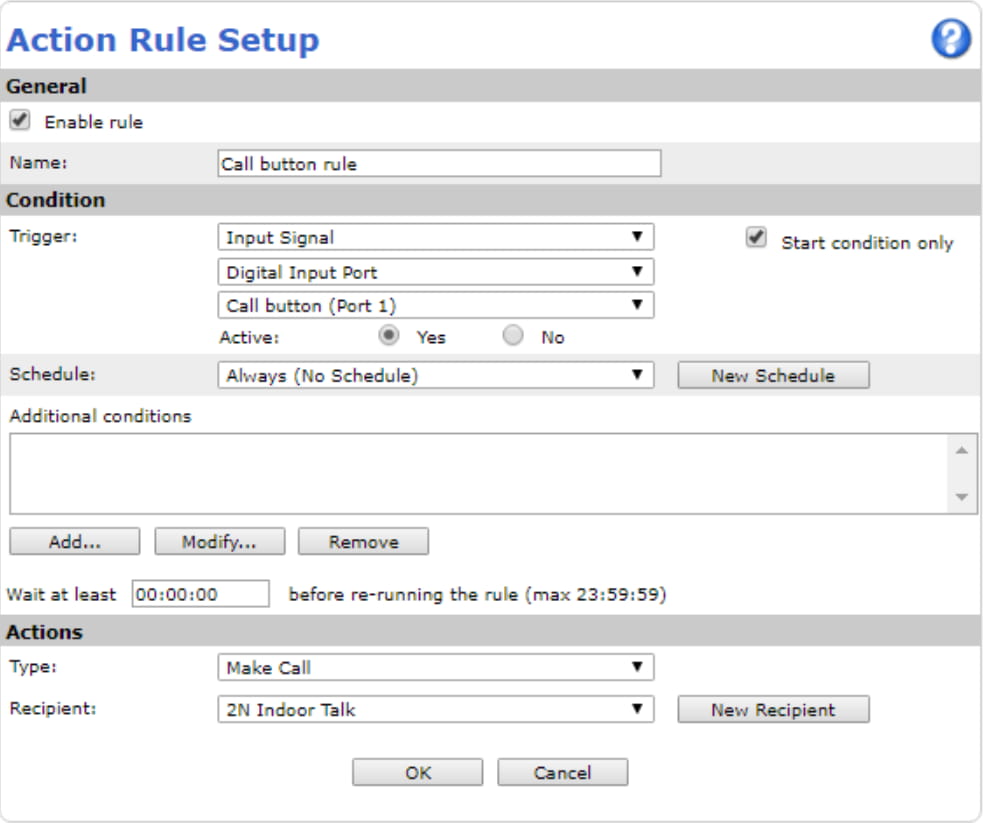
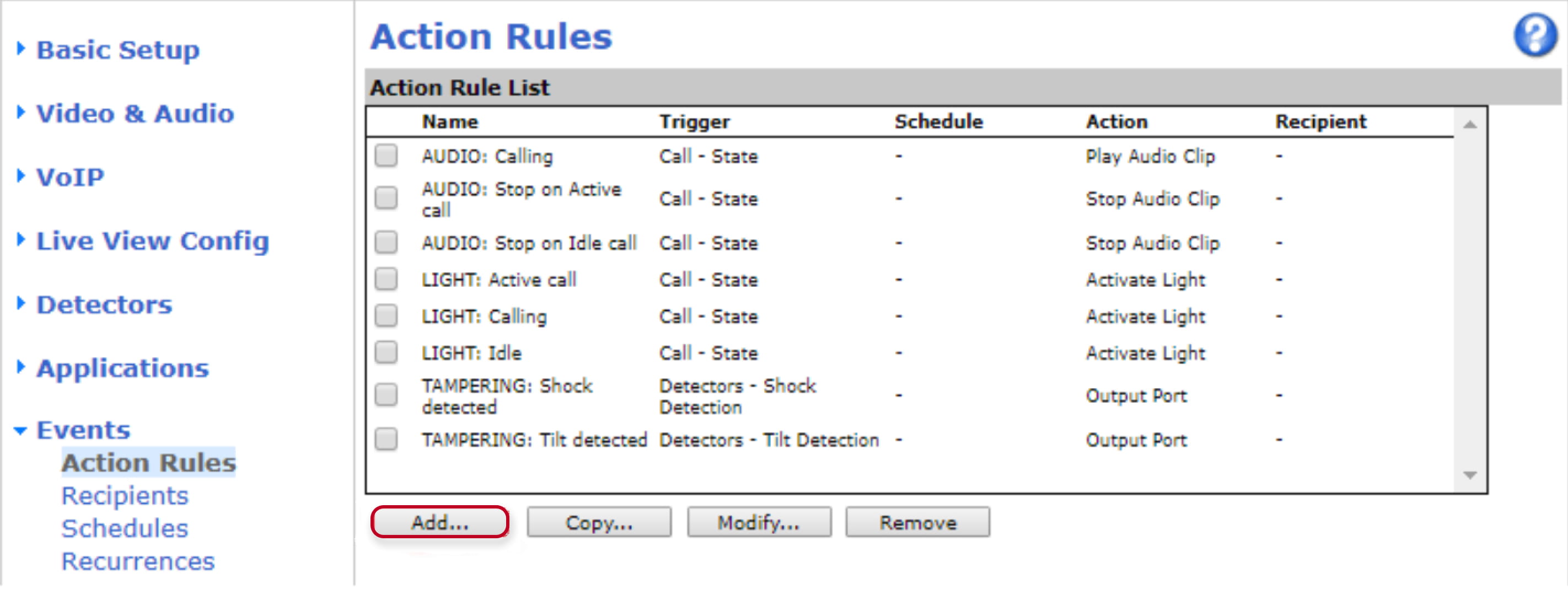
Go to web management - Events - Action Rules and create a new Action Rule to call 2N Indoor Talk by the call button.
-
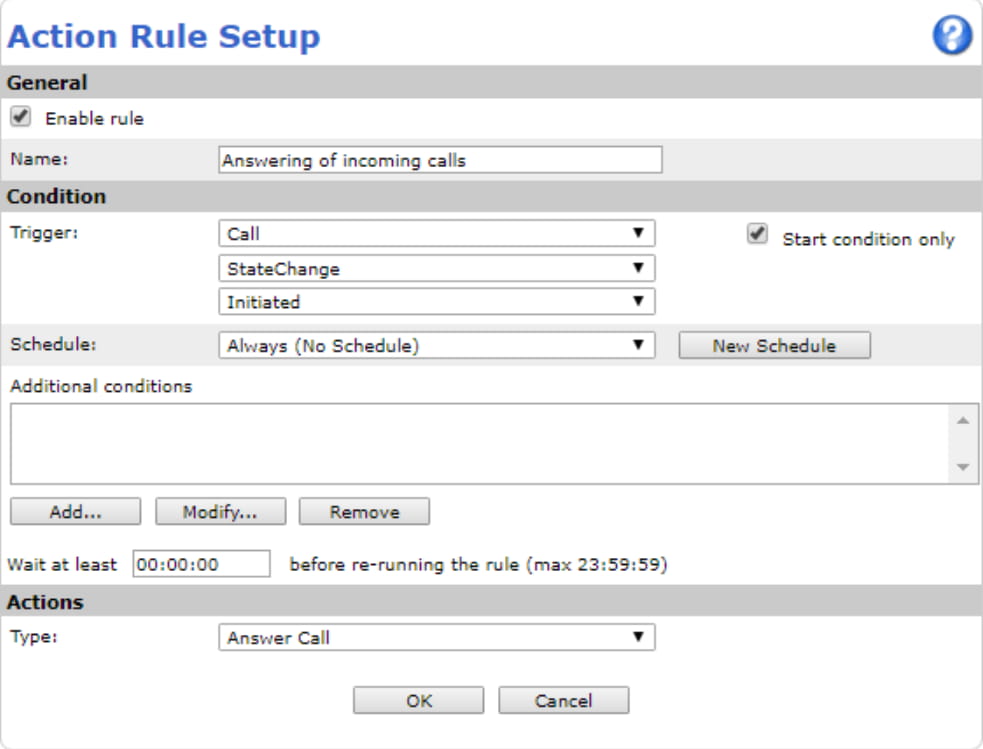
Go to web management - Events - Action Rules and create a new Action Rule to answer incoming calls.
-
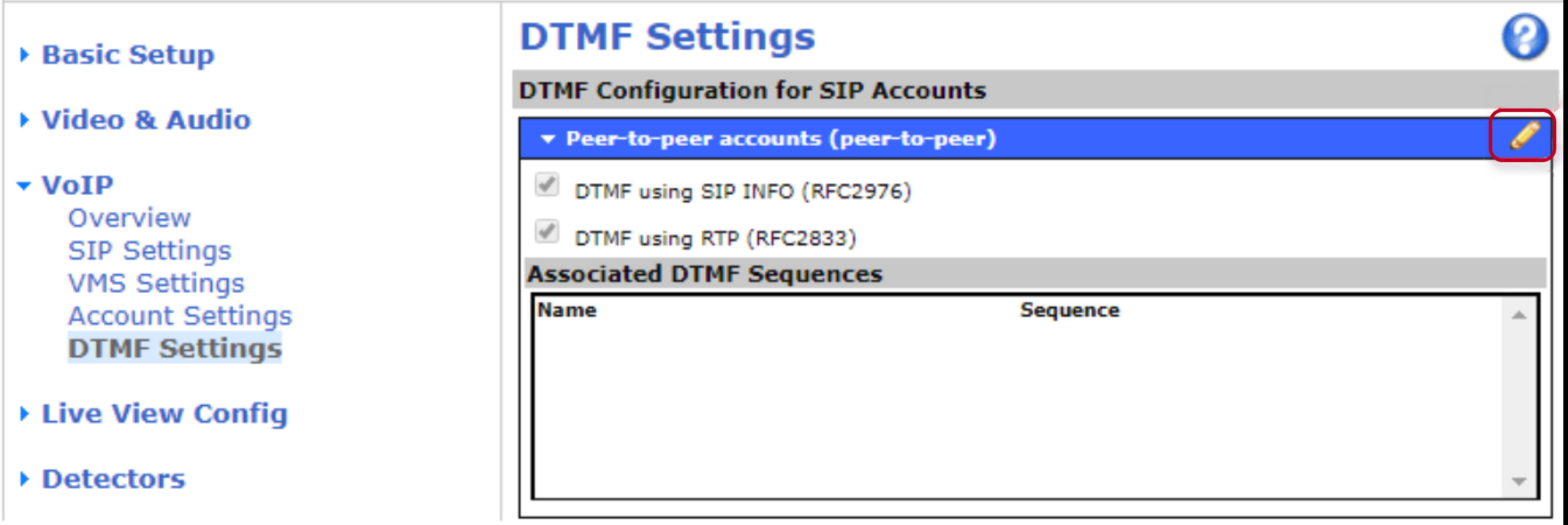
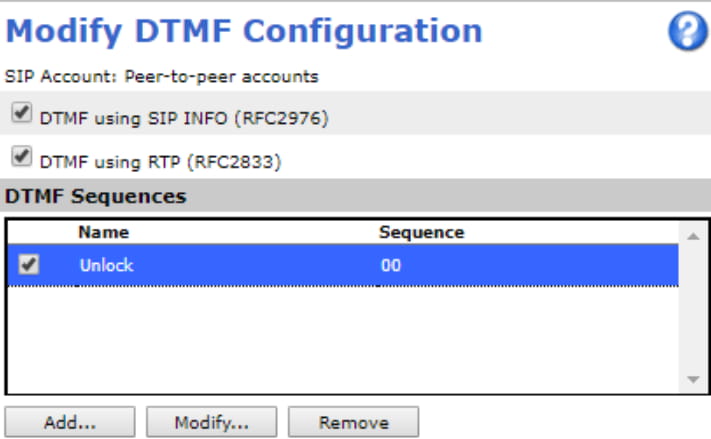
Go to web management - VoIP - DTMF Settings and add DTMF Sequence for unlocking the door by 2N Indoor Talk.
-
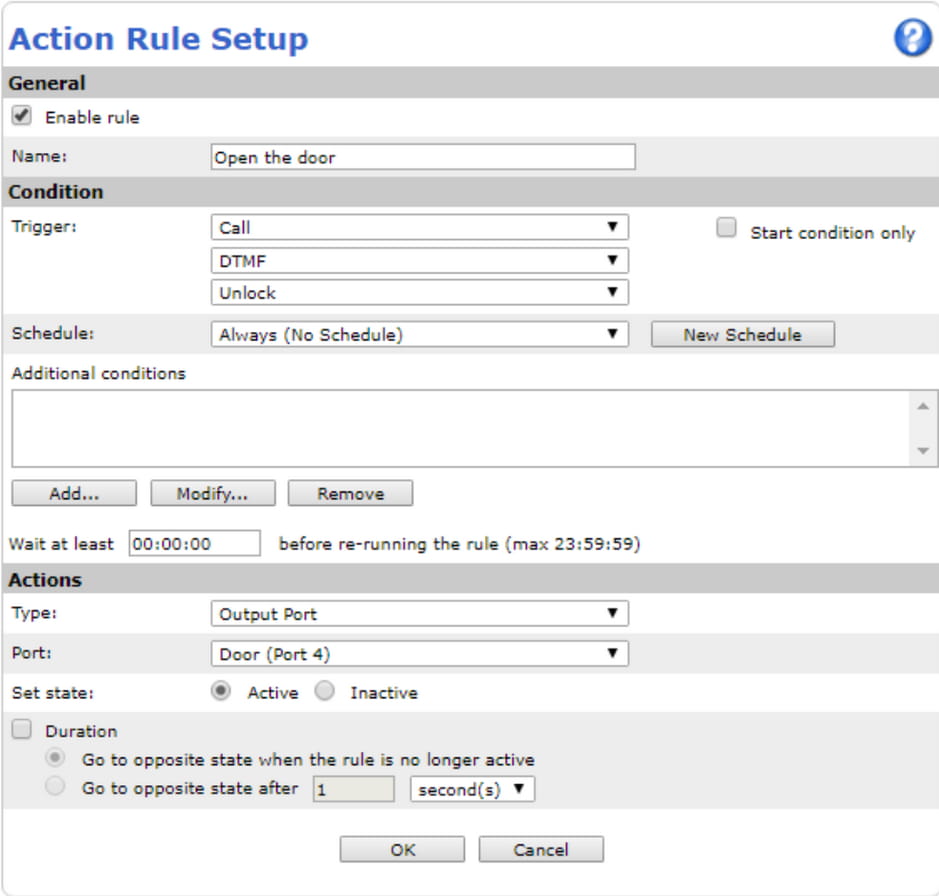
Go to web management - Events - Action Rules and create a new Action Rule to open the door when DTMF sequence is received during call.