When updating from version lower than 2.15.2, please stick to the following update steps:
Your version -> 2.15.2 -> 2.17.1 -> 2.18.1 -> 2.31.1 -> automatic update to the latest version (will be described later in this manual).
If you are updating from version higher than 2.15.2, continue with the next higher version according to the procedure above up to the latest version.
Configuration backup
We recommend saving a backup configuration file before each update. You can do so in System -> Maintenance -> Back Up Configuration:
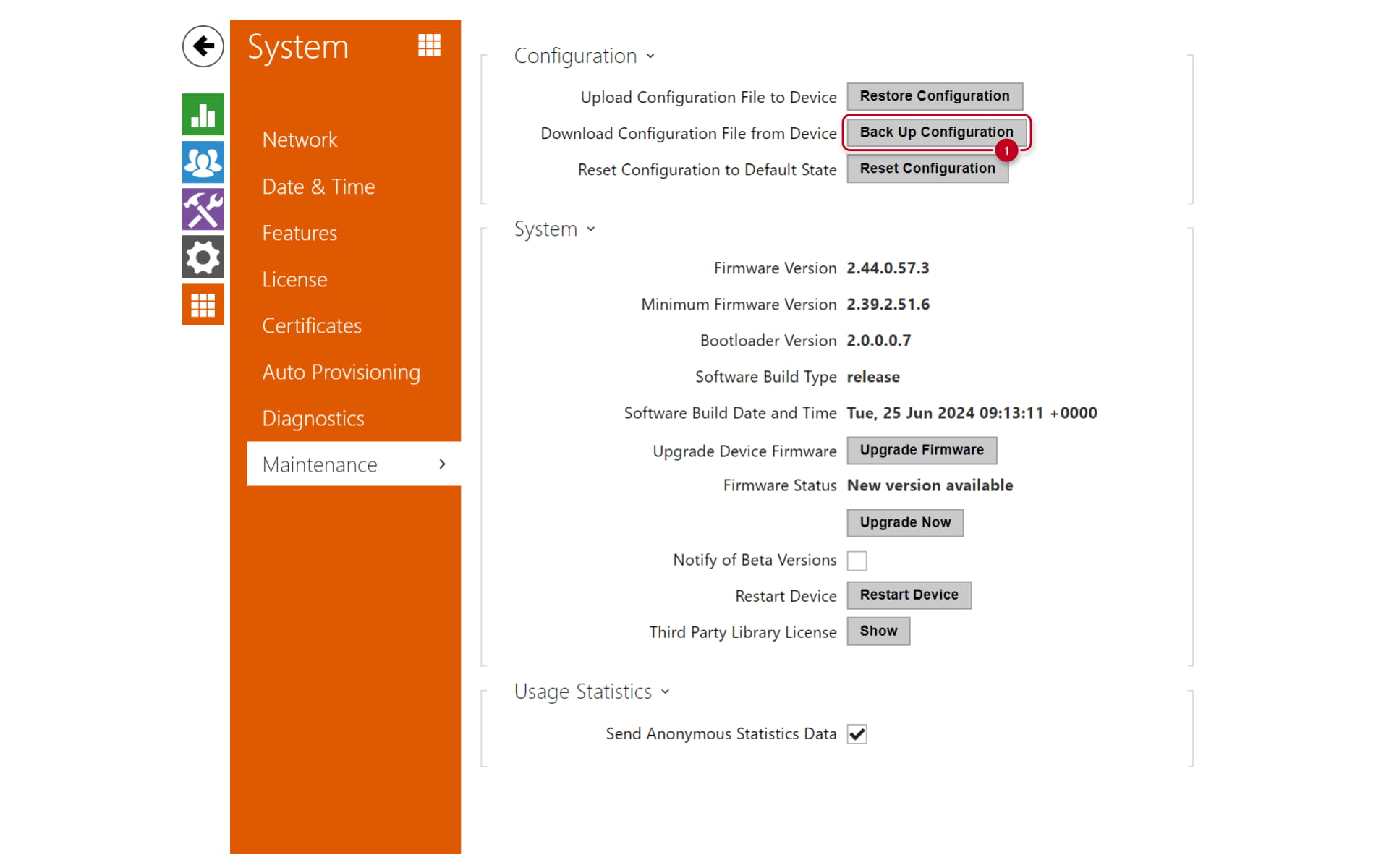
Updating procedure:
In the web interface of the 2N Access Unit, go to System > Maintenance.

Click the button Upgrade Firmware

The link will direct you to 2N webpage where you can choose the correct firmware version and download it.

Once the correct file is downloaded, don't forget to extract the zip file as the unit will only accept the .bin file that is a part ot the zip file.
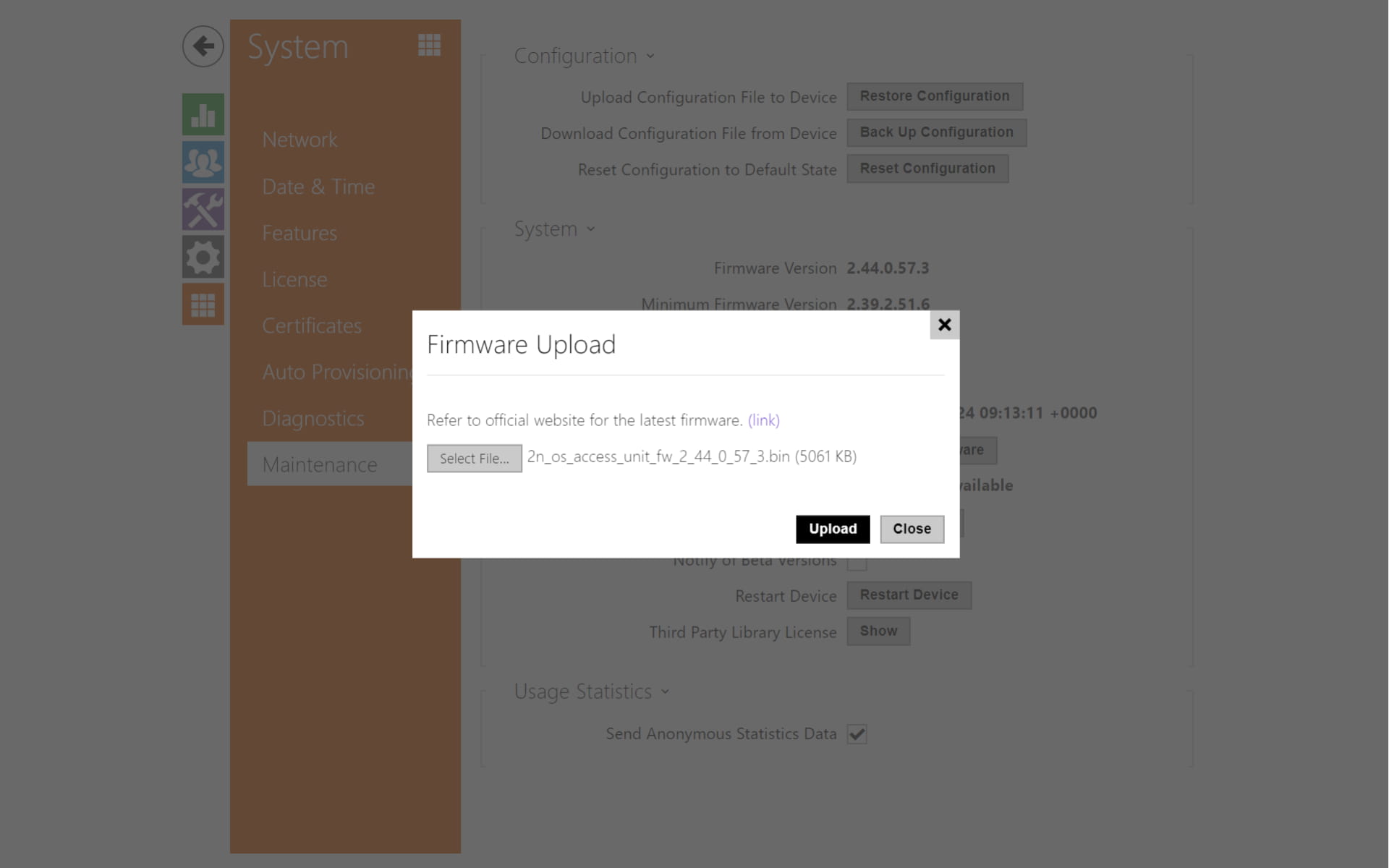
The unit will be restarted after the upgrade. The process takes about 30 s
This procedure can be applied to:
-
2N Access Unit
-
2N Access Unit 2.0
-
2N Access Unit M
- 2N Access Unit QR