For monitoring the state of Netstar you can enable SNMP protocol.
In order to enable SNMP on Netstar follow the steps below. No license is required for SNMP operation.
1) Upload MIB table to Netstar. MIB table is stored in this directory c:\Program Files (x86)\2N TELEKOMUNIKACE\2N NetStar\NetStar Admin Tool 4.2.0\
Select "Internet" option and click right to add MIB table:

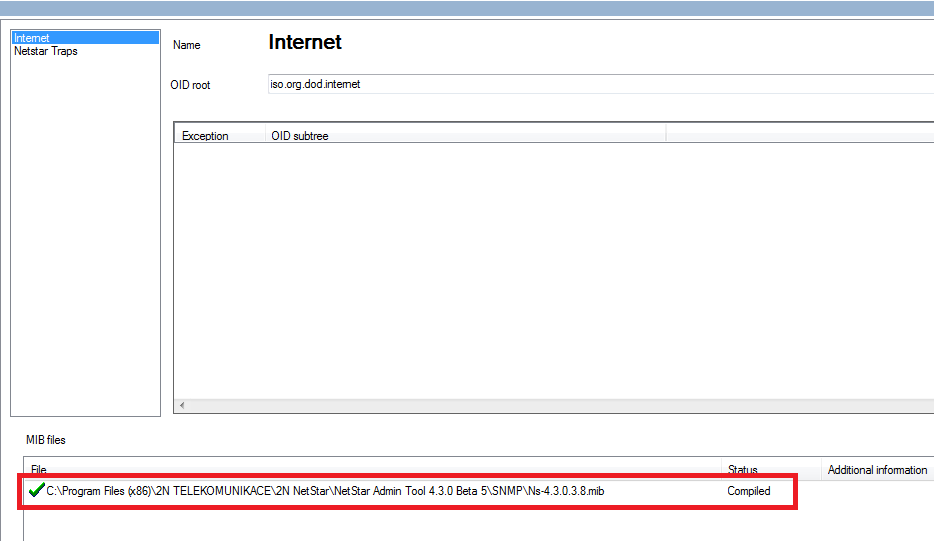
Now Netstar is able to send all the traps.
2) If you need to send only certain traps, add a new rule in the filter:
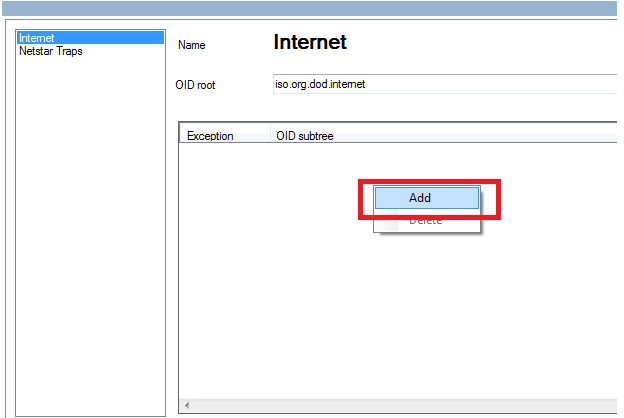
3) Select required trap from the list
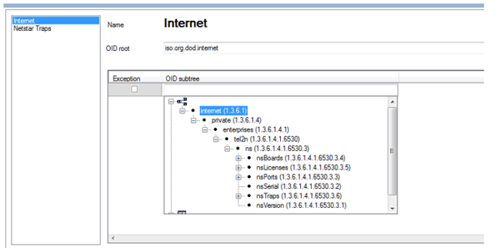
Please note, that off check "Exception" field then Netstar will be sending all the traps but selected one.If this field is unchecked, Netstar will send only selected trap.
For example, you need to monitor operation of E1 port. Select OID 1.3.6.1.4.1.6530.3.3.10

In PRI stack set one of the parameters "Inactive L1 as error", "Disconnected L2 as error" (depends on which layer of DSS1 should be monitored)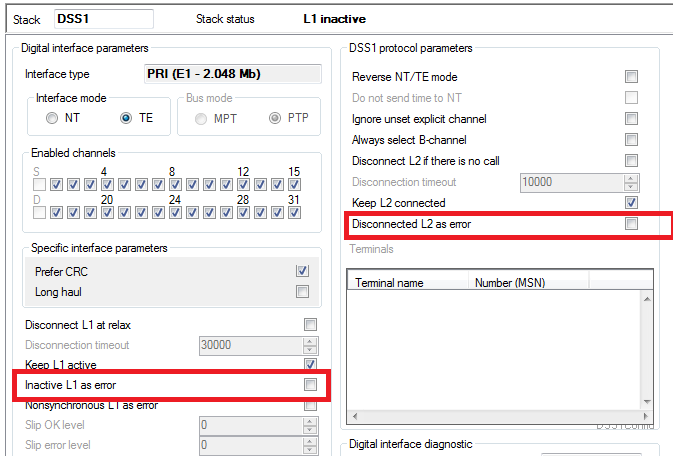
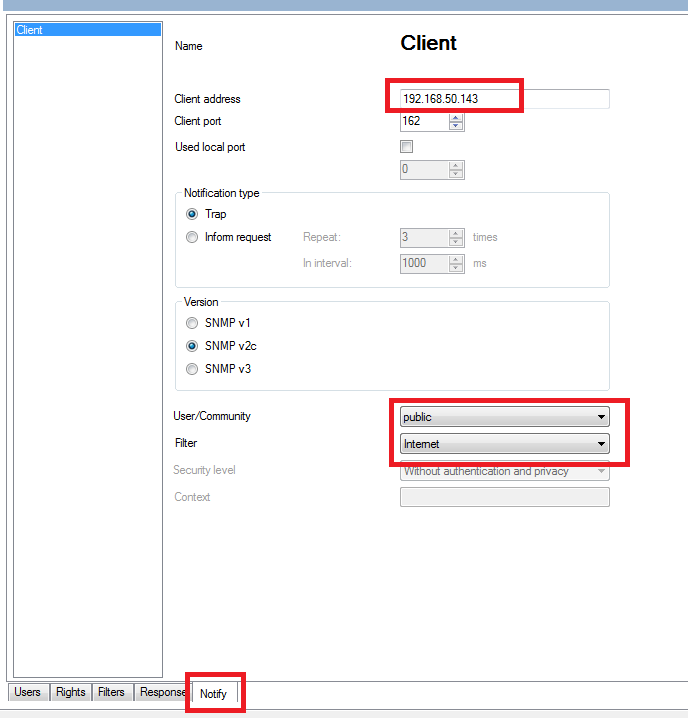
4) Now we need to set IP address of the client who will send requests to Netstar.

5) Configure client IP address, type of SNMP protocol, filter and specify the user. By default there is one user "Public" with all the rights.
Description of of SNMP traps is given below:
|
Trap OID |
Variable |
Description |
|
|
|
1.3.6.1.4.1.6530.3.6.1 |
|
|
|
The trap which informs about the state of ASL (CO) lines. If the state of any objects which are numbered as 1-7 has changed, the trap will be sent with actual information of new sate |
|
|
1 |
nsPortFunctioning |
|
State of port |
|
|
2 |
nsPortMapRack |
|
Gives number of rack. This number should be always 0. In future this number can have different values |
|
|
3 |
nsPortMapCase |
|
Gives number of case with defined port. Main case is 0 |
|
|
4 |
nsPortMapBoard |
|
Gives number of card with defined port. |
|
|
5 |
nsPortMapPort |
|
Gives number of port on the card with defined port. |
|
|
6 |
nsPortMapState |
|
Gives actual state of port. Values - 0 -67. All the sates can be read from MIB table |
|
|
7 |
nsPortMapStateAttr |
|
Attribute of the port.The values 0 – 4. 0 – port is off, 1 – port is being configured, 2 – ready, 3 – error, 4 - active |
|
|
|
|
|
|
|
1.3.6.1.4.1.6530.3.6.2 |
|
|
|
Trap which informs about state change of CO (ASL) lines. If the state is changes, this trap will be sent . |
|
|
|
|
|
|
|
1.3.6.1.4.1.6530.3.6.3 |
|
|
|
Trap which sends information about GSM port. |
|
|
|
|
|
|
|
1.3.6.1.4.1.6530.3.6.4 |
|
|
|
Trap, which sends information about DSS1 ports- PRI or BRI. |
|
|
|
|
|
|
|
1.3.6.1.4.1.6530.3.6.5 |
|
|
|
Trap, which sends information about Cornet port. |
|
|
|
|
|
|
|
1.3.6.1.4.1.6530.3.6.6 |
|
|
|
Trap, which sends information about SIP port. |