
Level up smart home integration with 2N Indoor View
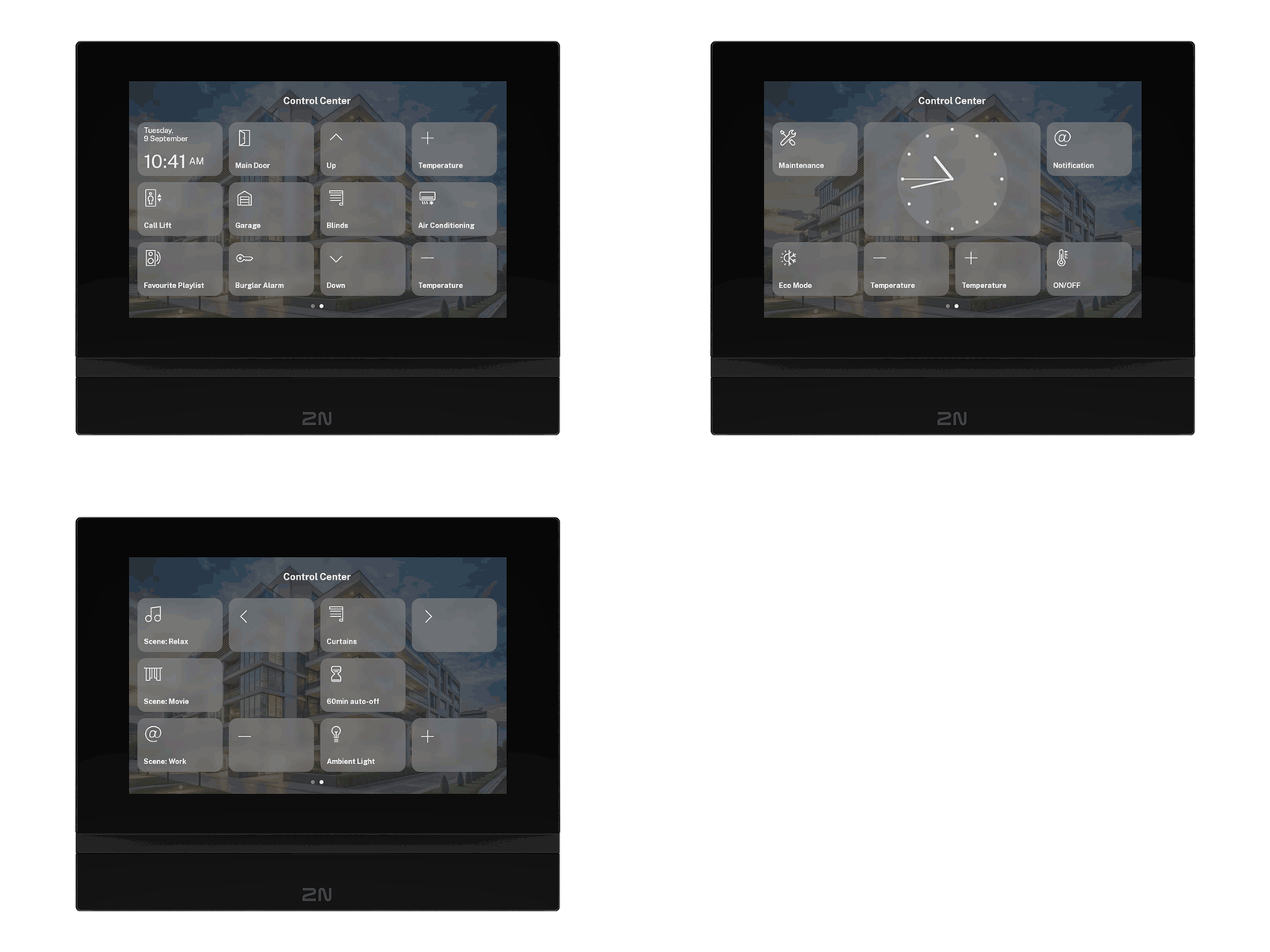
The latest 2N OS 2.49 introduces a brand-new Control Center screen on the 2N Indoor View. It allows you to create up to 12 virtual buttons that send HTTP commands. Can you imagine all the integration potential?

Expanded smart home capabilities
Previously, you could assign up to three different HTTP commands across three different screens.
- Home screen
- During a call or call preview
- While streaming a third-party camera
These options remain available. But now, with the new Control Center screen, you can go further by adding up to 12 customizable buttons on a dedicated interface.
Residents can easily switch between the standard and Control Center screens with a swipe, and you can choose which one appears by default.
12 customizable buttons for HTTP commands
The Control Center screen is arranged in four columns and three rows. You can use as many buttons as needed, name each one, and choose from 23 icons to match the function.
Examples of what you can control:
- Open door (main door, garage)
- Call the lift to your floor when leaving the apartment
- Switch ON/OFF air conditioning as well as raise and lower the temperature
- Raise/lower blinds
- Activate/deactivate the alarm
- Play music and adjust volume
- Trigger welcome/goodbye scenes
- Switch ON/OFF lights as well as set preset light scenes
- Call for assistance
- And much more
Make it yours: Customize clock and background settings
As mentioned above, you can set the Control Center screen as the default view. In that case, a clock might come in handy. You can choose between an analogue or digital display and even enlarge it to span four button spaces instead of one, so residents can easily see the time from a distance.
You can further tailor the experience by adding a background image.
How to set it up
- Go to Services > Control Center.
- Choose between HTTP request or Clock
- For HTTP request, enter the button name, select the icon, fill in the URL, username, and password (if needed)
- For the Clock, choose analogue or digital and adjust size as needed
What’s next?
We’re working on bi-directional communication, which will allow the 2N Indoor View to display responses from third-party systems, bringing even deeper integration. For example, it could confirm whether an alarm is armed or disarmed, show the current room temperature, display the track currently playing, and much more.
Bring more smart features to your projects
The 2N Indoor View with 2N OS 2.49 adds powerful new tools for smart home and building automation. Interested in discovering what they can do?