Battery replacement
LED status
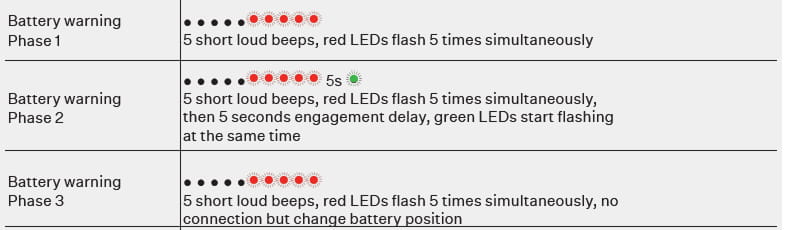
The 2N Fortis Handle and Cylinder can indicate a low battery with its LED lights.
There are three stages of the low battery Warnings.
2N Fortis Handle battery change
Battery type: CR123A 3V battery (1 piece), 3 volts
|
Warning Change the battery only with the door open. As long as the battery is removed, the knob module cannot engage and thus cannot open the door. |
Using the Allen key provided, countersink the screw on the inside of the door handle.
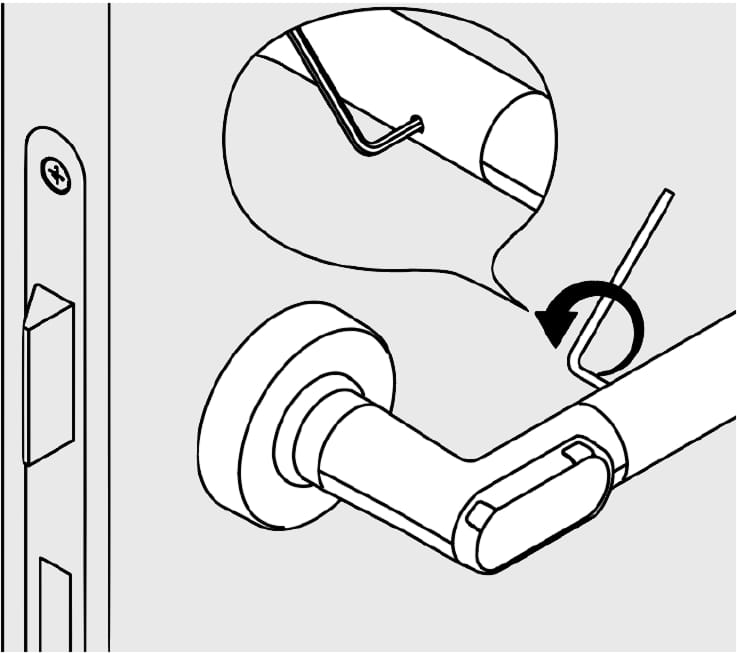
Remove the gripping sleeve
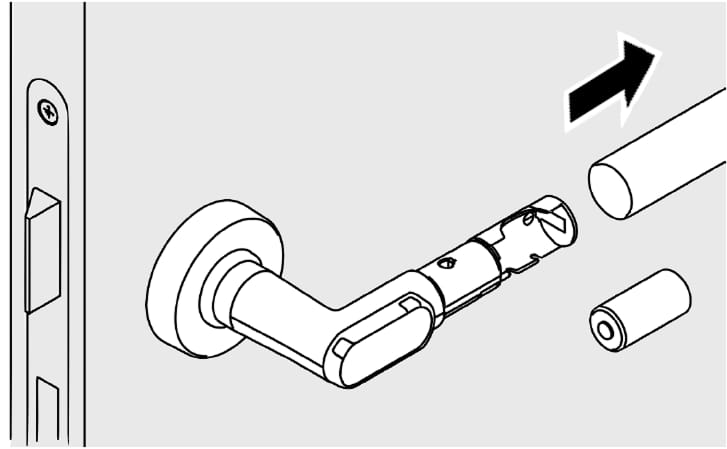
Remove the used battery and insert the new battery, paying attention to the polarity. The minus pole of the battery faces towards the gripping sleeve.
When inserting the battery, the door handle has to be in the initial horizontal position so that the position sensor can be adjusted correctly and the proper functioning can be ensured.
2N Fortis Cylinder battery change
Battery type: CR2 3V (2 units)
|
Warning Change the battery only with the door open. As long as the battery is removed, the knob module cannot engage and thus cannot open the door. |
To replace the battery of the 2N Fortis Cylinder, the battery cover needs to be removed.
There are multiple ways to remove the battery cover.
Using a battery replacement card
Hold the battery replacement card in front of the 2N Fortis Cylinder – the cylinder enters the battery change position.
How to create the Battery replacement card is explained in this FAQ article.
Before this step, it may be necessary to ‘wake up’ the knob module by turning it.
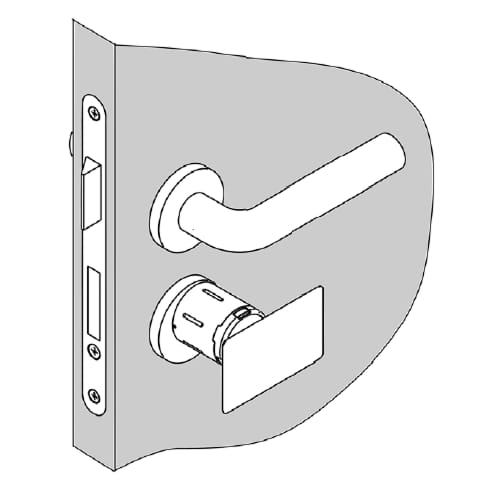
Press in the now unlocked sleeve-locking pin of the knob module with the Battery change tool and simultaneously pull out the sleeve.
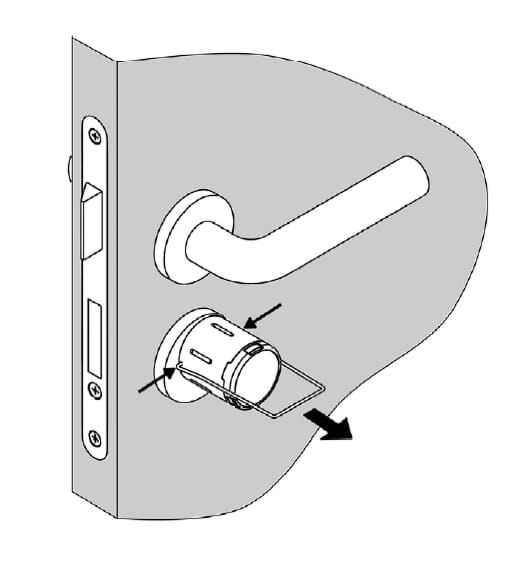
Remove empty batteries and insert the new batteries, paying attention to the polarity.
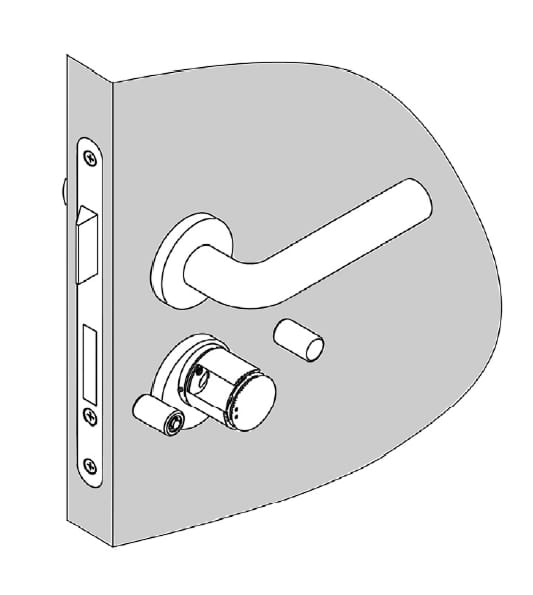
Press locking pins and again slide on the knob module sleeve. Ensure that the locking pin latches correctly in the sleeve.
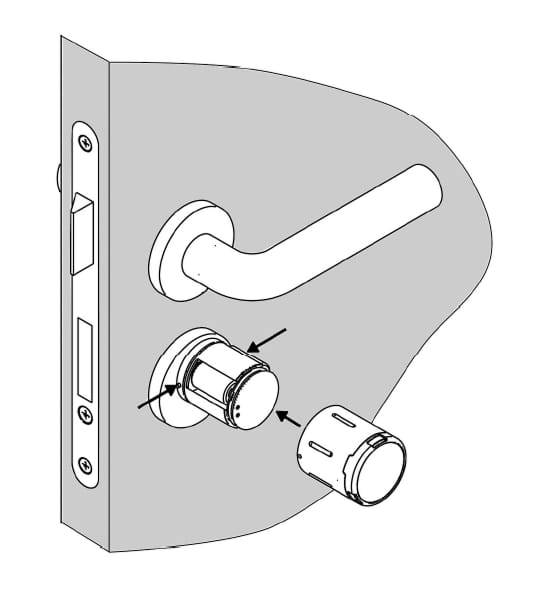
After the battery change, the 2N Fortis Cylinder is still in the battery change position.
By repeating step 1 or by presenting an authorised key, the knob module returns to the home position.
Using 2N Fortis Commander
Use the 2N Fortis Commander to connect to the 2N Fortis Cylinder as described in this FAQ article.
Click on the "Battery replacement" Button in the Battery replacement section to unlock the battery cover.
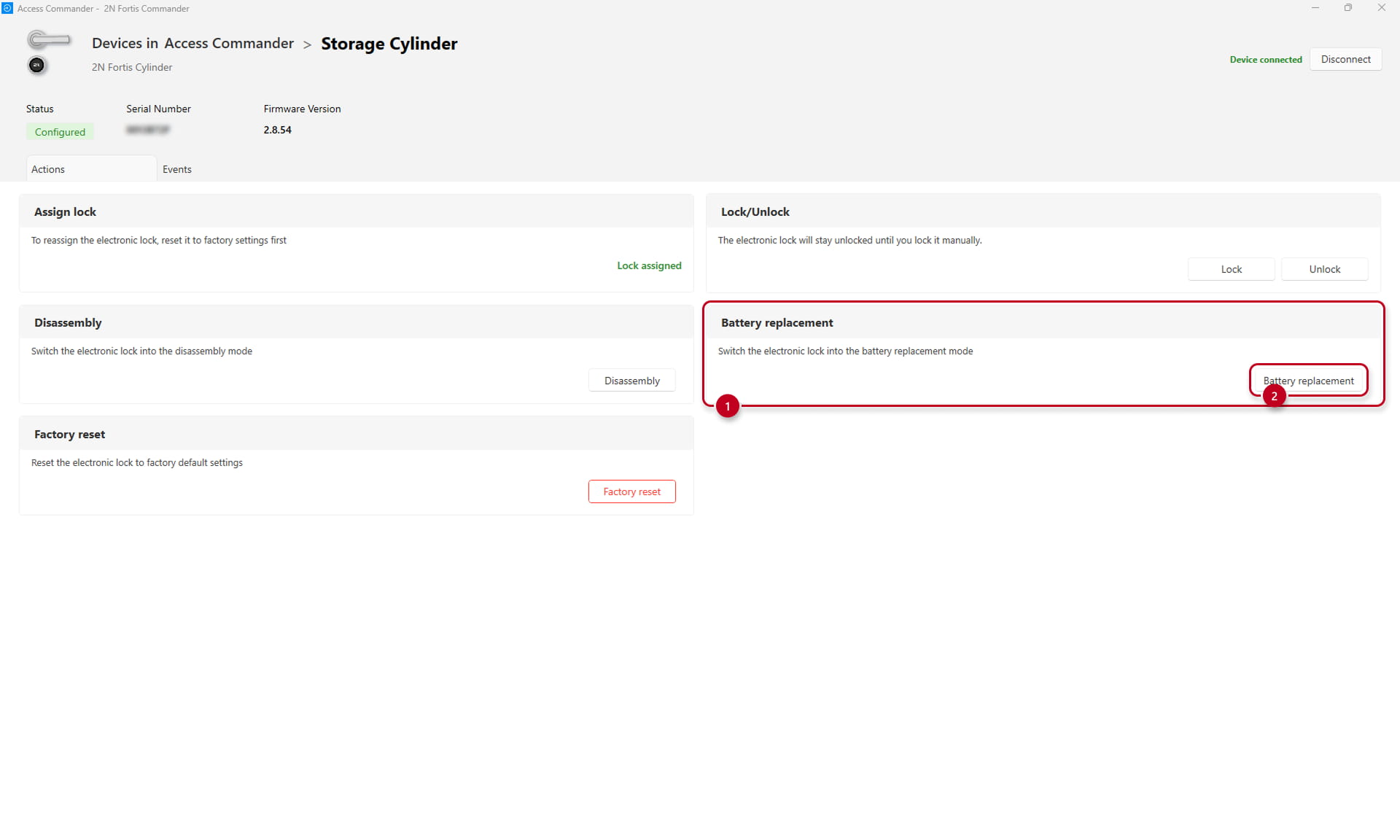
Press in the now unlocked sleeve-locking pin of the knob module with the Battery change tool and simultaneously pull out the sleeve.
Remove empty batteries and insert the new batteries, paying attention to the polarity.
Press locking pins and again slide on the knob module sleeve. Ensure that the locking pin latches correctly in the sleeve.
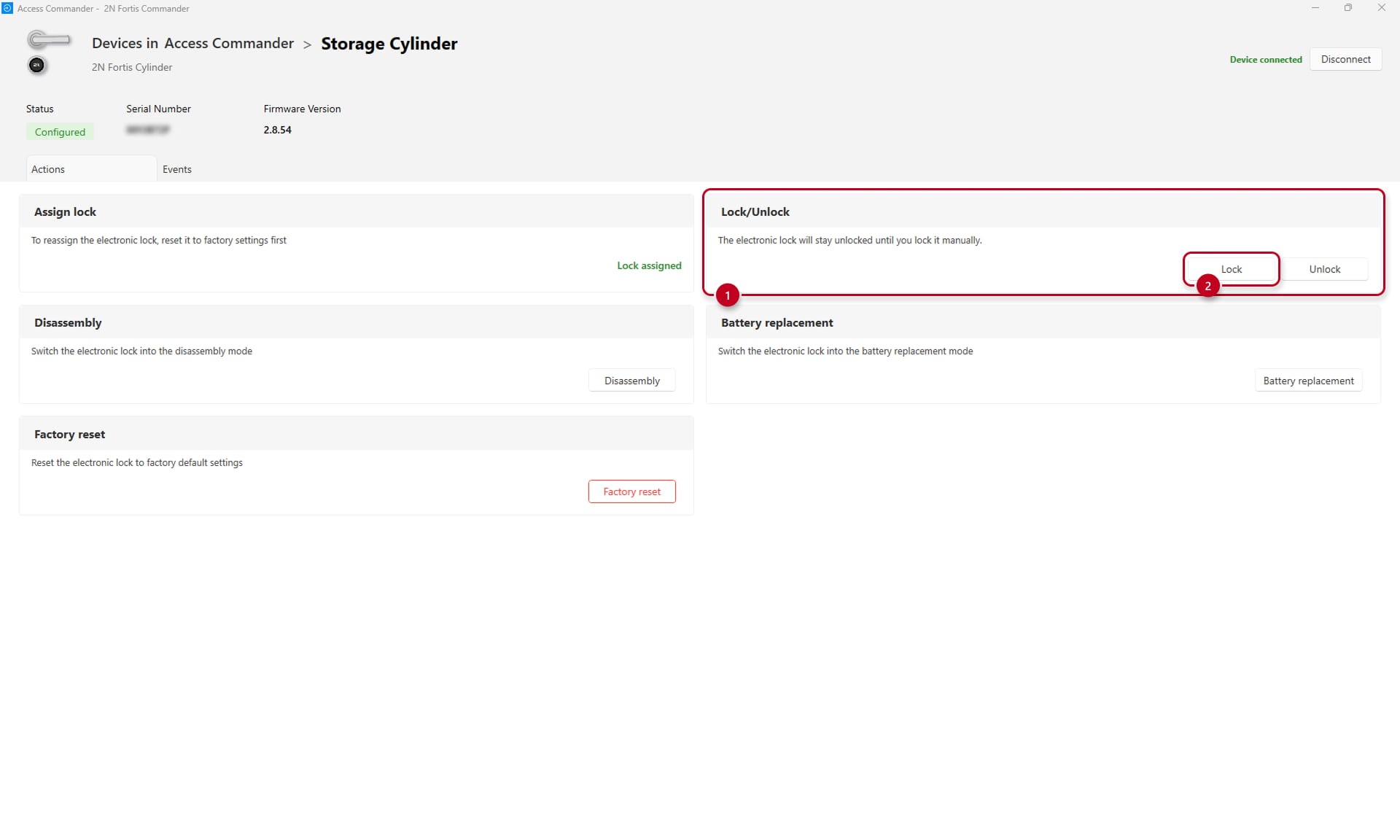
After the battery change, the 2N Fortis Cylinder is still in the battery change position.
By clicking on the "Lock" button in the "Lock/Unlock" section or by presenting an authorised key, the knob module returns to the home position.
Emergency battery replacement when the battery is fully discharged
If the battery is fully discharged, the low-power adaptor set (Order number: 112047203) is required.
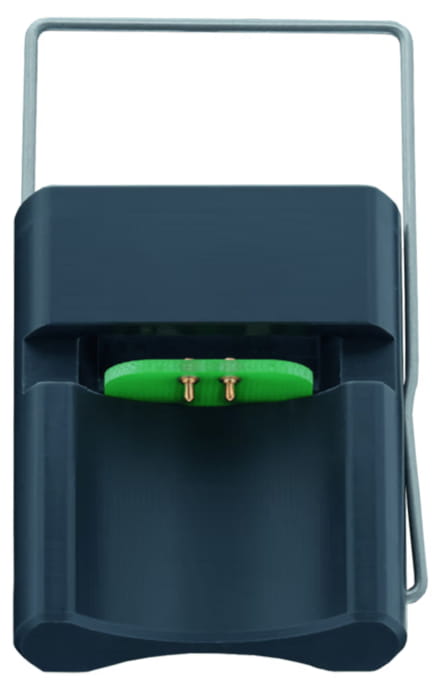
When the 2N Fortis Cylinder's battery is fully discharged, this adapter connects to hidden power terminals beneath the logo disc to temporarily power the device.
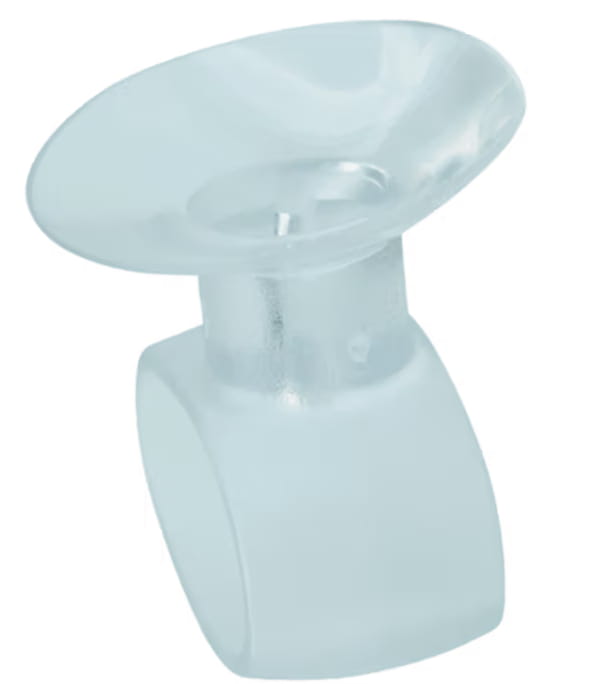
The set includes all necessary tools: the Logo Disc Dismounting Tool for safe access to power terminals and the Battery Exchange Tool for convenient cover removal and battery replacement.
Simply take off the front logo disc using the Logo Disc Dismounting tool, connect the low-power adaptor set to the 2N Fortis Cylinder and use the battery replacement card to unlock the battery cover. Then proceed as described in this section.
Logo Disc Dismounting Tool Low-power adaptor set