-
Connect the OfficeRoute via USB cable and change the Admin password
-
After connecting the USB cable to your PC, a new COM port will be installed. You can be asked for a driver (you can download it from http://www.2n.cz/en/downloads/p=officeroute%7Ccategory=software).
-
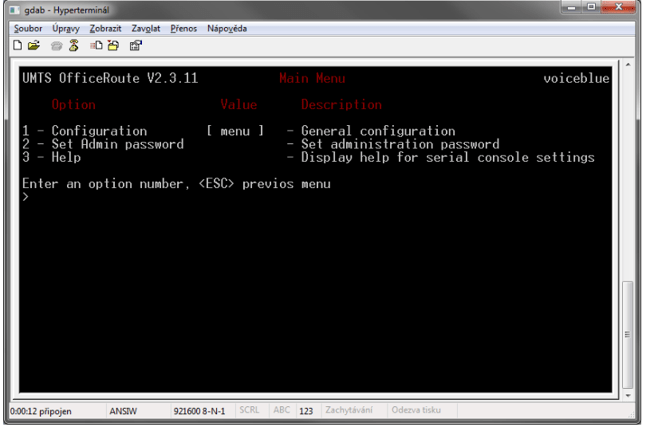
Connect to the OfficeRoute by some terminal software (hyperterminal or putty) via a new virtual COM port which will appear after OfficeRoute connecting. The communication speed is 921600.
-
Press Enter after connecting - the configuration will appear.
-
-
-
You can change the Administrator´s password by pressing 2
-