You can connect up to 4 lifts to single 2N Lift8 Central Unit. To do so, you need to follow certain settings of 2N Lift8 Central Unit and meet specific restrictions and requirements in such connection.
Prerequisites
2N Lift8 Central Unit with communication module ( latest firmware recommended )
4x 2N Lift8 Audio Unit - COP ( one for each elevator )
USB cable (optional)
Computer with installed 2N Lift8 Service tool (optional)
Step by step guide
-
When 2N Lift8 Central Unit is powered up, please access its programming using 2N Lift8 Service tool and setup parameter 994 (Enable 4-lift version) to value 1.
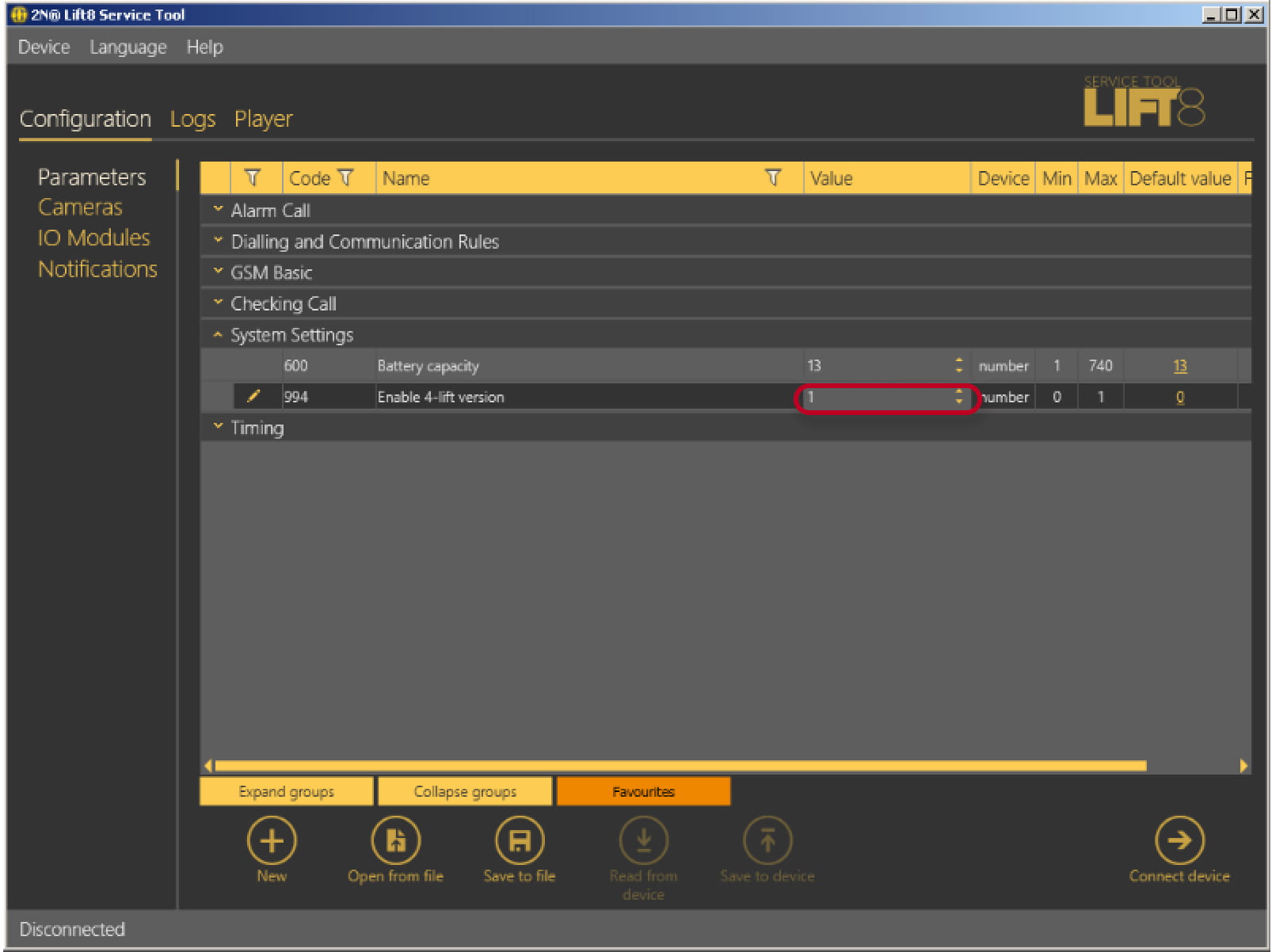
In case you cannot connect computer to 2N Lift8 Central Unit, you are able to set this parameter by calling to 2N Lift8 Central Unit by phone and by using DTMF to set parameter 994 to value 1. -
Install each of 2N Lift8 Audio Unit - COP to single elevator. In this setup you can use only one 2N Lift8 Audio Unit - COP in each elevator and shaft in total.
-
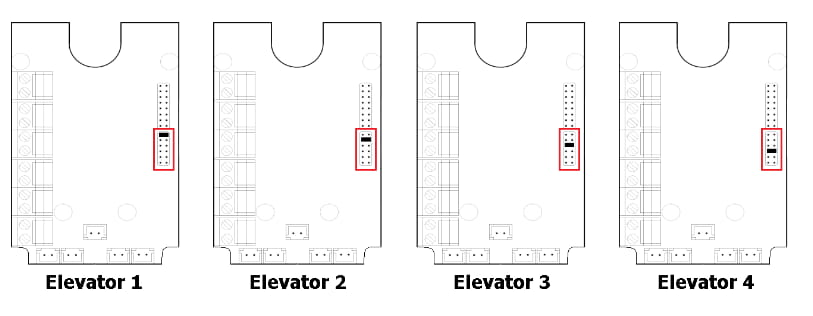
Jumper each 2N Lift8 Audio Unit - COP to different position for each elevator as show on image below.
-
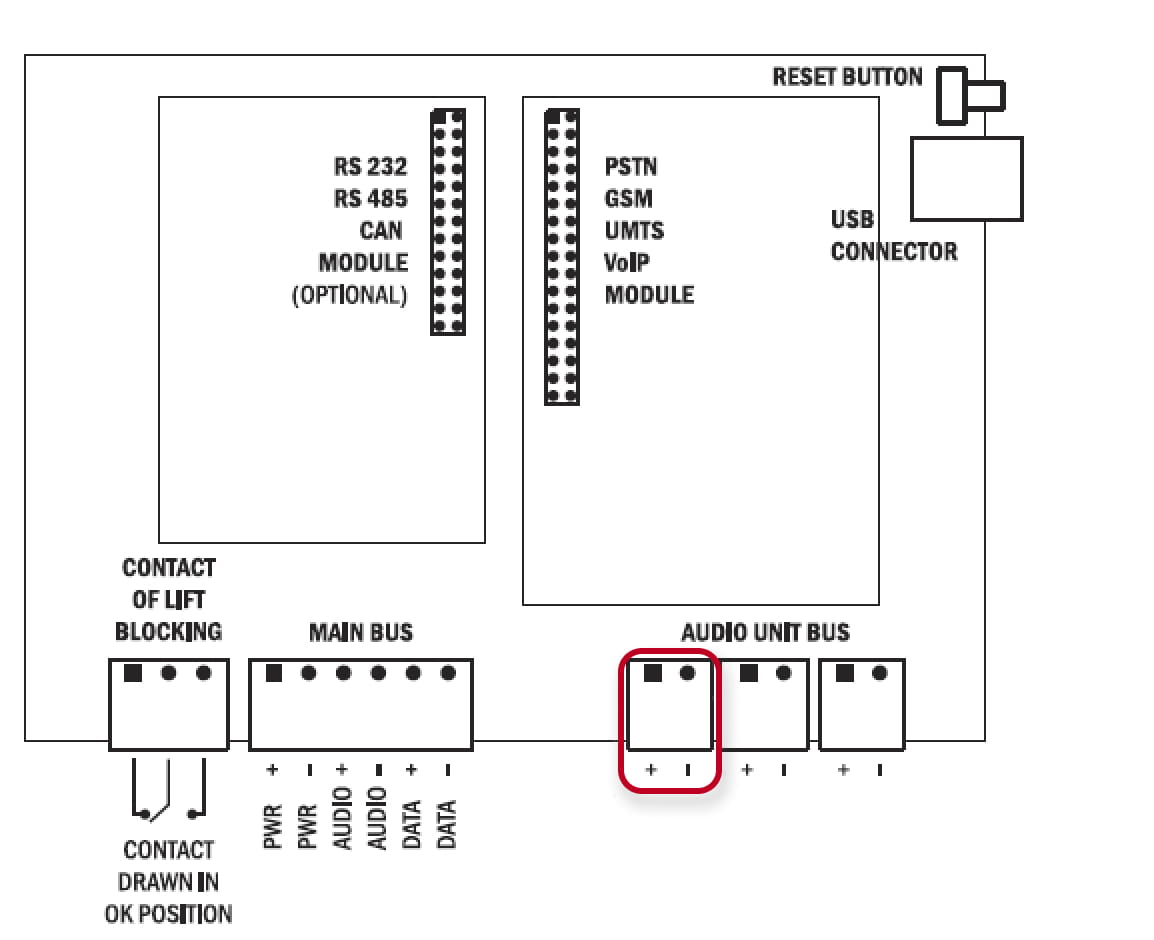
You can Interconnect each of 2N Lift8 Audio Unit - COP with 2N Lift8 Central Unit using two wire cable to same one audio port in 2N Lift8 Central Unit.
Please follow + and - polarity of cables of each 2N Lift8 Audio Unit - COP.
You can also connect other audio units such as 2N Lift8 Audio Unit - Shaft and 2N Lift8 Audio Unit - Compact instead of 2N Lift8 Audio Unit - COP. Please refer to manual for correct position jumper settings of those units.