Installation name of 2N Access Commander
The steps in this article require using the web interface of a 2N device. Please follow this manual in case this is your first time using the web interface.
Since the Access Commander 3.2 version it is possible to configure an installation name.
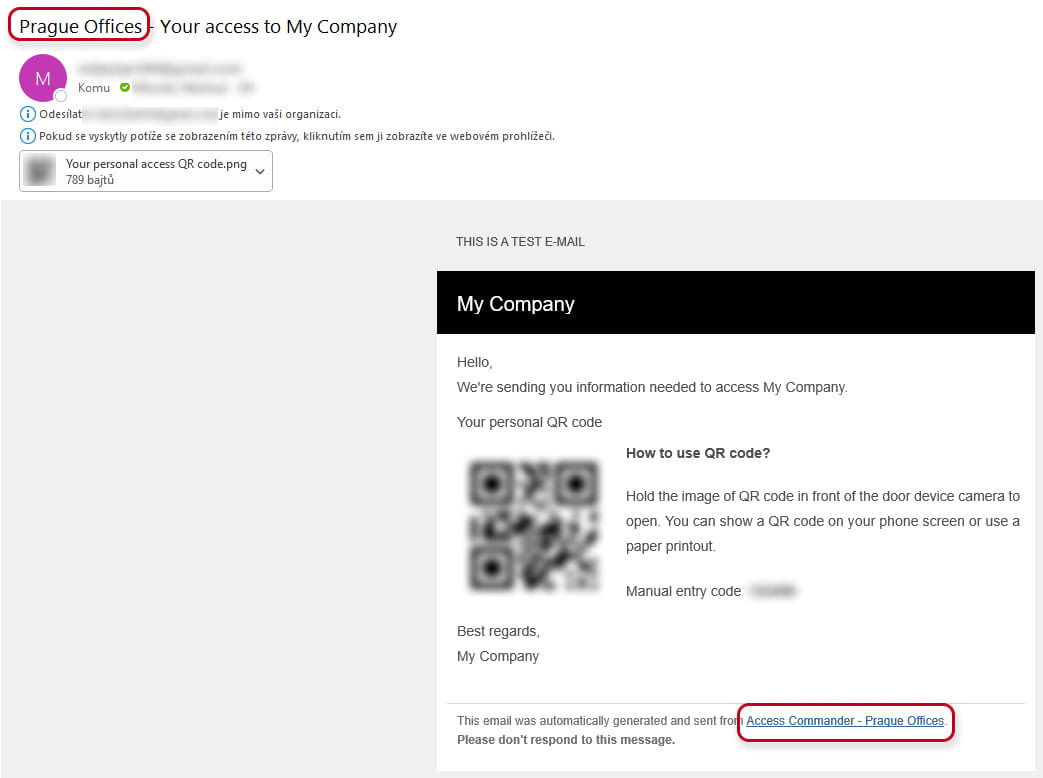
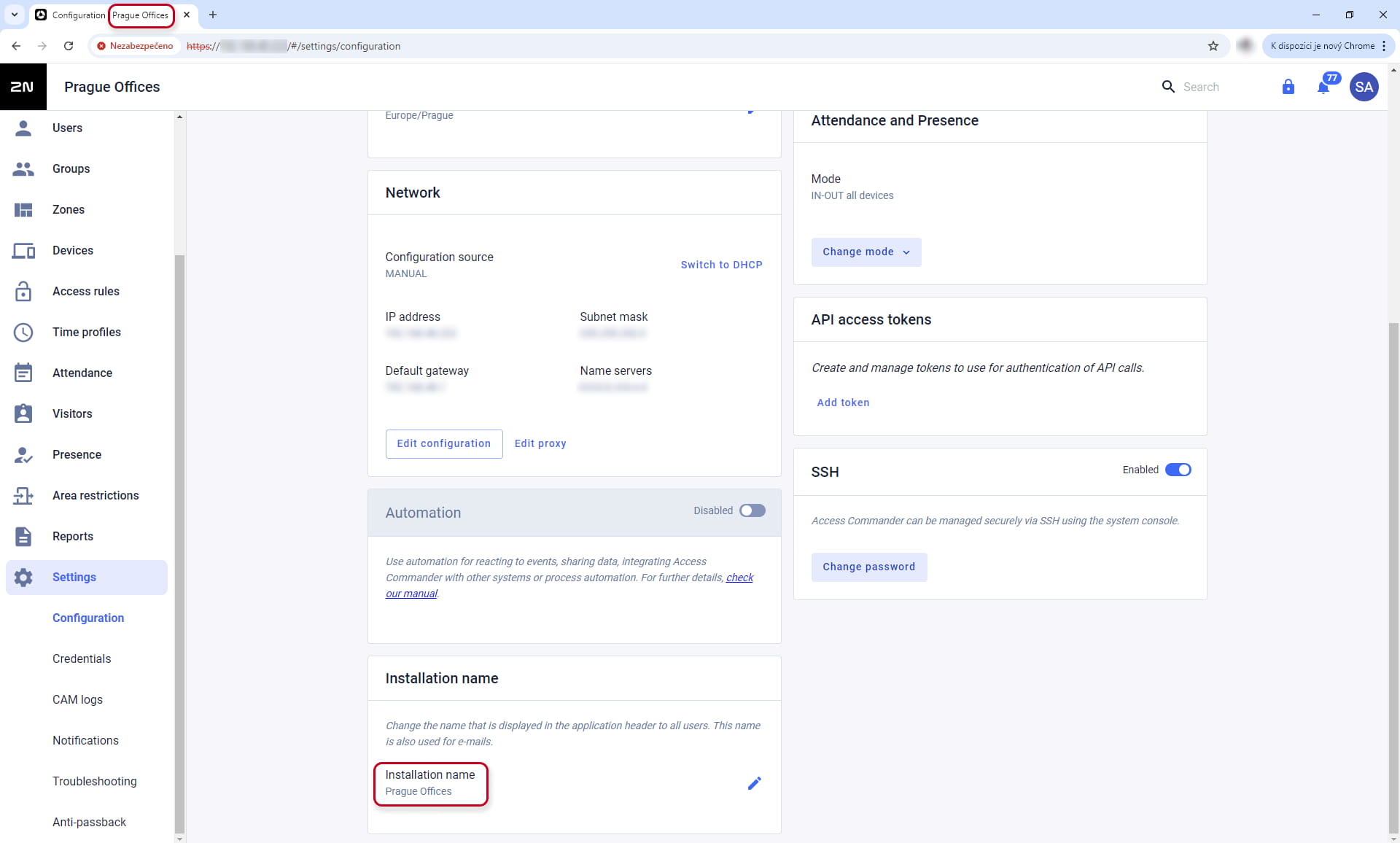
This installation name will be shown in the application header (for example the name of the web browser tab), emails (authorisation credentials emails, system notification emails, etc. and the authenticator app if configured for the user (multifactor authentication).
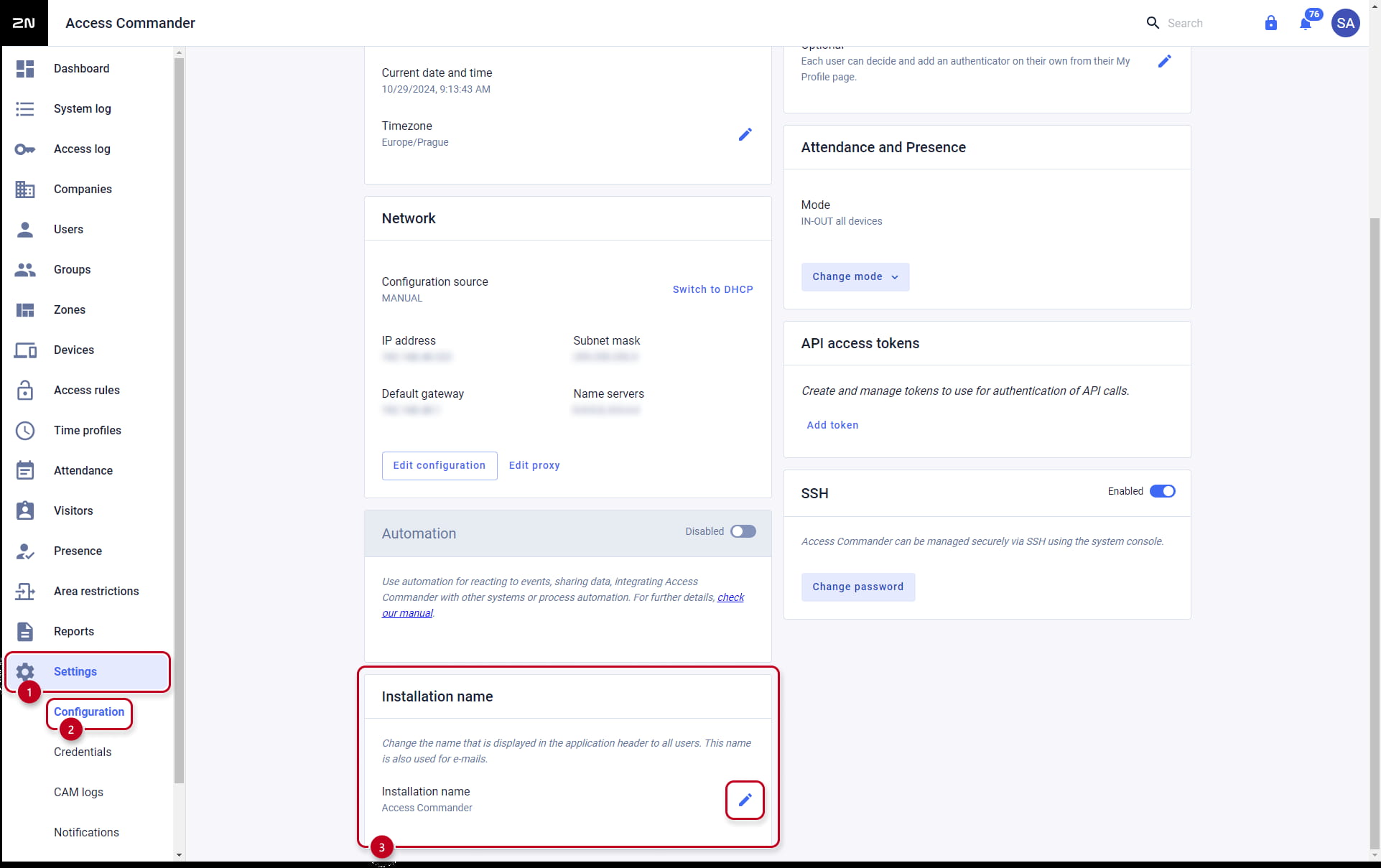
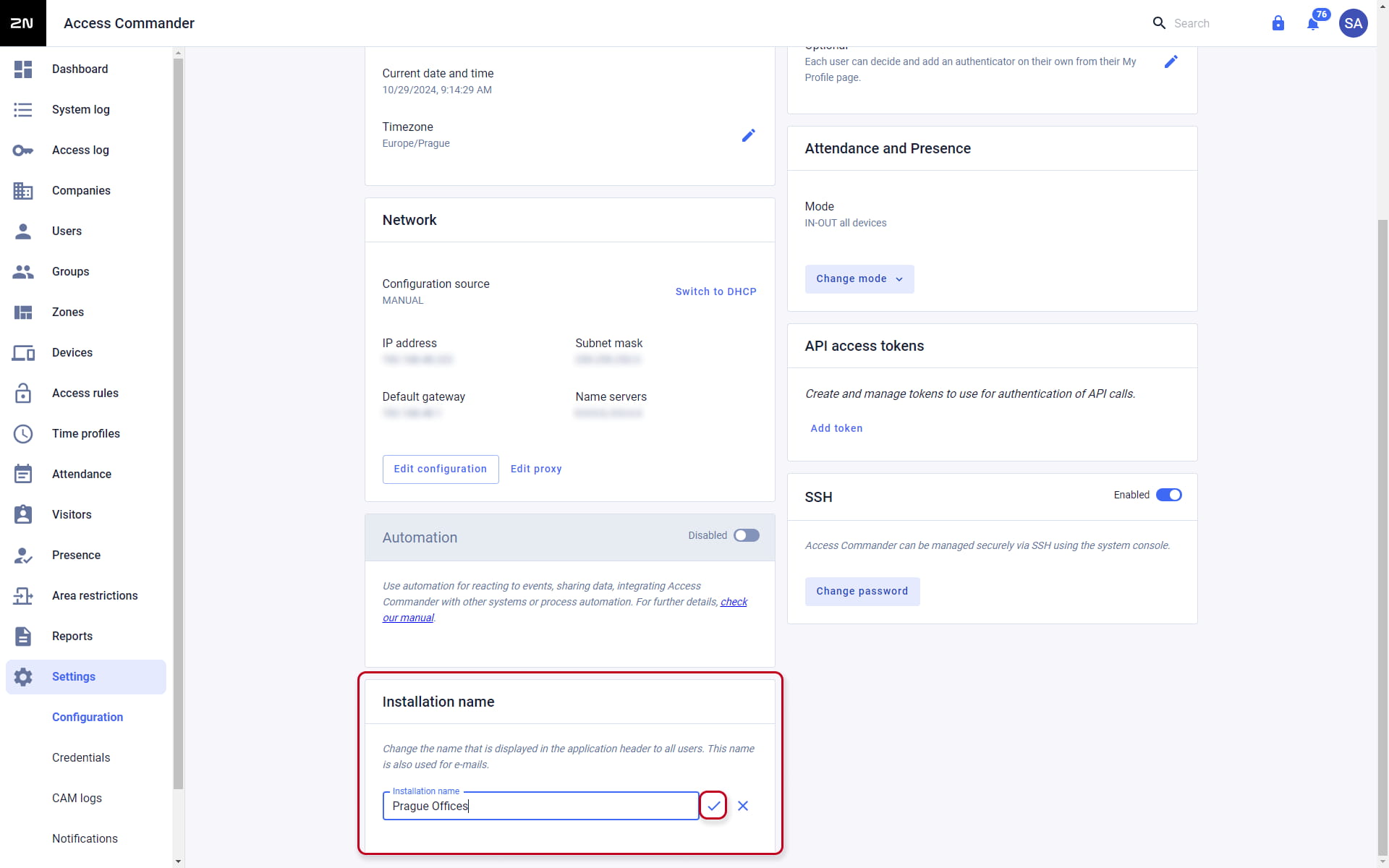
You can set up the installation name in the "Settings -> Configuration -> Installation name" section of the Access Commander web interface. By clicking on the pencil icon you can change the installation name and confirm it with the check icon.
After the installation name is changed, the name will be shown in the two previously mentioned sections. You can find some examples below.
Web browser
Emails