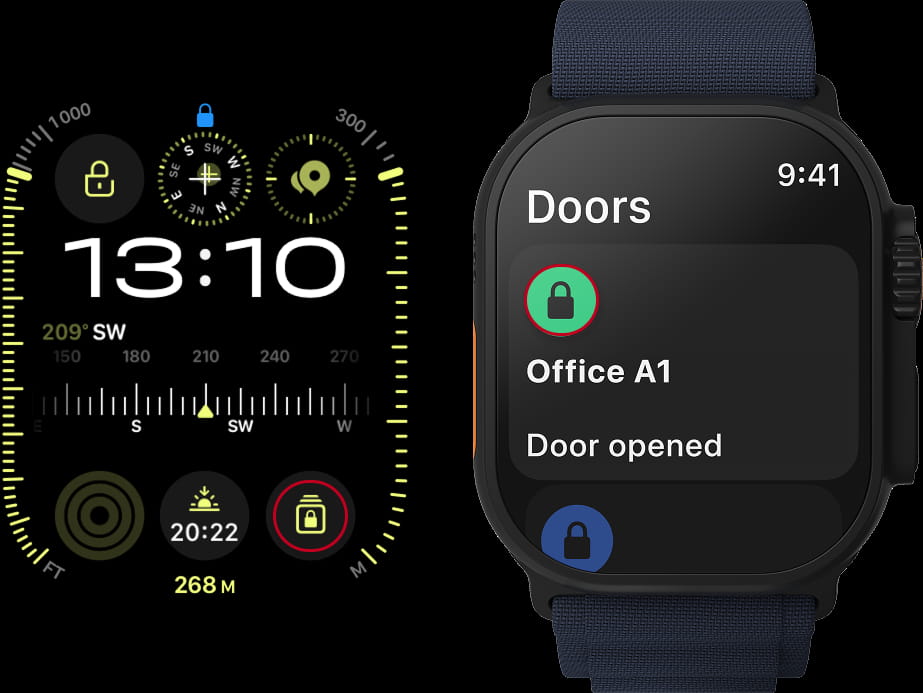
My2N App on AppleWatch Access via complications (widgets)
You already have your Applewatch and you My2N App install on it.
But every single time you have to use the App, you need to search it within all other applications.
There is a way to make it easier, you can use a complication (widget) to open the nearest door with just one tap.
Here are the few steps that will make your experience faster and easier :
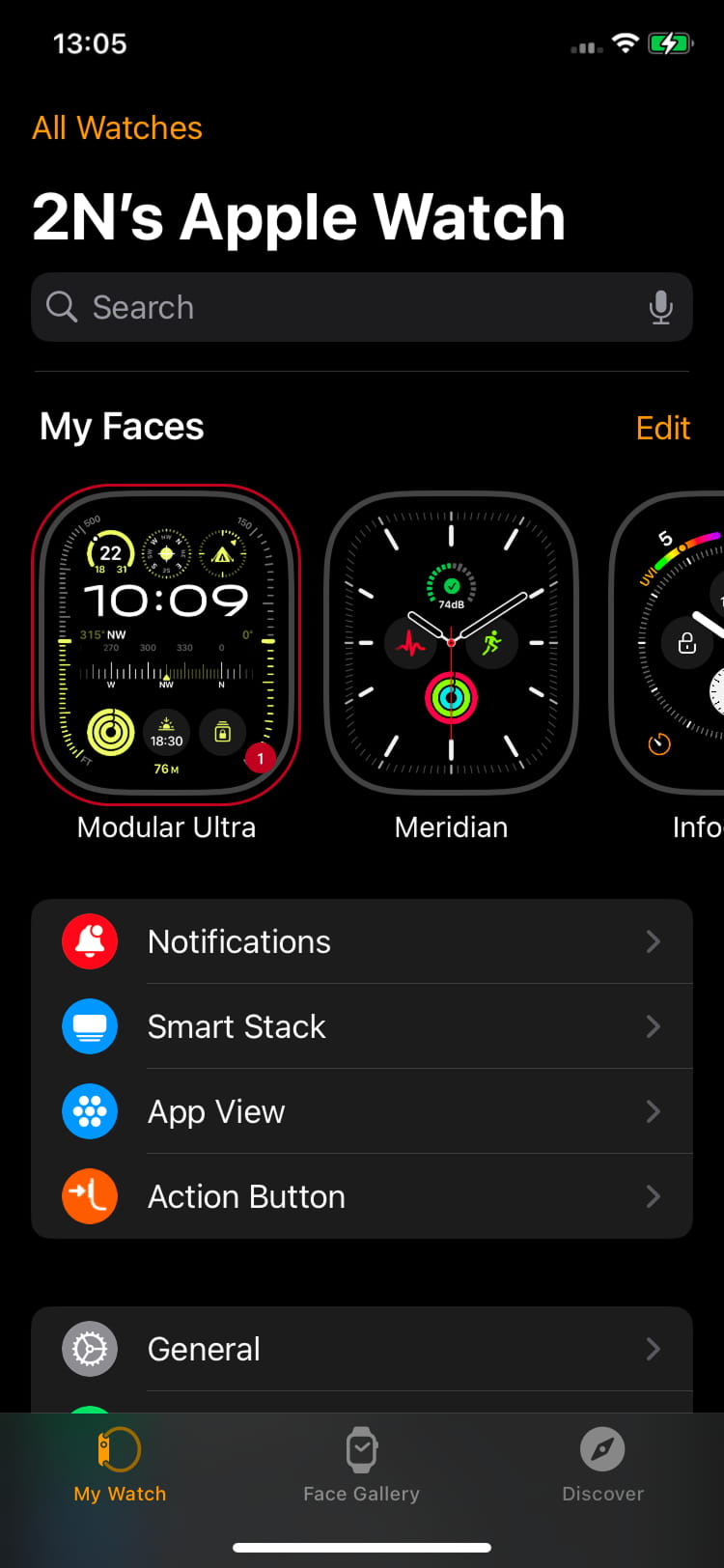
- Go in your iOS mobile, in you AppleWatch App and choose one of your faces (1) by hitting it:
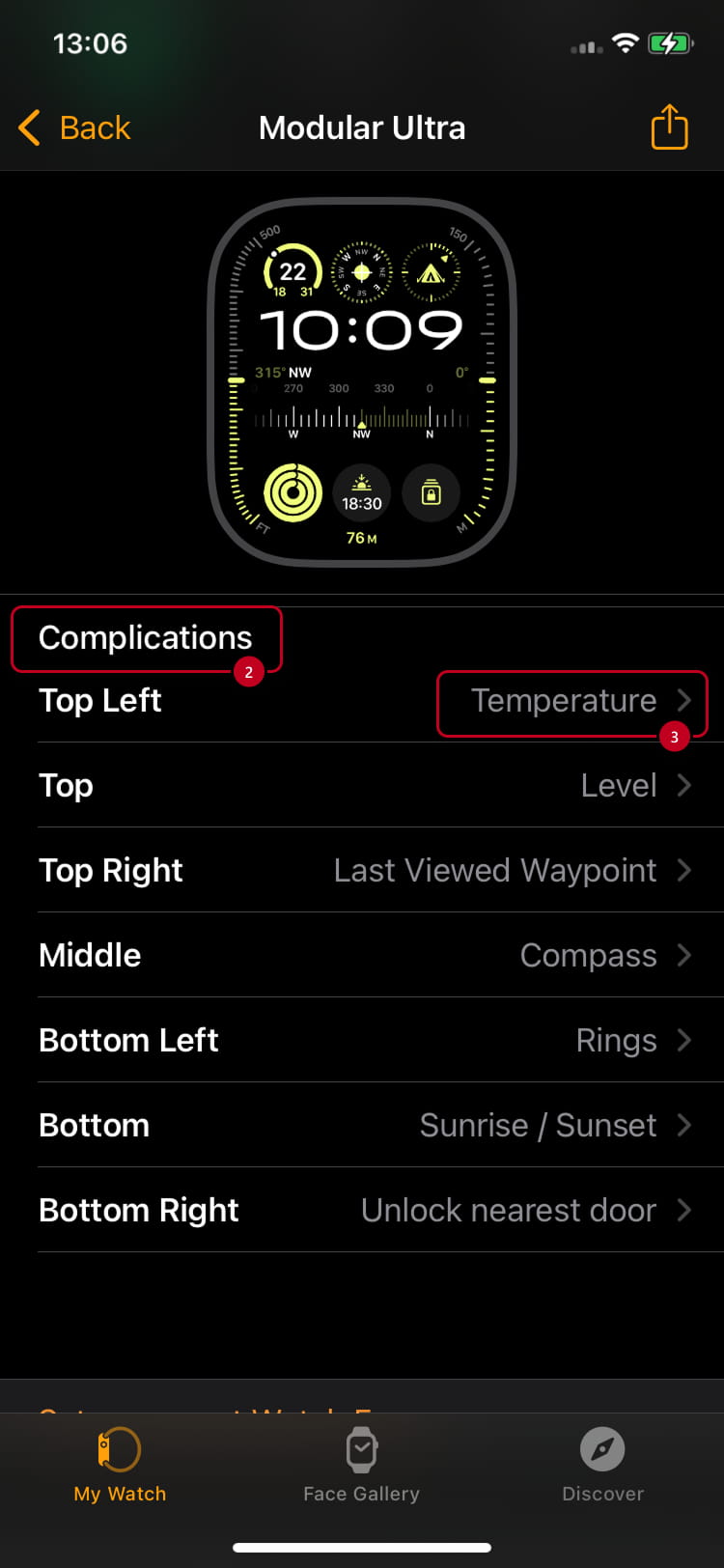
- You will be redireceted automatically to a new section and scrool down until you find the Complications (2). Then you will choose one of the proposed locations where to have the widget located. For the example I have chosen Top Left with Temperature (3) with temperature (but any other is fine)
So hit it . - You will be again redireceted, and again scrool down until you find the option for My2N. You will find 2 choices, Open My2N and Unlock nearest door.
If you choose the first Open My2N (4)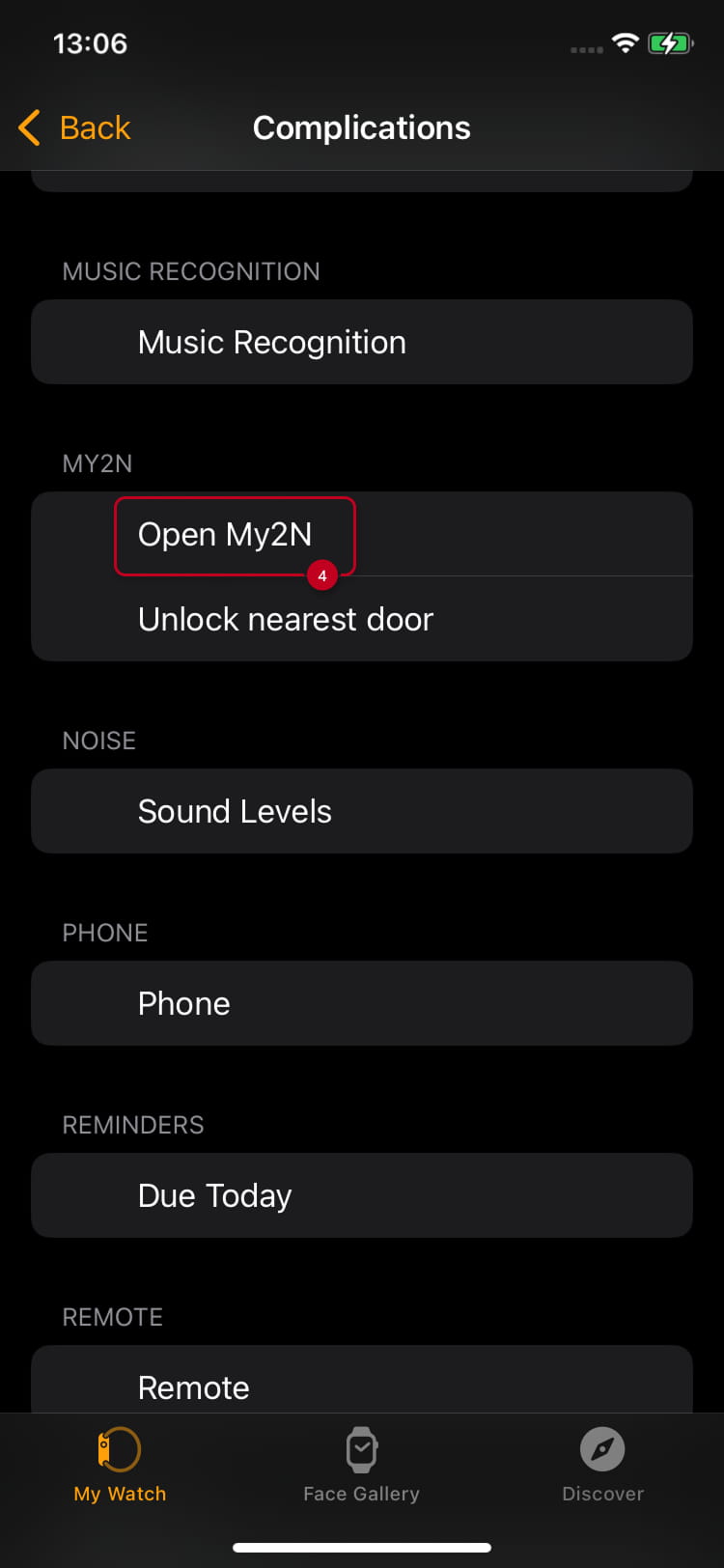
A new icon (widget) will appear on your face in Apple Watch App as in the Apple Watch itself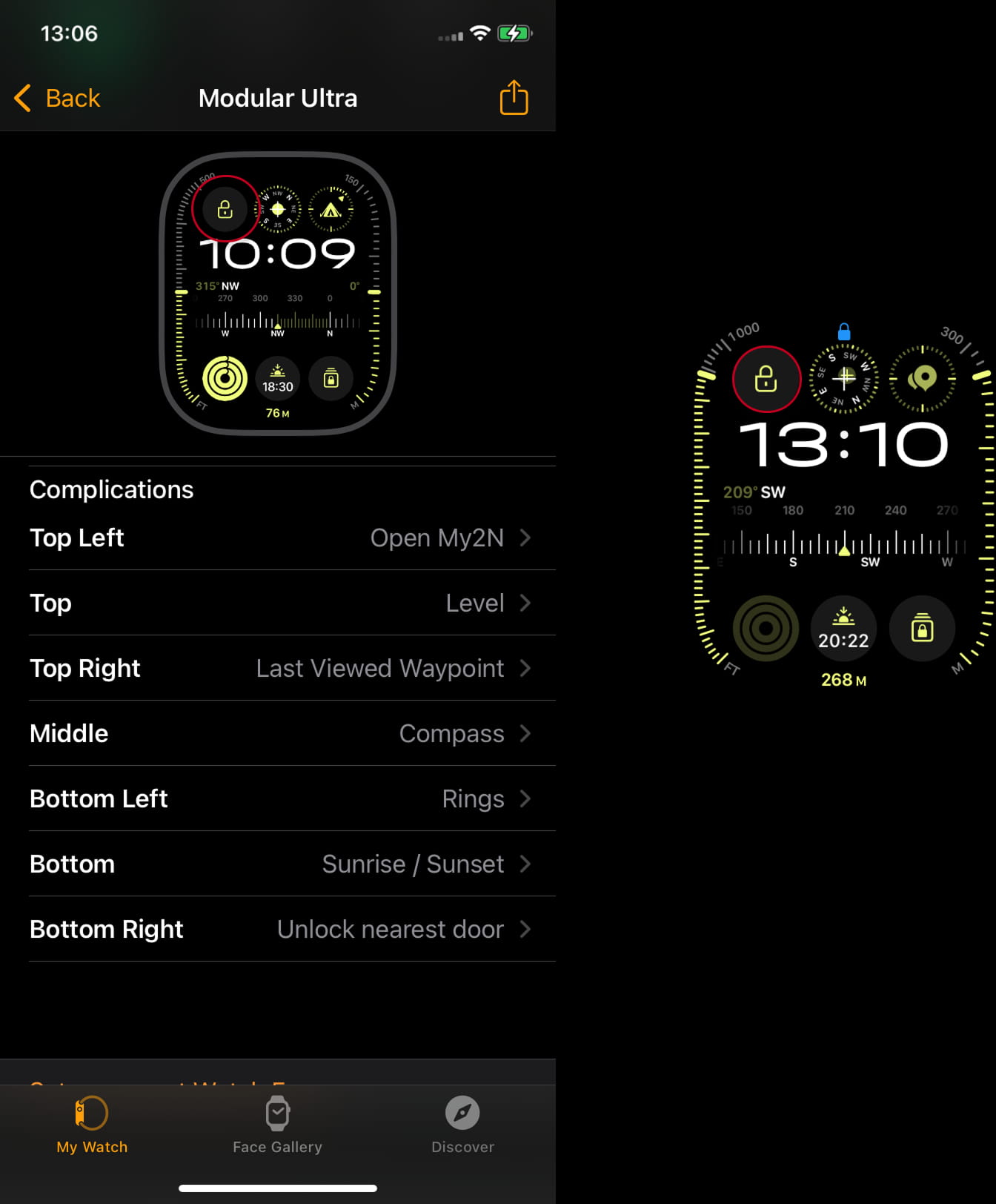
And you will see all the nearest doors if you hit the widget on your AppleWatch: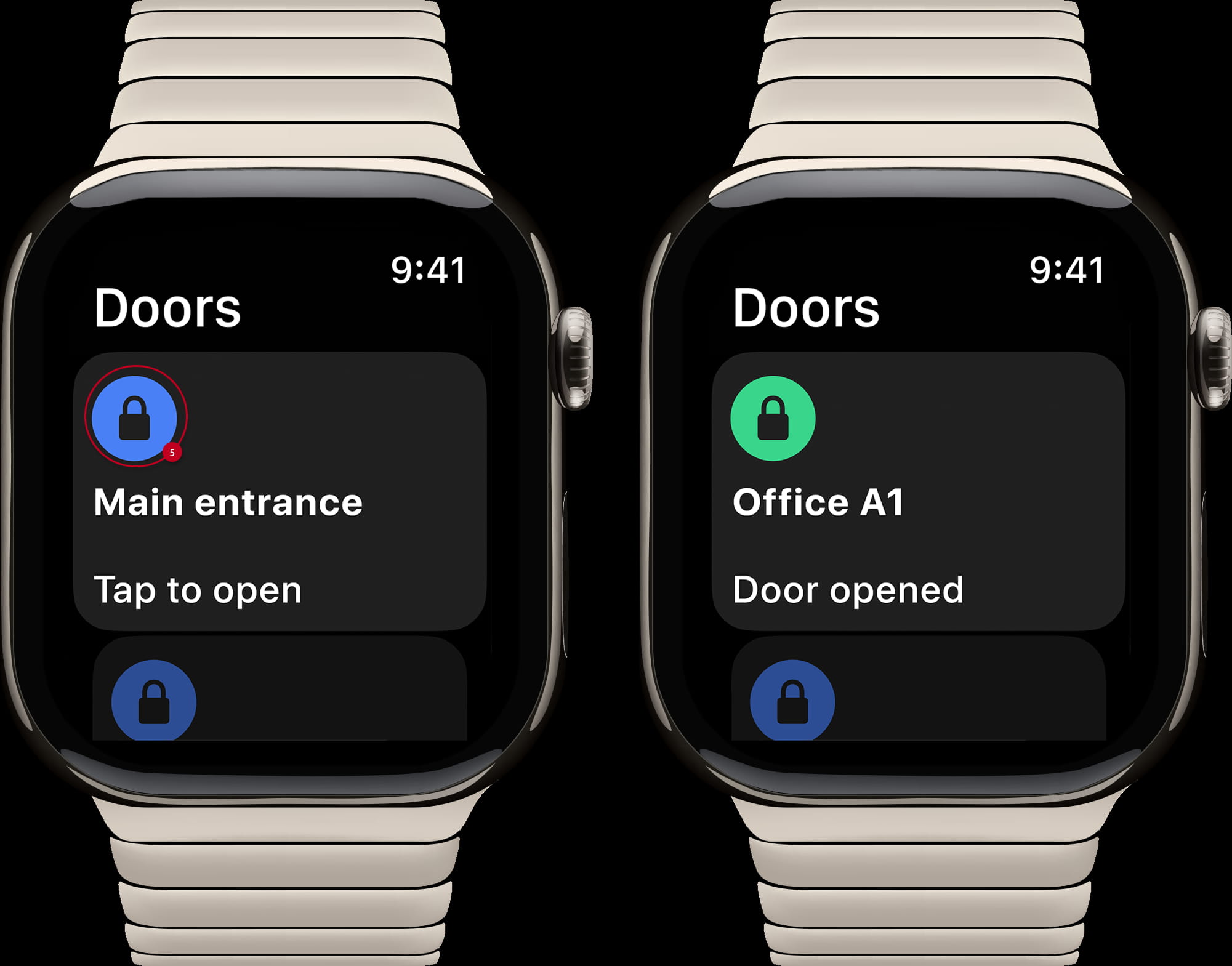
You will choose the door you want to open and hit on it (5). The door will open .
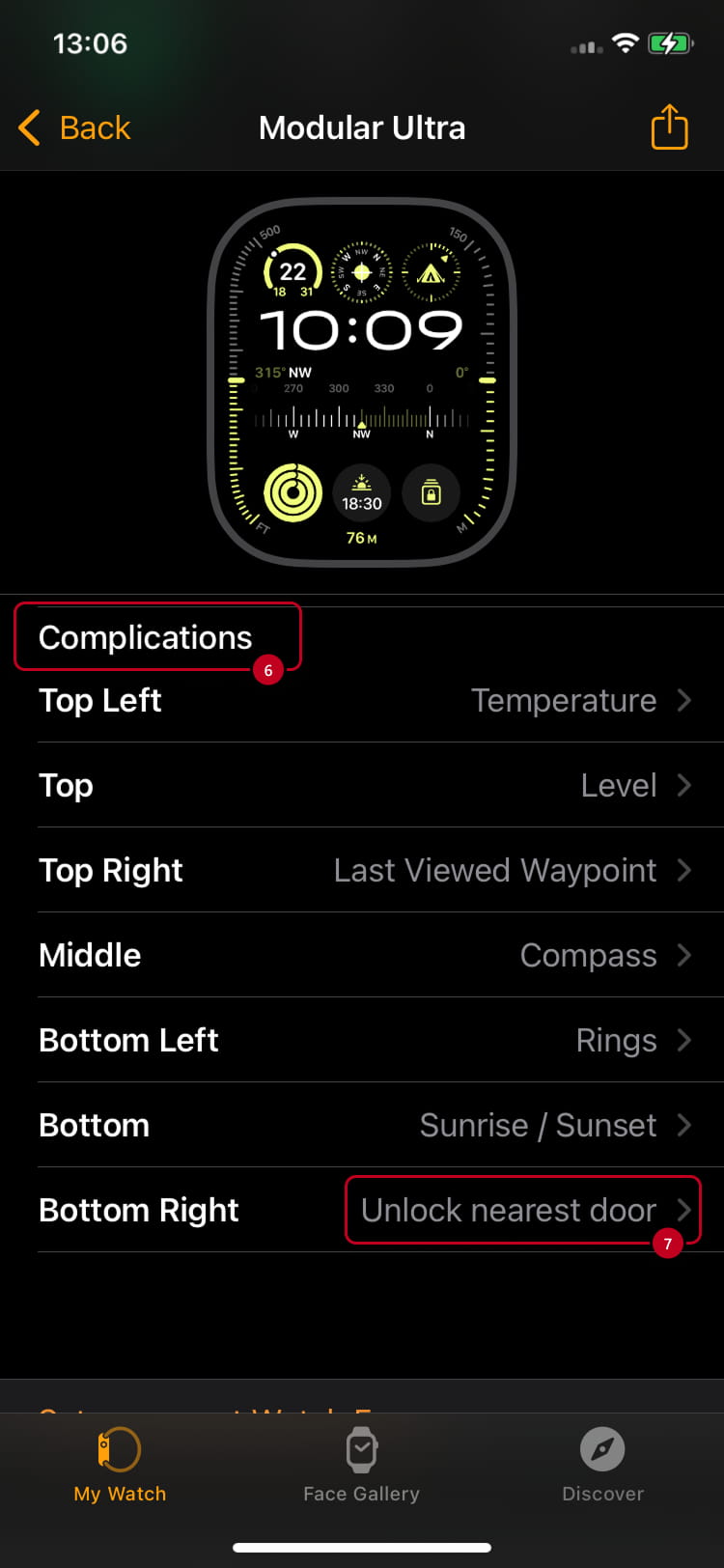
Fot the example following the same process, Complication (6) and choosen the second option, Unlock nearest door (7) on a different location, bottom right
A new icon (widget) will appear on your face in Apple Watch App as in the Apple Watch itself 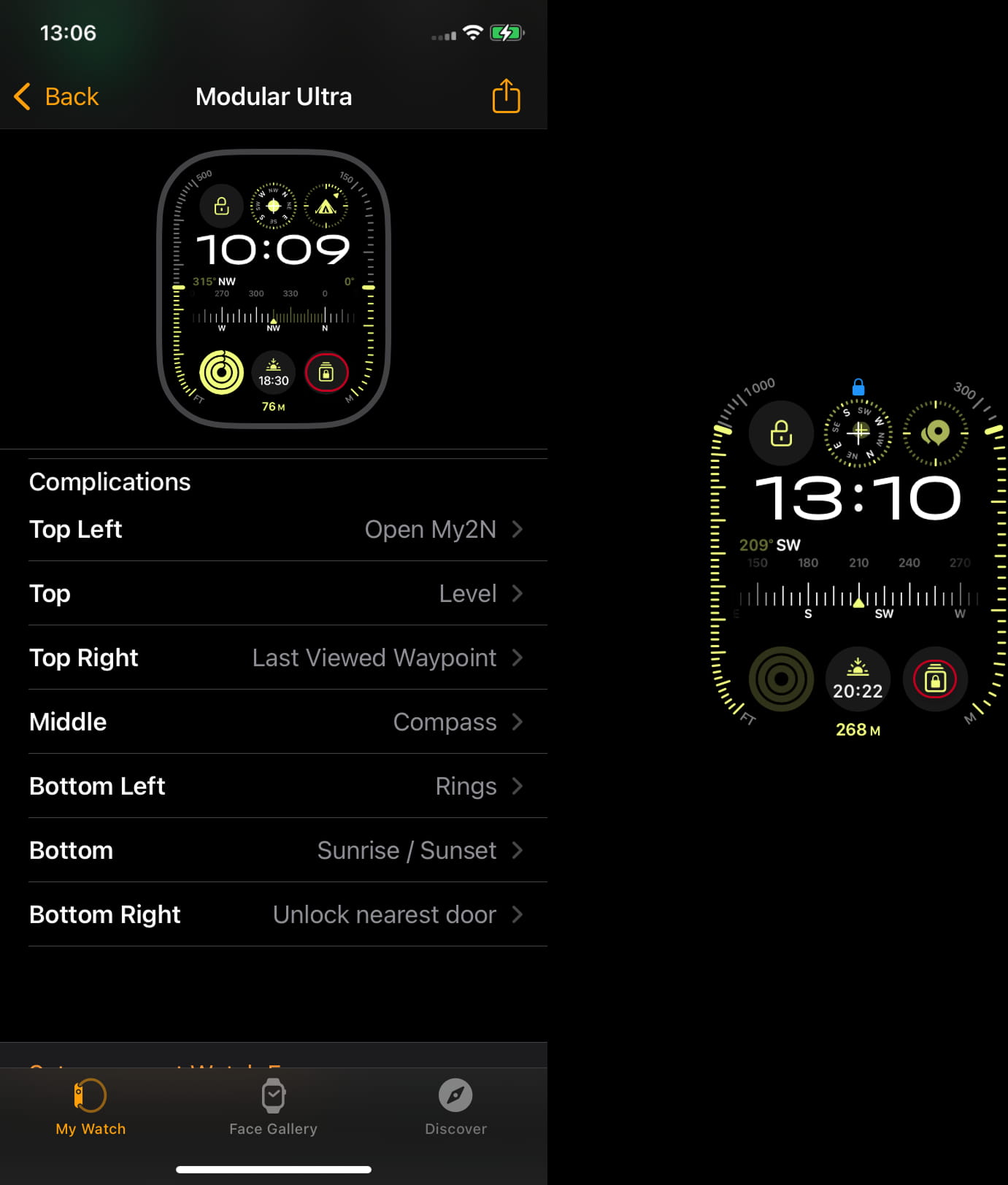
In this case, if you hit this widget, the nearest door will get automatically opened