Enforcer corner IP Camera - 2N Sentrio / LiftIP 2.0
The steps in this article require using the web interface of a 2N device. Please follow this manual in case this is your first time using the web interface.
IP Camera setup:
- Default IP 192.168.1.30 – connect to that IP address an use
-
-
-
-
-
-
-
- ID = admin
- PWD = admin (by default)
-
-
-
-
-
-
-
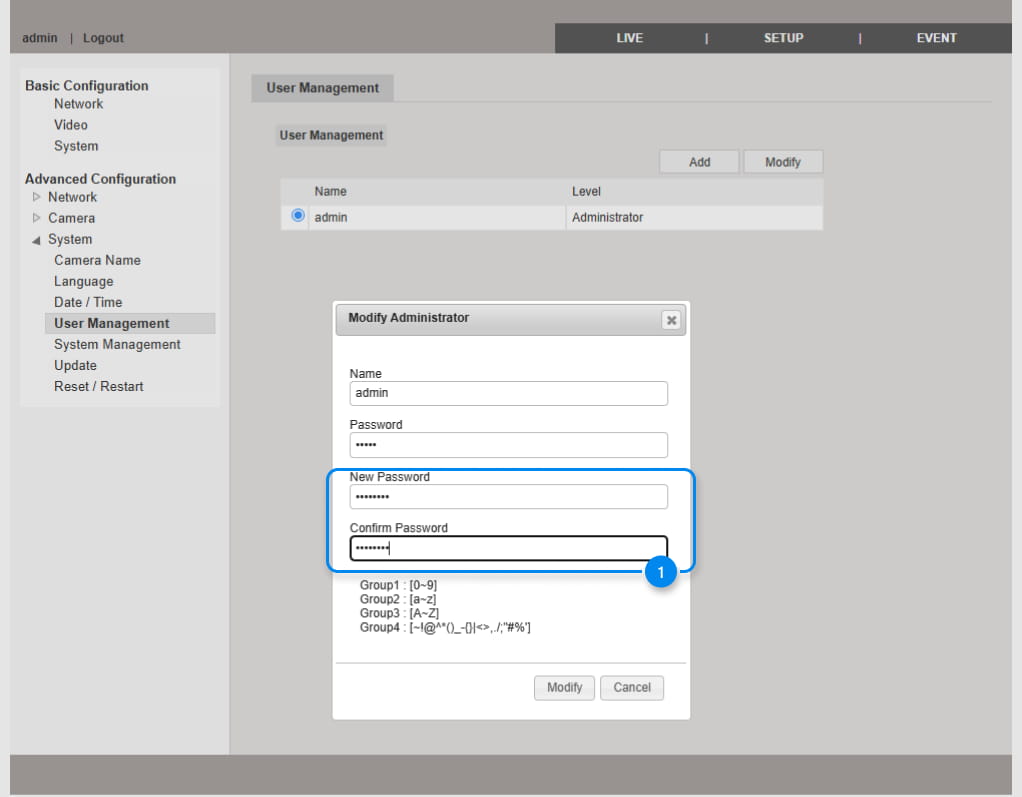
- Change password as below, and save
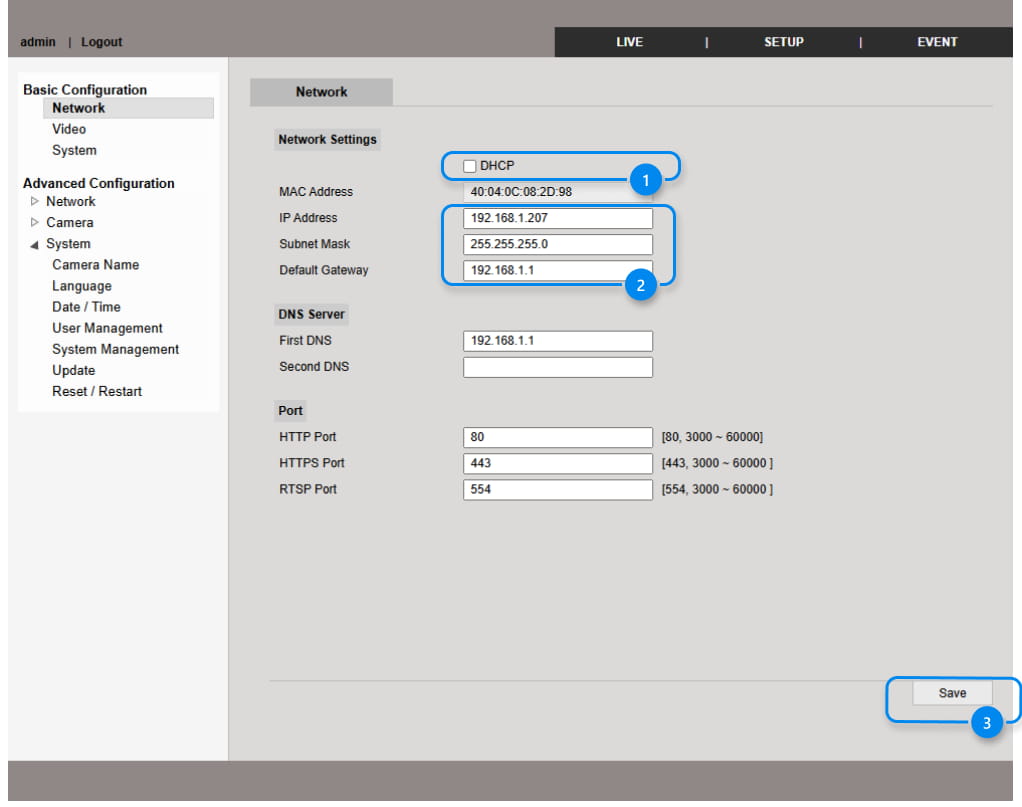
Set new IP address which is compatible in your network you want to use to. And save it.
- As a next step you need to set a Sub Stream for 2N Sentrio / 2N LiftIP 2.0 – Resolutions 1280x720 and 640x480, both are working.
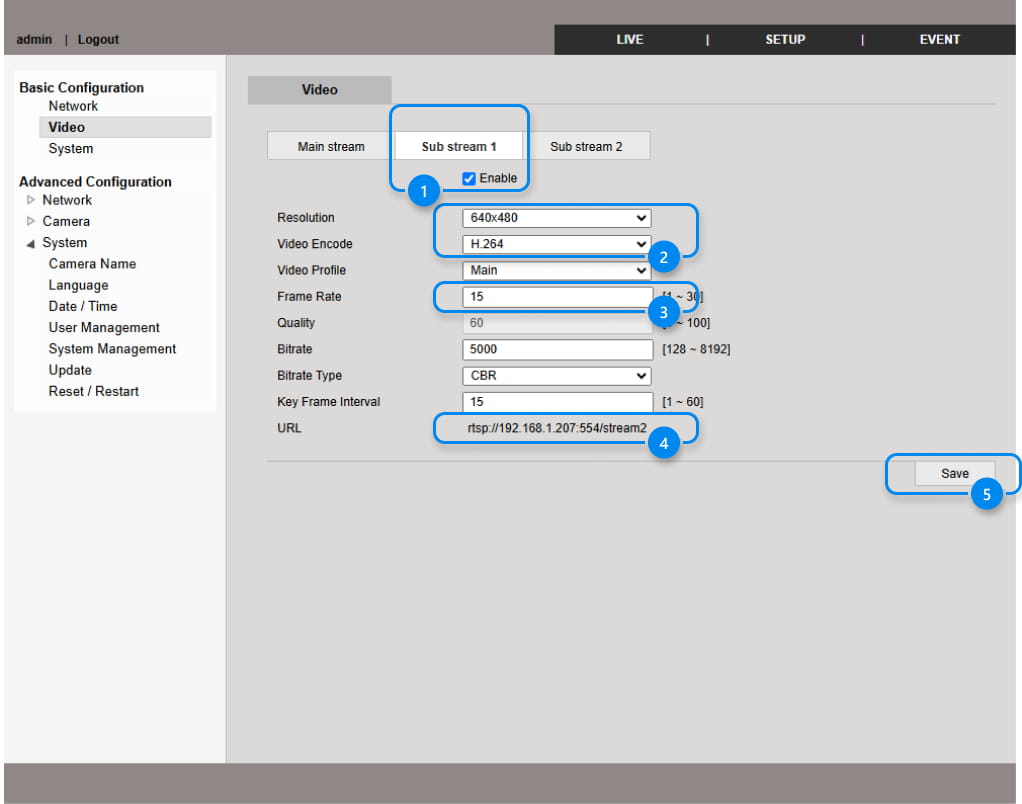
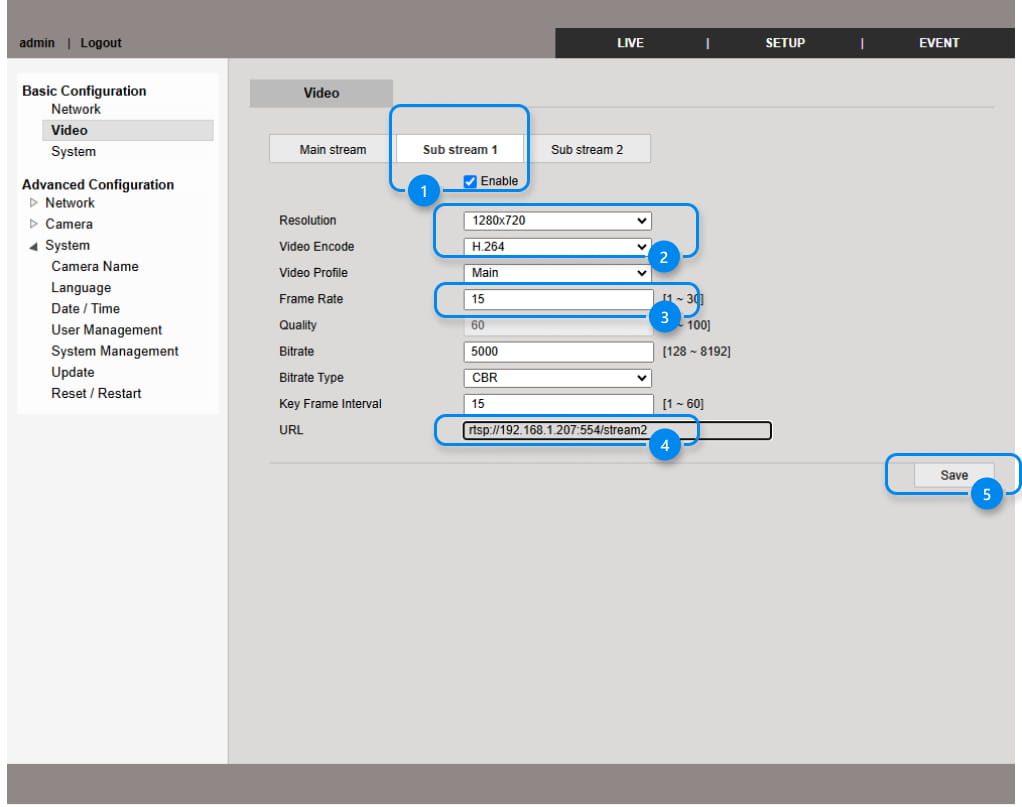
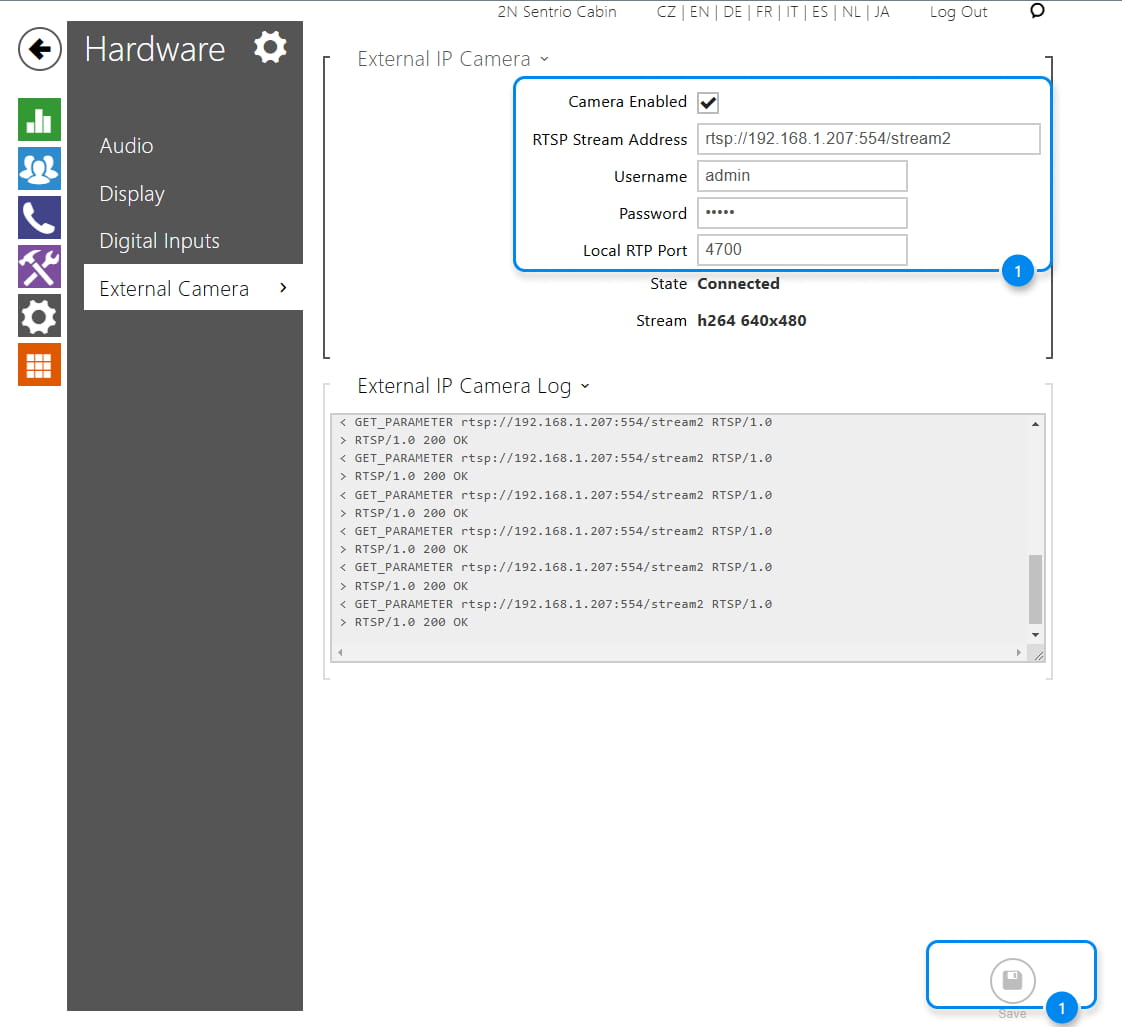
- Copy URL link of that stream and paste it into web config of 2N Sentrio / LiftIP 2.0
- Username = admin
- Password = the same as the PWD to the camera