My2N - 2N Mobile video credit vouchers and licenses
The My2N Management Platform is a powerful cloud-based platform that makes managing and configuring the devices in your project’s solution more efficient. My2N cloud includes video calling from an IP intercom to a smartphone or a tablet, this feature usually requires purchased credits in the site credit pool. Site administrators can purchase the credits themself or order any amount of credits as a voucher from our distributor.
This article describes how our distributors can purchase the credit vouchers from us and how the customers can apply the credit voucher received from the distributor to add the credits to the credit pool. Please click on the part you are interested in and it will be displayed for you.
How to purchase credit vouchers and licenses (our distributors only)
This process can be used by our distributors only. Normal customer's accounts do not allow you to perform such actions. If you are not a distributor and would like to order the credit voucher, please contact your local distributor.
Prerequisites
- Registered account in My2N platform
How to register in My2N platform
- Activated purchasing vouchers by our Customer care
Purchasing the credit voucher
- In your My2N platform account, go to section Subscriptions, licenses and select 2N MOBILE VIDEO VOUCHERS.

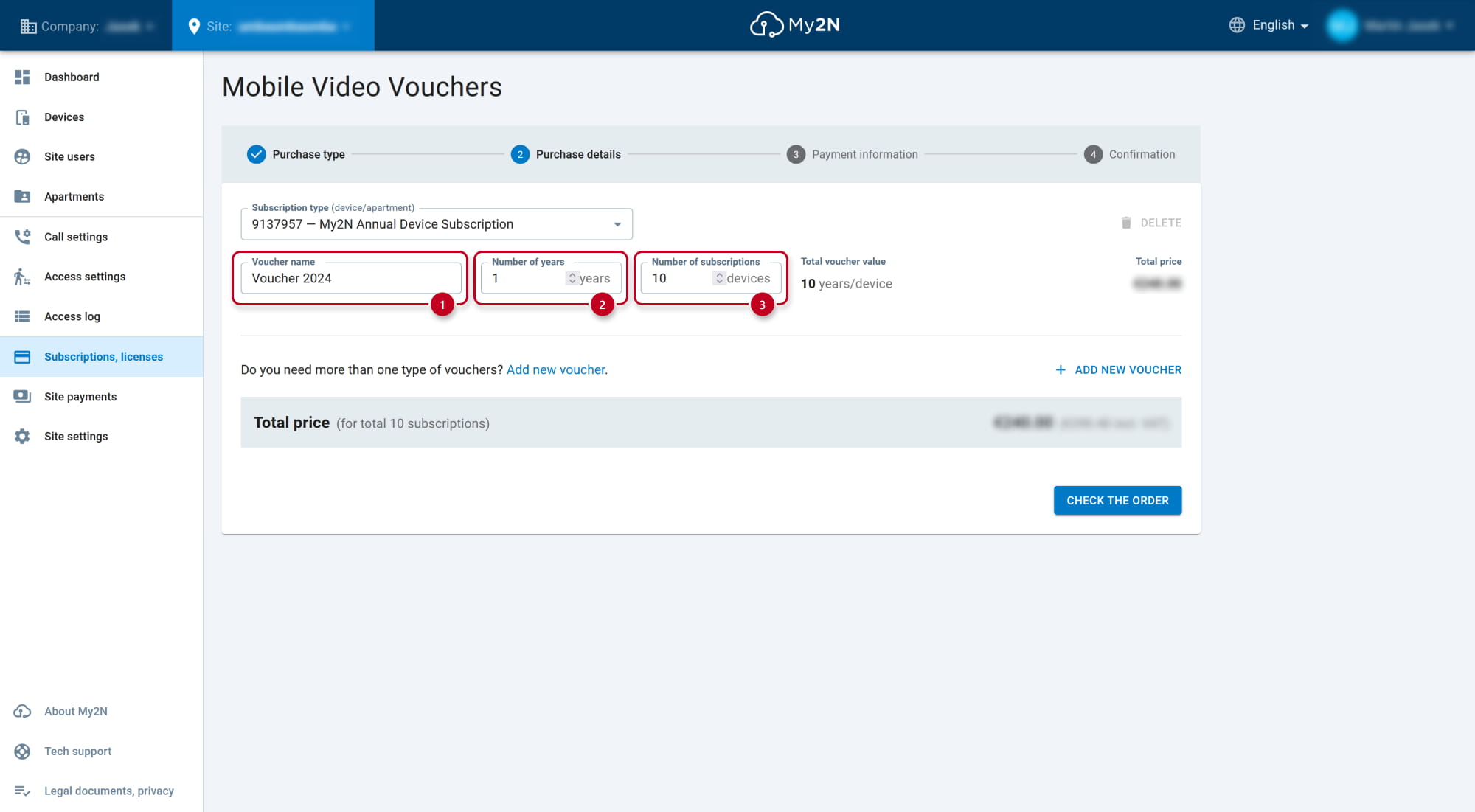
- Define the parameters of the credit voucher.
-
Voucher name - the name of the credit voucher
-
Number of years - how many years this subscription will be for
-
Number of subscriptions - how many paid devices will be used
After you enter all the details, you can see the total value of the subscription.
In this example, the subscription for 10 devices for 1 year will be created.
-
-
- Subscription type - you can switch to Apartment model subscription, then the voucher value is counted per apartment

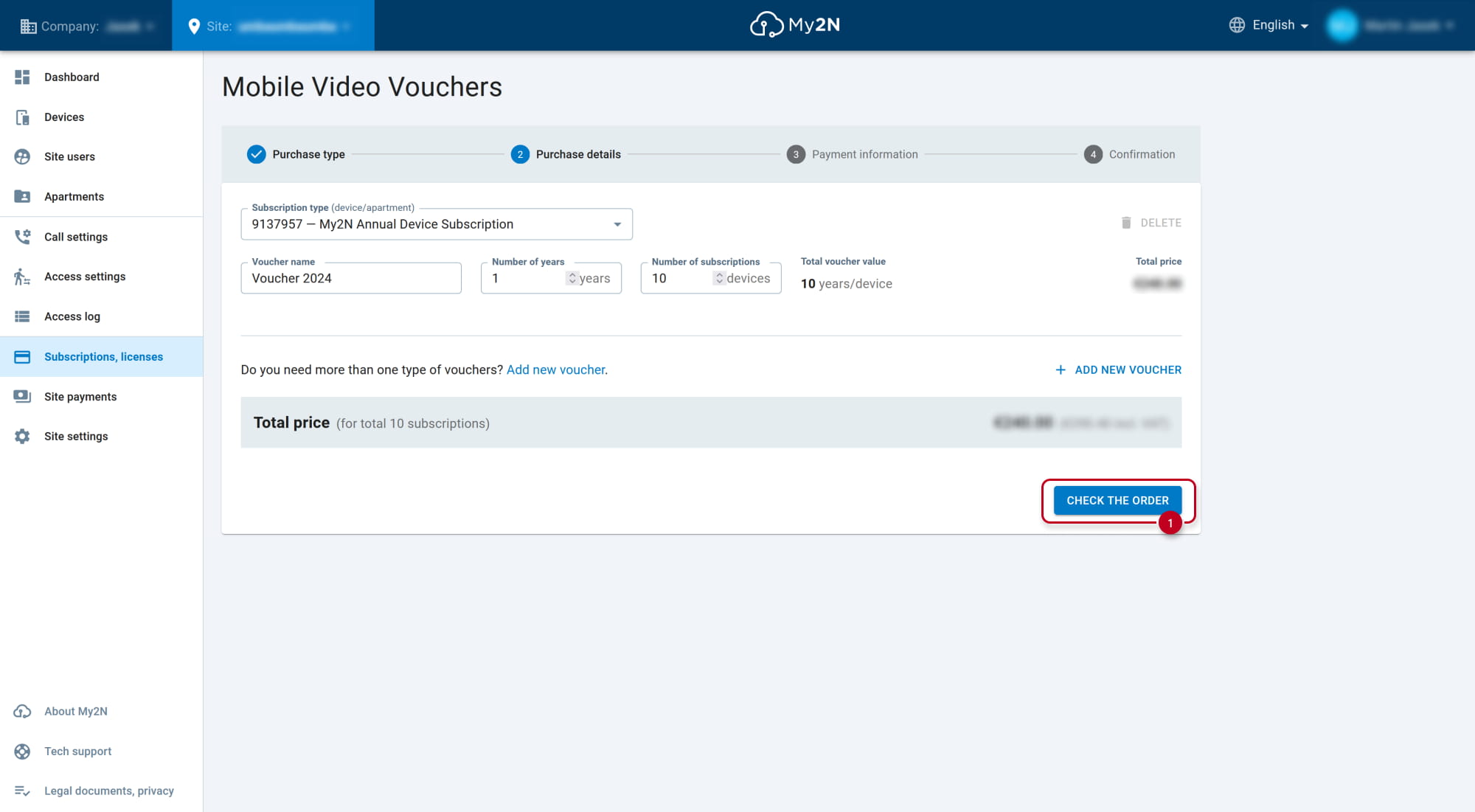
- Continue to CHECK THE ORDER.
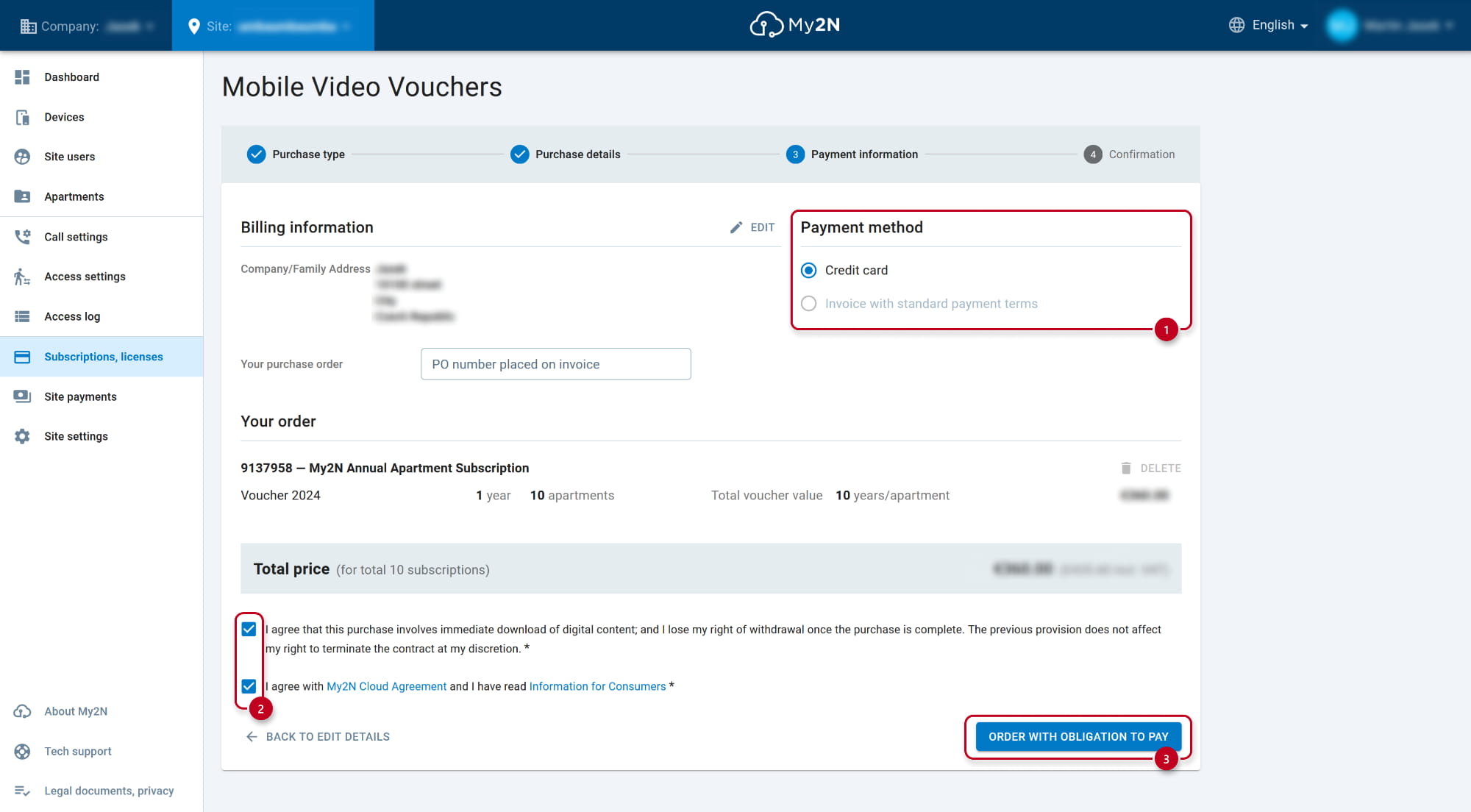
- You can purchase the credits by using a credit card or by using an invoice.
Getting the voucher code
- Overview of the payment can be seen in company section Payments.
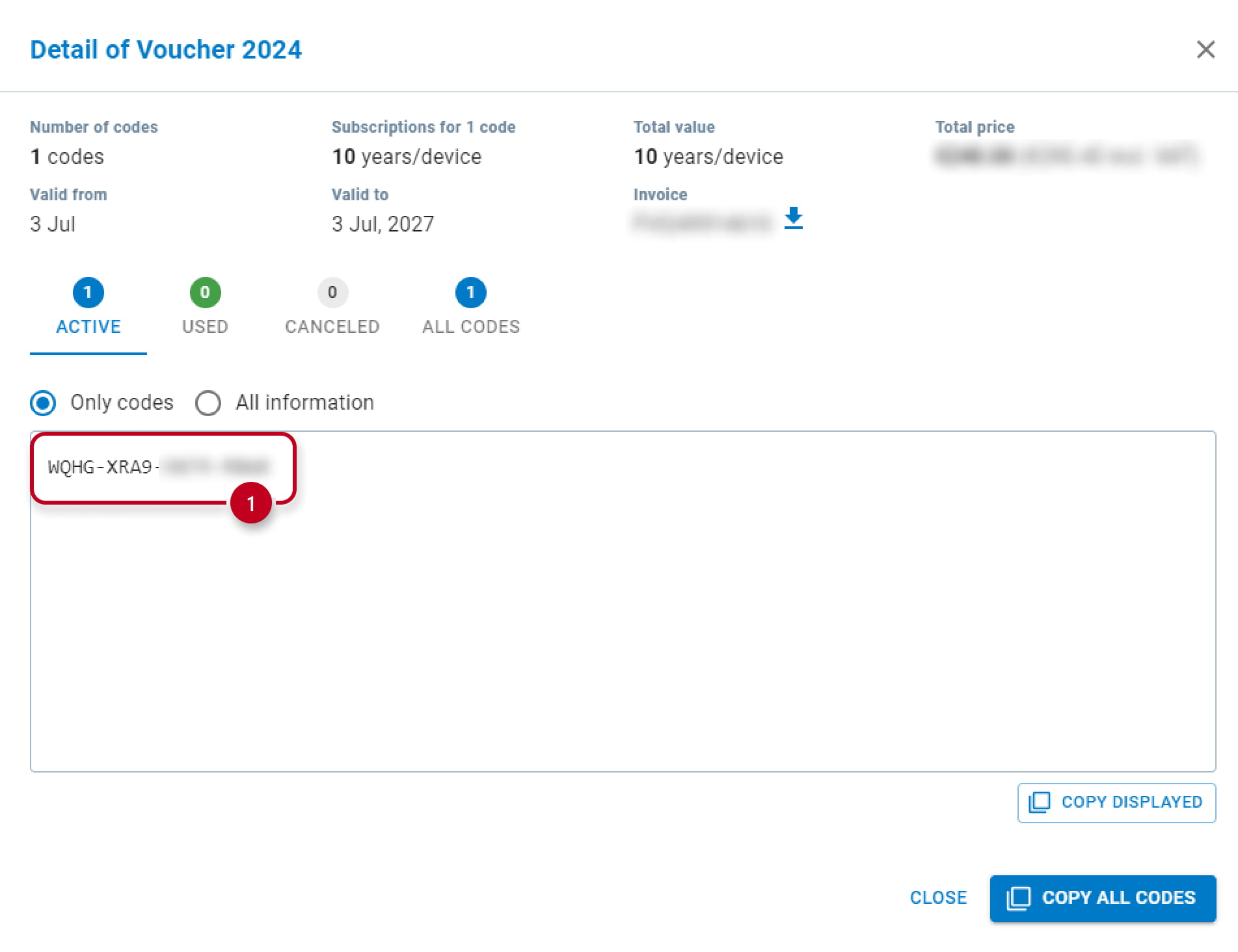
Open the license keys detail and then the prepared voucher.

- This is the voucher code, please send it to the customer and ask to follow instructions from the second part of this article.
The validity of the voucher is always 3 years. Once expired, the codes cannot be used anymore.
When the code is used by the customer, it is moved to the USED tab and cannot be used anymore.
Purchasing the license
- In your My2N platform account, go to section Subscriptions, licenses and select LICENSES.
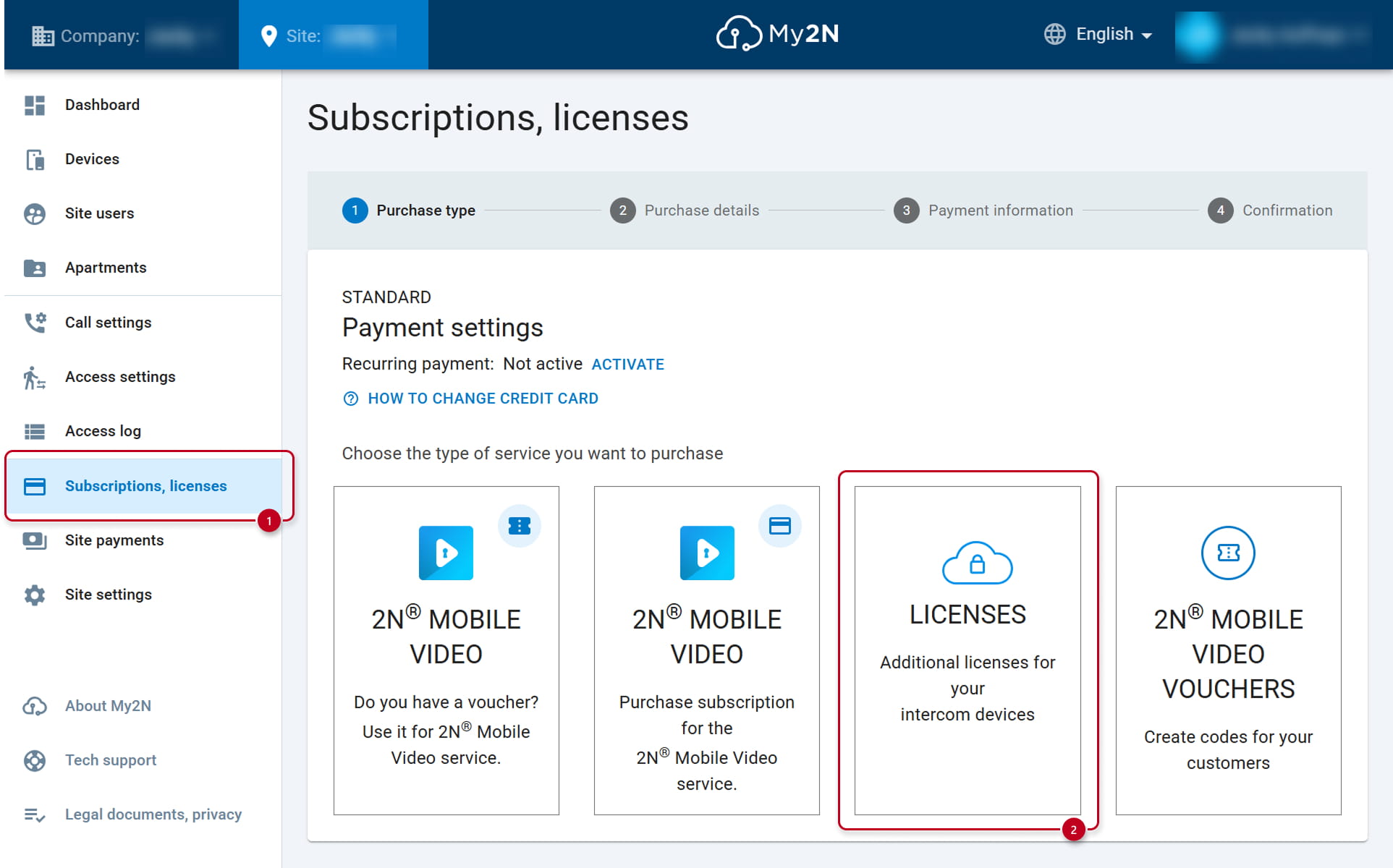
- Enter the serial number of the 2N device for which you want to purchase the license.

- Choose available licenses you want to purchase and go to the next step.
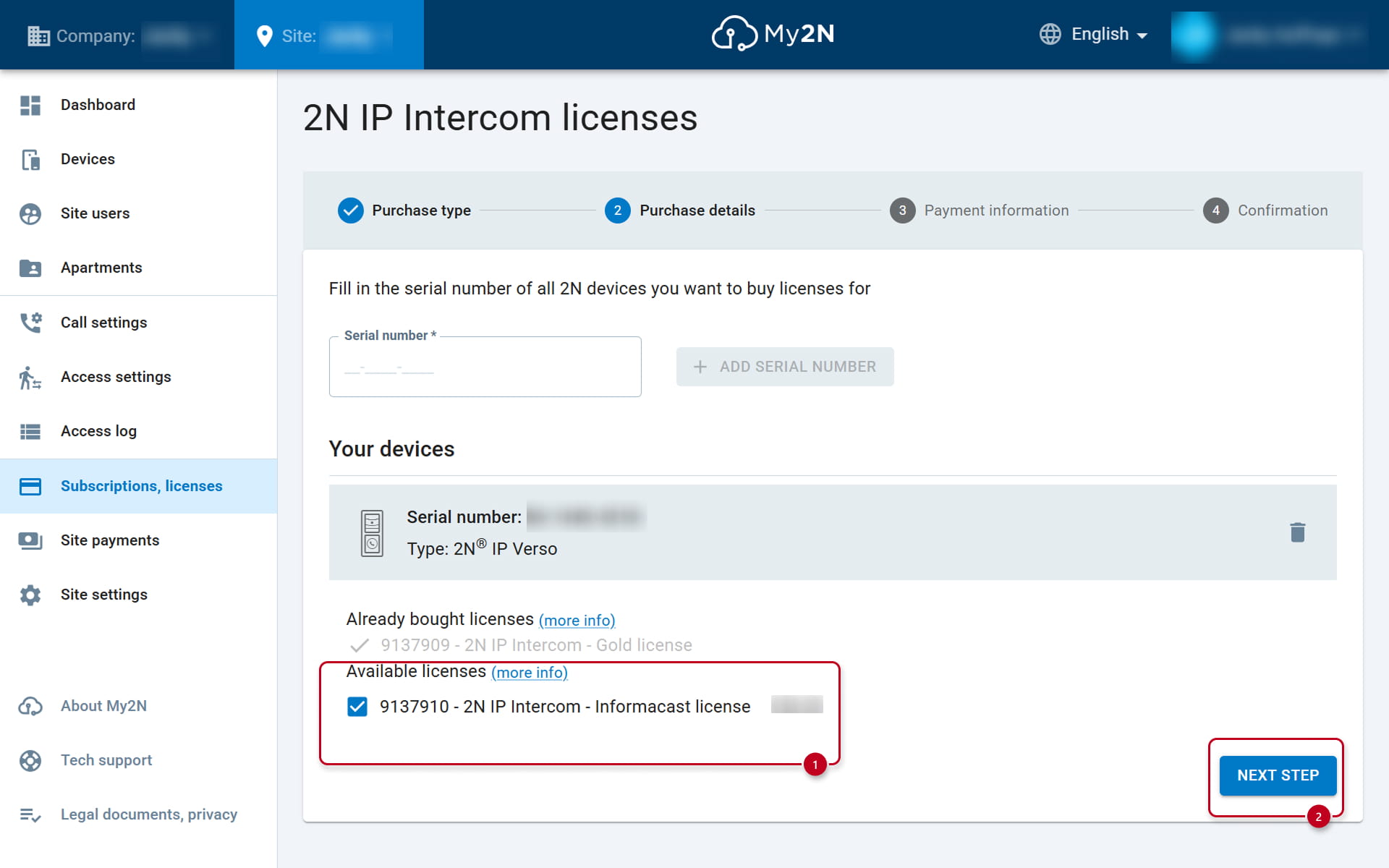
- You can purchase the licenses by using a credit card or by using an invoice.

How to to apply the credit voucher from the distributor
Prerequisites
- Registered account in My2N platform
How to register in My2N platform
- Voucher code received from your local distributor
The validity of the voucher code is 3 years. Once expired or used on your site, it cannot be used anymore.
Applying the credit voucher
- In your My2N platform account, go to section Subscriptions, licenses and select the first option.

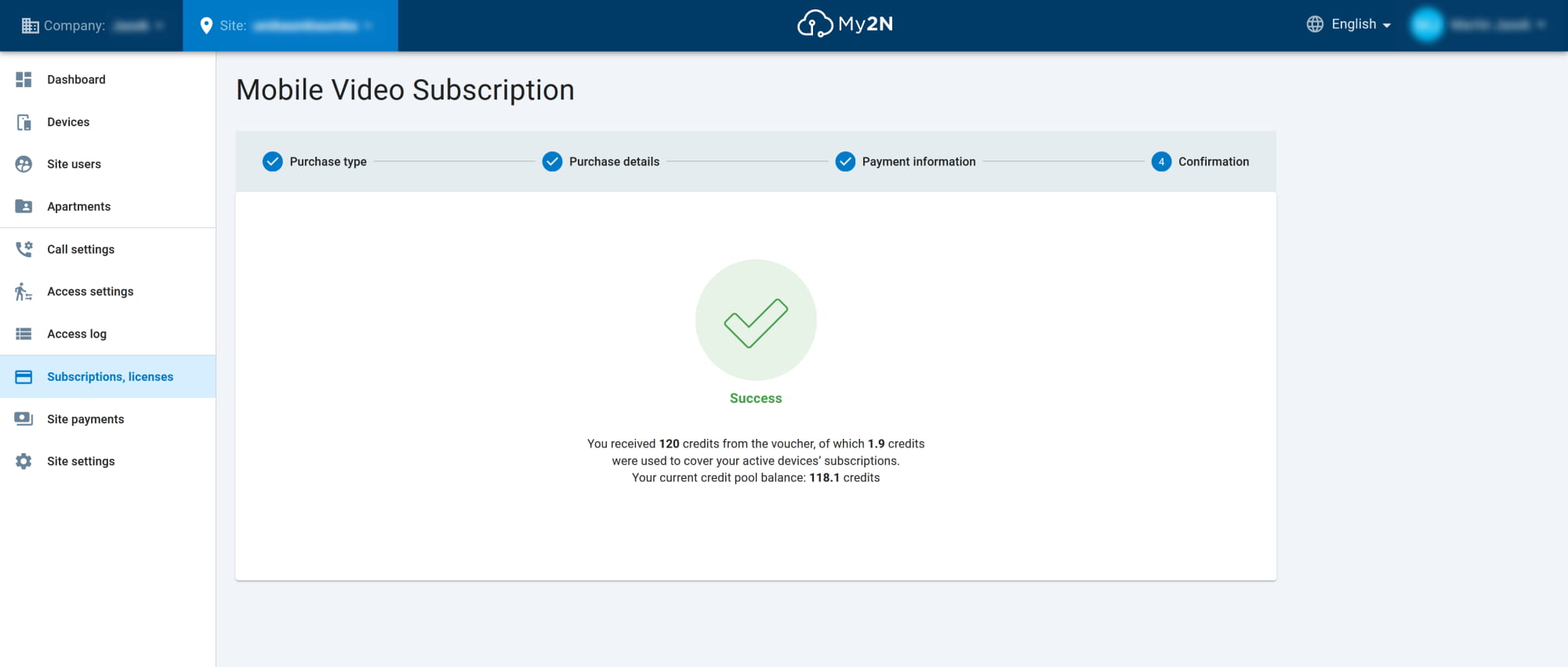
- Use your voucher code here. You will see how many credits will be added to the credit pool after the voucher activation.
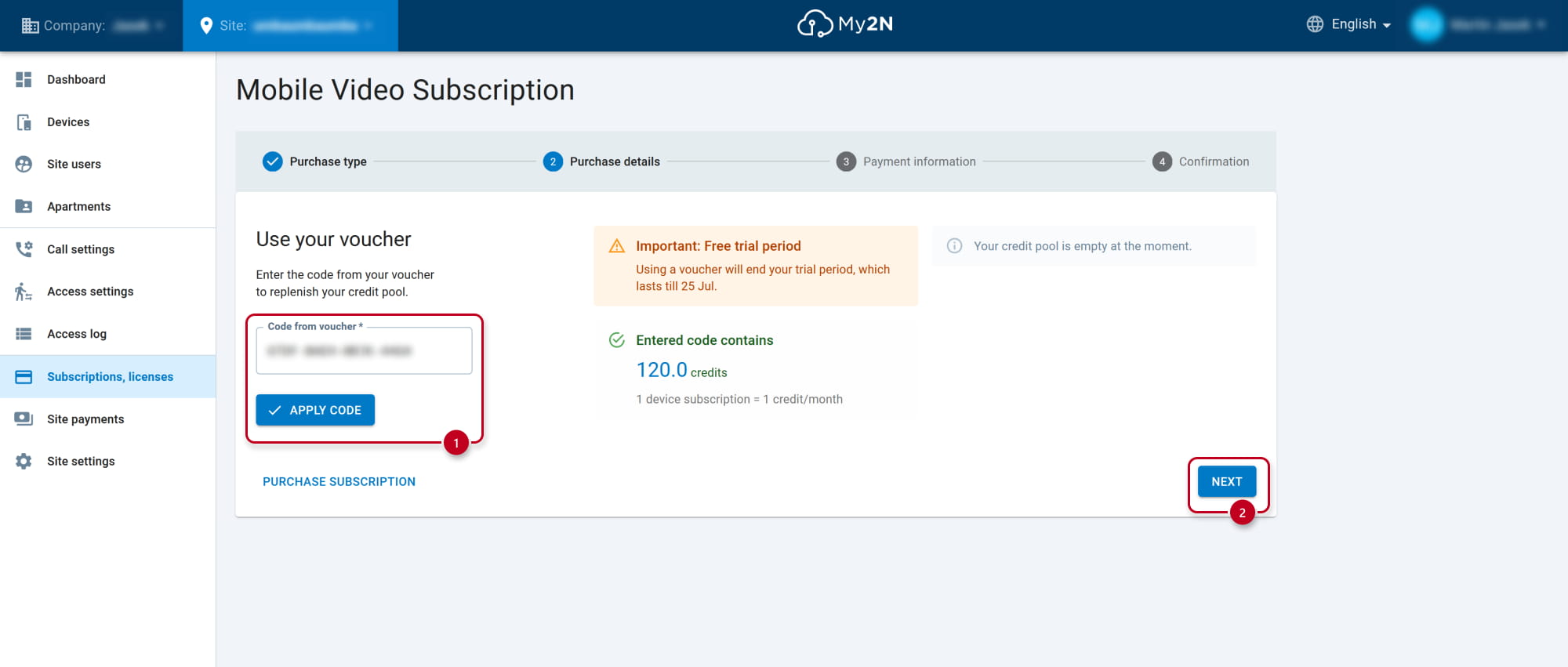
- You need to confirm the activation of the code in the next step.
If some devices are waiting for the credits, they will be immediately used after the confirmation.

- Now the code has been used and credits have been added to your site's credit pool.